
How often have you heard a colleague say “that’s how object-oriented development works in C#, we should do the same in AL”? In this Areopa Academy webinar — the 88th in the series — Andrzej Zwierzchowski (Microsoft MVP, development standards lead, and author of the AL Tools VS Code extension) challenges that assumption directly. The session revisits the original ideas behind OOP, exposes where the C# classroom examples break down for web-based database applications, and offers concrete AL patterns that produce code which is both readable and maintainable.
The problem: class-based thinking in a language without classes
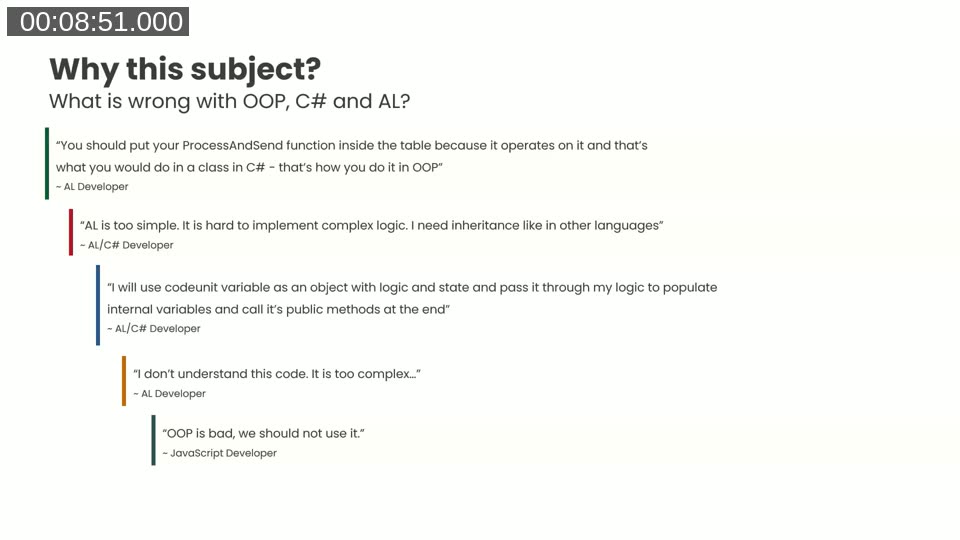
Common quotes from AL, AL/C#, and JavaScript developers that reveal the confusion around OOP concepts when applied to Business Central development. (00:08:51)
Andrzej opens by identifying the audience he has in mind: developers who know AL and also work with .NET or JavaScript, developers who know OOP concepts and wonder how they apply in AL, and pure AL developers who want arguments for why their code is structured the way it is. A mix of quotes captures the confusion:
- “You should put your
ProcessAndSendfunction inside the table because it operates on it — that’s what you’d do in C#.” - “AL is too simple. I need inheritance like in other languages.”
- “I will use a codeunit as an object with logic and state and pass it through my application.”
- “I don’t understand this code. It is too complex.” (the AL developer reading the previous person’s code)
The root cause, Andrzej argues, is that developers conflate classes with objects. These are not the same thing.
What Alan Kay actually meant by OOP
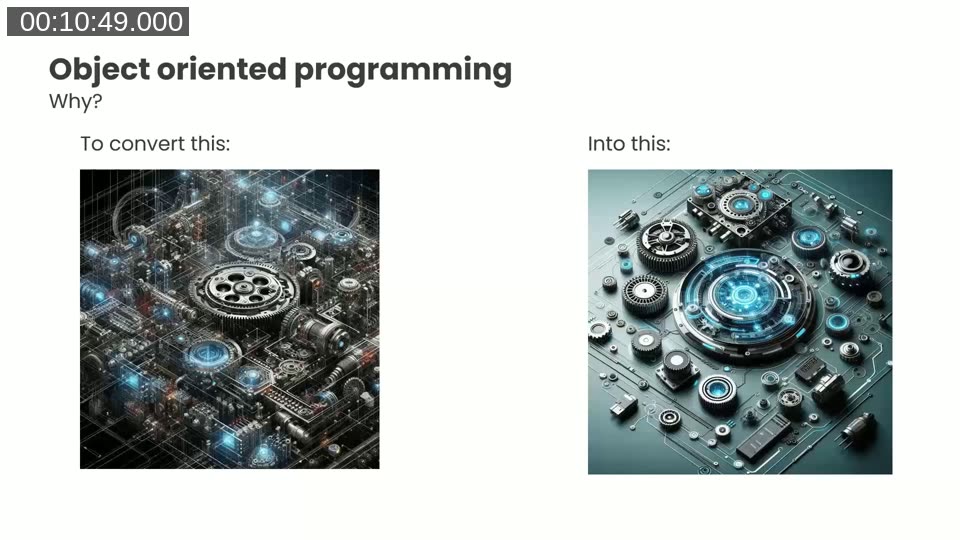
The goal of OOP: converting tangled, hard-to-understand code into well-separated, manageable components. (00:10:49)
Alan Kay, who coined the term “object-oriented programming” while designing Smalltalk, defined OOP this way:
“I thought of objects being like biological cells or individual computers on a network, only able to communicate with messages.”
Kay later said he regretted the word “objects” because it caused people to focus on the lesser idea. The bigger idea was messaging. His definition of OOP: messaging, local retention and protection of state, and extreme late binding of all things.
Class-based languages — Smalltalk, C++, Java, C# — emerged from those ideas but emphasised classes, encapsulation, inheritance, and polymorphism. The creators of those languages did not intend for every web-based database application to be structured around stateful objects with behaviour methods.
When the C# classroom example misleads
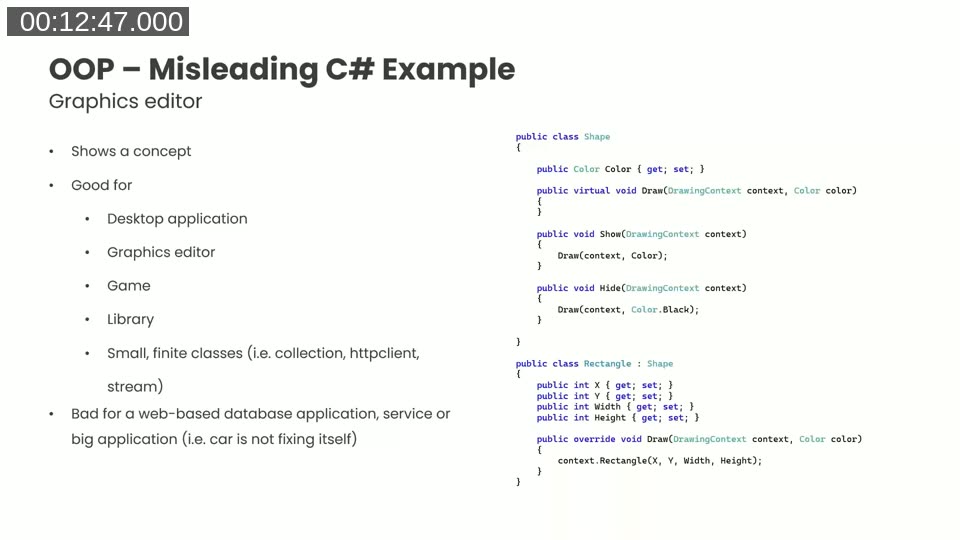
The classic C# Shape/Rectangle inheritance example — appropriate for desktop graphics editors and small libraries, but not for web-based database applications like Business Central. (00:12:47)
The standard OOP teaching example is a Shape base class with a virtual Draw method, and a Rectangle that inherits from it. Andrzej points out that this works well for:
- Desktop applications (a graphics editor, a game) that stay alive in memory
- Small, finite utility classes (collections, HTTP clients, streams)
It does not work well for web-based database applications. Business Central runs server-side with a web client — it is not a long-running desktop process. When Andrzej first encountered ASP.NET architecture he was surprised to find that Microsoft’s recommended approach looked nothing like the desktop OOP he knew.
How C# actually structures web-based database applications
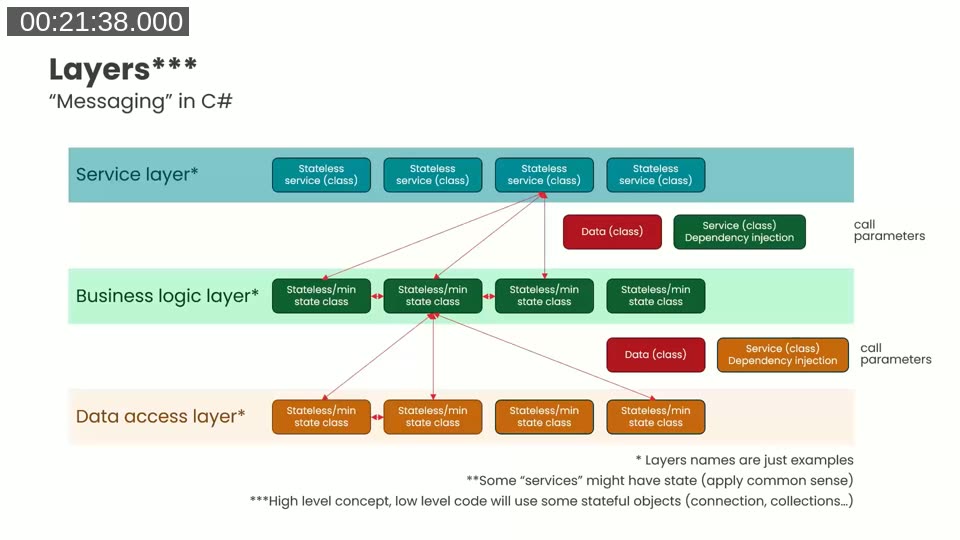
Three-layer “messaging” architecture for C# web applications: stateless service classes at the top receive requests, business logic classes process data, and a data access layer (e.g. Entity Framework) reads and writes to the database. Data is passed as parameter objects with properties only — no behaviour. (00:21:38)
A real C# web application separates concerns into layers:
- Service layer — stateless classes that receive requests (HTTP calls or messages from other libraries) and coordinate work. No persistent in-memory state.
- Business logic layer — classes that process data, with minimal state. They receive data objects and services via parameters or dependency injection.
- Data access layer — classes that read and write to the database (Entity Framework entities). These have properties only, almost no logic, and no knowledge of where their data comes from.
The data flowing between layers is carried in data transfer objects — classes with properties and minimal logic, serialised to JSON or XML over the wire. A JavaScript or TypeScript developer would point out that this pattern does not require classes at all: a module and a plain record structure satisfy Alan Kay’s definition just as well.
📖 Docs: Guidelines for placing AL code — Microsoft Learn — Microsoft’s own guidance recommends writing code in codeunits rather than on the objects they operate on, for exactly the reasons Andrzej describes.
Applying the layered approach to AL
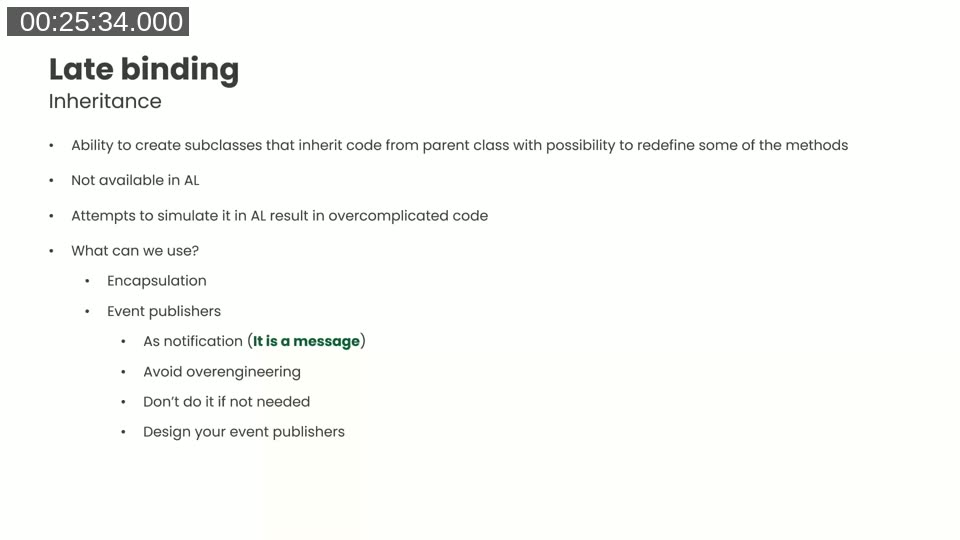
Late binding in AL: classical inheritance is not available, but encapsulation (wrapping a standard codeunit) and event publishers (as notifications) provide alternatives — without the overengineering risk of simulating inheritance. (00:25:34)
AL does not have class inheritance. Attempts by C#-trained developers to simulate it in AL result in code that other AL developers describe as incomprehensible. Instead, Andrzej recommends thinking about codeunits as stateless services — the same mental model that good C# web architecture uses.
Key guidance for AL tables:
- Keep field validation logic in the table (that is where AL expects it, and it is fine).
- Do not add public procedures that operate on the table record to the table itself.
- Move those procedures to a dedicated codeunit — a service — and call the codeunit directly from your code.
- Tables should be data holders, not God objects.
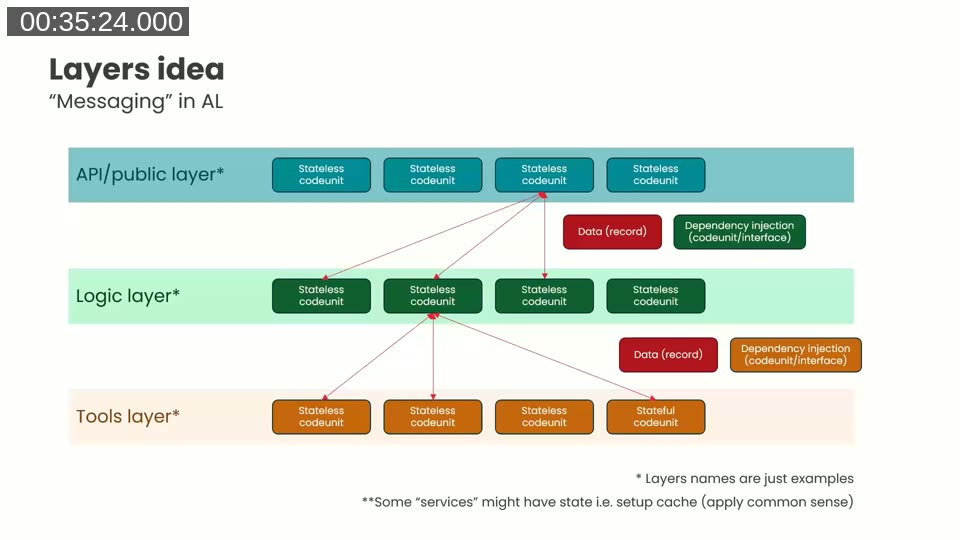
The AL equivalent of the layered C# architecture: an API/public layer of stateless codeunits, a logic layer, and a tools layer. Records replace data transfer objects; codeunit/interface parameters replace dependency injection containers. (00:35:24)
Concretely, you can organise AL codeunits into layers:
- API/public layer — codeunits that define the external contract of a feature. Think of these as your public-facing service APIs.
- Logic layer — codeunits with business logic, receiving records and calling into lower layers.
- Tools layer — low-level utilities (file uploaders, notification senders) that can be reused across features.
AL namespaces (available in modern BC versions) let you encode this layer structure directly in the codeunit names and grouping.
📖 Docs: Codeunit object — Microsoft Learn — The codeunit is AL’s fundamental unit of reusable business logic. Understanding its properties and calling conventions is essential for the service-based patterns Andrzej demonstrates.
AL services in practice
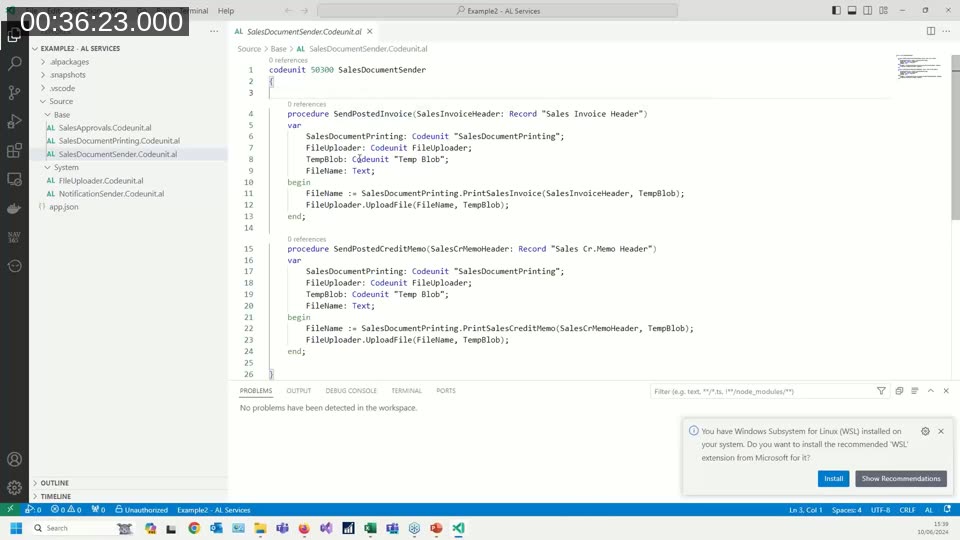
Example AL service codeunit SalesDocumentSender with two public procedures — SendPostedInvoice and SendPostedCreditMemo — each calling lower-level service codeunits for document printing and file upload. (00:36:23)
Andrzej’s live code example illustrates the pattern directly. A SalesDocumentSender codeunit acts as the public service. It exposes two methods:
procedure SendPostedInvoice(SalesInvoiceHeader: Record "Sales Invoice Header")
var
    SalesDocumentPrinting: Codeunit "SalesDocumentPrinting";
    FileUploader: Codeunit FileUploader;
    TempBlob: Codeunit "Temp Blob";
    FileName: Text;
begin
    FileName := SalesDocumentPrinting.PrintSalesInvoice(SalesInvoiceHeader, TempBlob);
    FileUploader.UploadFile(FileName, TempBlob);
end;
The folder structure in the VS Code workspace reflects the layering: a Base folder contains domain-specific codeunits (SalesApprovals, SalesDocumentPrinting, SalesDocumentSender), and a System folder contains the reusable tools (FileUploader, NotificationSender).
Each codeunit has a small, clear purpose. None of them carry unrelated state. The flow of data is explicit: records pass in as parameters, results come back as return values or out-parameters.
Dependency injection in AL
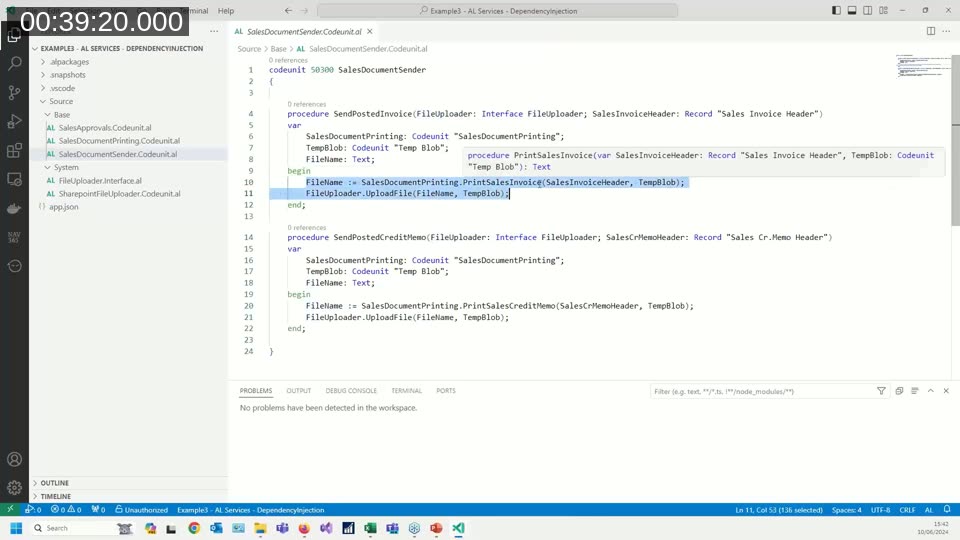
Dependency injection: FileUploader is passed as an Interface FileUploader parameter instead of being instantiated directly inside the procedure. This allows different implementations (SharePoint, FTP, a test fake) to be substituted without changing the calling code. (00:39:20)
When you need to swap implementations — for different storage backends or for unit testing — AL interfaces enable dependency injection:
procedure SendPostedInvoice(FileUploader: Interface FileUploader; SalesInvoiceHeader: Record "Sales Invoice Header")
var
    SalesDocumentPrinting: Codeunit "SalesDocumentPrinting";
    TempBlob: Codeunit "Temp Blob";
    FileName: Text;
begin
    FileName := SalesDocumentPrinting.PrintSalesInvoice(SalesInvoiceHeader, TempBlob);
    FileUploader.UploadFile(FileName, TempBlob);
end;
The FileUploader interface declares a single UploadFile method. The folder now contains SharePointFileUploader.Codeunit.al and a test fake implementation. For unit tests, you pass the fake and avoid real network calls, keeping the test suite fast.
Andrzej notes the trade-off honestly: dependency injection makes code harder to read because you see interfaces and parameters rather than concrete codeunit references. Use it when you genuinely need multiple implementations or when testability justifies the indirection. Do not apply it everywhere by default.
📖 Docs: Interfaces in AL — Microsoft Learn — AL interfaces (introduced in Business Central 2020 release wave 1) define a syntactical contract that multiple codeunits can implement, enabling polymorphic method calls and substitutable business logic — exactly what the dependency injection pattern requires.
Handling inheritance in AL: encapsulation
When you need behaviour that in C# would be achieved through inheritance — for example, overriding one method of a standard Microsoft interface implementation while keeping all others unchanged — AL offers encapsulation:
- Create your own codeunit that
implementsthe interface. - Declare a global variable of the type of Microsoft’s standard codeunit.
- In every method you do not want to change, call through to the standard codeunit:
Base.GetNumber(),Base.VerifyPayment(). - In the method you want to modify, call the original and then adjust the result — or replace the logic entirely.
If Microsoft fixes a bug in their implementation, your wrapper automatically picks up the fix because you are delegating to their code, not copying it.
Composition over inheritance: avoiding the God object
When a codeunit or class grows to the point where developers start adding #region directives to fold sections, Andrzej treats that as a clear signal the object is too large. The #region keyword’s purpose is to hide complexity — and hiding complexity means the complexity is already there. The remedy is composition: split the large codeunit into smaller ones, each responsible for a cohesive set of operations.
For existing codebases that cannot be refactored all at once, a façade pattern works well: create the smaller service codeunits, move the logic there, and replace each method in the old codeunit with a one-liner that forwards to the new service. The old codeunit becomes a façade. Callers do not break. You can migrate incrementally.
📖 Docs: Extensible Enums — Microsoft Learn — Extensible enums combined with interfaces are a common way to implement the strategy pattern in AL: each enum value maps to a codeunit implementation, enabling polymorphic dispatch without inheritance and without large conditional blocks.
Summary: OOP in AL — what you can do
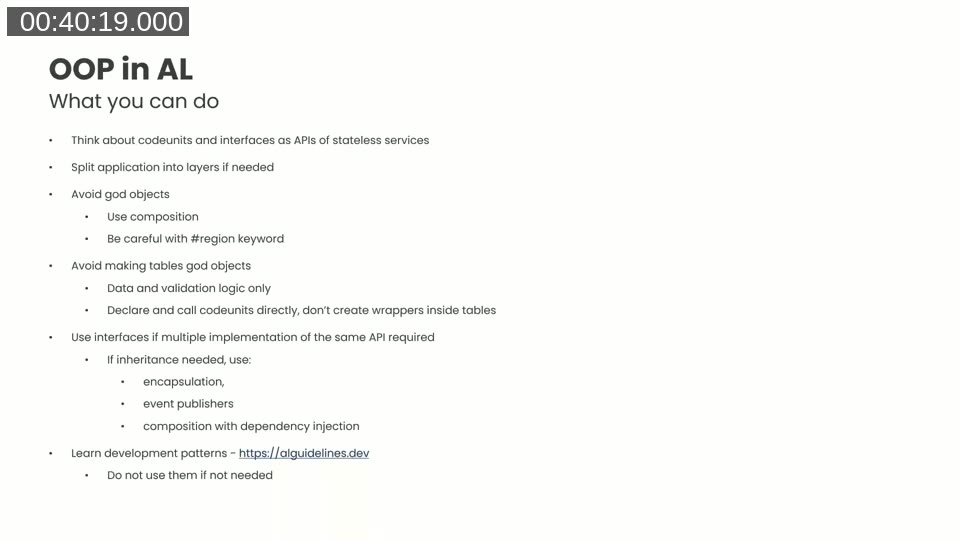
The session summary slide: treating codeunits and interfaces as stateless service APIs, layering the application, avoiding God objects and God tables, using composition and dependency injection, and studying AL Guidelines for design patterns. (00:40:28)
- Think of codeunits as stateless services — design a small, focused public API for each one.
- Split the application into layers — API/public, logic, and tools layers correspond well to the service, business logic, and data access layers in C# web architecture.
- Avoid God objects — use composition to break large codeunits apart. Watch for the
#regionwarning sign. - Keep tables as data holders — field validations belong in tables; business logic procedures belong in service codeunits. Call codeunits directly; do not create wrapper methods in table extensions.
- Use interfaces for multiple implementations — when you genuinely need polymorphism or testability, pass an interface rather than a concrete codeunit.
- Replace inheritance with encapsulation — wrap the standard codeunit, delegate unchanged methods, override only what you need.
- Use event publishers as notifications — not as a simulation of all inheritance scenarios; design them deliberately and do not scatter them everywhere.
- Learn design patterns, but apply them selectively — the AL Guidelines at alguidelines.dev document established patterns. Understand when a pattern is needed. Do not over-engineer solutions to problems you do not have.
This post was drafted with AI assistance based on the webinar transcript and video content.