
In this Areopa webinar, Freddy Kristiansen, creator of AL-Go for GitHub, walks through the tool’s approach to plug-and-play DevOps for Business Central AL projects. Tobias Fenster moderates. Freddy covers what AL-Go for GitHub is, why it exists, how to get started with the template repositories, local development environments, continuous deployment, versioning, and how to keep a repository current as AL-Go itself evolves.
What is AL-Go for GitHub?
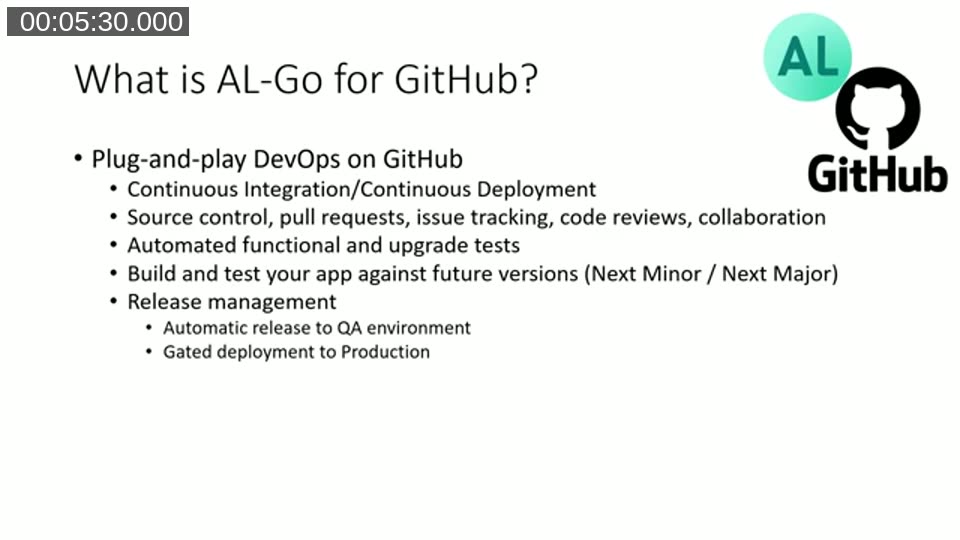
AL-Go for GitHub is described as plug-and-play DevOps on GitHub. Once set up, a repository gets continuous integration and continuous deployment, source control, pull requests, issue tracking, code reviews, automated functional and upgrade tests, and release management, including automatic deployment to a QA environment and gated deployment to production.
Freddy frames the goal as covering the functionality that 90% of partners need from a DevOps solution, not 90% of the functionality that all partners could theoretically want. Partners with a strategic requirement to stay on Azure DevOps are pointed elsewhere — AL-Go for GitHub is not going to become AL-Go for Azure DevOps.
Why AL-Go for GitHub, and why GitHub only?
Freddy explains that earlier CI/CD hands-on labs required partners to modify YAML files and PowerShell scripts themselves. That worked, but kept DevOps as an investment area: every partner had to maintain their own copy, and updates had to be applied by hand across every repository. AL-Go for GitHub reverses that. It does not require a dedicated DevOps engineer, has a short ramp-up for developers, and a repository gets CI/CD in about five minutes by starting from a template. As AL-Go itself evolves, updates can be pulled into an existing repository by running a single workflow.
On the GitHub-only scope, Freddy’s analogy: if Azure DevOps is enterprise-level DevOps, GitHub is its lean and simple sibling. If DevOps engineers love Azure DevOps, developers love GitHub. Partners who want to stay on Azure DevOps are pointed to existing offerings such as ALOps or Cosmos (which also uses AL-Go actions) rather than building something custom. He also highlights GitHub Codespaces — launching VS Code directly in the browser against an online environment — as a capability GitHub has that Azure DevOps does not.
Template repositories and the actions repo
AL-Go for GitHub consists of two template repositories — one for Per Tenant Extensions and one for AppSource apps — plus a separate actions repository that holds the actual pipeline logic. Workflows inside a project repository call into a specific version of these actions.
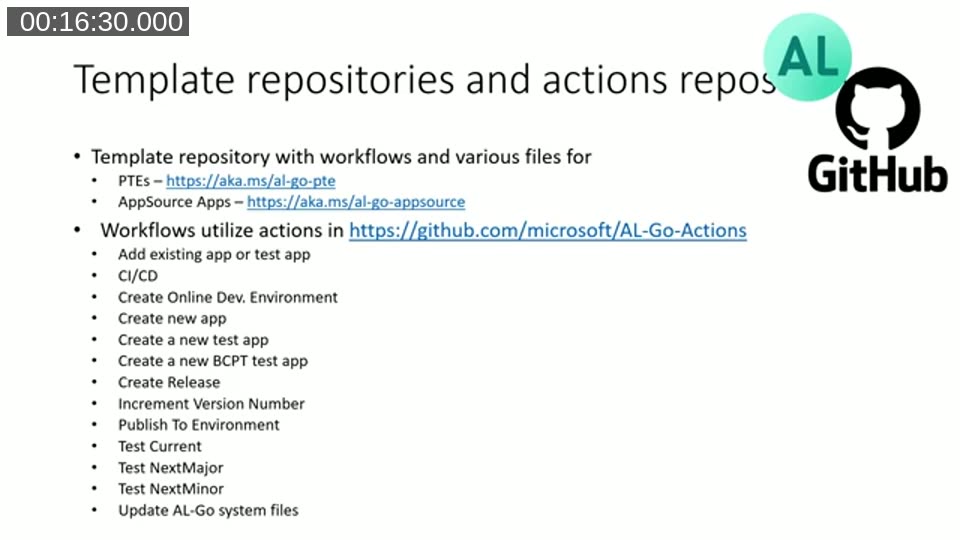
- PTE template: https://aka.ms/al-go-pte
- AppSource template: https://aka.ms/al-go-appsource
- Actions repository: https://github.com/microsoft/AL-Go-Actions
The workflows shipped with the template include adding an existing app or test app, CI/CD, creating an online development environment, creating a new app or test app, creating a BCPT (performance test) app, creating a release, incrementing the version number, publishing to an environment, testing against current/next major/next minor, and updating the AL-Go system files.
📖 Docs: microsoft/AL-Go is the current home of AL-Go for GitHub, superseding the separate AL-Go-PTE/AL-Go-AppSource/AL-Go-Actions repositories shown in this 2022 recording. It carries the full up-to-date documentation, settings reference, and workshop.
Getting started: creating a repository from the template
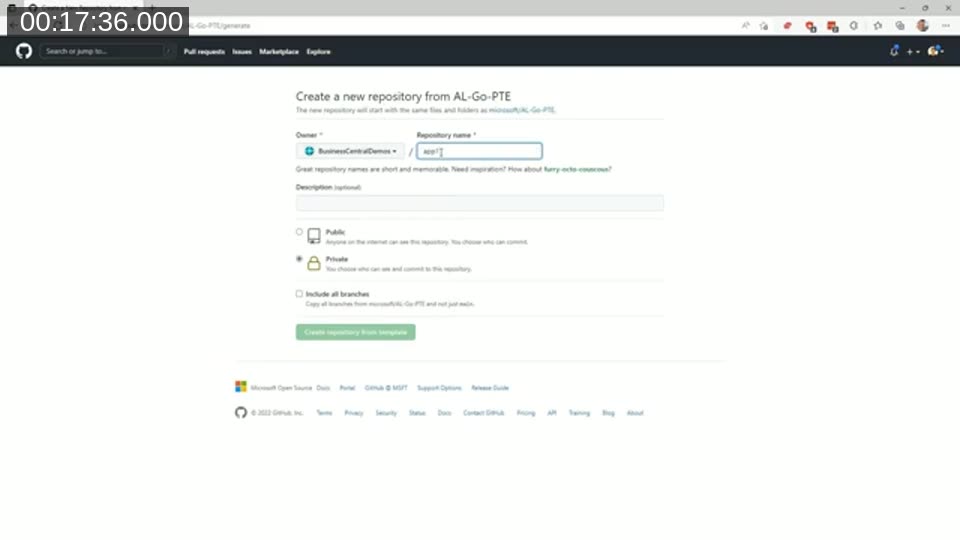
The demo (pre-recorded to avoid waiting on live builds) starts by creating a new repository from AL-Go-PTE. This copies the template repository, including its workflows, into a new empty repository. From there, running the “Create a new app” workflow does the same thing as pressing Ctrl+Shift+P and choosing AL: Go in VS Code — it generates a small Hello World app and adds it to the repository, either as a direct commit or as a pull request.
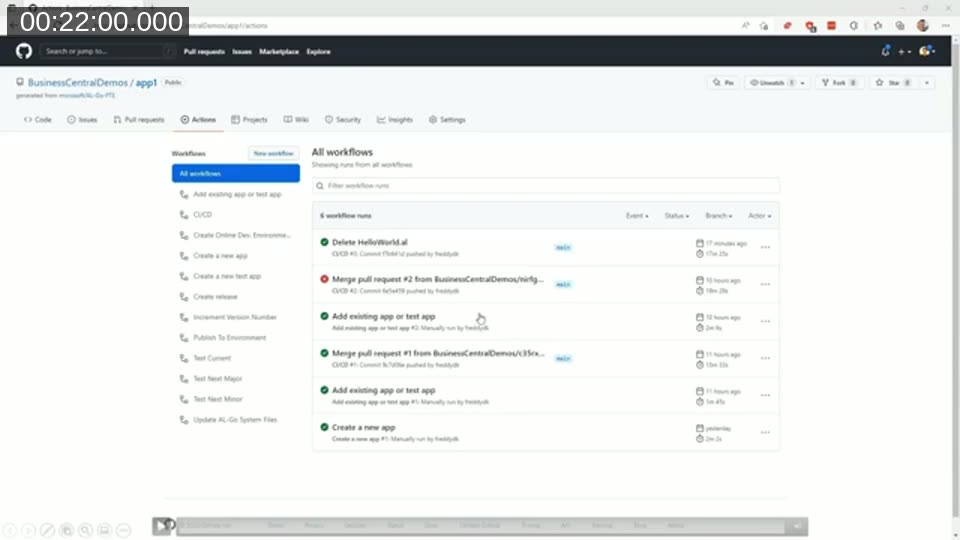
An existing app can also be added by uploading an app file or a zip containing multiple apps, and running the “Add existing app or test app” workflow. It unpacks the archive, detects app.json files, and adds the discovered apps to the repository as a pull request (this does not work for runtime packages, only source packages). Every commit or merged pull request automatically triggers the CI/CD pipeline, which initializes the container, checks for updates, downloads artifacts, compiles the apps, and publishes them — the same underlying logic as running the BcContainerHelper pipeline manually.
Local development environments
Working entirely in the GitHub browser UI is fine for repository setup, but day-to-day AL development still needs a real environment. At the time of this webinar, AL-Go for GitHub supported developing against a local Docker container or against a cloud sandbox environment; Freddy mentioned he was also working on support for an Azure Container Instance or Azure VM-hosted container.
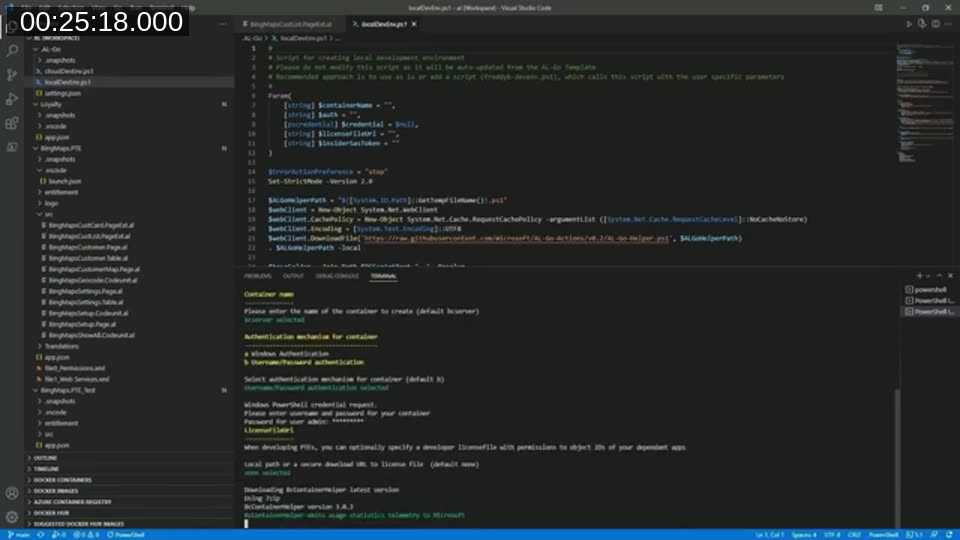
For local Docker development, after cloning the repository, running the localDevEnv.ps1 script included in the .AL-Go folder creates a container, specifying a container name, a password, and optionally a license file. The script builds and publishes all the apps in the repository to the container’s dev scope so it is immediately ready for development, and updates launch.json to point at the new container. After that, pressing F5 in VS Code compiles and publishes just the modified app.
Setting up continuous deployment to QA
To deploy automatically to a QA environment, the demo creates a GitHub environment named QA and adds an AUTHCONTEXT secret. This is the same authorization context BcContainerHelper uses, created with two lines of PowerShell using device login, producing a refresh token and tenant ID that gets pasted into the secret. GitHub Environments require a paid plan; if unavailable, the same environment configuration can be defined in the settings file instead.
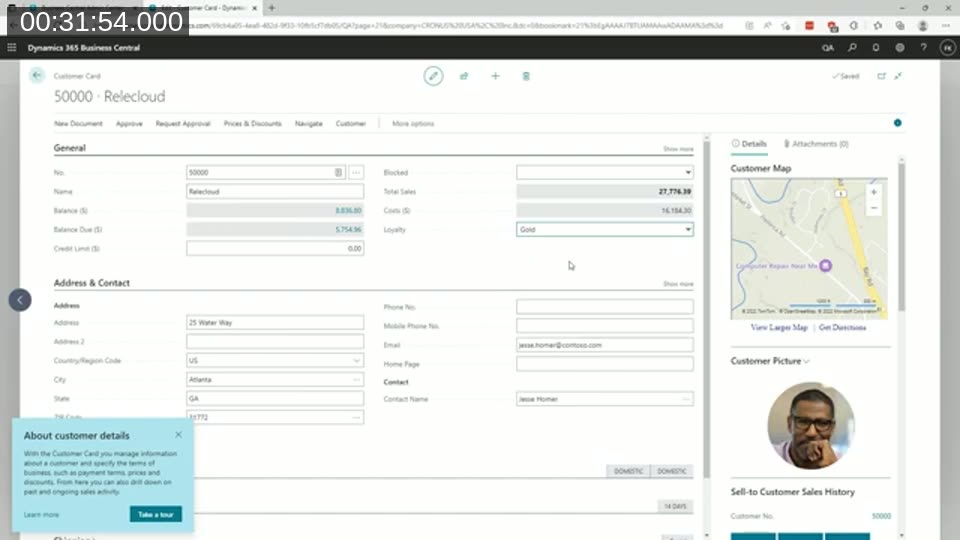
With that secret in place, every successful build on the main branch publishes the app to the QA environment automatically — no manual deployment step required. In the demo, adding a new Loyalty app with an enum and a table extension triggers the pipeline, which builds, tests, and deploys the change; the new Loyalty field then appears on the Customer Card in the live QA environment.
Sandbox environments registered in GitHub are picked up automatically for continuous deployment. Production and other non-sandbox environments require an explicit “Publish to Environment” workflow run.
Versioning of AL-Go for GitHub
Creating a repository from the template copies a settings file that records the template type (PTE or AppSource) and a URL pointing back to the source template and branch, for example github.com/microsoft/AL-Go-PTE@main. Workflows, however, reference a specific pinned version of the actions repository — not the main branch — so a working repository keeps working even as AL-Go itself moves forward.
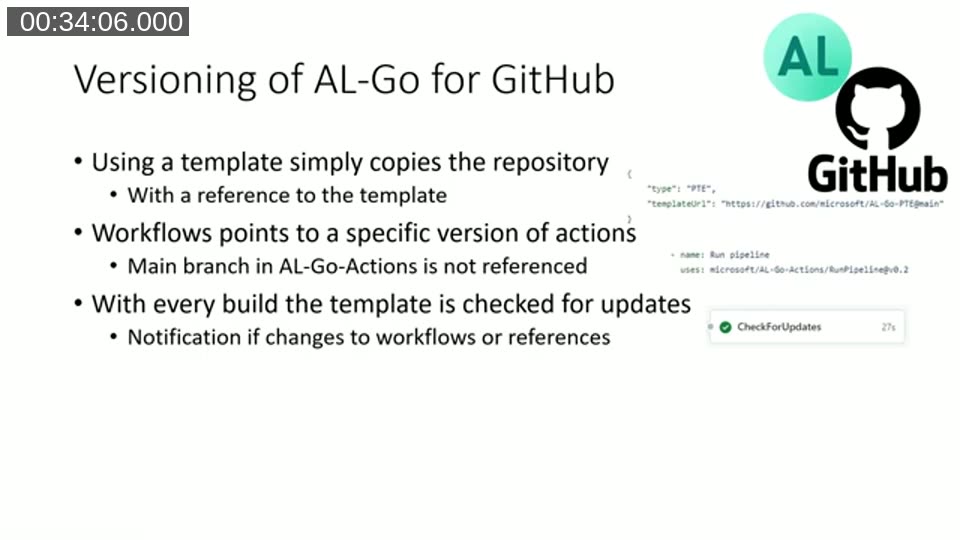
Every build checks whether a newer version of the template is available. When one is, the pipeline shows a notification that updated AL-Go system files exist. Running the “Update AL-Go System Files” workflow pulls in the new version, updates the YAML workflow files and local scripts, and opens a pull request with the changes. That pull request triggers a CI/CD run itself (without producing artifacts) purely to verify the update doesn’t break the build before it’s merged. Freddy notes that manually edited YAML files in a repository will be overwritten by this update process, so custom changes to the workflow files themselves are not recommended.
Keeping a repository current: demo
Using a separate versioning demo repository, Freddy shows this update flow end to end: a repository created from the PTE template, a new app added, an initial CI/CD run, then a notification that new AL-Go system files are available after a template release. Running “Update AL-Go System Files” produces a pull request; merging it moves the repository to the new actions version.
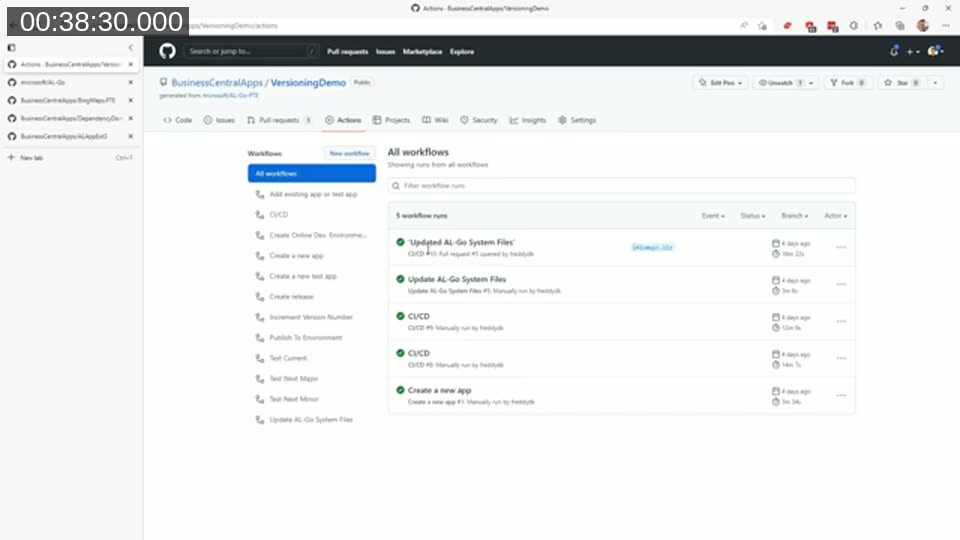
One concrete example shown is the update from AL-Go version 1.4 to 1.5, which introduced a new BCPT performance test runner and a corresponding “Create performance test app” workflow — functionality that simply appears in the repository after applying the update, without any manual setup.
Q&A highlights
During the Q&A (interrupted partway through by a laptop crash on Freddy’s end), a few points came up:
- Custom linters (e.g. a community BC linter cop) in the pipeline: not natively supported at the time. AL-Go supports overriding specific pipeline functions (such as container creation or app compilation) by placing a file like
NewBcContainer.ps1in the.AL-Gofolder, but Freddy described this as a “hacky” workaround and encouraged filing an issue on the AL-Go GitHub repository to get proper support added. - Scheduling next-major/next-minor test runs: done via a workflow-specific settings file with a cron expression, applied by running the update workflow so it gets written into the corresponding YAML file.
- IntelliSense support for
AL-Go-Settings.json: not available yet at the time; Freddy noted it as a good idea to add. - Dependencies between repositories: a settings entry can point to a public dependency repository (pulling its latest release, or optionally its latest build) or to a private repository, in which case the setting names a secret containing the access token rather than the token itself.
📖 Docs: AL-Go for GitHub settings reference — the current documentation for repository and workflow-specific settings, including the modern workflowSchedule setting that replaced the per-workflow schedule keys discussed in this webinar.
Future investment areas
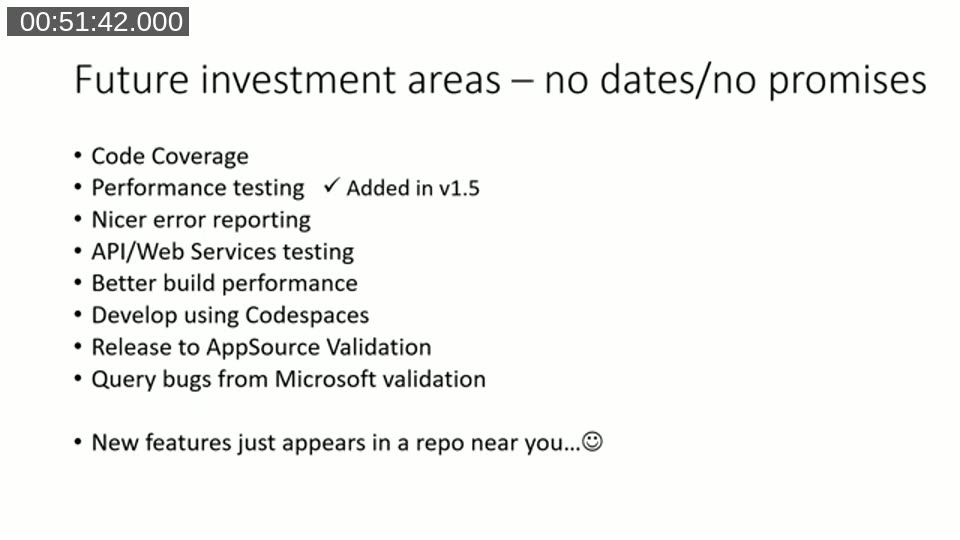
Freddy closed with a “no dates, no promises” list of areas under consideration for AL-Go for GitHub: code coverage, nicer error reporting, API/web services testing (using tools like Postman collections run via Newman against the container), better build performance, developing via Codespaces, releasing directly to AppSource validation through a partner center API Microsoft was working on at the time, and pulling AppSource validation results back into a repository automatically. Performance testing, one item on an earlier version of this list, had already shipped in AL-Go version 1.5 by the time of the webinar.
📖 Docs: AL-Go for GitHub overview on Microsoft Learn — the current official overview of AL-Go for GitHub, reflecting the tool’s evolution since this 2022 recording.
This post was drafted with AI assistance based on the webinar transcript and video content.