
In this Areopa Academy webinar — episode 121 — Tobias Fenster (General Manager at 4PS Germany, Chief Engineer at Hilti, Microsoft MVP for Business Central and Azure) and Markus Lippert (Team and Technical Lead at COSMO CONSULT, Product Manager for COSMO Alpaca) walk through what GitOps is, why Infrastructure as Code alone is not enough, and how a practical stack of Kubernetes, Crossplane, and Argo CD enables self-healing, auditable infrastructure. The session is moderated by Tine Starič.
ClickOps vs. Infrastructure as Code
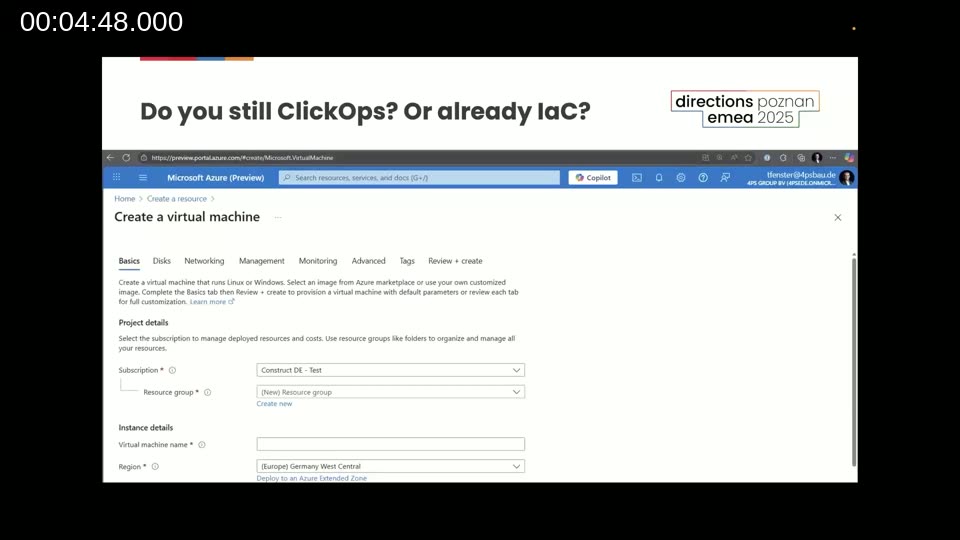
Tobias opens by asking the audience a straightforward question: are you still doing ClickOps — clicking through the Azure Portal to create and configure resources — or have you moved to Infrastructure as Code (IaC)?
ClickOps is error-prone and hard to reproduce. Different team members may configure the same resource differently, there is no version history, and the reasoning behind a change is never recorded anywhere in the portal.
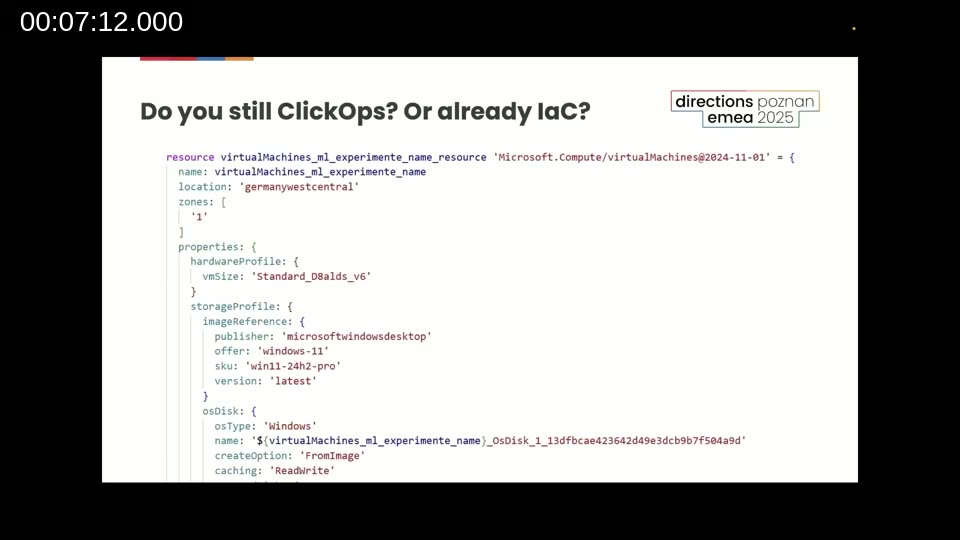
Infrastructure as Code improves things significantly. Definitions are stored as code — such as the Bicep snippet below — and can be checked into a Git repository alongside application code, enabling versioning, pull requests, and reproducible deployments.
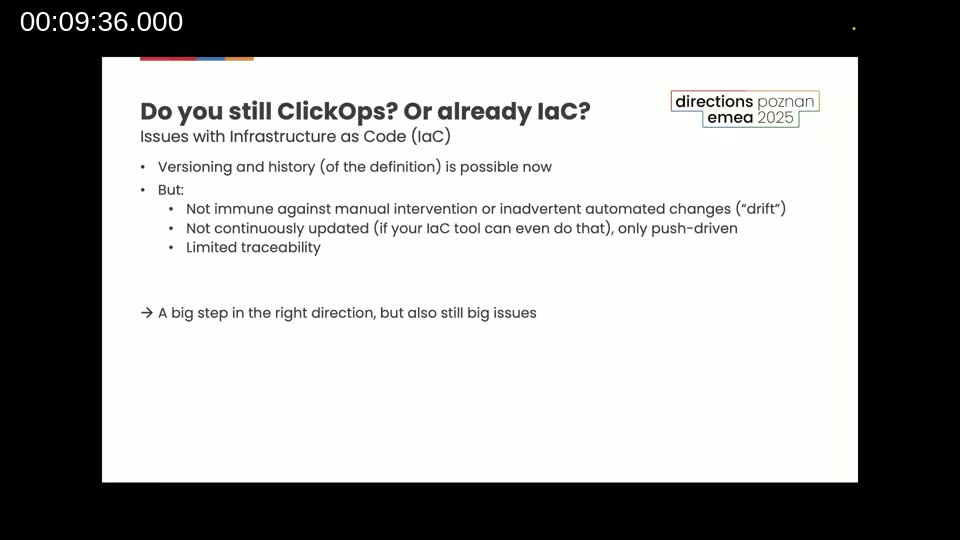
But IaC still has blind spots. Tobias identifies three key limitations:
- Drift: Someone opens the portal and changes a setting. The code says one thing; reality is now different.
- Push-only updates: Changes only apply when a human or pipeline explicitly pushes them. If that step is skipped, the definition and the real environment diverge silently.
- Limited traceability: It is still possible to run scripts locally or trigger pipelines ad hoc, making it hard to know exactly which version of the definition produced what you see in production.
What is GitOps?
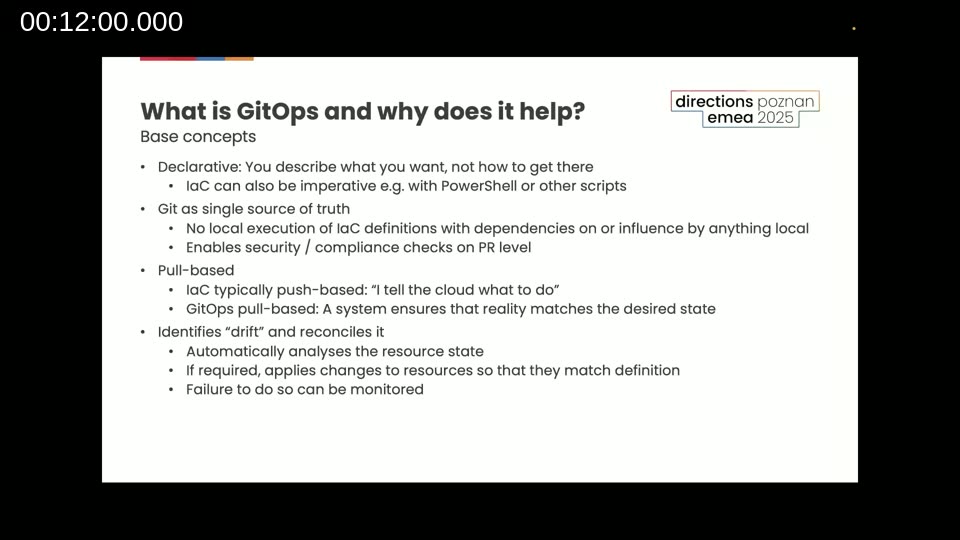
GitOps addresses all three of those gaps. Tobias describes the four base concepts:
- Declarative: You describe the desired state — what you want — not the steps to get there. IaC can be declarative or imperative (e.g. PowerShell scripts); GitOps is always declarative.
- Git as the single source of truth: No local execution with local dependencies. Everything goes through Git, enabling security and compliance checks at the pull request level.
- Pull-based: Instead of telling the cloud what to do (push), a GitOps engine continuously watches Git and pulls changes. The system ensures reality matches the desired state automatically.
- Drift detection and reconciliation: If someone makes a manual change that deviates from the Git definition, the GitOps tool detects it and automatically reverts the drift — or raises an alert if the revert would require a destructive change.
📖 Docs: OpenGitOps — the CNCF sandbox project that formalises the four GitOps principles (Declarative, Versioned and Immutable, Pulled Automatically, Continuously Reconciled) as a vendor-neutral specification.
The Tech Stack: Kubernetes, Crossplane, and Argo CD
Tobias introduces the three tools used in the demo:
- Kubernetes: The de-facto standard container orchestration engine, originally from Google and now part of the CNCF. Used by Netflix, Shopify, PayPal, and many Microsoft services — and increasingly by smaller organisations running cloud-native workloads.
- Crossplane: A Kubernetes-native, GitOps-friendly IaC tool for provisioning cloud resources such as Azure storage accounts or AKS clusters. Created by Upbound, now part of the CNCF.
- Argo CD: The GitOps engine. It watches a Git repository, detects changes, and reconciles the Kubernetes cluster (and, via Crossplane, Azure resources) with whatever is defined in Git. Created by Applatix, now part of the CNCF.
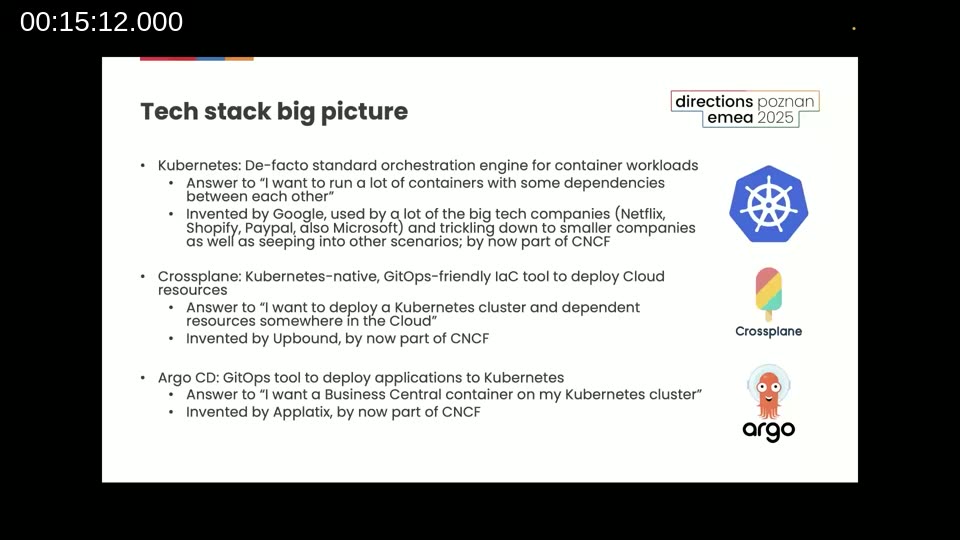
The overall flow is: commit a change to the Git repository → Argo CD pulls it → Argo CD uses Crossplane to apply it to the AKS cluster and any dependent Azure resources → reality matches the definition.
📖 Docs: Argo CD documentation — covers installation, core concepts, declarative setup, and the GitOps application model for Kubernetes.
📖 Docs: Crossplane documentation — explains managed resources, providers, and composition for provisioning cloud infrastructure through the Kubernetes API.
Deep Dive and Live Demo
Markus takes over to run a live demo using the repository cosmoconsult/ppi-directions-emea-2025-gitops — a simple repo containing YAML definitions for an Azure storage account and blob containers managed by Crossplane and Argo CD.
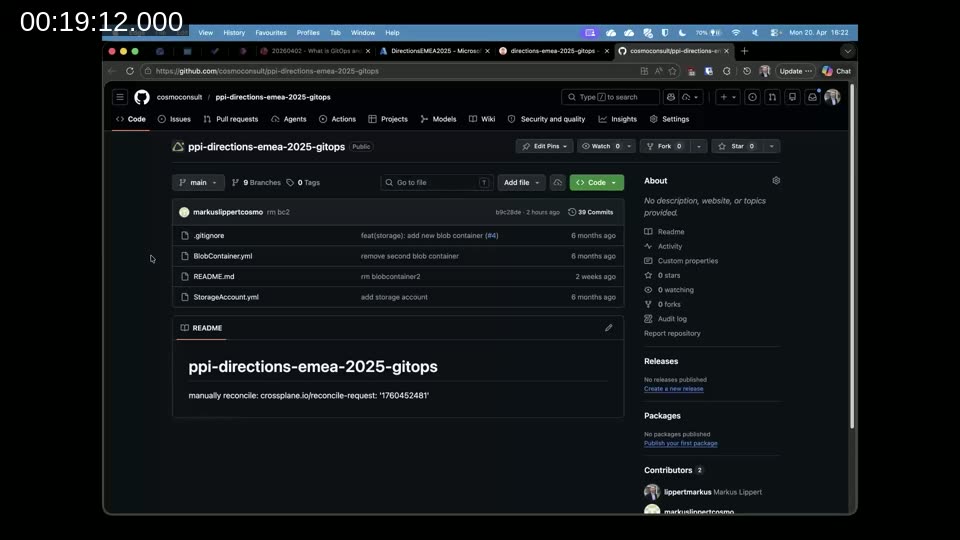
The demo covers four scenarios:
1. Creating a new resource
Markus creates a feature branch in VS Code, copies an existing blob container YAML, renames it, adjusts the metadata, commits, and opens a pull request. After merging to main, Argo CD detects the new resource. A manual refresh in the Argo CD UI shows the new blob container in the application tree, and clicking Sync triggers Crossplane to create the container in the Azure storage account.
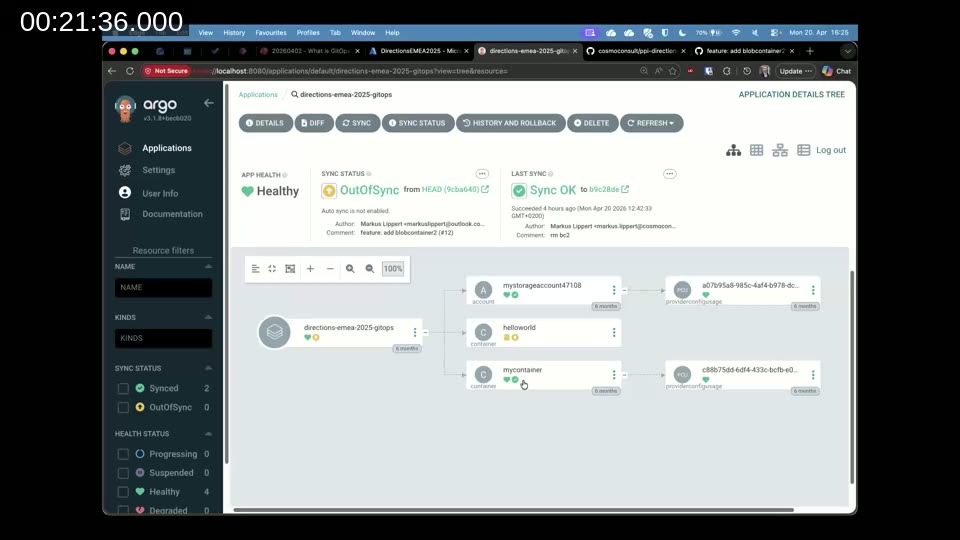
2. Modifying and reverting a resource
Markus edits the metadata value directly on the main branch, pushes the change, and refreshes Argo CD. The UI shows the application is out of sync and displays a diff of the old and new values. After syncing, Crossplane applies the update to the real Azure resource. To revert, Markus runs git revert <commit-id>, commits the revert, pushes it, and syncs again — the metadata value in Azure is restored within seconds.
3. Drift detection
Markus manually edits the container metadata directly in the Azure Portal — simulating an accidental or unauthorised change made outside the GitOps workflow. He then triggers a manual reconciliation request to Crossplane, which detects the discrepancy between the Git-defined state and reality and reverts the manual change automatically.
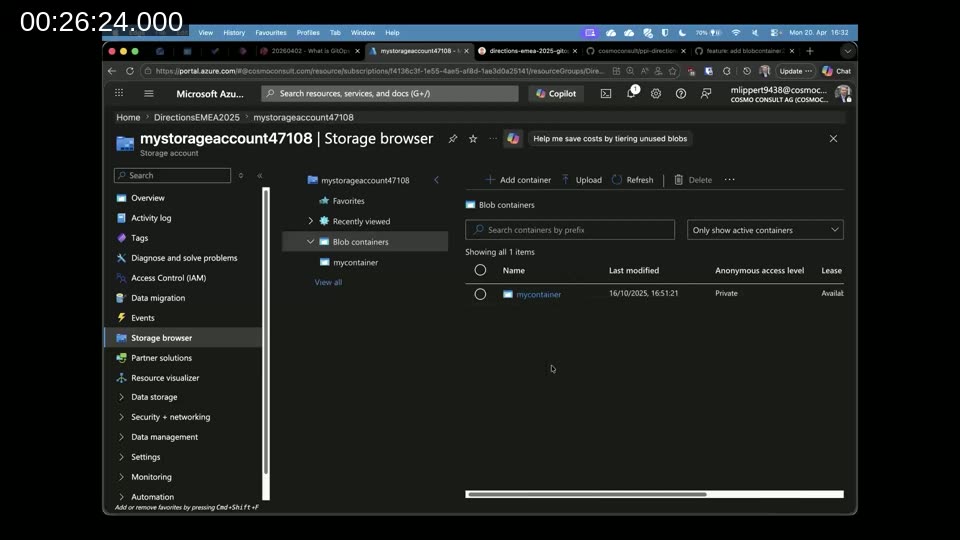
4. Deleting a resource
To delete the second blob container, Markus removes the YAML file from the repo and commits. Argo CD marks the resource for pruning. Deletion requires explicitly enabling the prune option in the sync dialog — a deliberate safety step. After syncing, the second container is removed from Azure; only the original container remains.
The Git commit history captures the full lifecycle: container created, metadata changed, metadata reverted, container deleted — a complete, timestamped audit trail.
Real-World Example: Six AKS Clusters at COSMO CONSULT and 4PS
Markus describes how COSMO CONSULT uses GitOps in production for COSMO Alpaca, their toolset for running Business Central containers. The setup manages six AKS clusters — four at COSMO CONSULT and two at 4PS — all defined and operated through Git.
Everything stored in Git falls into three categories:
- Infrastructure: The AKS clusters themselves — Kubernetes version, node pools, node sizes, location — defined in YAML and consistent across clusters.
- Apps: Applications running on the clusters, such as the Alpaca API and observability tooling, along with their versions and per-cluster configuration overrides (e.g. replica counts, DNS names, container image tags).
- Configs and secrets: Cluster-wide configuration files, including Business Central development licenses stored encrypted in Git and decrypted by Argo CD during synchronisation.
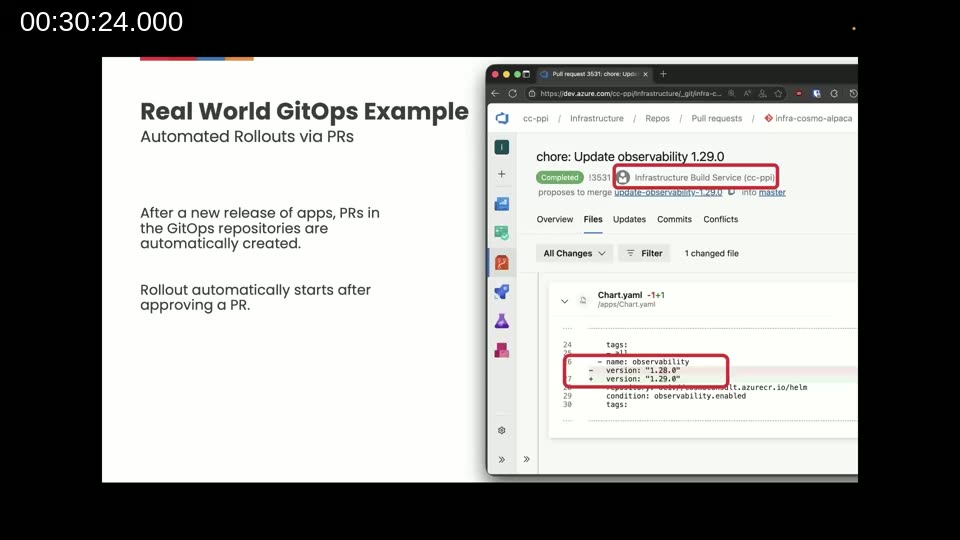
When a new release of an API is ready, an automated build service creates pull requests in each GitOps repository proposing the version bump. The only manual step is approving the PR — Argo CD handles the rollout from there. Progressing changes from the test cluster to customer clusters to the 4PS cluster is a matter of merging pull requests in sequence.
Best Practices and Lessons Learned
Markus closes with practical advice on when and how to adopt GitOps:
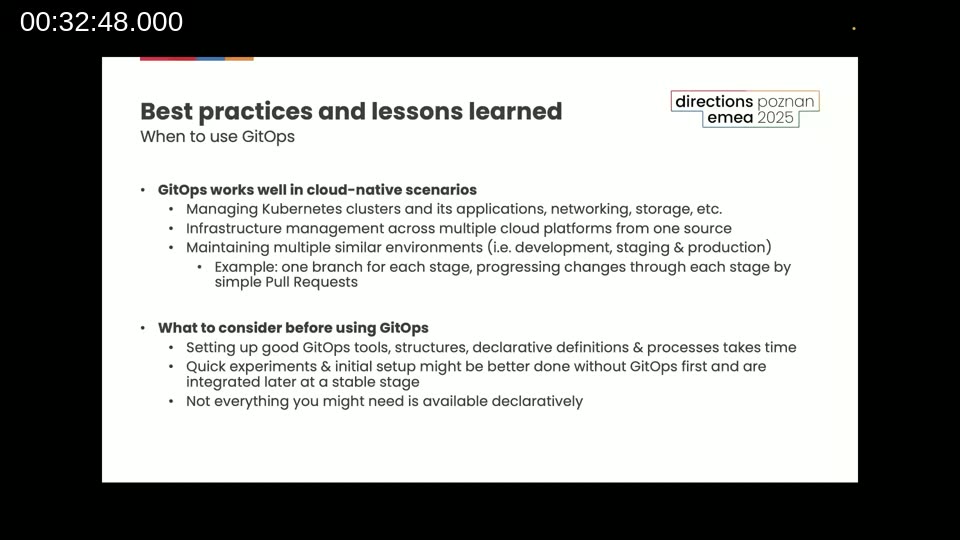
When GitOps works well:
- Cloud-native scenarios running on Kubernetes — including applications, networking, and storage.
- Managing Azure or other cloud infrastructure alongside the clusters — Crossplane and equivalent tools cover most Azure resources.
- Multiple similar environments (dev, staging, production) where changes can be progressed by merging branches or pull requests.
What to consider before starting:
- Setting up a well-structured GitOps workflow — tooling, repository layout, access controls, declarative definitions — takes time. Plan for it.
- For initial exploration of new services or settings, ClickOps is actually the right starting point. Experiment first, then codify the result once the configuration is stable.
- Verify that the resources and providers you need are available declaratively before committing to the approach.
Tobias adds that while the stack may look complex at first, it becomes a simplification once the team is comfortable with it. At COSMO CONSULT and 4PS, the move from Terraform (and its shared-state challenges) to GitOps on Kubernetes removed entire classes of problems and made rollbacks trivial.
The recommendation for getting started: pick a small pilot project, start with minimal structures and simple processes, and grow from there.
This post was drafted with AI assistance based on the webinar transcript and video content.