
This is the opening session of Areopa’s four-part VS Code AL Extensions series, in which host Luc van Vugt invited twelve community-built VS Code extensions to be presented across four webinars. In this first session, Waldemar Brakowski, Andrzej Zwierzchowski, and David Feldhoff each demo the extension they built for Business Central AL development: AL Navigator, AZ AL Dev Tools/AL Code Outline, and AL CodeActions. Together the three tools cover file navigation and variable creation, object wizards and code transformation, and code actions for refactoring and cleanup.
AL Navigator
Waldemar Brakowski, based in Berlin and working for German Microsoft solution provider Cosmo Consult, opened with AL Navigator. The extension has three features: navigation shortcuts, a Microsoft terminology translator, and a variable/parameter creation tool.
The six navigation shortcuts, all available through the command palette, jump to the end of local or global variable sections, step through a report’s data items from the top or bottom, jump to a page’s actions, and jump to a table’s keys section. Brakowski built these first, which is where the extension’s name comes from.
The translation feature looks up the Microsoft-provided translation of a selected term, such as a field name, in a configurable target language — useful for non-native English speakers trying to match field names to their localized business vocabulary. A separate command opens the source translation page in the browser, and the target language is configurable in the extension’s settings.
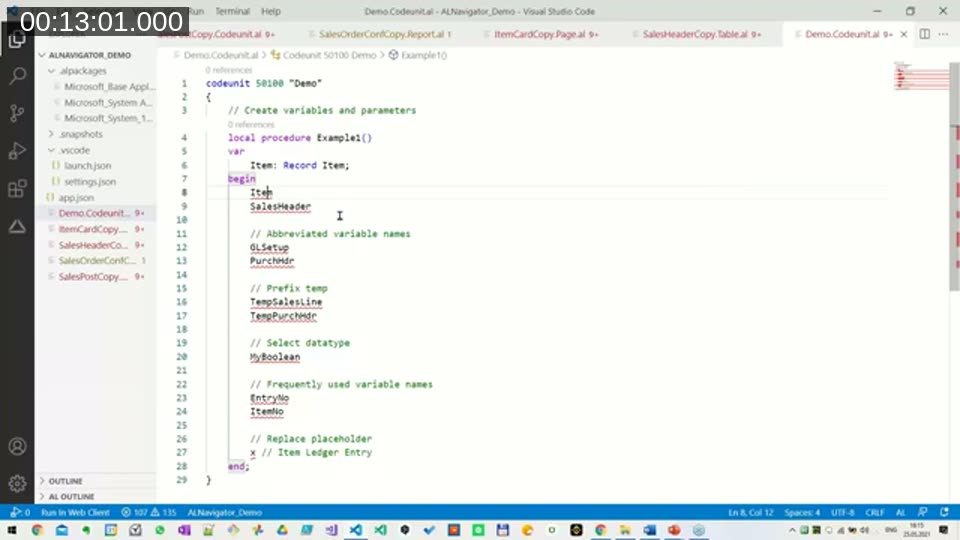
The largest feature, and the one Brakowski said he uses most, replaces manual variable declaration with a code action. Hovering over an undeclared identifier like Item and selecting the lightbulb’s Add local variable action creates a record variable of the matching table — the extension recognizes both full table names and Microsoft’s abbreviated names (for example, GLSetup for General Ledger Setup). The same code action can create global variables or parameters instead, prefix a variable name with Temp to create a temporary record, or ask for a data type when the target isn’t a table. A placeholder character can also be typed and then replaced by the variable name Microsoft would suggest for that table.
📖 Docs: AL Navigator on the Visual Studio Marketplace — install page covering the navigation shortcuts, translation commands, and variable/parameter code actions demoed above. Brakowski also posts extension updates on his blog, navinsights.net.
AZ AL Dev Tools/AL Code Outline
Andrzej Zwierzchowski — known in the community as “AZ” — presented his extension, which started life as AL Code Outline and has since grown well beyond its original name; he kept the old name so existing users wouldn’t have to figure out what a renamed extension was. Zwierzchowski works on development standards, .NET, and JavaScript at Advania, and built the extension partly to ease the move from C/AL’s visual editor to AL’s plain text editor, and partly to speed up development with wizards and code generators that also enforce team coding standards.
Why it was built
Zwierzchowski named two motivations: helping AL developers move faster and more consistently, and his own enjoyment of extending development tools — something he’d done previously for both Visual Studio and the old C/AL development environment.
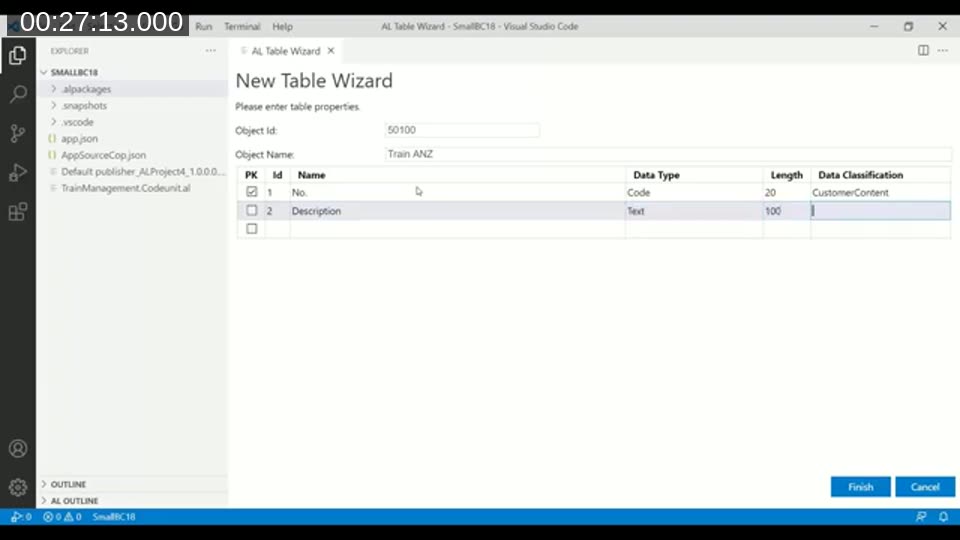
The extension’s main functionality centers on object wizards: creating tables, pages, reports, queries, and codeunits through a visual, mouse-and-keyboard-driven flow rather than starting from an empty file or a snippet. In the table wizard demoed in the session, entering an object name and adding fields one row at a time produces a fully captioned table with data classifications already set, following the naming suffix or prefix configured in the workspace’s AL settings.
A matching page wizard picks a source table from the project’s symbols, offers list or card page types, and lets you select which fields to add — sorted by name or by the table’s field ID order — generating captions and tooltips automatically. The same wizard flow is available for queries, reports, and XMLports.
Beyond the wizards, the extension adds several code actions: Add multiple fields inserts a batch of fields into a page, report, query, or XMLport in one step; a sort-procedures action alphabetizes a codeunit’s procedures, and can also run automatically on save; and code actions exist for creating interfaces and quick interface implementations from a codeunit. Code transformation commands, run from the command palette, add captions, data classifications, application areas, or tooltips across a single file or the whole project — handy for bringing older C/AL-origin code up to AL conventions where nobody bothered to add captions in the first place.
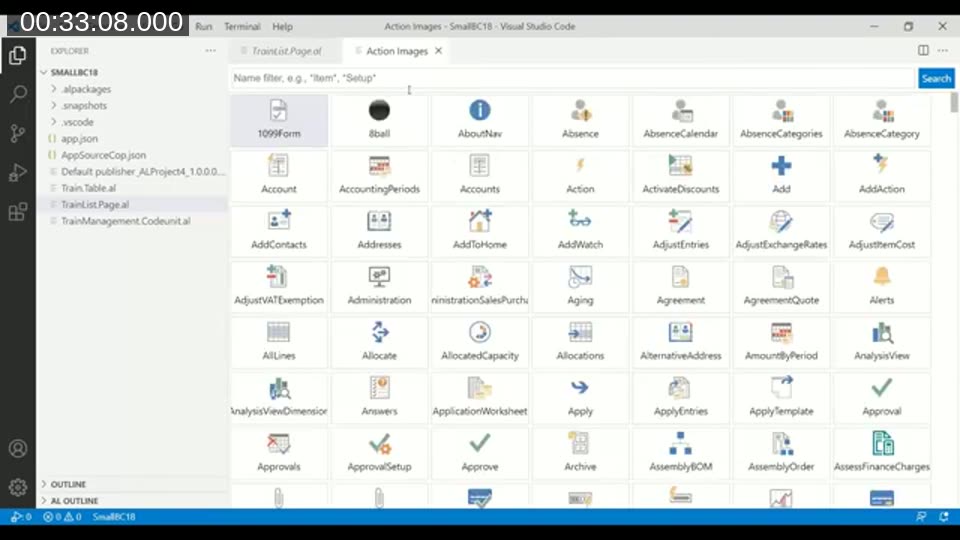
The Action Images browser lists every built-in AL action icon with a name filter, and can copy a selected icon as a ready-to-paste promoted action snippet for a page.
The Symbol Browser reads an app’s symbols the way the old C/AL Object Designer displayed objects — filterable by object type and name, with a preview mode closer to a class browser. From there, Go to definition downloads and shows an object’s source if the publishing app was compiled with ShowMyCode enabled; if not, the extension won’t show unavailable source.
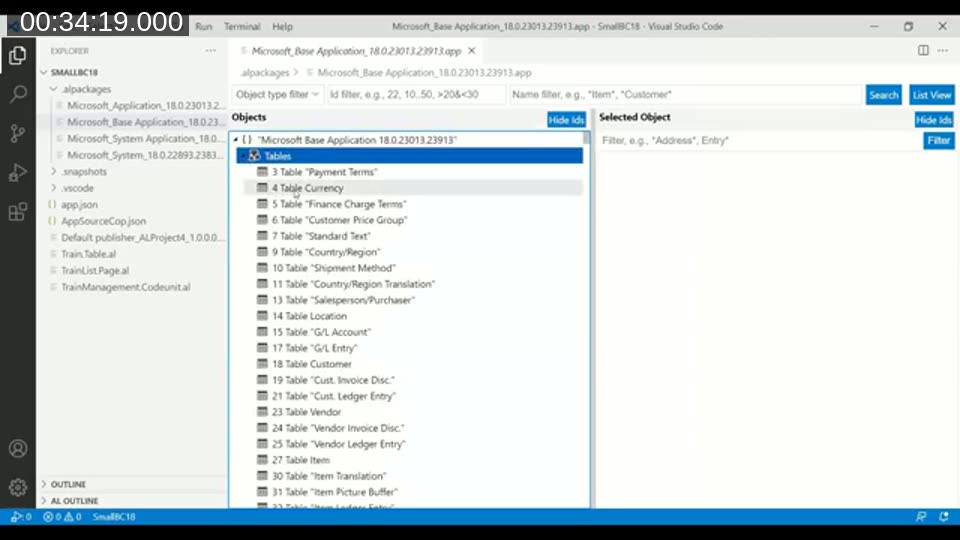
Smaller, older features that predate the wizards round out the extension: a code outline panel showing the current file’s symbol tree, quick code generators that build a page directly from a selected table, a code analyzer rule browser, and a syntax visualizer aimed at developers building their own code analyzers, showing code the way the AL compiler and analyzers actually parse it.
📖 Docs: AZ AL Dev Tools/AL Code Outline on the Visual Studio Marketplace — install page listing the object wizards, code actions, transformation commands, and browsers covered above.
AL CodeActions
David Feldhoff, who works on AppSource apps at GWS in Münster, closed the session with AL CodeActions, an extension he started in January 2020. Its goal is to automate the small, repetitive steps of AL development — declaring a variable, remembering a parameter’s exact type, extracting a block of code into its own procedure — so a developer’s attention stays on the actual problem rather than on typing boilerplate, and so fewer of those small steps get forgotten or typed incorrectly.
The extension’s flagship code action, triggered with Ctrl+. on a call to a procedure that doesn’t exist yet, is Create procedure. It infers parameter types from how the call is used — recognizing, for example, that a temporary record should be passed as a var parameter — generates the procedure stub with a placeholder error, and jumps the cursor into the new body so implementation can start immediately. The same trigger, placed in front of an [EventSubscriber]-style keyword, can generate integration event or business event publishers instead. Which parameter names or patterns are automatically declared as var parameters is configurable, including via regular expression.
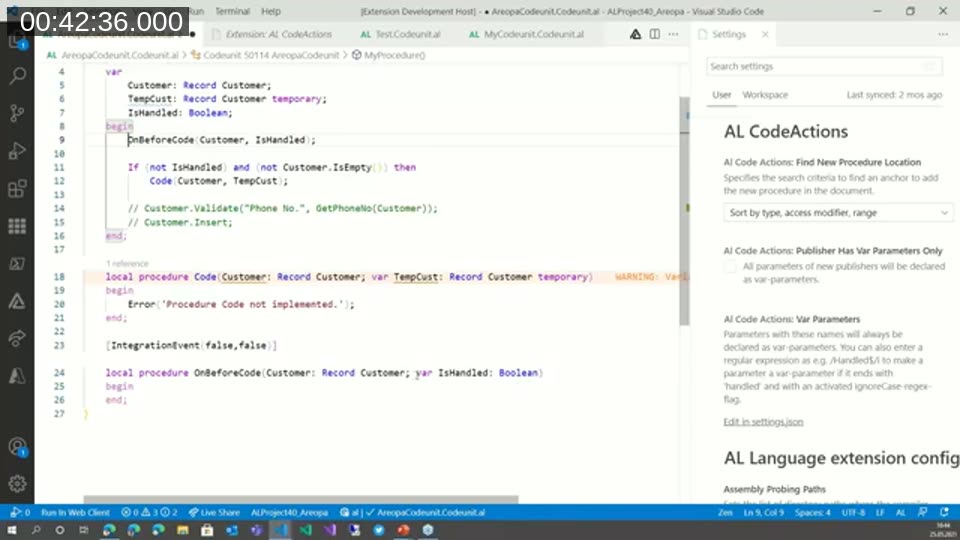
A companion setting controls where newly generated procedures are placed in the file — grouped by trigger, method, publisher, or subscriber, then by access modifier, then in declaration order.
Extract to procedure takes a selected block of code, works out which variables are used only inside the selection versus also used outside it, and generates a new procedure with the right parameters and a return value where one is needed — for example, when the selection sits inside an if statement. A related action, Extract to label, moves a hardcoded text string into a proper label declaration, addressing a common AL code-quality warning. A third action converts a plain field assignment into a Validate call.
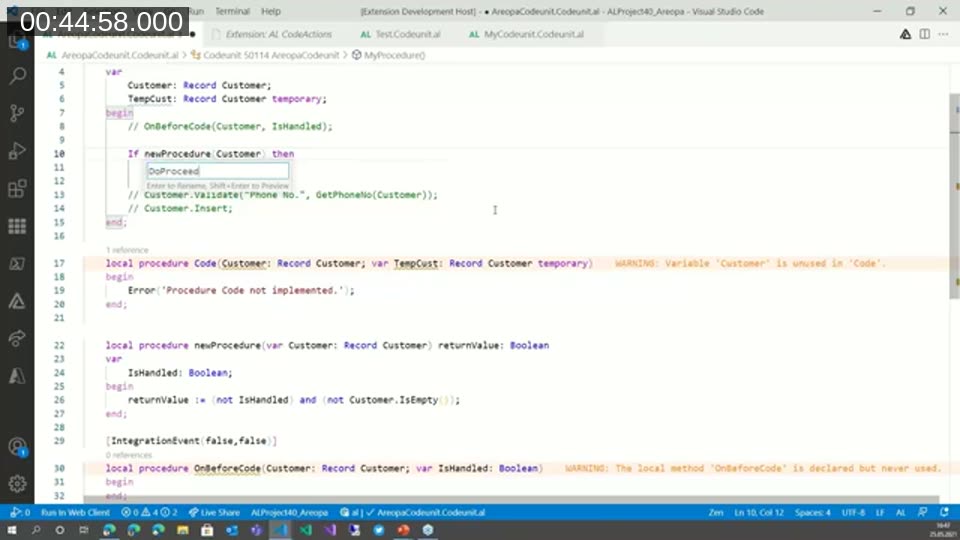
Feldhoff also demoed a handful of smaller features outside the core code-action set. Fix crop warnings reads a compile error log and automatically fixes recognized issues, such as a missing closing parenthesis after a function call or an unused, assigned-but-never-read variable — useful after running a full project compile and getting back a long list of the same repeated warning. A Go to definition provider for built-in triggers jumps from a call like Customer.Validate("Phone No.", ...) directly to that field’s OnValidate trigger, and a Find related event subscribers command, run from a table’s insert, modify, delete, or validate trigger, lists any event subscribers in the current project that hook into that trigger.
Feldhoff ended by previewing a feature still in progress: generating an overload of an existing public procedure when a new parameter is added, so a team can add a parameter to a shared procedure without immediately breaking every existing caller.
📖 Docs: AL CodeActions on the Visual Studio Marketplace — install page covering the create-procedure, extract, and warning-fix code actions demoed above.
Feedback and getting involved
All three extensions are free and community-maintained. Each Visual Studio Marketplace listing links to its GitHub repository, where issues, bug reports, and feature requests are welcome — Brakowski noted that AL Navigator’s parameter-creation feature was itself a suggestion from Feldhoff, an example of how ideas move between these projects. This was the first of four sessions in the series; the remaining three cover nine more AL extensions from other community developers.
This post was drafted with AI assistance based on the webinar transcript and video content.