
In this Areopa Academy webinar — session 95 of the series — presenter Christian Bräunlich and moderator Luc van Vugt explore what the modular monolith pattern means for AL developers. The session was recorded on 11 November 2024 and takes Business Central runtime 13.0 as its starting point: a release that, for the first time, allows multiple extension objects to target the same object within a single app.
Background: Why This Matters Now
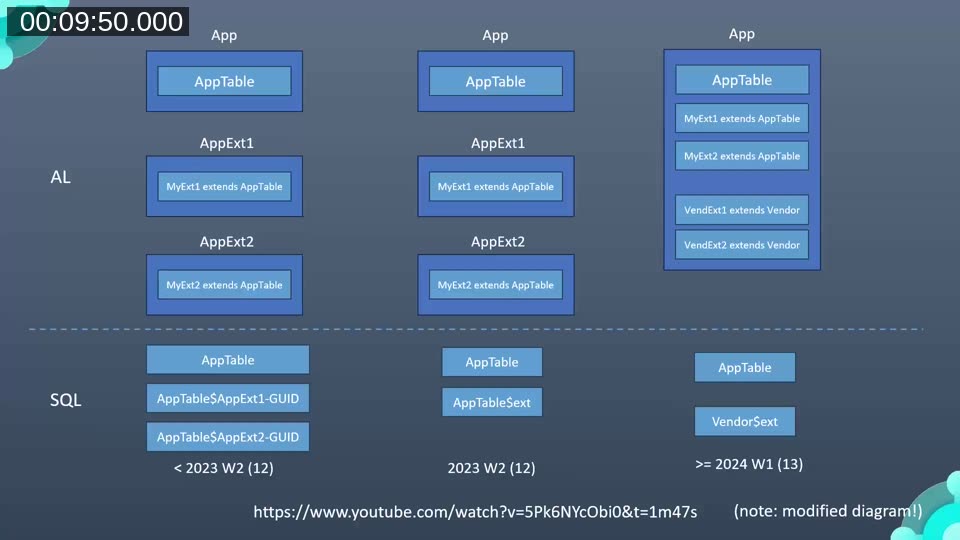
Prior to runtime 13.0 (BC 2024 Wave 1 / v24), every table extension added a separate shadow table to the SQL database, requiring additional joins at runtime. The introduction of companion tables in runtime 12 reduced that to one join per extension group, but the objects still had to live in separate apps to achieve any real separation of concerns.
Runtime 13.0 changed the rules: extension objects can now coexist with their target in the same app, and multiple extensions to the same target can exist in the same app. For table extensions in particular, the fields are merged directly into the base table in the database, eliminating the extra join entirely.
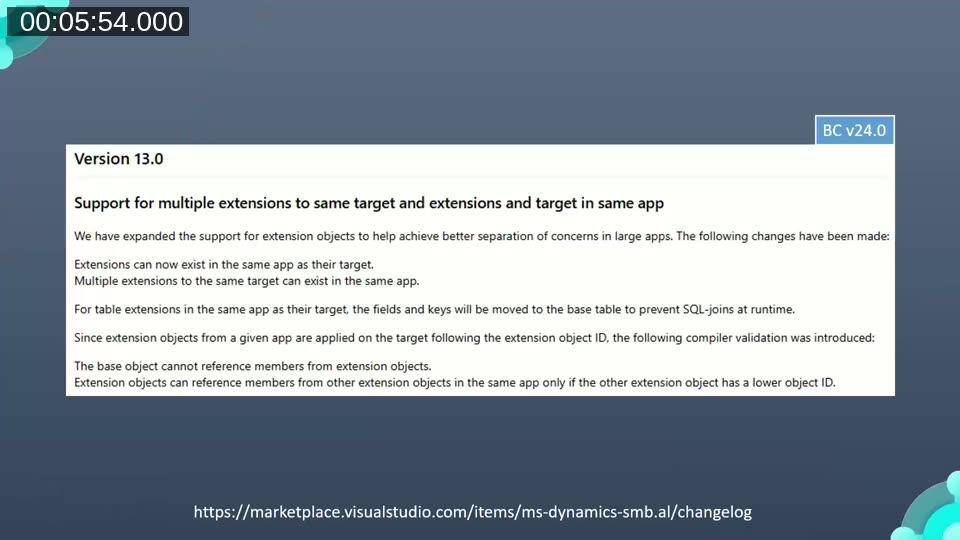
📖 Docs: AL Language Extension Changelog — the v24 entry documents the compiler validations introduced with this change: base objects cannot reference extension object members, and extension objects can only reference members from other extension objects with a lower object ID.
Monolith, Modular Monolith, or Multi-App?
Christian opens the terminology discussion with a quote from Martin Fowler: “You shouldn’t start a new project with microservices, even if you’re sure your application will be big enough to make it worthwhile.” He then maps the concept of microservices to what AL developers actually work with: because all BC apps share one database and do not communicate over a network, the more accurate term is a multi-app structure — multiple deployable units with one database.
A traditional monolith in AL is characterised by tightly coupled objects, no clear module boundaries, and everything living in a single deployable unit. It is easier to start with but harder to maintain as the codebase grows. A modular monolith sits between the two extremes: it is still a single deployable unit, but internally it is divided along clear feature boundaries. Each module could, in principle, be extracted into its own app in the future.
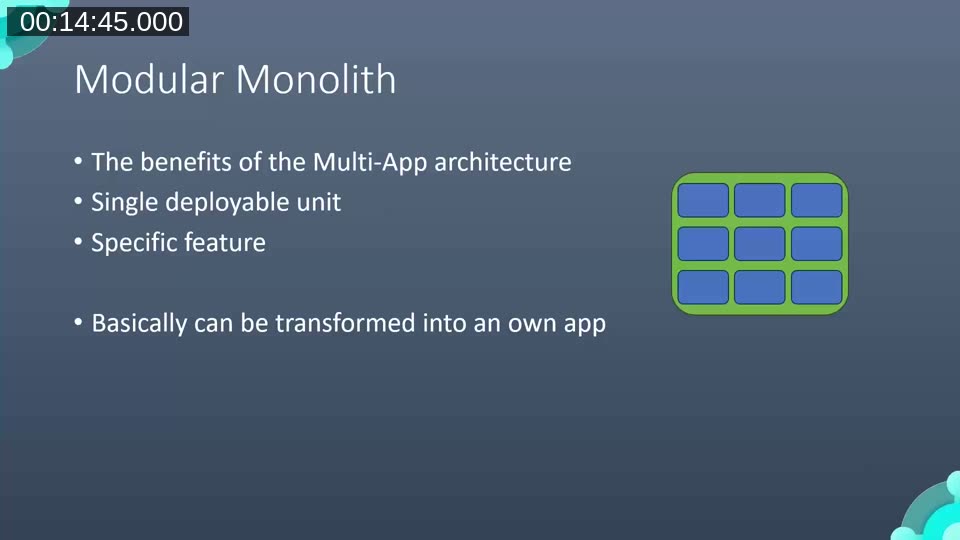
Christian cites blog posts by Marie Brommel and Uncle Bob Martin in support of the view that the difference between a monolith and a multi-app deployment is primarily a deployment strategy decision, not an architectural one. Teams migrating from C/AL are especially likely to start with a monolith and can now use the new runtime-13 capability as a stepping stone toward a more modular layout — without immediately splitting into separate apps.
📖 Docs: Module Architecture — Business Central — Microsoft’s own overview of how the Base Application is layered into modules, showing the Business Foundation, System Application, and Base Application boundaries that illustrate the modular approach in practice.
How Microsoft Applies This: The Customer Table Example
To show what the modular monolith looks like in the base application itself, Christian walks through the Customer table. Rather than placing service-related fields directly in the core Customer table, Microsoft separates them into a tableextension that lives in the same app but carries the namespace Microsoft.Service.Customer.
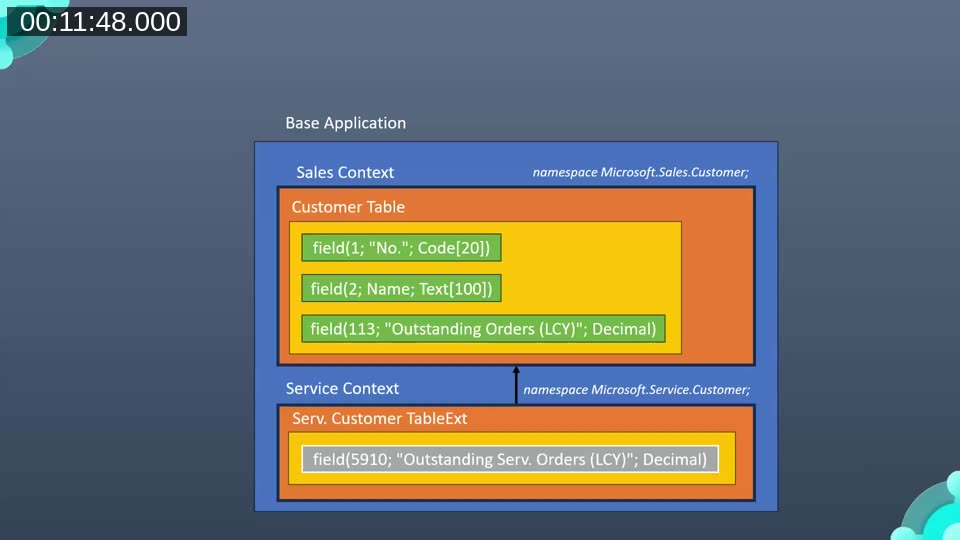
The Sales context and Service context each get their own namespace. This makes the dependency direction visible at a glance — using statements at the top of a file list exactly which other namespaces (modules) a given file depends on.
Namespaces as a Module Boundary Tool
Namespaces in AL are essentially a dot-separated prefix attached to the object name. They prevent object name conflicts across apps and, within a single app, provide a way to signal which module an object belongs to. The naming convention recommended by Microsoft follows the pattern: Publisher.Product.Area.
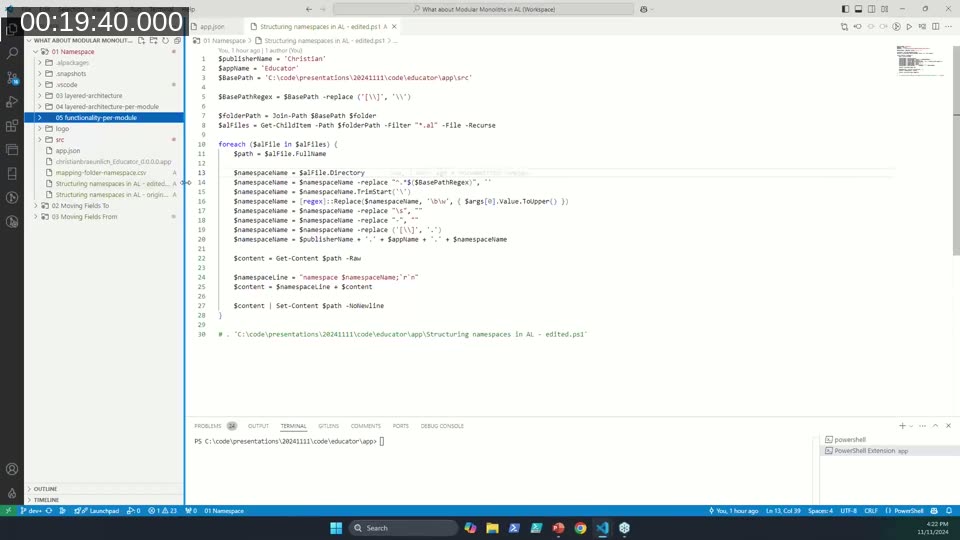
Christian demonstrates a PowerShell script (adapted from the official Microsoft documentation) that reads the folder structure of an AL project and applies the matching namespace declaration to every .al file in each folder. After running the script, the AL Explorer in VS Code can group objects by namespace, making module membership immediately visible.
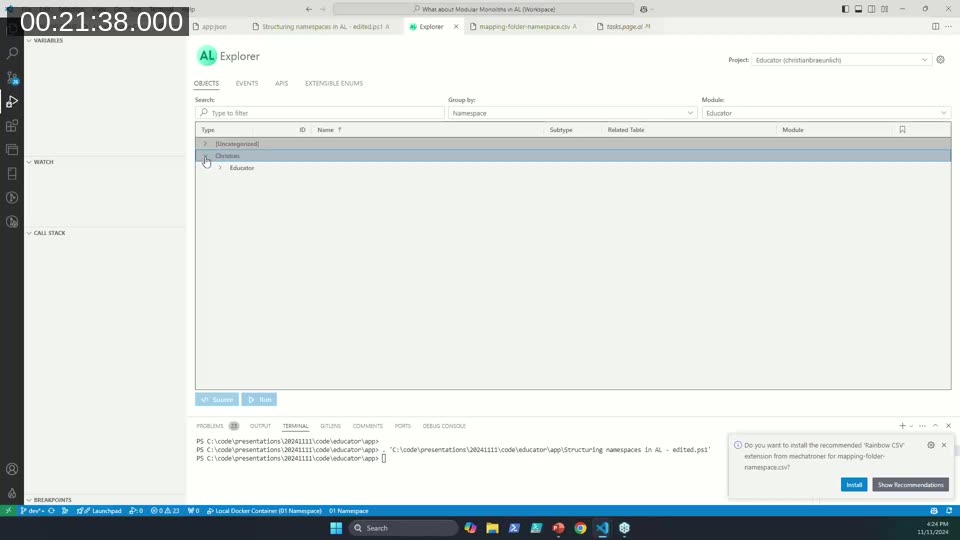
One important caveat: once a namespace is applied, it cannot be renamed without introducing breaking changes for any dependent apps that have not yet adopted namespaces. Christian recommends starting with a good folder structure first, and adding namespaces only once the structure is stable.
📖 Docs: Namespaces in AL — Microsoft Learn — the official documentation covering namespace declaration, the using directive, naming conventions, and how namespace adoption affects dependent extensions.
Monorepo ≠ Monolith
A common misconception addressed in the session is that keeping all AL apps in a single Git repository (a monorepo) is the same as having a monolith. It is not. A monorepo is a source-control strategy; a monolith is an architectural pattern. The two are independent choices.
To illustrate the benefit of a monorepo, Christian shows a demo with three separate AL apps in three separate repositories. He implements a change that converts a tooltip from page-level to table-level across all three apps. In the multi-repo setup, this requires creating a feature branch and a separate commit in each repository — a process that is time-consuming and error-prone. In a monorepo, the same change is a single atomic commit covering all three apps.
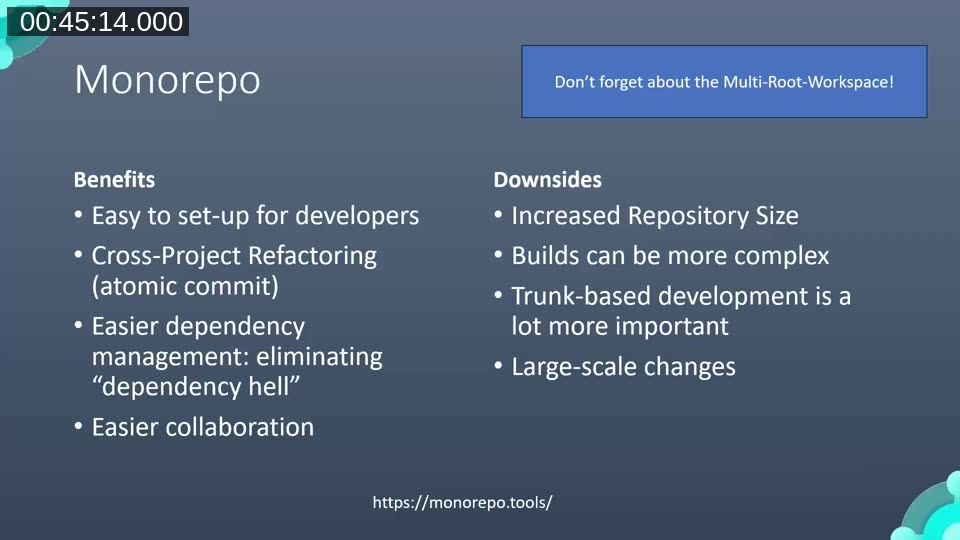
The monorepo approach also simplifies onboarding (one git clone command), makes dependency management more deterministic, and improves visibility across the codebase. The VS Code multi-root workspace feature means developers can still open and work on a single app without loading the entire repository.
The trade-offs are real: trunk-based development becomes more important (feature branches should be short-lived to avoid merge conflicts), large-scale changes require more planning, and build pipelines can become more complex. Christian points to monorepo.tools as a reference for patterns and tooling.
Ownership and Code Review Policies
Putting all code in one repository raises the question of who owns which part. Christian addresses this with Azure DevOps reviewer policies and the GitHub CODEOWNERS file — both allow mandatory reviewers to be scoped to specific folders. This means a monorepo can still enforce module-level ownership without relying on repository boundaries.
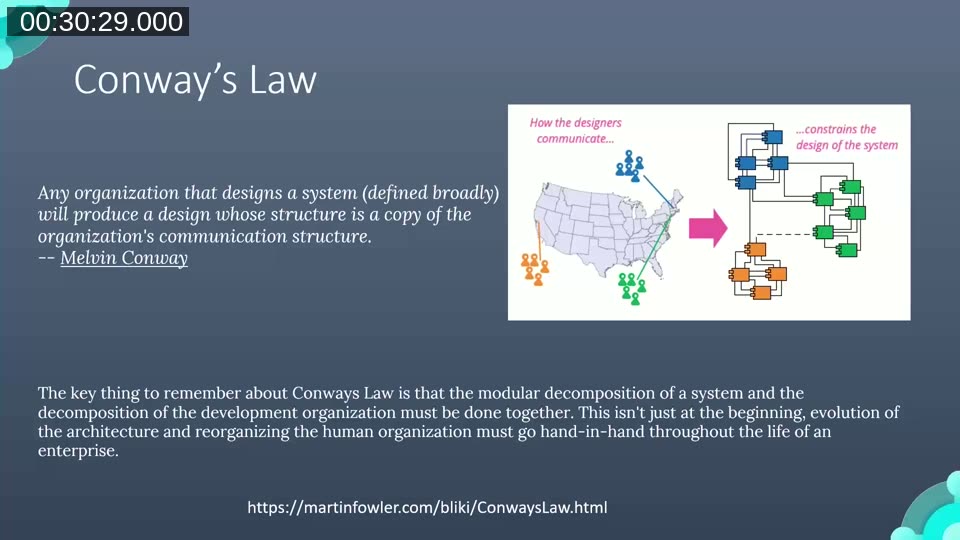
Conway’s Law applies here: the architecture of a system tends to mirror the communication structure of the team that built it. Choosing a monorepo structure works best when the team is willing to treat ownership as a cultural commitment backed by tooling, rather than relying on physical separation of repositories.
A Nu Hope: AL Package Manager
Christian briefly introduces an experimental AL package manager capability — the ability to install AL symbols from NuGet feeds rather than downloading them from a Business Central container. Patrick Schiffer’s AL NuGet Helper VS Code extension demonstrates this: symbols appear in an al-packages folder and are resolved from Microsoft’s NuGet feed without a running BC instance.
At the time of the session (November 2024) the feature was still in testing. A session by Camillo Sacek and Freddy at BC Tech Days 2024 covers this topic in more depth. Camillo also noted in the Q&A that a new extension, AL Get, similarly mimics C# NuGet package management for AL.
Moving Fields: The No. Series Example
The session closes with a look at field migration — the practical challenge of moving a field (or table) from one app to another once modules start to be extracted. Microsoft’s own No. Series table provides a concrete example: fields that previously lived in the Base Application have been marked ObsoleteState = Moved and given a MovedTo property pointing to the Business Foundation app’s ID, while the Business Foundation app declares MovedFrom pointing back to the original.
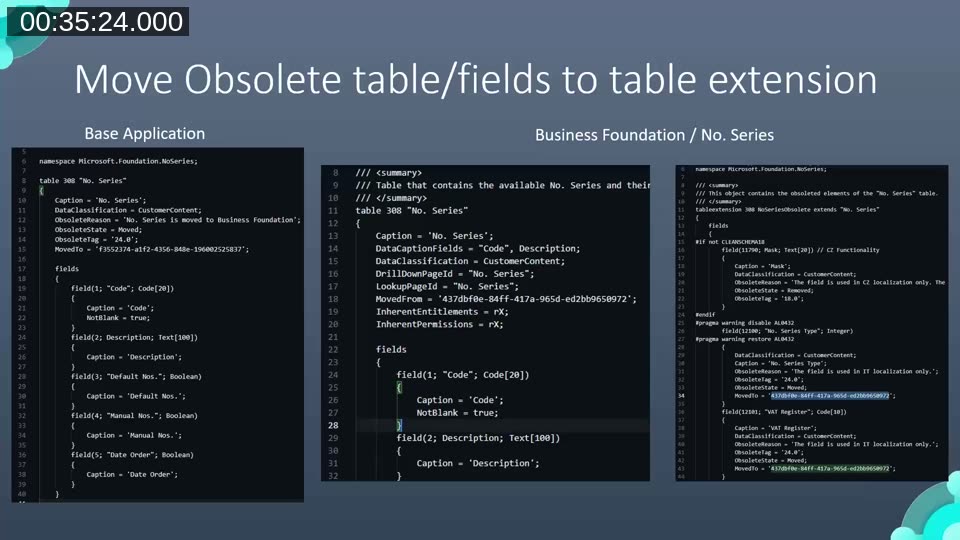
Christian notes that the MovedTo/MovedFrom mechanism is currently restricted to Microsoft and select publishers — it is not yet generally available for ISVs. He demonstrates a preview using a local demo app to show how the compiler error surfaces, and points to a dedicated BC Tech Days session for the full walkthrough.
📖 Docs: Moving tables and fields between extensions — Microsoft Learn — covers theMovedToandMovedFromproperties, the upgrade process, and the restrictions that currently apply to Marketplace apps.
Wrap-Up and Recommendations
Christian’s recommended path for AL teams looking to move toward a modular monolith:
- Start with folder structure. Group objects by functional module (not by object type) under the
src/folder. This alone improves navigability and sets you up for the next steps. - Add namespaces once the structure is stable. Use a script to apply them consistently based on folder names. Remember that namespace changes are breaking, so plan before you commit.
- Separate logic into extension objects. With runtime 13.0, table extensions in the same app no longer carry a SQL join cost. Use them to isolate contexts within your app, preparing for a future split if needed.
- Consider a monorepo for multi-app solutions. Particularly relevant for PTE (per-tenant extension) scenarios, where all apps are deployed as a unit anyway. App Source apps, which must be individually deployable, are less suited to a monorepo.
For further background, Christian recommends the multi-app architecture session by Camillo Sacek and Jeremy Wiska from BC Tech Days 2022, which provides detailed productivity numbers for the multi-app approach.
This post was drafted with AI assistance based on the webinar transcript and video content.