
In this Areopa webinar, Luc van Vugt — MVP, founder of fluxxus.nl, and author of the book “Automated Testing in Microsoft Dynamics 365 Business Central” — looks ahead at the API testing chapter of the book’s second edition. David Singleton moderates. The session is technical: Luc walks through the three challenges that make testing a Business Central API different from testing regular AL business logic, then demonstrates a working set of AL API tests end to end.
The Problem: Two Processes, One Test
Testing an API is different from testing ordinary business logic because two separate processes are involved: a client that calls, and a server that responds. When the server is an external service you don’t control, you’d normally reach for test doubling or mocking — a topic Luc covers separately in the book. But here, the API under test is Business Central’s own API, so the webinar focuses on calling and verifying it directly.
The central question Luc sets out to answer is how to control both the client and the server side within a single automated test run, and how to do it without becoming an HTTP or REST expert first.
A Generic Test Flow
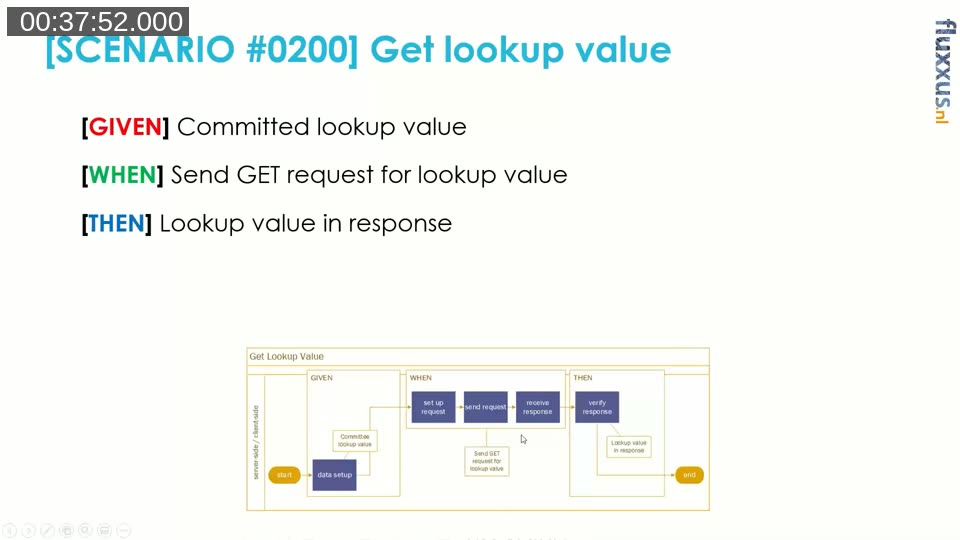
Every test, manual or automated, follows the same shape: set up data, perform an action, verify the outcome. Luc uses a consistent red/green/blue color scheme throughout the book and this session to mark those three parts. He maps this to acceptance test-driven development’s Given/When/Then structure — multiple givens are fine, multiple thens are fine, but a single test should verify one action. Developers more familiar with unit testing will recognize the same shape as Arrange/Act/Assert.
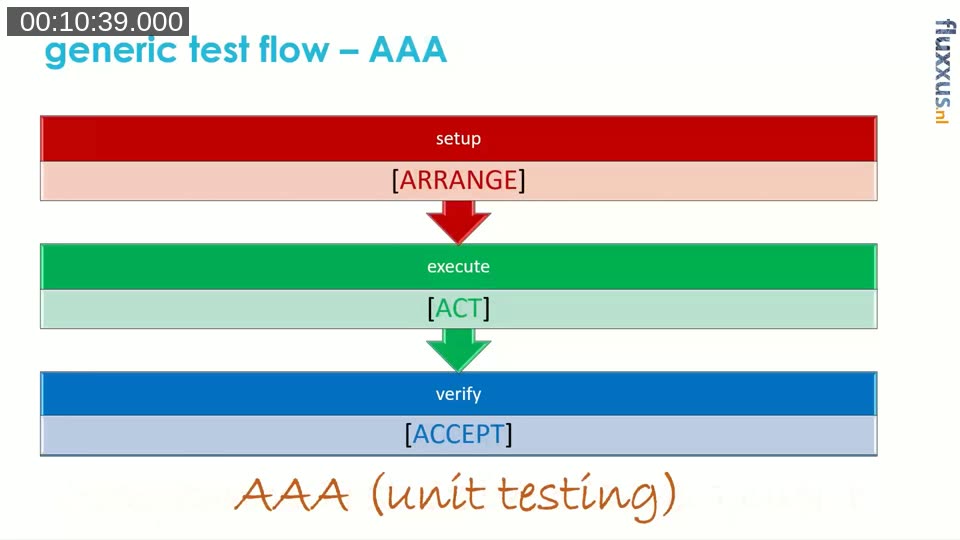
Test automation, unlike a manual tester’s mental checklist, forces every one of those details to be made explicit — which is also what makes it repeatable and verifiable afterward.
Three Technical Challenges
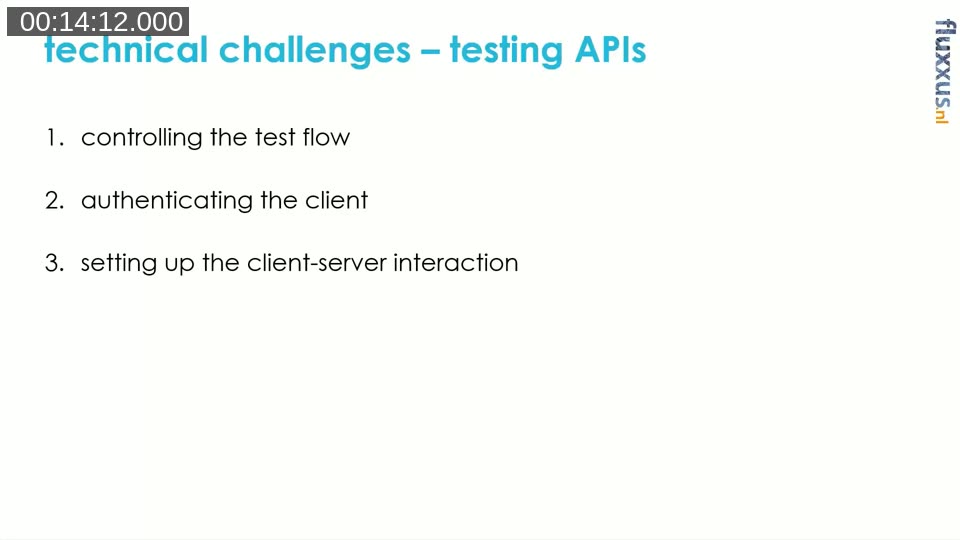
Applying that generic flow to an API test surfaces three technical challenges specific to APIs:
- Controlling the test flow across two separate processes (client and server)
- Authenticating the client before it can call the server
- Setting up the client-server interaction itself — the request, headers, and body
Challenge 1: Controlling the Test Flow
The client and the server run as separate processes, but because the API under test is Business Central’s own, both can live in the same database. Luc calls this “quasi switching” between client-side and server-side code within a single test: the test codeunit sets up data as if it were the server, then calls the API as the client, then reads the database again to verify what the server-side call actually changed.
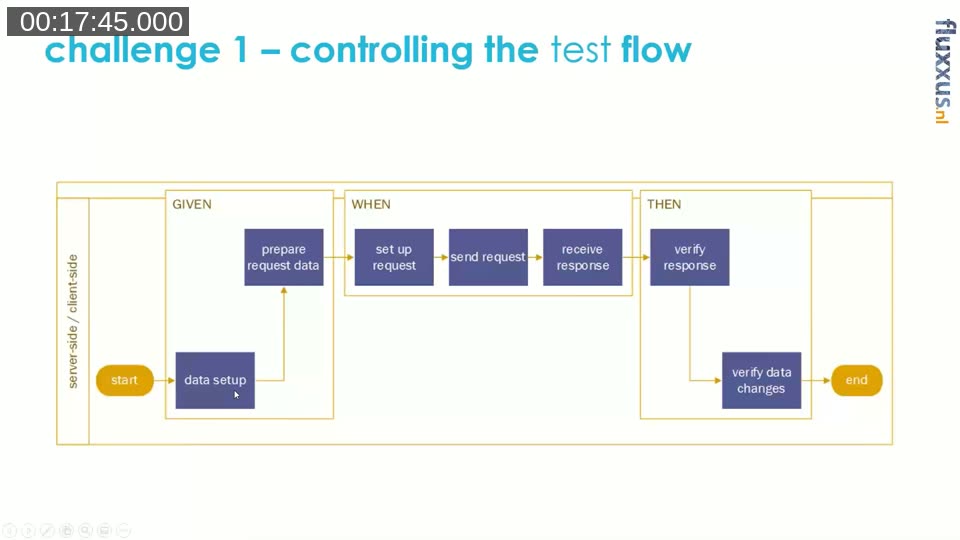
That convenience comes with one consequence: the client and server sides are still two separate sessions. Data set up in the test must be explicitly committed to the database, or the second session (triggered by the REST call) can run into locks or simply won’t see it yet. This also means these tests can’t run with the isolation Luc otherwise strongly favors — where a test starts from a clean state and rolls back everything afterward. A dedicated test runner codeunit with isolation disabled has to be used instead.
📖 Docs: TestIsolation property — controls whether database changes are rolled back after each test method or test codeunit; API tests in this pattern need it disabled because the change has to survive across the client/server session boundary.
Challenge 2: Authenticating the Client
Before a client can call the server, it needs to authenticate. Luc’s approach follows the same shortcut Microsoft itself uses for its own API tests: remove all user-related data from the environment and rely on Windows authentication with no user set up. Without any user data present, the call goes through without needing to supply credentials at all — a technique he compares to the old classic client connecting directly to a database file with no login required.
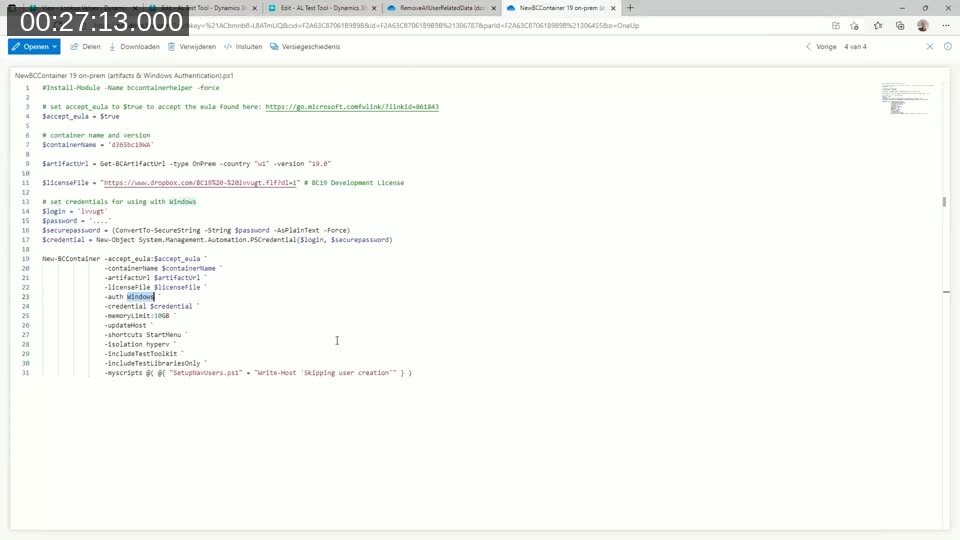
He outlines three ways to get an environment into that state, in the order he tried them:
- A SQL script that clears all the tables holding user-related data, included in the book’s companion repository.
- A Docker container built with
BcContainerHelper, passing a script that skips the default user-creation step (credit to Freddy Kristiansen for that part of the script). - Restoring a database backup from the product DVD, which starts out without any user data at all — the simplest option once he found it.
Luc is upfront that this shortcut deliberately skips testing authentication itself: for most API tests, the goal is verifying the business logic behind the endpoint, not re-proving that authentication works on every single call. He notes this is debatable, and that the approach only works with Windows authentication, which isn’t practical in an Azure DevOps pipeline. He raises this as an open problem — a colleague, Waldo, had already suggested a different approach might be needed there, without one being settled during the session.
Challenge 3: Setting Up the Client-Server Interaction
The third challenge is the mechanics of the HTTP call itself: building the target URL, choosing GET/POST/PATCH/DELETE, setting content and return types, and sending the request. Luc is candid that he’s not an HTTP or REST expert, and that Microsoft’s own Graph Mgt test library codeunits did most of the heavy lifting for him — wrapping the request/response mechanics into reusable functions.
Because the test and the API being tested run in the same environment, the library can construct the target URL from the current server and company context automatically — the test doesn’t need to know which environment it’s running against.
Before writing any AL code, Luc first explores the API interactively using a REST client extension in VS Code, calling the sample lookupValues API (defined on a simple two-field table: a code and a description) to confirm GET, POST, and PATCH behave as expected. He notes the API’s entity set name is case-sensitive — a mismatched-case bug cost him roughly an hour to track down during his own development.
Live Demo: Testing the Lookup Values API
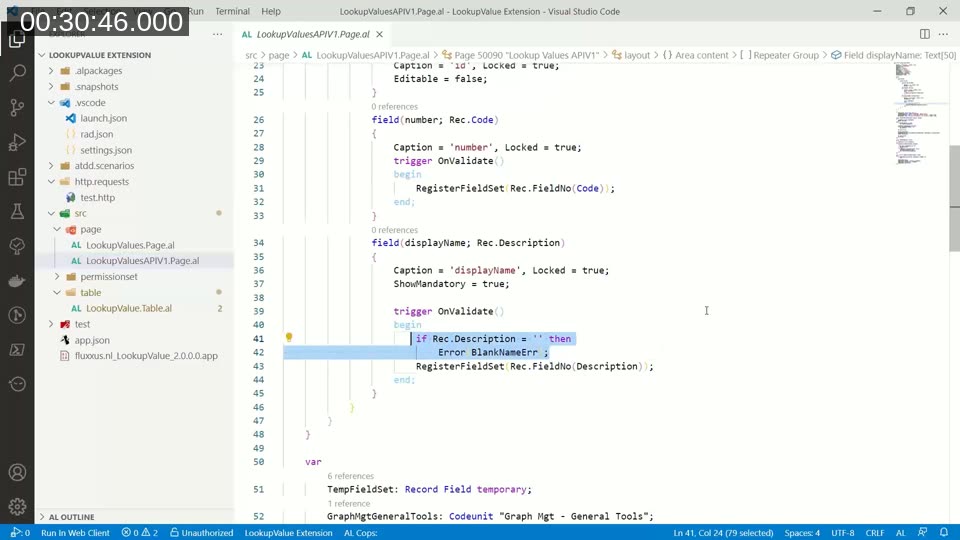
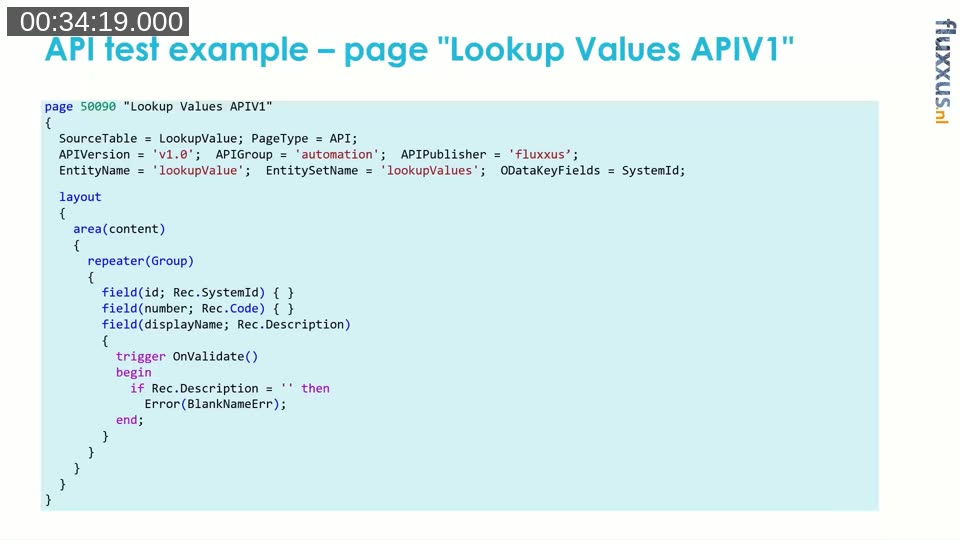
The demo API is a page of type API, versioned v1.0, published under group automation, exposing a small lookupValue table with a code and a description. A business rule requires the description to never be empty, on both create and update.
Luc’s discipline before writing any test code is defining the test scenarios first, in Given/When/Then form, independent of implementation. The get-lookup-value scenario, for example: given a committed lookup value, when a GET request is sent for it, then the lookup value should be in the response.
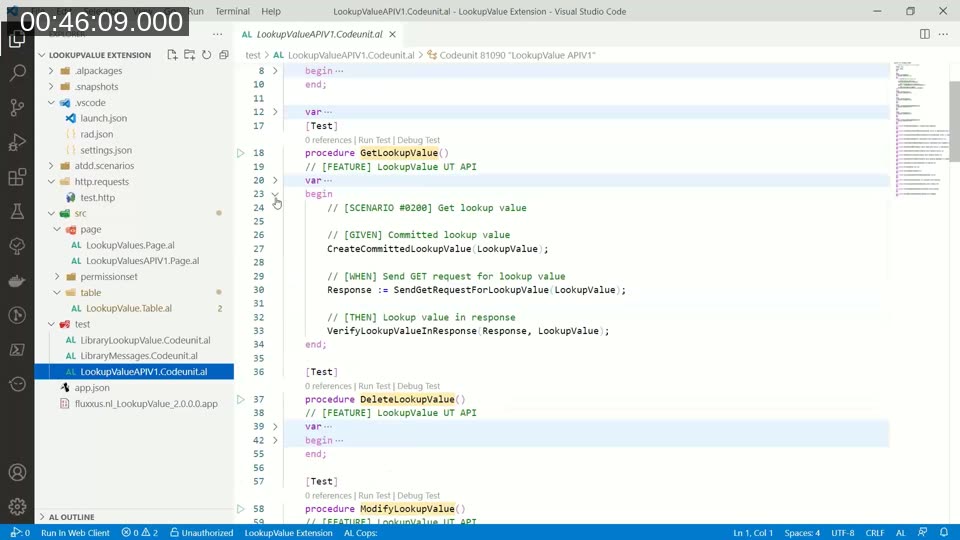
He deliberately writes each test as a short sequence of calls to helper functions rather than inline HTTP code — his stated bar is that the test should be readable by “almost anybody,” even someone without AL knowledge, so that scenarios can be discussed and reviewed without wading through the underlying request/response handling. The GET test ends up at roughly 10 lines of code once the reusable helper functions and Microsoft’s Graph Mgt library are doing the actual work; the PATCH (modify) test reuses several of the same helpers and adds a step to build the JSON request body and verify the change was written back to the database.
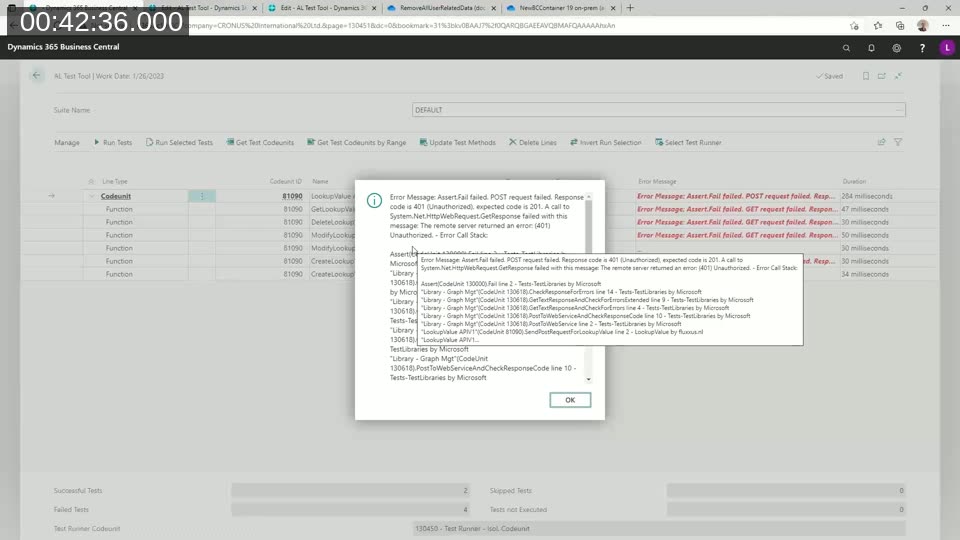
Running the same test suite against three environments shows the authentication challenge in practice:
- A Docker container using username/password authentication fails immediately with a 401 Unauthorized error, since the test code supplies no credentials.
- A Docker container with Windows authentication and no user data succeeds, though the first run needs a warm-up period and running with test isolation still on causes an update conflict because the two sessions collide over locking.
- Switching to a test runner with isolation disabled resolves that conflict, and a local on-premises environment with the same setup passes as well.
Q&A Highlights
A few points came up in the live Q&A that are worth calling out for anyone applying this pattern:
- Cleaning up after tests: with test isolation disabled, records created by API tests are not automatically rolled back. In a pipeline, Luc typically rebuilds the Docker container (or reattaches a clean database) for every run rather than writing manual cleanup code, though a dedicated cleanup routine executed once at the start or end of a test run is a reasonable middle ground if you know exactly what needs to be removed.
- Docker vs. local installs: Luc works almost exclusively with Docker containers for testing; the local on-premises environment shown in the demo was set up specifically to verify the approach also works outside a container.
- Which database to test against: Luc recommends testing against Cronus rather than an empty company, because several Microsoft test libraries expect certain Cronus data to already exist — tests can behave unpredictably in a sandbox environment where that data is missing.
Resources
📖 Book: Automated Testing in Microsoft Dynamics 365 Business Central, 2nd Edition (Packt) — covers this API testing pattern, plus test doubling/mocking for external services, in full detail. Companion code: GitHub repository.
📖 Examples: Test Automation Examples — Luc’s ongoing collection of small, self-contained AL test scenarios used in his workshops and classes.
This post was drafted with AI assistance based on the webinar transcript and video content.