
In this session from Areopa Academy (episode 93), presenter Andrzej Zwierzchowski — known to many BC developers as the author of the popular AL extension for VS Code — explores the practical options for deploying AI models, with a focus on when and why you might choose to run a model locally rather than calling one in the cloud. Moderator Tine Starič facilitates the session and Q&A. All source code from the demos is published to GitHub.
Why consider local AI?
Most production AI solutions for Business Central will call a cloud-hosted model, and that remains the recommended path for customer-facing features. But there are scenarios where running a model locally makes sense: learning how large language models work without needing a subscription, prototyping without sending data outside your machine, building applications that must function offline, pre-processing images or documents on a device before sending results to BC, or serving customers who require that data stays on their own infrastructure.
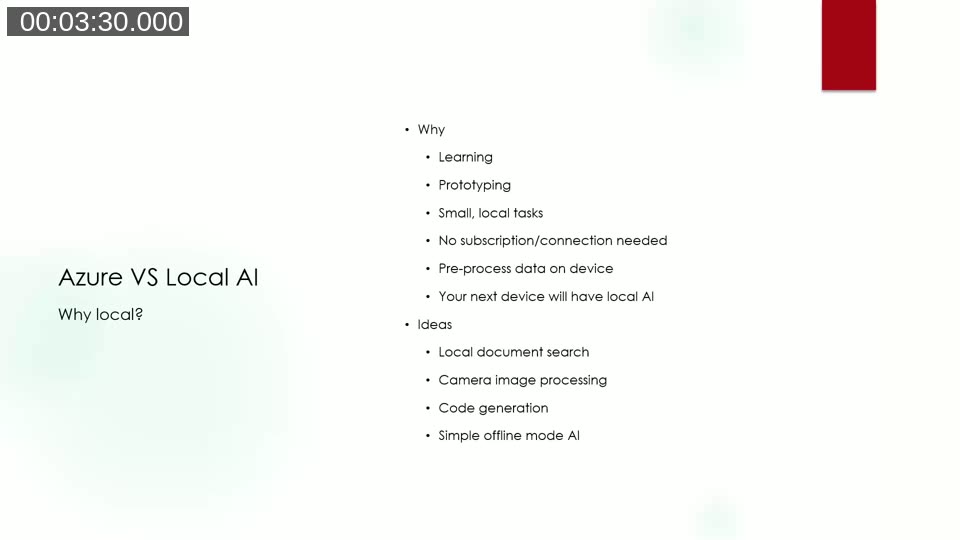
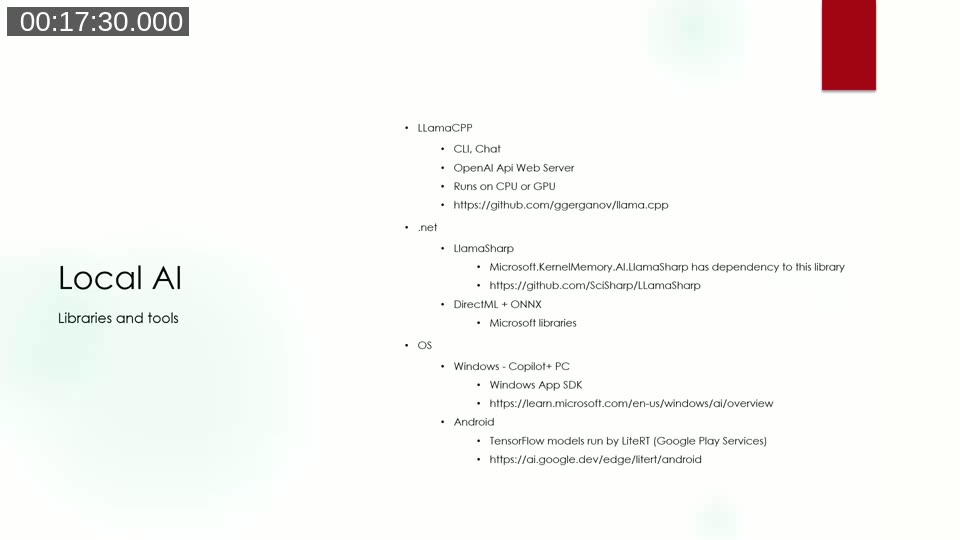
Andrzej also notes that on-device AI is becoming part of the OS. Windows Copilot+ PCs now include a small language model at the SDK level, and Android devices with Google Play Services have access to TensorFlow LiteRT for running compressed models locally. This means the line between cloud and local AI will continue to blur.
Deploying AI models on Azure
Azure AI Studio (now part of Azure AI Foundry) provides a model catalog with hundreds of options — GPT-4o and other OpenAI models, Microsoft’s Phi-3 family, Meta Llama in various sizes, Mistral, and community models from Hugging Face. Each model can be deployed in one of two ways.
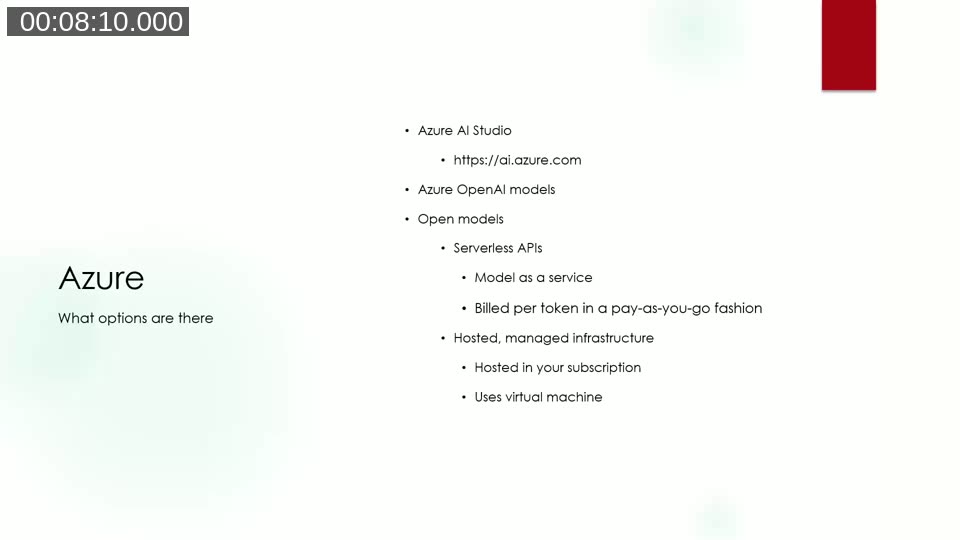
Serverless API (model as a service): The model is hosted by Microsoft. You call it via a REST endpoint and pay per token in a pay-as-you-go model. No VM to manage.
Hosted managed infrastructure: A dedicated virtual machine in your Azure subscription runs the model. You pay for the VM continuously regardless of usage. This option gives more control and is better suited to high-throughput workloads.
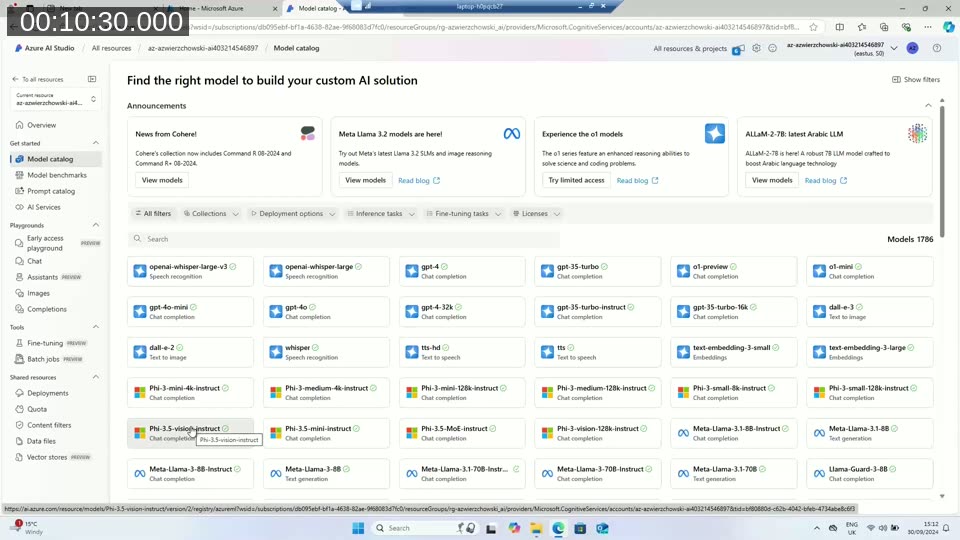
📖 Docs: Deploy models as serverless API deployments – Azure AI Foundry — step-by-step guide to deploying Llama, Mistral, Phi-3, and other catalog models as pay-per-token serverless endpoints.
Calling an Azure OpenAI model from Business Central
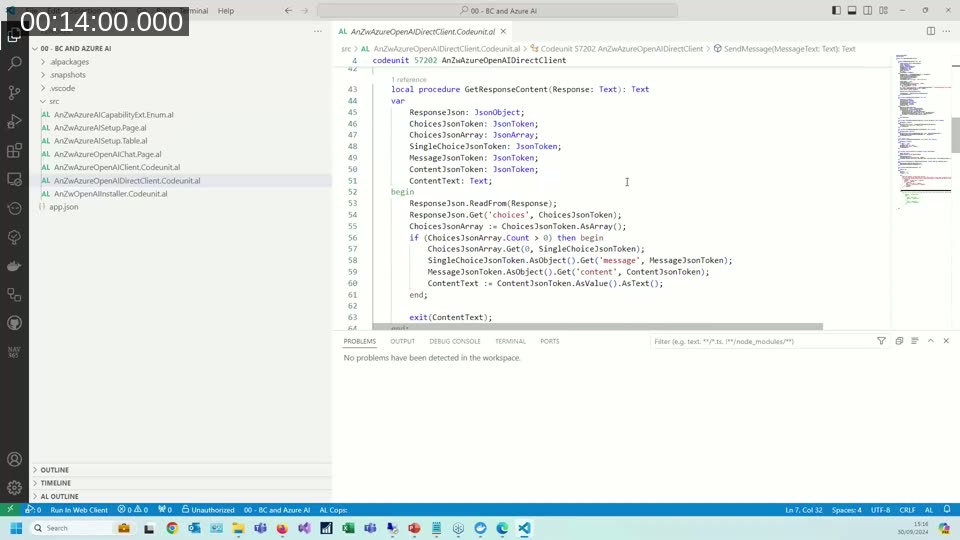
Andrzej demonstrates a straightforward AL codeunit that calls Azure OpenAI directly over HTTP, without using the built-in AzureOpenAI codeunit from the System Application. The code sends a JSON body containing a system message and a user message to the model’s chat completions endpoint, then parses the JSON response to extract the reply text.
In the demo, a simple BC page lets the user type a natural-language purchase order description. The AL code sends this to GPT-4o with a system message telling the model to act as an order data extractor and return a specific JSON schema. The model returns a structured JSON object with customer name and a list of items with quantities — ready to be mapped into BC order lines.
📖 Docs: Integrating Business Central with Azure services — overview of how AL extensions call Azure services including Azure OpenAI, using the HttpClient data type.
Local AI: libraries and tools
For local inference, Andrzej covers three main options, all of which can run on a developer laptop:
- llama.cpp — a C++ project that can run GGUF-format models via CLI, interactive chat, or as a local web server that exposes the same API contract as OpenAI. This last feature means existing AL or .NET code that targets Azure OpenAI can be redirected to a local model by simply changing the endpoint URL.
- LlamaSharp — a .NET NuGet wrapper around llama.cpp. Microsoft’s own Kernel Memory AI library has a dependency on LlamaSharp, which Andrzej notes as a signal of its reliability. It supports CPU and GPU backends via separate NuGet packages.
- DirectML + ONNX Runtime — Microsoft’s own libraries for running ONNX-format models on Windows, with hardware acceleration across CPU, GPU, and NPU.
Models can be downloaded from Hugging Face, which hosts hundreds of thousands of models in GGUF and ONNX formats. Andrzej recommends checking community discussion or current “best model” lists before downloading, given the sheer volume of options available.
CPU vs. GPU performance: a live comparison
Using LlamaSharp and C#, Andrzej runs two models — Meta Llama 3 Groq 8B (~6 GB, GGUF) and Microsoft Phi-3 Mini (~2 GB, GGUF) — on two different machines: a standard Intel i7 laptop (no discrete GPU) and a gaming laptop with an NVIDIA RTX 3070.
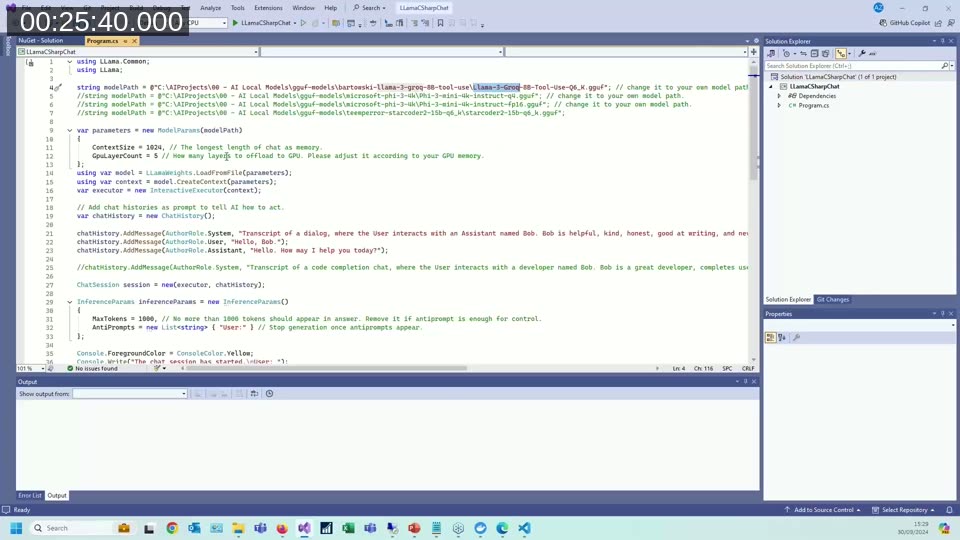
The NuGet package setup is straightforward: add LlamaSharp and either LlamaSharp.Backend.Cpu or LlamaSharp.Backend.Cuda12 depending on the target hardware. The model is loaded from a local file path, and inference runs via an async streaming API that writes tokens to the console as they are generated — making it easy to see the actual generation speed.
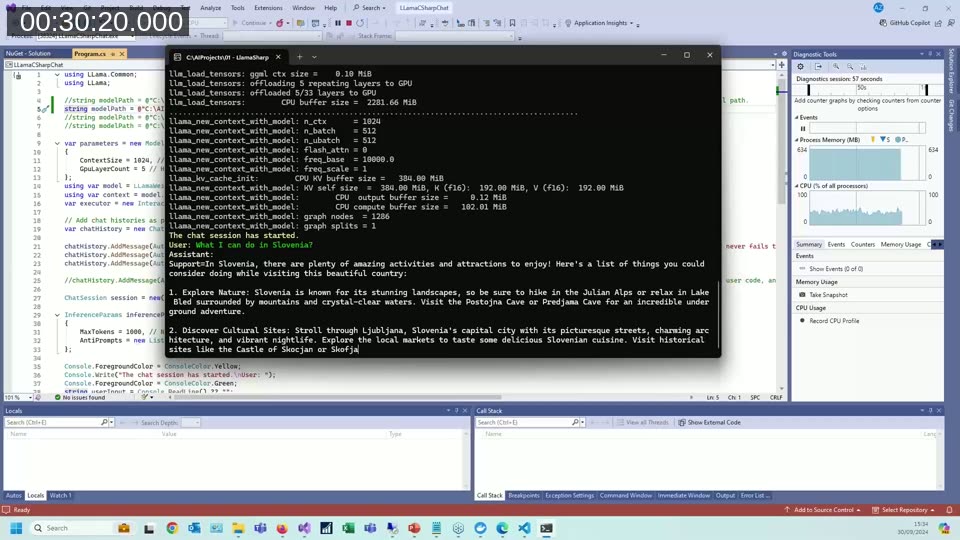
On the CPU-only laptop, generation was noticeably slow — a few tokens per second, making it impractical for anything requiring fast responses. On the RTX 3070 GPU laptop, the same models ran significantly faster, with responses streaming quickly enough to read in real time. The difference in experience between CPU and GPU is substantial for models in the 6–8 GB range.
Developer assistant demo: AI-generated tooltip suggestions
Beyond chatting with a model, Andrzej shows a developer-focused use case: a small C# console app that sends a list of table field names to a locally running Llama model and asks it to return suggested tooltip text for each field in JSON format. The system prompt tells the model it is an AL developer assistant and specifies the expected JSON schema.
The demo highlights an important observation: different models respond differently to the same prompt. The Microsoft Phi-3 Mini model tended to produce verbose prose answers, while the Meta Llama model was more concise and followed structured output instructions more reliably. Prompt engineering effort varies significantly depending on the model.
Image processing with LlamaSharp
LlamaSharp also supports multimodal models. Andrzej demonstrates a C# application that loads a LLaVA (Large Language and Vision Assistant) model alongside a companion language model. When an image is provided, the app asks the model to categorize or describe it.
Two images are tested — a photo of the Eiffel Tower and a close-up of assorted coins — and in both cases the model produces accurate natural language descriptions running entirely on the local GPU. Andrzej suggests this pattern could be used for on-device image categorization before sending structured metadata to Business Central, eliminating the need to upload raw images to a cloud endpoint.
Connecting Business Central to a local llama.cpp server
The llama.cpp project includes a web server mode (llama-server.exe) that starts an HTTP server accepting OpenAI-compatible chat completion requests. Andrzej starts this server on his GPU laptop, pointing it at a local GGUF model, and then opens a BC AL extension on a separate machine that sends requests to that server’s IP address and port.
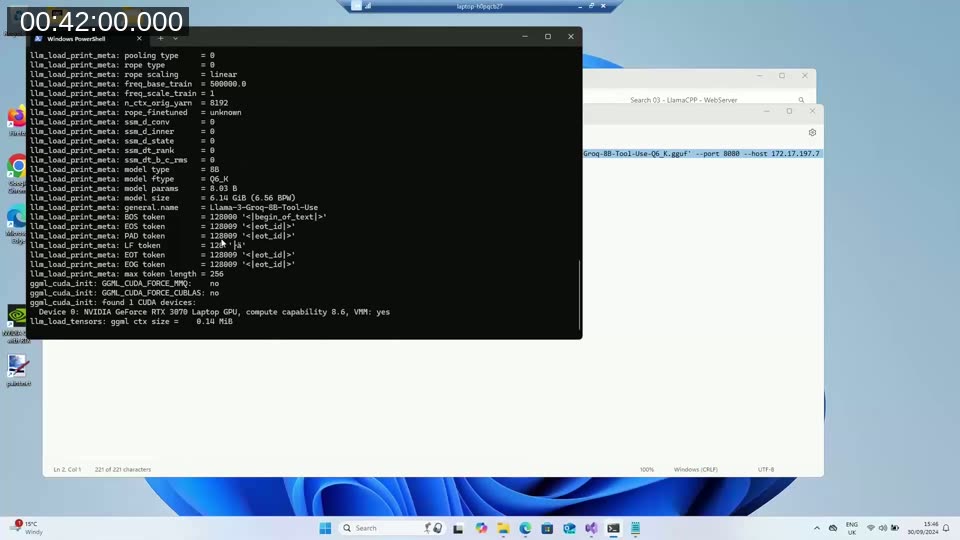
The AL code is nearly identical to the Azure OpenAI version — only the base URL differs. The BC page sends the same natural language order description and receives a valid JSON response with extracted customer and item data from the locally running model. This pattern is directly useful for prototyping: develop and test with a local model, then switch to Azure OpenAI in production by updating the endpoint configuration.
Semantic search over Business Central documentation
The final demo uses Microsoft’s DirectML and ONNX libraries rather than LlamaSharp. Andrzej runs two models together: Microsoft Phi-3 Mini for text generation, and all-MiniLM-L6-v2 — an embedding model that converts sentences into numeric vectors — for semantic indexing.
The application reads several Business Central documentation files from disk, splits them into smaller chunks, and generates embedding vectors for each chunk. When a question is submitted, the same embedding model converts the question into a vector, and the application finds the chunk whose vector is closest to the question vector (cosine similarity). That matching chunk is then sent to Phi-3 Mini as context, with a prompt asking the model to answer the question using only that context.
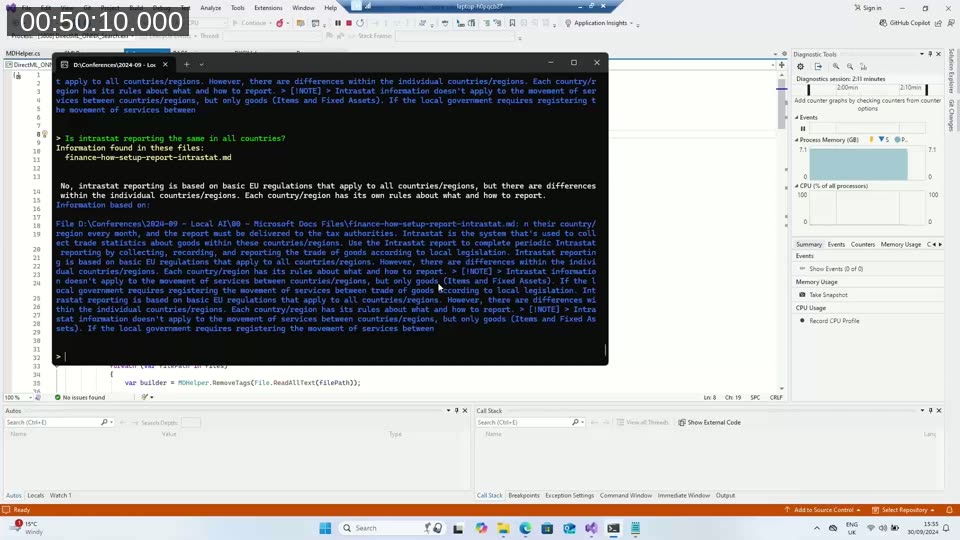
In the demo, a question about Intrastat reporting finds the correct section in the BC documentation and produces an accurate answer — entirely locally, without any cloud call. Andrzej describes how this pattern could be applied to customer-specific document sets: index local files once, then let users query them through a BC interface or a companion web service.
📖 Docs: Embeddings in .NET — explains how embedding models work, why text is converted to vectors, and how similarity search enables retrieval-augmented generation (RAG).
📖 Docs: Choose your Windows AI solution — Microsoft’s guide to local AI options on Windows, covering Windows AI APIs (Copilot+ PC), Foundry Local (any Windows hardware), and Windows ML with ONNX Runtime.
Q&A highlights
How do models differ from one another? Models are trained on different data for different purposes. Some are optimized for interactive chat; others for structured output or code generation. Even closely related versions of the same model family (such as different Llama 3 versions) can respond very differently to the same prompt. Andrzej recommends checking community resources for current guidance on which models work well for specific tasks, rather than relying solely on the Hugging Face catalog which now exceeds one million entries.
How does performance look on a standard office PC without a GPU? The first demos in the session were run on an Intel i7 laptop with integrated graphics only. Generation was slow — roughly word by word — and would require the user to wait a minute or more for a full paragraph. It is possible for experimentation, but not practical for production use. A gaming PC or workstation with a dedicated NVIDIA card makes a significant difference.
Hardware needed for larger models? The model file size needs to fit within VRAM for GPU inference. A 6–8 GB model requires a GPU with at least that much VRAM. Andrzej mentions an RTX 4090 with 24 GB VRAM as an example of hardware that can run larger models comfortably, should anyone need a justification for the purchase.
This post was drafted with AI assistance based on the webinar transcript and video content.