
In this Areopa Academy webinar, Krzysztof Białowąs, Business Central system architect and Microsoft MVP, walks through the System Application, the foundational AL library that sits underneath the base application. Moderated by Luc van Vugt, the session moves through a series of practical, code-level examples: Azure Blob Storage, SharePoint, camera and image handling, geolocation, barcodes, Azure Functions, regular expressions, retention policies, and math helpers. Białowąs closes by showing how to contribute a fix back to Microsoft’s open-source repository, from forking the repo to opening a pull request.
What Is the System Application?
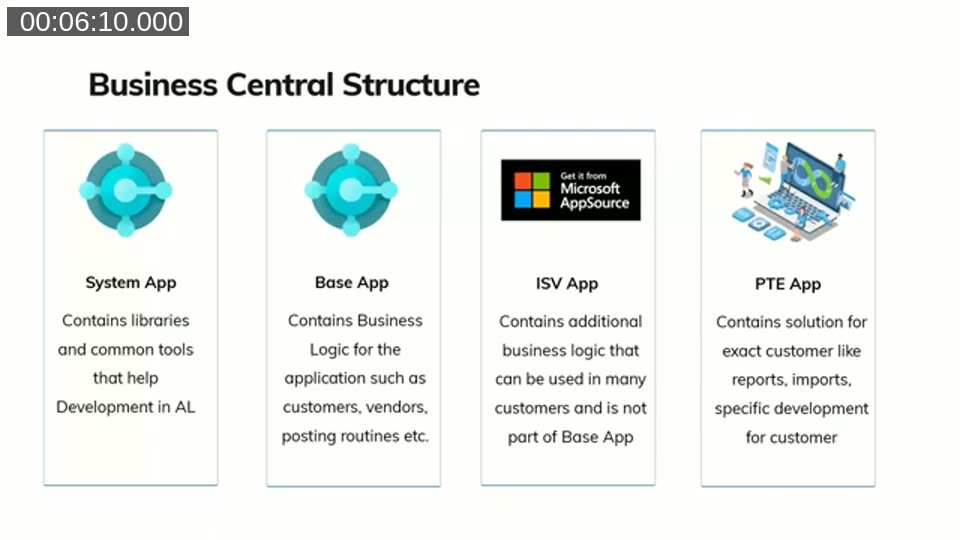
Białowąs starts from the familiar Business Central layer diagram. On top sits the PTE (per-tenant extension) layer, which holds customer-specific development. Below that, ISV apps add business logic that is not part of the base app. The base app itself contains the core business logic of Business Central: customers, vendors, items, and so on. Underneath all of it sits the system app, described in the module’s own documentation as containing “libraries and common utility tools that can help developers in AL.”
The base app depends on the system app, ISV apps depend on both, and PTEs can use all three. Białowąs notes that most developers underuse the system app relative to how much functionality it actually offers.
📖 Docs: System Application overview — Microsoft’s reference for how the System Application layer is structured and what it’s meant to provide.
The Facade Pattern: Confirm Management
Before diving into examples, Białowąs explains how system app modules are built, using the Confirm Management module as an illustration. Each module exposes a small, well-documented public codeunit (the facade) that developers are meant to call, plus an internal implementation codeunit that holds the actual logic and cannot be accessed directly from extensions.
For Confirm Management, the public codeunit exposes two functions, GetResponseOrDefault and GetResponse, which simply forward to the internal implementation codeunit. The internal codeunit handles details such as checking whether the UI is allowed before showing a confirmation dialog. The takeaway: always call the public facade codeunit, never the internal implementation codeunit, even when it’s visible in the source.
Working with Azure Blob Storage
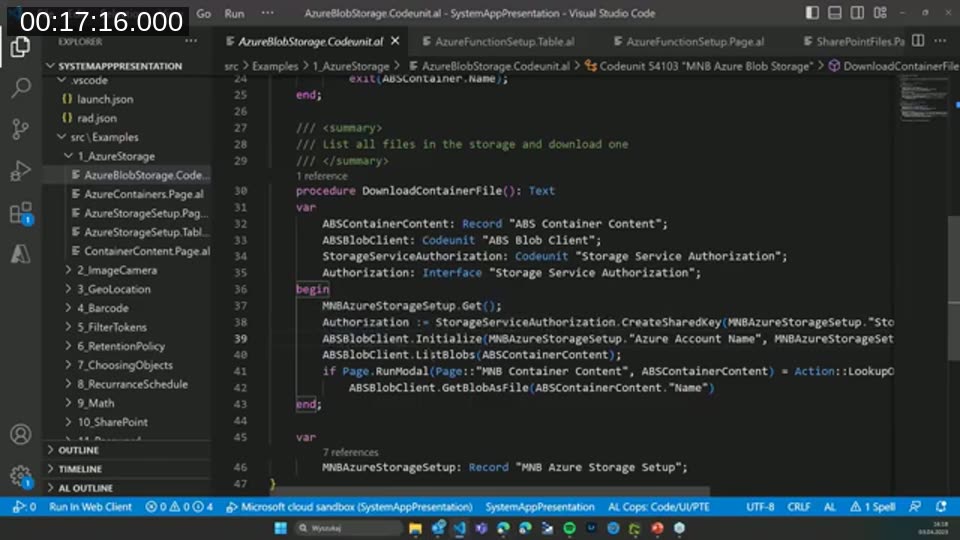
The first hands-on example covers the Azure Storage module. Using the “ABS Blob Client” codeunit together with the “Storage Service Authorization” interface, Białowąs lists containers, lists blobs in a container, and downloads a blob as a file in roughly three lines of code once authorization is set up. The system app handles the underlying Azure Blob Storage REST API calls; the developer only needs to build a page to present the results, since the module intentionally ships without UI.
📖 Docs: Integrating with Azure services — covers the Azure Blob Storage module, including the Shared Key and Shared Access Signature authentication options shown in the demo.
SharePoint Integration
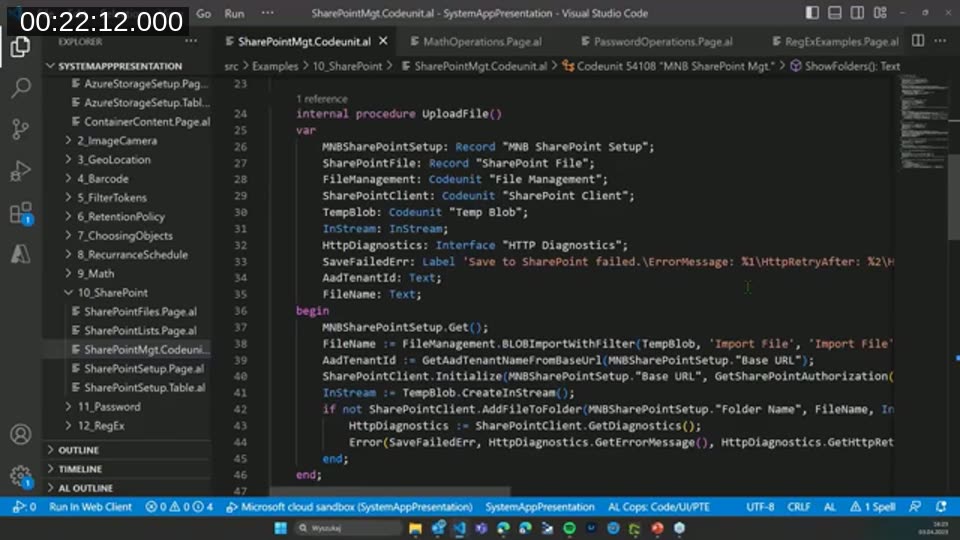
Connecting to SharePoint follows the same pattern. With a client ID, client secret, and base URL, the “SharePoint Client” codeunit lets a PTE list folders, list files, and upload files to a SharePoint document library. Białowąs shows the underlying UploadFile procedure, which combines the system app’s File Management codeunit with the SharePoint Client codeunit and temp blob to push a file to a folder.
During Q&A, an attendee (Camille) asked whether the SharePoint connector supports certificate-based authentication. Białowąs hadn’t tried it himself, but noted the authorization is built as an interface, so it can be extended. Later in the Q&A, Johannes Vikman confirmed he has an open pull request adding certificate authentication to the SharePoint module, currently waiting on password/certificate support in the platform.
📖 Docs: Integrating with Office apps and Microsoft 365 — includes the SharePoint module reference used to connect, authenticate, and manage files, folders, and lists from AL.
Camera, Images, and Geolocation
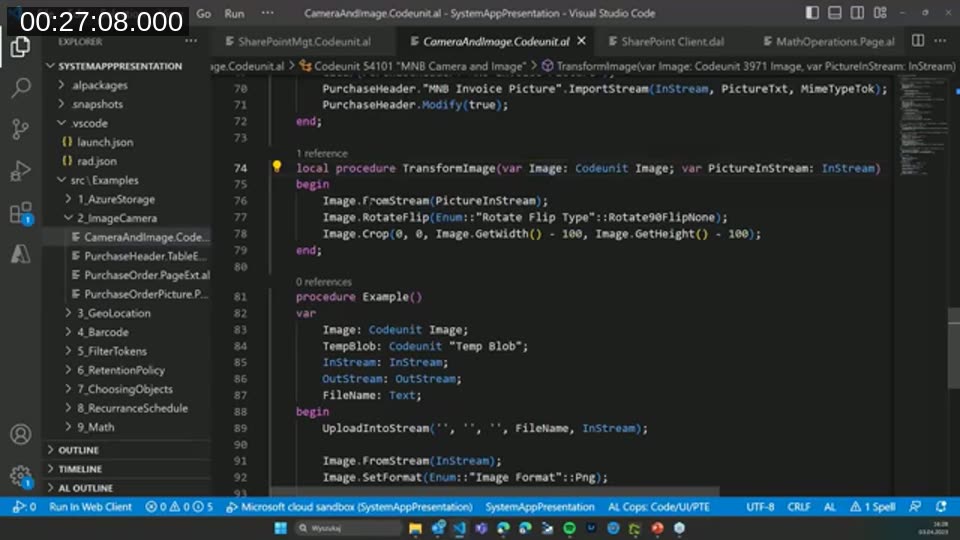
For scenarios like attaching a photo of an invoice to a purchase order, the Camera and Image modules combine to capture a picture and process it. A quick check for camera availability followed by a call to get the picture is enough to bring an image into Business Central. Białowąs then shows the Image codeunit rotating, flipping, and cropping the captured picture in a handful of lines, using Image.RotateFlip and Image.Crop.
A related example on fixed assets uses the Geolocation module’s “Geolocation” codeunit to request and read the device’s GPS coordinates, useful when a mobile user needs to record where an operation took place.
Generating Barcodes
The Barcode module lets a developer generate barcodes and QR codes without a paid third-party add-on. Białowąs demonstrates creating five different barcode types (including Code 39, Code 128, and QR) by specifying a barcode provider (1D or 2D) and a barcode type, then printing them through a Word layout that references the matching barcode font. He notes that barcode font usage is free on Business Central Online, but requires a separate font license on-premises.

Calling Azure Functions
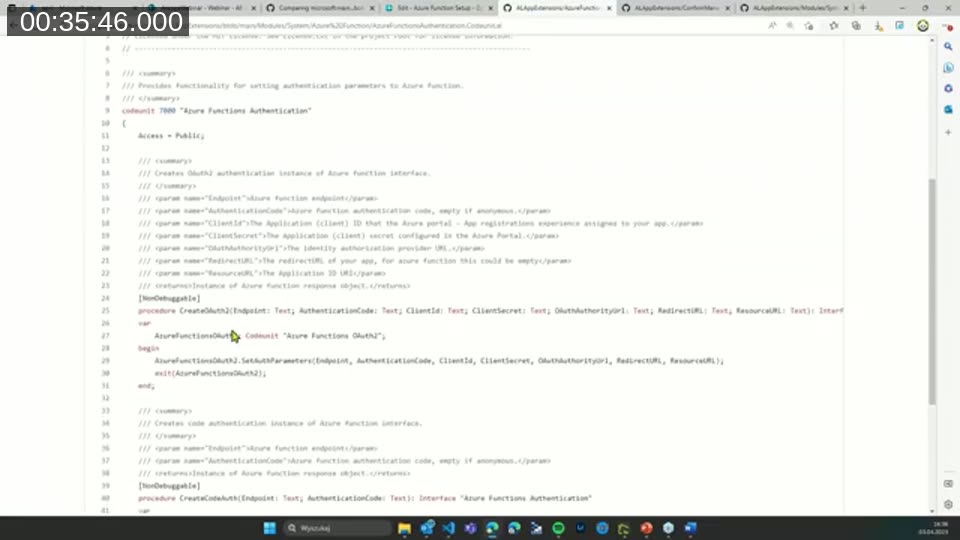
Since Business Central 21, calling an Azure Function requires far less boilerplate than before. Białowąs sets up authentication through the “Azure Functions Authentication” interface (using basic authentication in the demo, though OAuth2 and code-based authentication are also available), sends the request, and reads the response as text or as a stream in a handful of lines.
Regular Expressions, Retention Policies, and Math
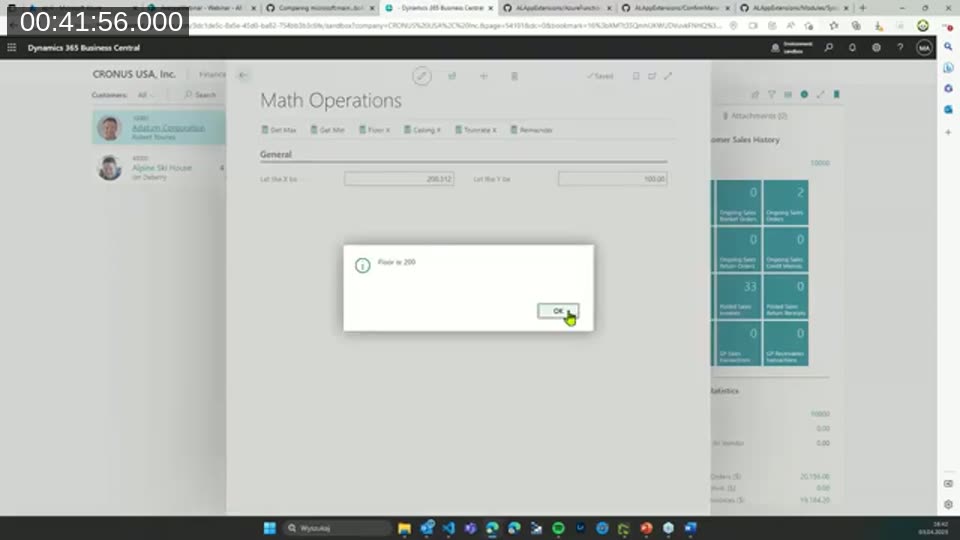
Three smaller but useful modules round out the examples. The RegEx module exposes functions like IsMatch, Replace, and Split for pattern matching against text. The Retention Policy module lets a developer register a custom table for automatic data cleanup with a single AddSetupParameters-style call on install, instead of building custom cleanup logic. The Math module covers common operations, minimum, maximum, floor, ceiling, truncate, remainder, and trigonometric functions, so developers don’t need to hand-roll comparison logic.
What Else Lives in the Repository
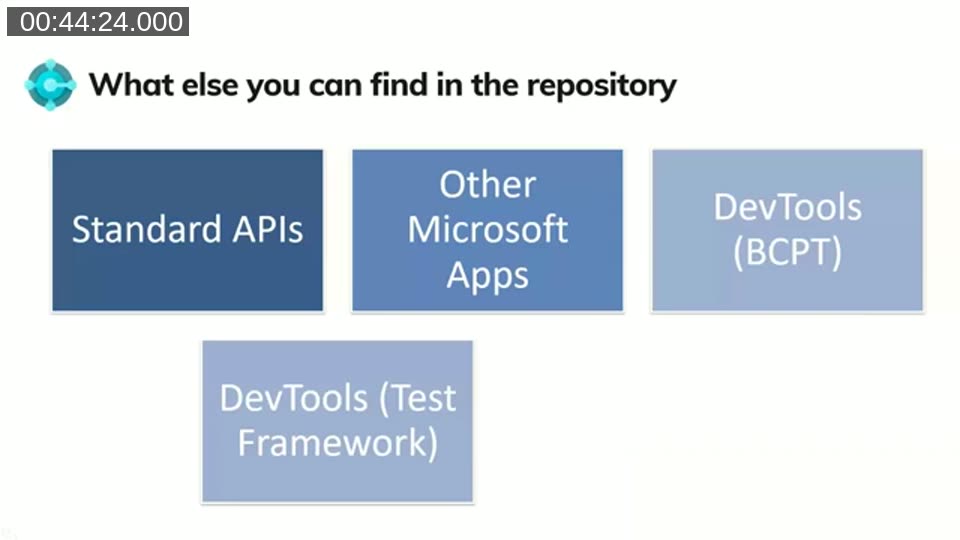
Beyond the system app itself, Białowąs points out that the same GitHub repository contains standard API source code, other Microsoft-built apps (including the Shopify connector), the BC Performance Toolkit, and the test framework and test libraries used across Business Central. Looking at the API source or a connector’s implementation is often the fastest way to understand how a feature actually works, and the commit history shows what changed and when.
Contributing Back to Microsoft’s Repository
Białowąs makes the case for not waiting on Microsoft when a small fix is within reach. Several system app modules, including Azure Blob Storage, the SharePoint connector, and the barcode functionality, were originally contributed by partners rather than built by Microsoft. Reviewing open pull requests, submitting small fixes, and proposing new modules are all valid ways to contribute; larger module submissions should come with tests and documentation, and it’s worth pinging Microsoft first to confirm there isn’t already an internal plan for the same functionality.
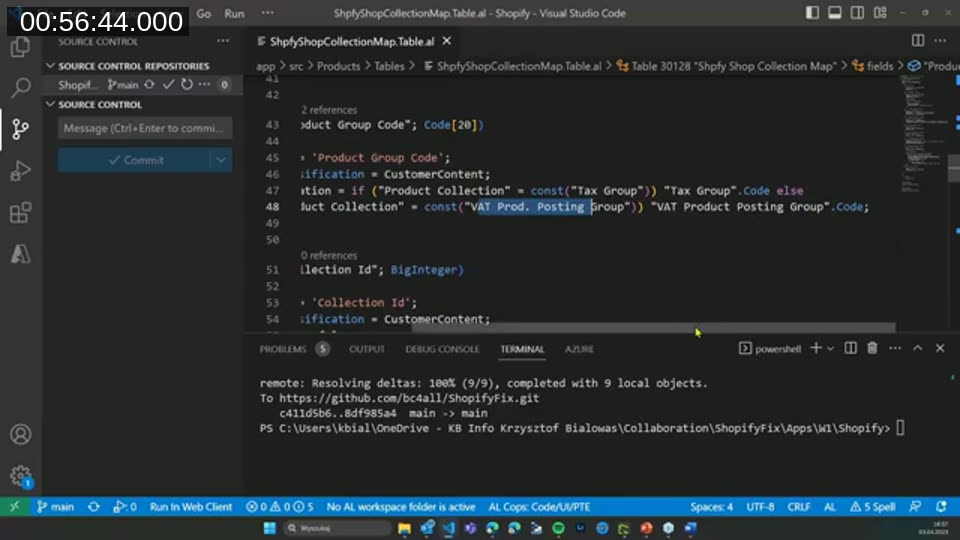
To demonstrate, he walks through a live fix: renaming a long VAT product posting group triggers a “value too long” error caused by a 10-character field length in the Shopify connector’s Shpfy Shop Collection Map table, versus the standard field’s 20-character length. He forks the ALAppExtensions repository, corrects the field length from 10 to 20, and opens a pull request against Microsoft’s repository, all within a few minutes.
📖 Docs: microsoft/BCApps on GitHub — the System Application, Base Application, and related test frameworks have since moved out of ALAppExtensions into this repository; new contributions to the System Application should target BCApps.
This post was drafted with AI assistance based on the webinar transcript and video content.