
In this webinar, Luc van Vugt (moderated by David Singleton) covers a question that automated tests usually skip: not just whether a piece of functionality works, but whether the users who are supposed to use it actually have the permissions to do so. Luc walks through the TestPermissions property, the “BC21 issue” that surprised a lot of developers, the Library - Lower Permissions codeunit behind it, and three practical ways to control permissions in AL coded tests.
Why test permissions at all?
Automated tests primarily verify that new functionality works as intended. That does not automatically mean every user can operate it, because access also depends on the permission sets assigned to them, and on the permissions granted to the objects involved (insert, modify, delete on tables, for example). Luc recalls cases from his time at Microsoft where a new feature shipped and only later did it turn out that the required user license, and by extension the permission set, wasn’t available to test against in time.
Microsoft has built functionality into the platform to test permission sets as part of the normal test flow. One important constraint applies throughout: this only works with permission set objects, not with permission sets created directly on the Permission Sets page in the database, and not with the older XML-based extension permission sets.
TestPermissions — pillar 6 of the Testability Framework
Test permissions is the sixth pillar of the Testability Framework that Luc describes in his book. He originally considered including it in the second edition, but pulled it out because it wasn’t fully working yet on the BC19 wave, and published it separately as a blog post instead.
📖 Docs: The Testability Framework: Pillar 6 – Test Permissions — Luc’s original write-up of this pillar, including the background on why it was left out of the book.
The TestPermissions codeunit property
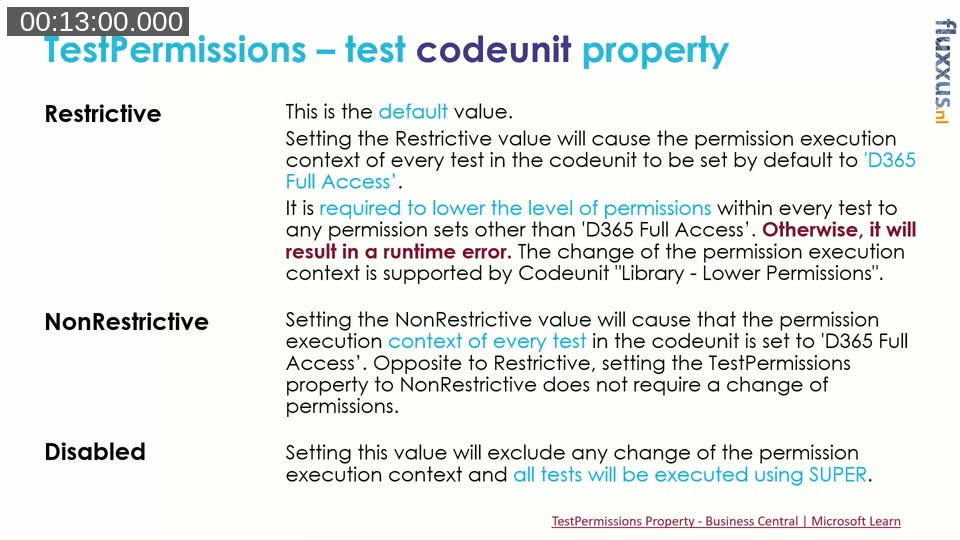
The TestPermissions property is set on a test codeunit, and can be overridden per test method through the TestPermissions attribute. It accepts four values:
- InheritFromTestCodeunit — only valid on a test method; inherits the setting from the codeunit.
- Restrictive — the default. The permission execution context of every test is set to “D365 Full Access”. You are then required to explicitly lower permissions within the test to any other permission set, otherwise you get a runtime error.
- NonRestrictive — also sets the context to “D365 Full Access”, but does not require you to explicitly change permissions afterward.
- Disabled — excludes any change of the permission execution context; every test runs under the account’s own (typically SUPER) permissions, matching pre-BC21 behavior.
Setting the property alone does nothing — it is only a flag. It has to be picked up and acted on by the test runner.
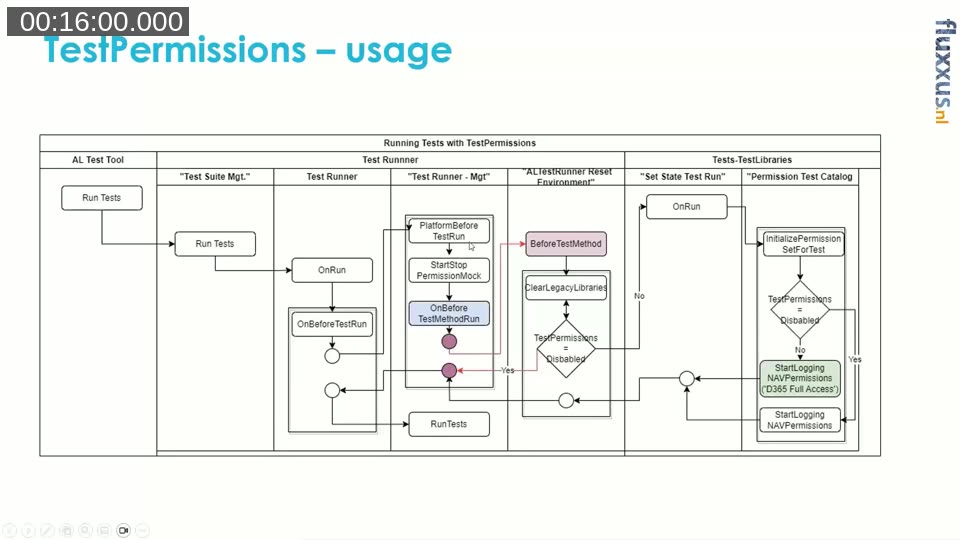
How the test runner picks it up
Luc traces the flow through the platform: running tests from the AL Test Tool calls into Test Suite Mgt., which calls Test Runner, which triggers OnBeforeTestRun. That, in turn, calls the (non-event) OnBeforeTestMethodRun trigger on the test runner. A subscriber to that trigger calls Clear Legacy Libraries, which checks whether TestPermissions is Disabled. If it isn’t, it calls into the codeunit that starts logging permissions for the current session — either with a specific permission set, or with none, which falls back to whatever the account has by default.
Permission changes made this way are applied on the fly to the current session — unlike a normal permission change on a user account, which requires logging out and back in for the cache to refresh. And a test can never gain more permissions than the account running the tests actually has: if that account isn’t Super, it cannot mock its way into being one.
📖 Docs: TestPermissions Property on Microsoft Learn — the full reference for the property, its values, and how it interacts with the test runner triggers.
The “BC21 issue”
Since BC21, a lot of developers ran into the error “Sorry, the current permissions prevented the action” on test codeunits that used to pass without any permission handling at all. The message itself has changed wording a few times across versions — Microsoft’s advice, which Luc confirms after having tested it, is not to assert on the full message text, only on the stable parts (which table, which permission type).
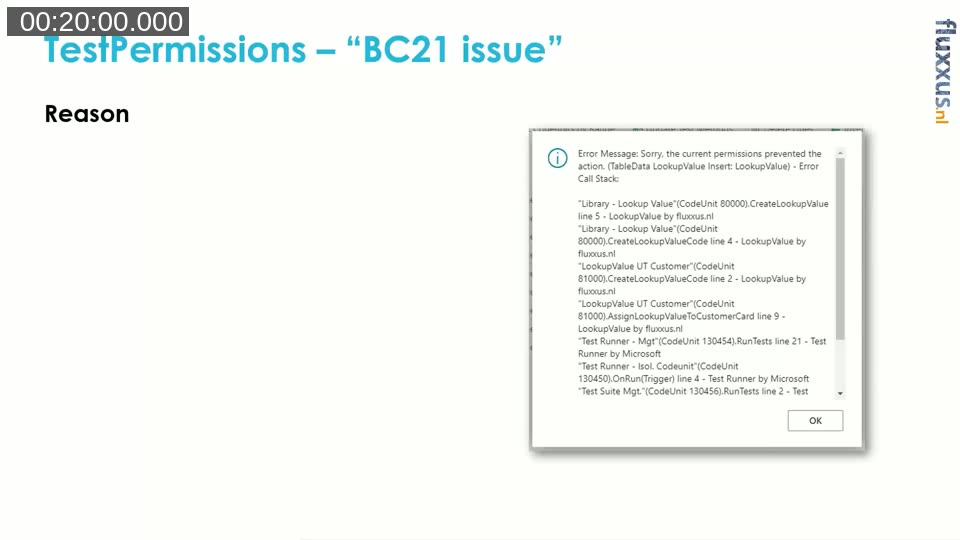
The cause is simple: test codeunits that don’t set TestPermissions explicitly default to Restrictive. Before BC21 this had no real effect because nothing enforced it; from BC21 onward the test runner actually restricts the session to “D365 Full Access”, which does not include custom tables added by an app. Luc lays out three fixes: set the property to Disabled (closest to old behavior), set it to Restrictive and explicitly extend the permission set in your test setup, or use the property per test codeunit — which is the approach demoed later in the webinar.
Technicalities
Two things to keep in mind when working with test permissions in code:
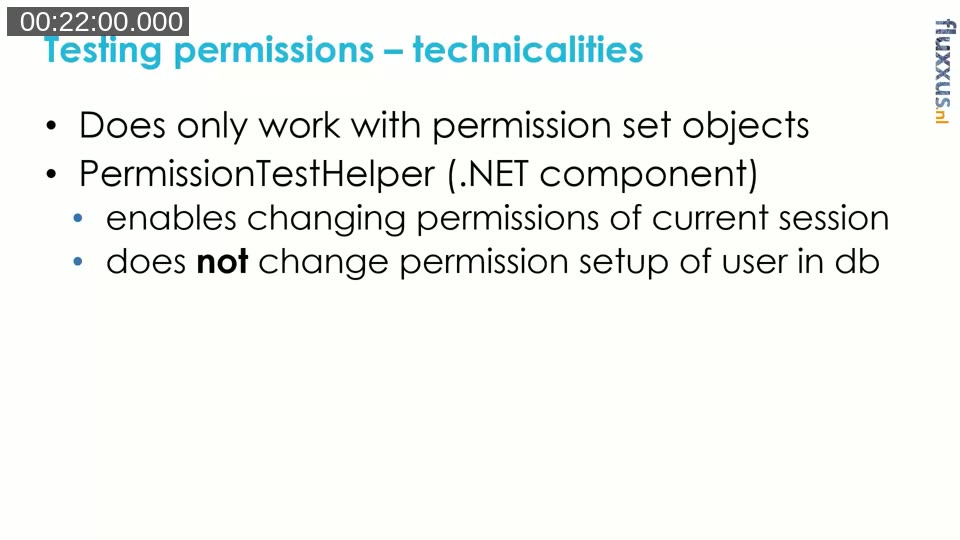
- It only works with permission set objects — not with sets created interactively in the base application.
- Under the hood, a .NET component called PermissionTestHelper enables changing permissions of the current session on the fly. It does not touch the permission setup stored in the database — it’s an in-session, in-memory change.
Because PermissionTestHelper is a .NET component, tests that rely on it can only run on-premises (including in a Docker container used for CI), not against an online sandbox. Since around version 18/19, Microsoft wraps this component in an app called Permissions Mock, available when you build a container with the test toolkit and test libraries included.
📖 Docs: Testing With Permission Sets on Microsoft Learn — background on the Permissions Mock module and how it’s used to mock permission sets for unit tests.
Library – Lower Permissions
The codeunit that wraps Permissions Mock for use in your own tests is Library – Lower Permissions. Its main methods are:
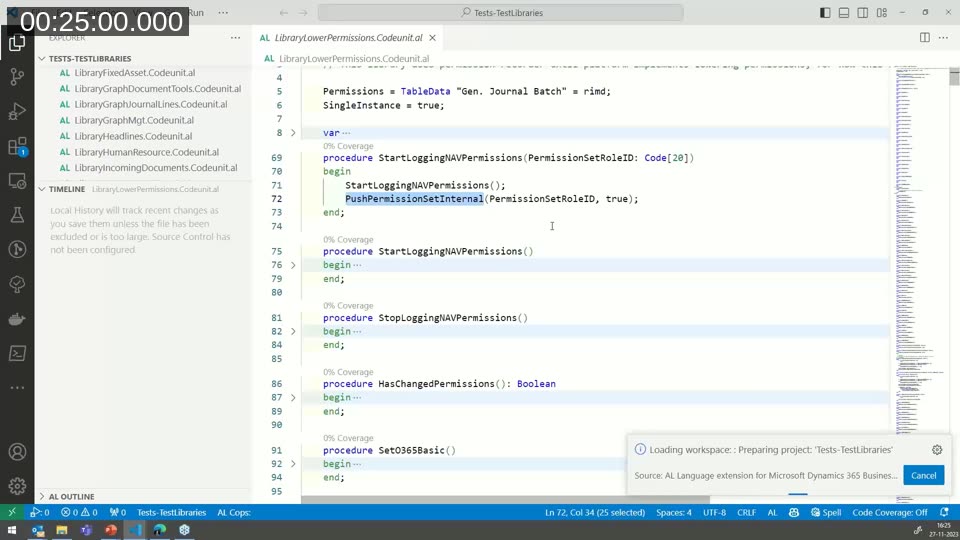
StartLoggingNAVPermissions()— instantiates the underlying permission logging for the session, optionally with a specific permission set role ID passed in as an overload.PushPermissionSet— sets the starting permission set for the session.AddPermissionSet— assigns an additional permission set on top of whatever is already active (does nothing if logging hasn’t been started).StopLoggingNAVPermissions()andHasChangedPermissions()round out the set.
In BC19, calling this library explicitly was required in every test, since the test runner didn’t invoke it automatically yet. Since BC21, the test runner does this by default, so in most cases you only need to call AddPermissionSet or PushPermissionSet yourself.
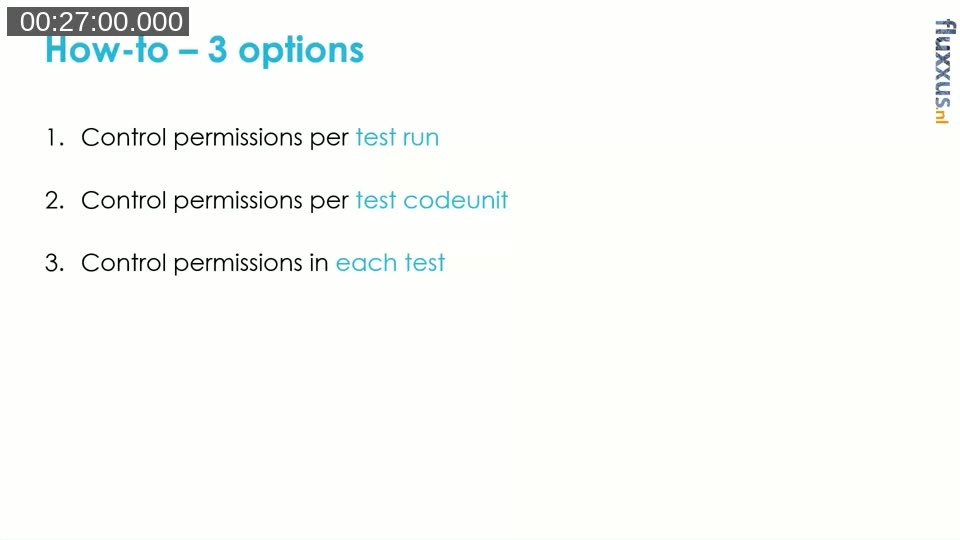
How-to: three options
Luc demos three ways to incorporate permission sets into AL coded tests, borrowing the fixture terminology from his book: a parallel with pre-built fixture (once, for the whole run), shared fixture (once per codeunit), and fresh fixture (per individual test).
Option 1 — per test run
Ideally, you’d subscribe once to a Microsoft publisher and extend “D365 Full Access” with your own base permission set for the entire run. At the time of this recording, no such publisher exists on the relevant trigger — subscribing to the existing OnBeforeTestMethodRun would mean competing with Microsoft’s own subscriber and risking execution order issues. Luc had already raised this with Microsoft’s Kris (nicaa) and planned to submit a pull request adding a dedicated publisher (something like OnAfterStartLoggingNAVPermissions). Until that publisher exists, option 1 isn’t practically usable.
Option 2 — per test codeunit
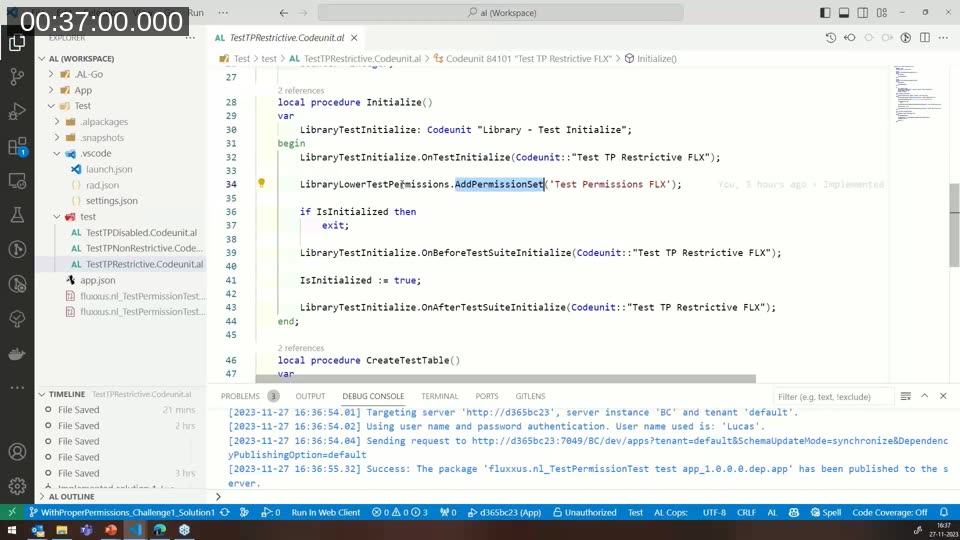
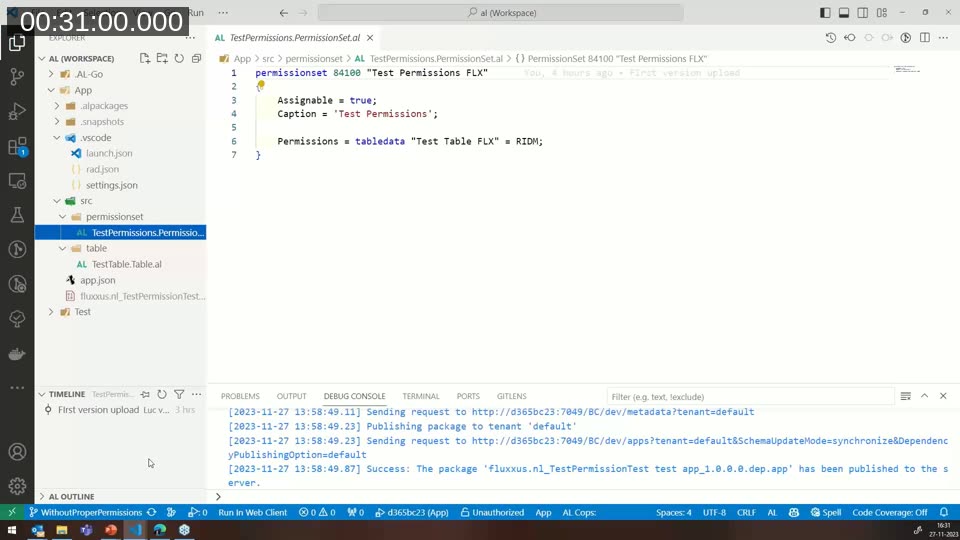
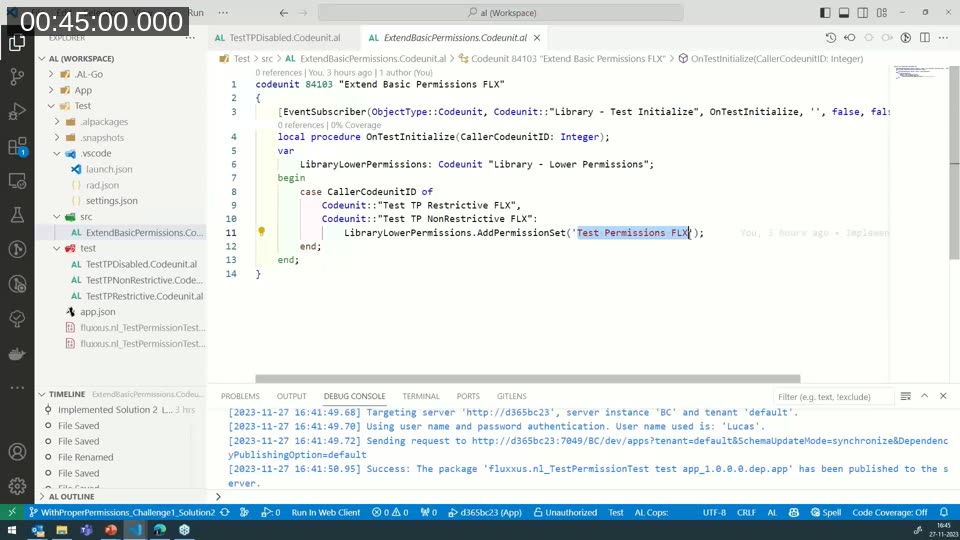
This is demoed live against a small test app with one table and one permission set. With TestPermissions left at the default (Restrictive), the demo test fails with the BC21 error, because the session only has “D365 Full Access” and that doesn’t cover the custom table. Adding a call to Library - Lower Permissions directly in the test’s Initialize procedure fixes the single test — but Luc shows that this doesn’t survive a second test in the same run, because the extra permission set is scoped to that one test and reverts afterward.
The reliable fix is to subscribe to OnTestInitialize and add the permission set there, so every test in the codeunit picks it up consistently through the shared Initialize pattern, rather than relying on a one-off call.
Running the codeunit through the AL Test Tool confirms the pattern: the disabled variant passes outright, while the restrictive and non-restrictive variants fail until the permission set is added consistently for every test.
Option 3 — per test
The third option gives full control inside an individual test: call StartLoggingNAVPermissions directly within the test body to switch to a specific, narrow permission set exactly where it’s needed, rather than for the whole codeunit. Luc demonstrates lowering permissions mid-test so that a later action fails as expected, then shows the fix — pushing the exact permission set the action requires.
He also revisits the equivalent pattern from chapter 8 of his book, where each scenario starts from a defined base permission set (for example “full access, no lookup value”) before asserting that the expected permission error is raised. At 4ps, the same idea was scaled up with a shared “on test initialize” subscriber referencing a base permission set with read/insert/modify/delete rights across all tables — which surfaced gaps where developers hadn’t kept their app’s permission set up to date for newly added tables.
Luc’s takeaway: testing permissions down to individual objects for every test is usually too much effort. It’s more practical for tests in a given functional area to run against a base permission set representative of that area — and reserve the fine-grained, per-object checks for cases where a specific restriction genuinely matters.
💻 Code: ALTestPermissionsExamples on GitHub — the demo project used throughout this webinar.
📖 Further reading: Automated Testing in Microsoft Dynamics 365 Business Central, Second Edition by Luc van Vugt — see test example 9 in chapter 8 for the permissions test patterns referenced in this session.
Q&A
Asked how this compares to the older approach of reading permissions off code coverage results, Luc points to option 1 (a shared publisher extending the base set) as the simplest path once it exists, with the option to build multiple sets — a broad functional-user set, and narrower, task-oriented sets for specific roles or processes. The overall recommendation stands: tests for a given process should be able to run under a permission set that represents the users who will actually run that process in production.
This post was drafted with AI assistance based on the webinar transcript and video content.