
In this Areopa Academy webinar, Arend-Jan Kauffmann (CTO at Lumos 365 and Microsoft MVP for Business Central) explains external business events in AL, moderated by Luc van Vugt. The session compares this feature to API webhooks, shows how the standard business events work with Power Automate, and demonstrates how to build a custom business event from scratch.
API webhooks: the starting point
Kauffmann opens by revisiting API webhooks, since business events are often compared to them. Webhooks are part of the API layer in Business Central and notify an external system whenever a record behind an exposed API resource is created, modified, or deleted. That mechanism runs close to the change log: it is triggered from the same OnInsert, OnModify, and OnDelete triggers.
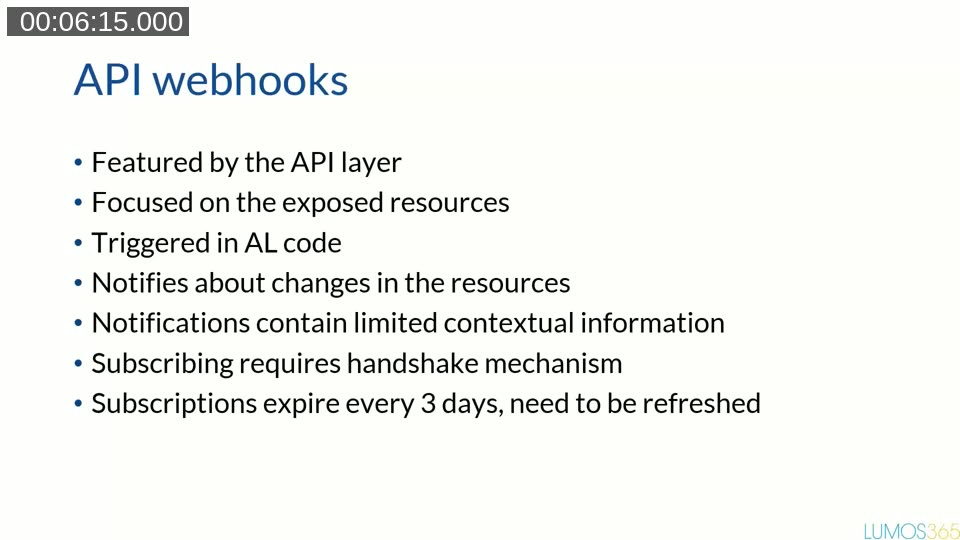
A webhook notification only contains the record ID and the type of change — not the record’s field values. Subscribing requires a handshake: Business Central calls the notification URL to confirm the external system is listening before the subscription is created, and every subscription expires after 3 days, so the external system needs a mechanism to renew it.
📖 Docs: Working with webhooks — the official reference for the subscription handshake, validation token, and the 3-day expiration behavior demonstrated in the webinar.
Kauffmann demonstrates this live using Pipedream as a disposable HTTP endpoint, and Postman to create the webhook subscription against the standard items resource. After creating and updating an item in Business Central, the demo shows three separate notifications arriving combined in one JSON payload — one for the update, one for the create, and one for a follow-up update on the same record.
That behavior illustrates why webhooks are a poor fit for reacting to business processes. Because notifications only say “updated” without saying what changed, subscribing to something like a sales order’s status (for example, to know when it was released) means the external system has to read the record back and inspect the fields itself — and it will receive a flood of unrelated “updated” notifications for any change to the sales header or its lines. Webhooks are well suited to keeping data in sync, but not to reacting to a specific business event.
(External) business events
This is where external business events come in. The naming is inconsistent across the product: the official documentation calls the feature “business events,” the AL attribute is called ExternalBusinessEvent (because AL already has an unrelated concept called a business event), and the API sometimes refers to them as “external events.” Kauffmann’s own preference is “external business event,” but all three names describe the same feature.
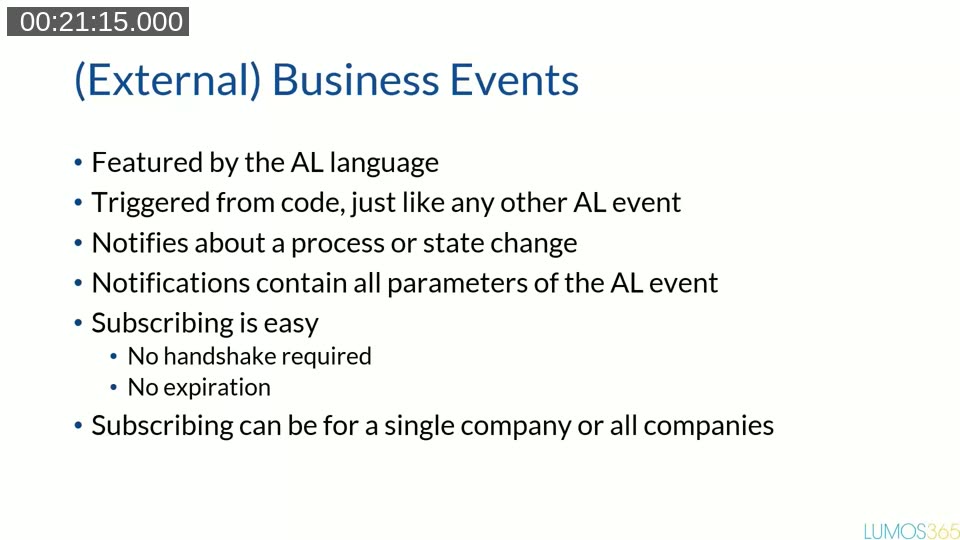
Unlike webhooks, business events are triggered directly from AL code, just like any other event. A notification includes all of the parameters passed to that AL event — so a developer decides exactly what information the external system receives. Subscribing is simpler too: there’s no handshake and no expiration, and a single subscription can cover one company or all companies in an environment.
📖 Docs: Business events on Business Central (preview) — the overview page for the feature discussed throughout this webinar.
Business events out of the box
Business Central ships with a set of standard business events, delivered in an app named _Exclude_Business_Events_ (the “exclude” prefix keeps it hidden from the Extension Management page). Its source lives in the ExternalEvents folder of Microsoft’s ALAppExtensions repository.
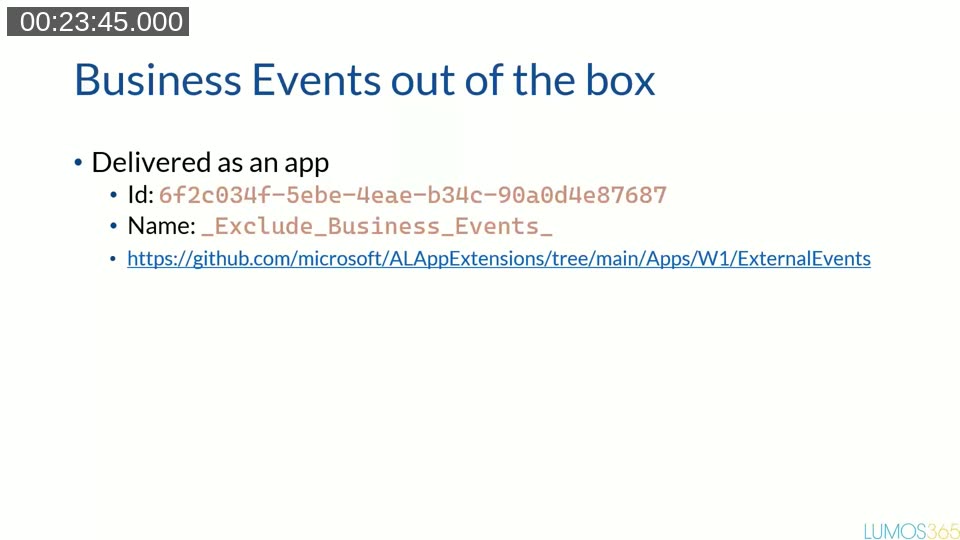
💻 Source: microsoft/ALAppExtensions — Apps/W1/ExternalEvents — the standard business events app, including the full list of out-of-the-box events grouped by category.
The standard events are grouped into categories such as Opportunities, Accounts Receivable, Accounts Payable, and Sales — though, as Kauffmann points out, the grouping is not always consistent (sales order released sits under Sales, while related events like shipment and invoice posting sit under Accounts Receivable). As of Business Central 2023 release wave 2 (version 23), every standard event carries a version number. This matters for anyone who subscribed before that change: existing subscriptions were implicitly on version 0.0, and version 0.0 notifications are no longer sent, so those subscriptions need to be recreated against version 1.0.
Using business events from Power Automate
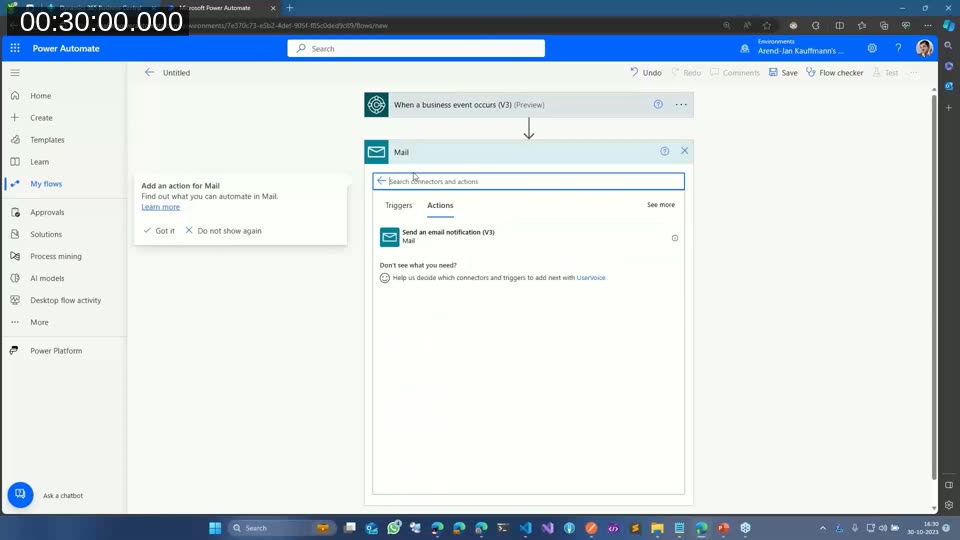
Kauffmann demonstrates subscribing to the standard “customer blocked” event from a Power Automate flow, using the When a business event occurs (V3) trigger in the Business Central connector. The company field is optional, so the trigger can be left to fire across all companies. The demo flow sends an email when a customer is blocked, using the data included in the notification — company, environment, a blocked/unblocked flag, and a web client URL. Notably, the standard “customer blocked” event does not directly include the customer number, so identifying which customer was blocked means following the web client URL rather than reading a field from the payload.
The same subscription can also be created directly through the API, without Power Automate. Kauffmann switches to Postman to show the external business event definitions endpoint (to list available events and their app IDs) and the external event subscriptions endpoint for creating, listing, and deleting subscriptions.
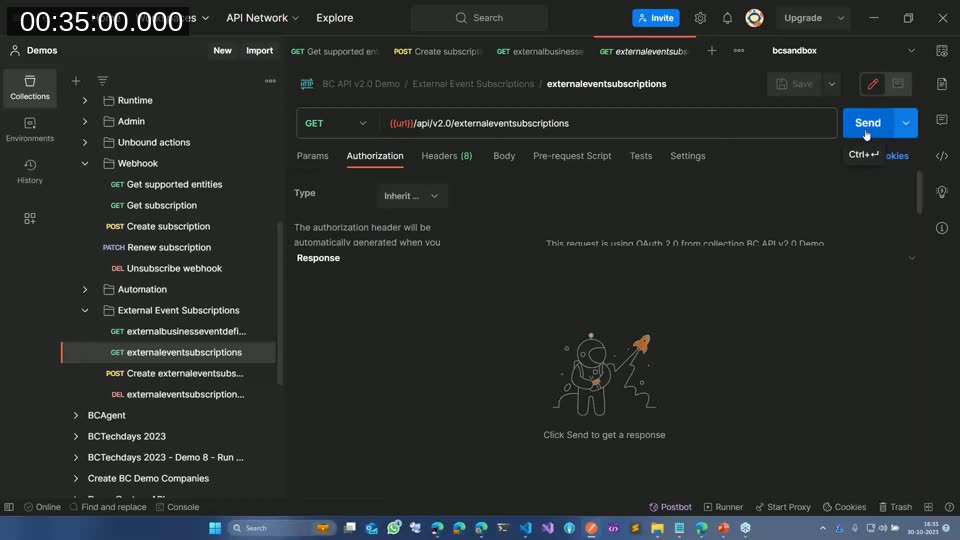
Creating a subscription this way requires the app ID of the publishing app, the event name, a notification URL, an optional company ID or name (omit it to receive events from every company), and a client state value used as a shared secret to verify that notifications genuinely came from Business Central. When Kauffmann triggers a “customer blocked” event without specifying a version, the notification arrives as version 0.0 and includes fewer fields than a subscription made against version 1.0 — version 1.0 adds the customer ID to the payload, for example. Subscribing twice to the same event combines both notifications into a single delivery, which is another detail to account for when processing incoming data.
Creating custom business events
Beyond the standard set, any AL developer can publish their own business events. The process:
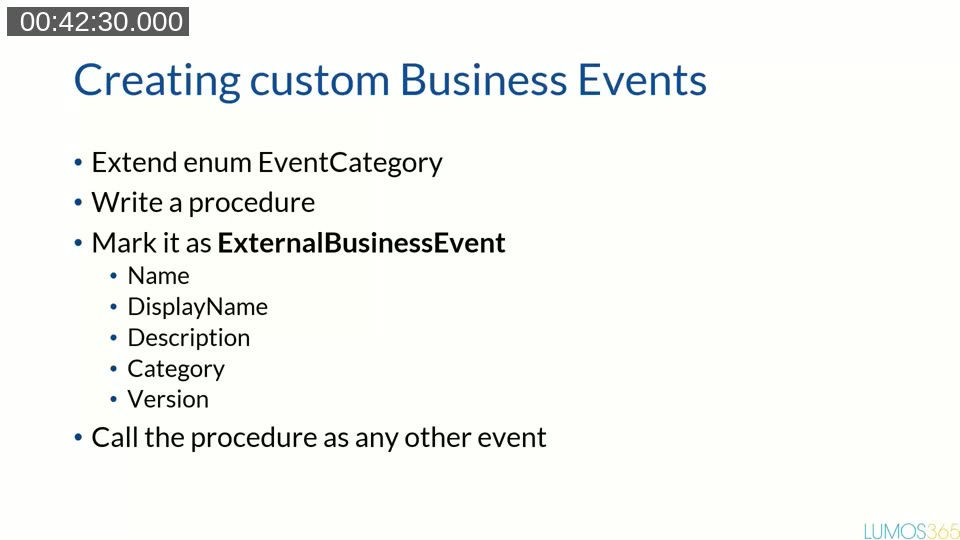
- Extend the (empty)
EventCategoryenum with a new value — note that this value name is exposed to external subscribers, so a prefix or suffix is recommended. - Write a normal AL procedure.
- Mark it with the
[ExternalBusinessEvent]attribute, specifying a name, display name, description, category, and (recommended, though optional) a version. - Call the procedure like any other event from the code where the business condition occurs.
📖 Docs: ExternalBusinessEvent attribute — the AL attribute reference, including its Name, DisplayName, Description, Category, and Version parameters.
In the demo, Kauffmann builds a custom event that fires when an item’s inventory crosses its reorder point — ItemInventoryBelowReorderPoint and ItemInventoryAboveReorderPoint — each taking parameters such as the item’s system ID, number, description, current inventory, and reorder point.
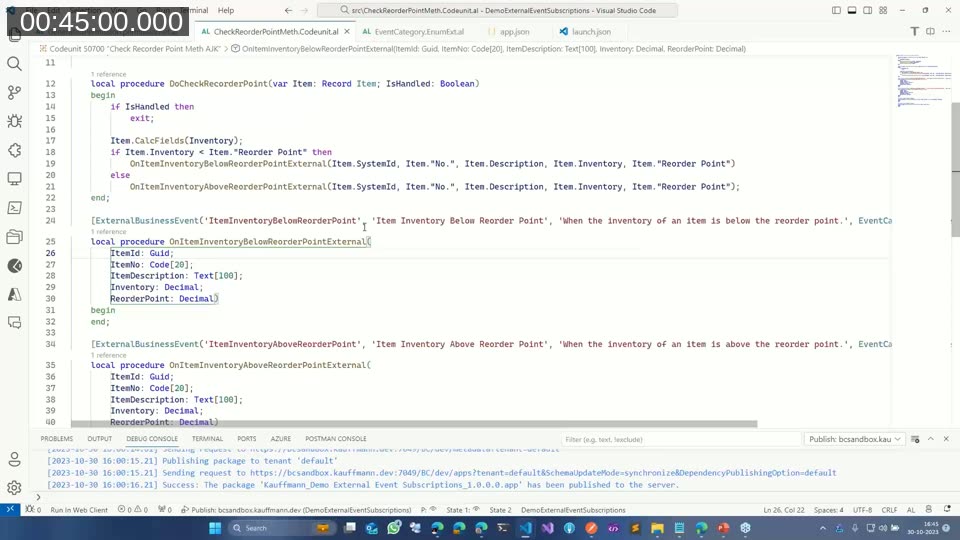
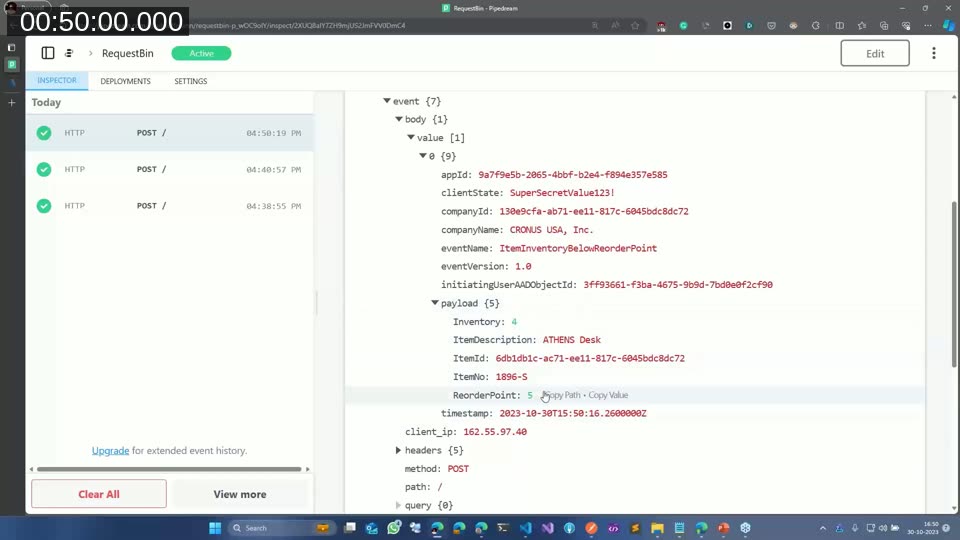
Because all of the procedure’s parameters are included in the outgoing notification, a developer can hand the external system everything it needs up front, avoiding a callback to the API for more detail. After publishing the extension and subscribing to the new event (the same way as for a standard event), changing the item’s inventory across the reorder point produces a notification containing the full payload — item ID, item number, description, inventory, and reorder point — alongside the standard envelope fields (app ID, client state, company ID and name, event name, event version, and a timestamp).
What happens when there is an error
Kauffmann also shows what happens when the code that raises the business event runs into an error afterward. Business events are not sent immediately as each one is raised; multiple notifications for the same subscriber are collected and only sent once the transaction completes successfully. If an error occurs after the event is raised but before the transaction commits, the notification is not sent at all.
Telemetry
Business Central logs some basic telemetry when a business event subscription is created or deleted, and when an event is triggered successfully or fails to be delivered after retries. Kauffmann is critical of how little detail these telemetry entries carry: they don’t identify which event fired or which subscription was affected, and a “triggered successfully” entry only means the event was raised — not that a notification was actually sent to a subscriber. In his demo, a business event that never left Business Central (because of a downstream error) still produced a “triggered successfully” telemetry entry, which can be misleading when troubleshooting a “I’m not receiving events” report.
Business events tips
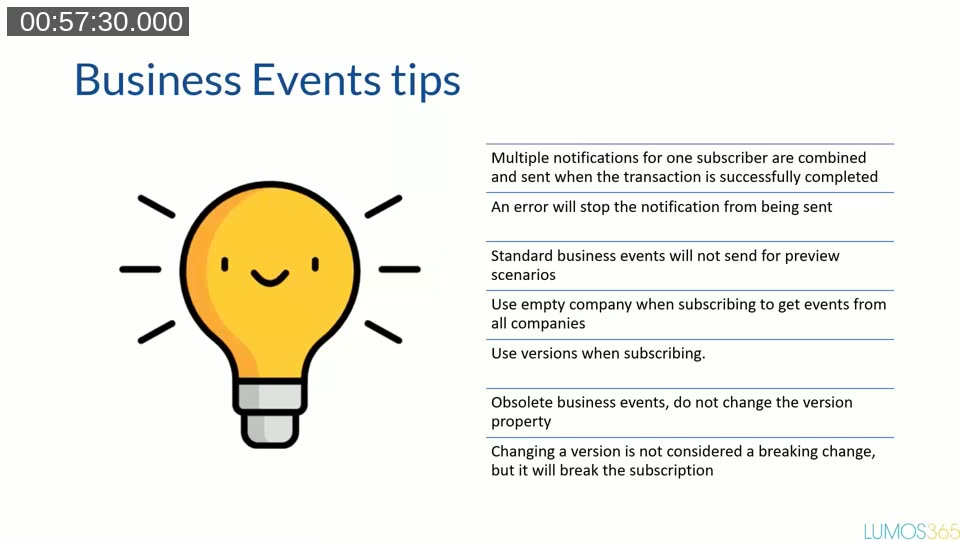
- Multiple notifications for one subscriber are combined and sent only after the transaction completes successfully.
- An error stops the notification from being sent.
- Standard business events are not sent for preview scenarios (for example, a preview posting).
- Leave the company empty when subscribing to receive events from all companies.
- Always specify a version when subscribing.
- To retire an event, obsolete it rather than changing its version property.
- Changing the version property is not treated as a breaking change by the platform, but it will silently break existing subscriptions, since subscribers stay tied to the version they subscribed to.
📖 Docs: Deprecate external business events — the recommended approach for retiring or changing a custom business event without silently breaking existing subscribers.
Q&A highlights
- Do business events work with Power Automate on-premises? Yes, provided the on-premises connector for Power Automate is used and kept in sync with the online connector.
- Do business events work the same way on SaaS and on-premises? Yes — Kauffmann confirmed his demos were run against a Docker (on-premises) environment.
- Is a subscription created automatically when adding the Power Automate trigger? Yes — saving a flow that uses the “When a business event occurs” trigger creates the subscription through the Business Central connector at that point.
- Why is the standard set of out-of-the-box events so limited? It reflects the first release of the feature; Microsoft is expected to extend the list of standard events over time.
This post was drafted with AI assistance based on the webinar transcript and video content.