
In this Areopa Academy webinar, Nabil BA-MOH, CEO of Asio Services, shares the story of how he approached learning AI the same way he once learned Microsoft Dynamics NAV: by going deep instead of skimming. The session was moderated by Luc van Vugt, who stepped in as host after a last-minute change, with Tine Starič joining for the Q&A. You’ll learn why the biggest obstacle to using AI effectively is rarely technical, how to pick one tool and stick with it, and how to shift from being the “doer” to being the “director” — illustrated with a live demo of building a Business Central Word invoice layout with Claude Code.
It Started on a Train
Nabil opens with a story from 2011: as an intern with zero documentation and zero context, he was handed a problem to solve inside Microsoft Dynamics NAV. A chance meeting with a fast-typing NAV consultant who moved through the system “like it’s the neighborhood he grew up in” led Nabil to read all 400 pages of that consultant’s internal documentation — while most people would have skimmed it. That decision shaped his entire NAV and Business Central career.
Years later, when AI arrived, Nabil made the opposite mistake: he hesitated for months while others were already building with it. This session covers the shift he made and what he learned on the other side.
What You’ll Walk Away With
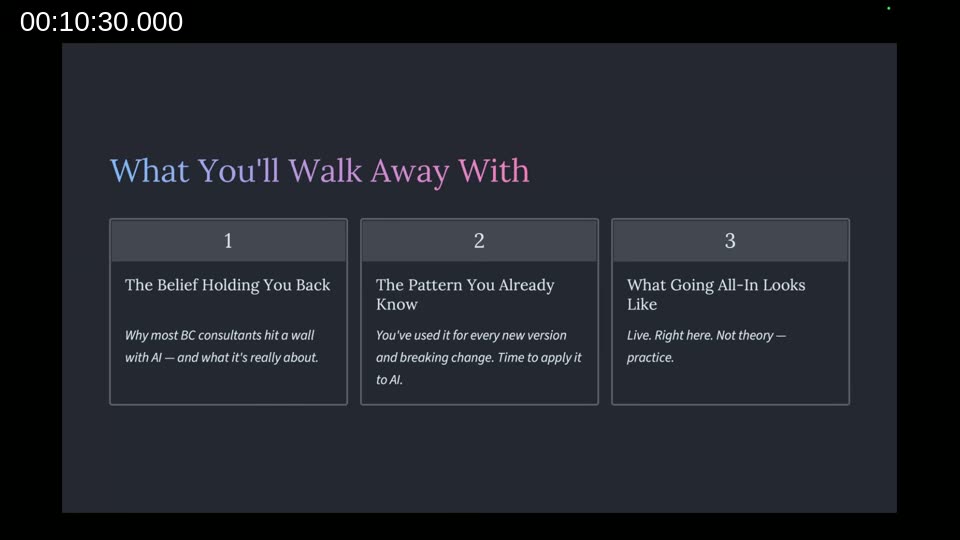
The talk is structured around three points:
- The belief that’s holding you back from AI — and why it usually isn’t about the technology.
- The pattern you already know but haven’t applied yet — the same deep-focus approach that got you through every Business Central version upgrade and breaking change.
- What going all-in actually looks like — demonstrated live rather than just described.
Point 1: The Privacy Wall
For his first few months using ChatGPT, Nabil refused to share any real details with it — no company name, no project details, not even his full name. He would spend 20 minutes stripping identifying information out of a prompt before sending it. The result: a “theoretical version” of his problem, and theoretical answers back. He was losing time, not gaining it.
The turning point came during a coaching call with Dan Martell, a serial entrepreneur and investor. Martell’s point: even companies with far more resources than an individual consultant cannot build a private AI model that protects data better than the major AI labs already do. Rather than trying to outrun the big labs on security, Martell said he went all in and shared full context.
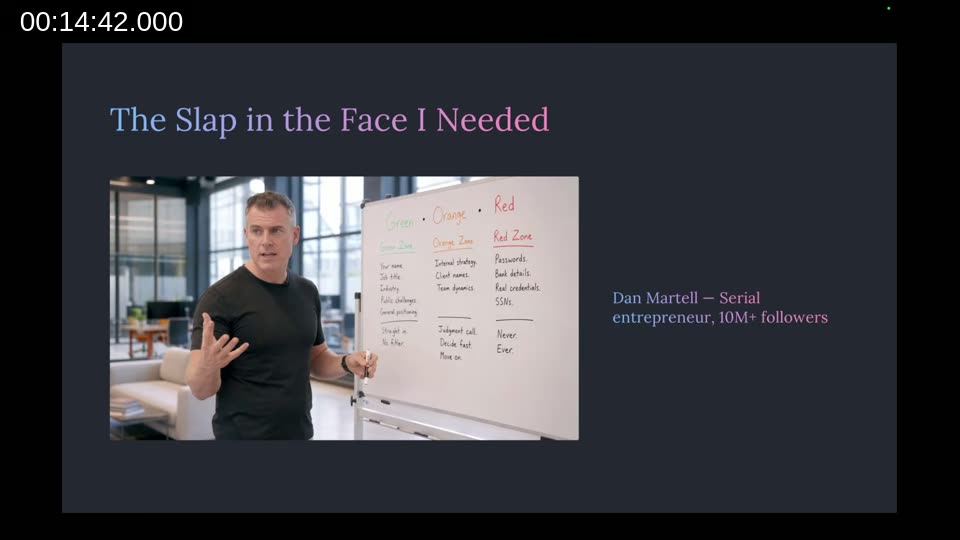
Martell shared a simple decision rule for what to share with AI, split into three zones:
- Green zone: anything you’d post on social media — company name, job title, industry, general challenges. Share it, no filter.
- Orange zone: judgment calls — internal strategy, team dynamics, specific client names. Share it if the value outweighs the risk, decide fast, move on.
- Red zone: bank details, social security numbers, passwords, credentials, client NDAs. These never go in, ever.
Nabil applied the rule immediately and went from a defensive user losing time to a productive user gaining hours within a week. His framing: caution about sharing context with AI usually costs more than the actual risk.
Point 2: The Moment It Clicked
Even after solving the privacy question, Nabil spent about 12 months jumping between tools — a few hours on ChatGPT, a few days on a local Llama model, a weekend fine-tuning something that would never beat the frontier models, a week testing GitHub Copilot, another testing Claude Desktop. He compares it to standing at a crossroads to Rome and running a few minutes down each road before turning back, instead of just picking one and walking.

Once he recognized the pattern — the same one that had worked with NAV, where going deep on one hard system beat skimming many — he committed to ChatGPT and used it for everything: recruiting SOPs and scoring grids, internal docs, website copy, company strategy, morning planning and evening review. His key lesson from that period: when the AI gets something wrong, it’s usually because the request wasn’t clear, not because the model failed. He describes AI as “a mirror” for how clearly you’ve structured your own thinking.
In late 2024 he started testing Claude Desktop, right around the time Anthropic introduced the Model Context Protocol (MCP), which let Claude connect to his own tools and data. In early 2025 he moved on to Claude Code as a research preview. He found that everything he’d learned about prompting, structuring, and reviewing with ChatGPT transferred directly — the same way BC knowledge transfers across versions even as the syntax and interface change.
📖 Docs: Introducing the Model Context Protocol — Anthropic’s announcement of the open standard for connecting AI models to external tools and data sources, referenced in this section of the talk.
His recommended technique: pick one tool, go deep for 90 days, and don’t evaluate a competitor until you’ve genuinely hit a ceiling with it. Every tool switch resets the learning curve and keeps you a beginner.
📖 Docs: Claude Code documentation — the official reference for the terminal-based coding agent used throughout the demo in this session.
Point 3: Doer vs. Director
Nabil introduces the “replacement ladder”: any repetitive, low-value task you do yourself — cleaning your house, formatting a report, drafting a status update — costs you more in opportunity value than paying someone (or something) else to do it. AI, he argues, is the fastest way he’s seen to climb that ladder.
The distinction he draws:
- A doer still does the low-level work themselves — drafting first versions, formatting reports, writing SOPs.
- A director has trained AI to do that work, and instead gives context, defines the standard, reviews the output, refines, and ships.
📖 Reference: Buy Back Your Time by Dan Martell — the book from which Martell’s delegation and decision frameworks referenced in this talk originate.
Demo: Building a Business Central Invoice Layout with Claude Code
To show what “going deep” and directing (rather than doing) looks like in practice, Nabil walks through a real project: a customer handed him a PDF of their sales invoice from a legacy system they were migrating off, with a request to replicate that exact layout in Business Central. Normally this means a developer manually wrestling Microsoft Word layouts, dragging and dropping fields, and debugging XML.
Instead, Nabil built a Claude Code skill that reads a reference PDF, measures the design down to the millimeter, maps the layout’s fields to the corresponding Business Central data fields, and generates a ready-to-print Word layout. The AL code registers the layout in the standard way:
layout(SalesInvoiceConsultantNBM)
{
    Caption = 'Sales Invoice – Consultant – AsioWish';
    LayoutFile = './layouts/SalesInvoiceConsultant.docx';
    Type = Word;
}

local procedure FilterWorkTypeLine(var Line: Record "Sales Invoice Line")
...
    WorkTypeLineNBM.Quantity := Line.Quantity;
    WorkTypeLineNBM."Unit Price" := Line."Unit Price";
    WorkTypeLineNBM."Line Amount" := Line."Line Amount";
    WorkTypeLineNBM."Shipment Date" := Line."Posting Date";
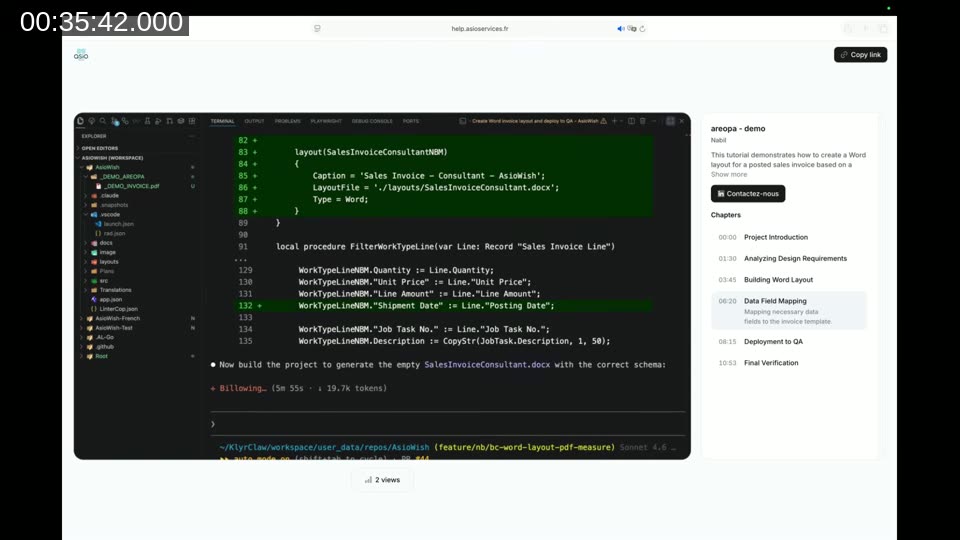
He narrates the checkpoints rather than watching every step: analyzing the reference PDF, building the Word layout, mapping data fields, and deploying the extension to a QA environment. The final verification step compares the customer’s original PDF side by side with the generated Business Central invoice.
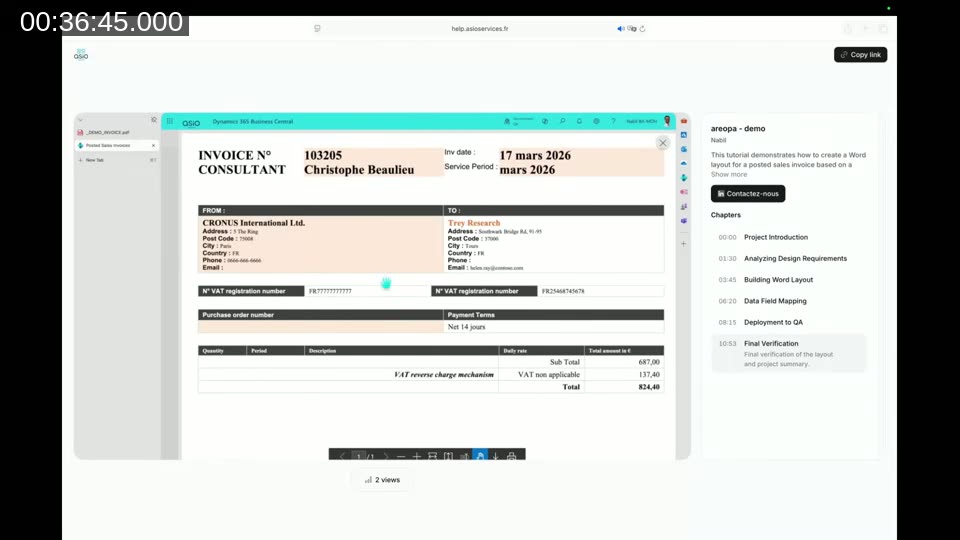
His stated time investment: the agent ran for under 12 minutes, but it took him roughly 2 minutes of active work — giving instructions and checking the output. A task that used to take him a full day, sometimes two.
The Email Hallucination
Nabil shares a cautionary anecdote: he once asked ChatGPT to prepare something, and it replied that it would finish the work and “send an email” once ready. He briefly assumed OpenAI had shipped a new feature. After following up twice and getting told the email was still coming, he asked directly whether it could actually send email. It admitted it couldn’t — “that was just my way of saying I’d finish the work later.” His takeaway: the AI will say what sounds plausible, and verifying its claims is the director’s job, always.
Marathon Over Chats
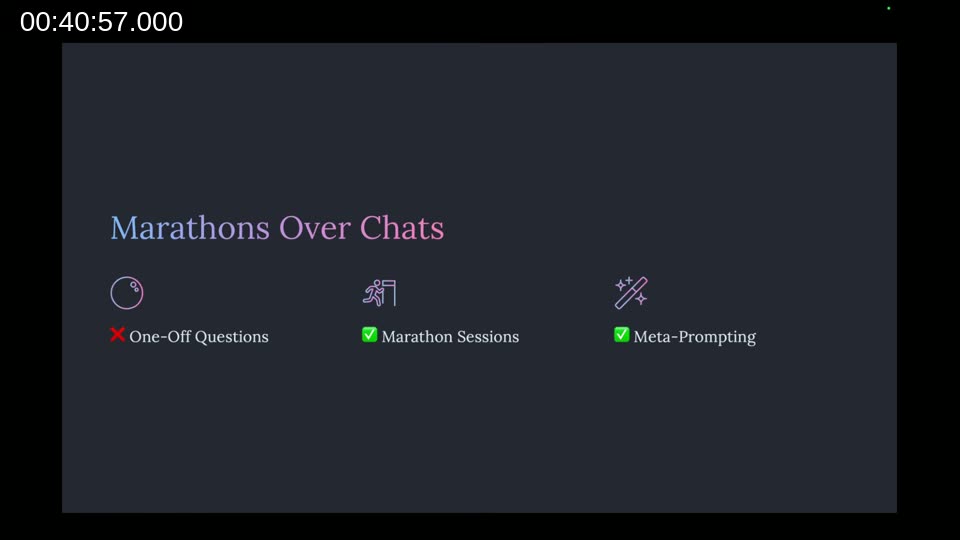
Nabil’s closing technique: stop using AI for one-off questions, which produce one-off results. Instead, open a single conversation, explain the full task and what a good result looks like, and work through it end-to-end with the AI as a partner — a “marathon” session rather than scattered chats. The Business Central layout skill shown in the demo, he notes, wasn’t built from fifty quick questions; it was one long conversation, start to finish. He also recommends meta-prompting — asking the AI to help you write a better prompt before using it.
Q&A Highlights
During the short Q&A, Nabil mentioned his most recent 90-day deep dive was building a personal AI assistant around OpenClaw, an orchestrator, and that he’s watching the newer Hermes AI tool. His next project is a personal knowledge orchestrator built around his Obsidian vault, which he calls a “brain prosthesis” — it queries multiple models (Claude, OpenAI’s Codex, Gemini, and a local model) on bigger decisions specifically because he wants their answers to disagree, not converge, since that’s where he finds the more useful insights.
Wrap-Up: Your Next Step This Week
Nabil’s summary of the three points: your caution about sharing context with AI is usually costing you more than the actual risk; the deep-focus pattern that got you through every Business Central version and breaking change is the same pattern that works with AI; and going deep means directing — giving context, setting the standard, reviewing the output, and shipping, rather than doing the work by hand.
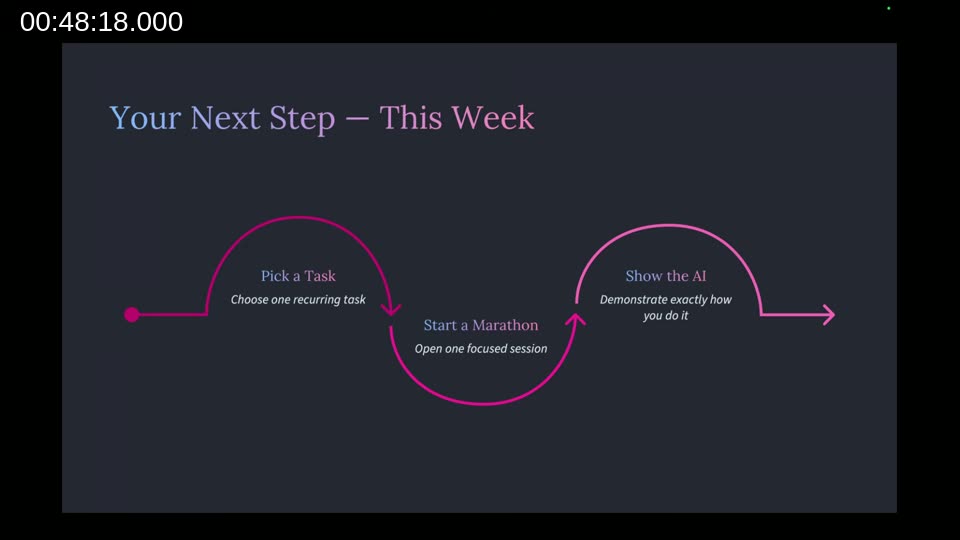
His concrete challenge for the week: pick one task you do every week, open a single AI conversation (not three), walk through how you do that task today step by step, and work through it end-to-end in one marathon session.
📖 About the speaker: Asio Services — Nabil BA-MOH’s Business Central consulting company, focused on rescuing broken BC projects and building clean ERP systems.
This post was drafted with AI assistance based on the webinar transcript and video content.