
In this webinar, Flemming Bakkensen (lead developer, 20+ years in the NAV/Business Central community) walks through a verification-first workflow for refactoring legacy AL safely with AI agents, even when a codebase starts with little or no automated coverage. The session is moderated by Luc van Vugt. You’ll learn where debug logging provides the highest signal, how to make logs available to an agent, and how to run agents inside guardrails so a human stays in control of intent rather than the agent’s first draft.
The problem: most Business Central work is brownfield
Flemming opens with a premise most attendees will recognize: the majority of Business Central work happens in brownfield projects. Years of tangled, mission-critical AL logic with no tests and no documentation, because writing tests was never standard practice in this community. A full rewrite is off the table — too slow, too risky, and only incremental change is realistic.
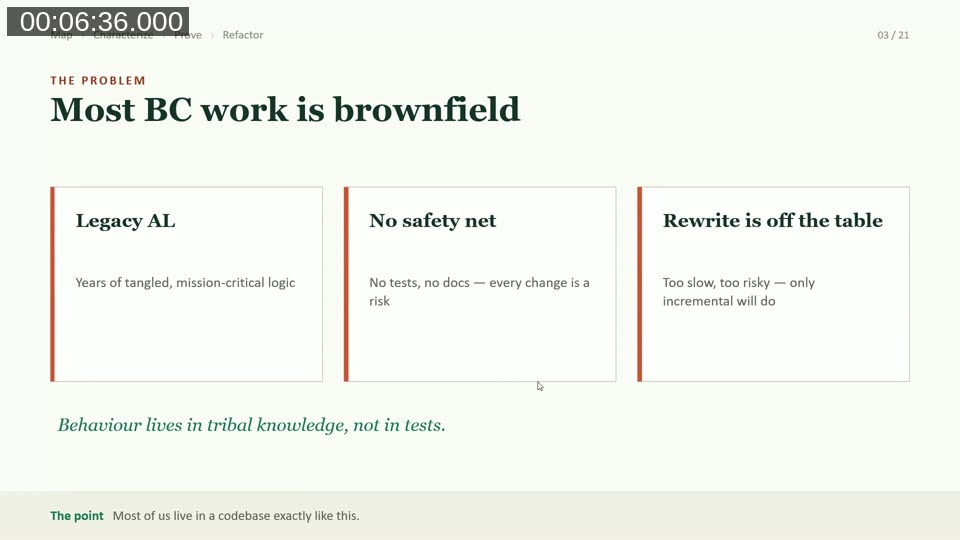
What has changed in the last six months to a year is AI. Agents are very good at writing code fast, but that code is non-deterministic — it looks right but can fail, and model behavior shifts every few weeks as new versions ship. Agents are also good at understanding TDD principles and describing what tests are needed, but that’s only useful if the tests they write actually exercise the code they’re meant to protect. On a legacy procedure with hundreds of lines, nested conditionals, and early exits, that’s genuinely hard — for an agent and for a human.
Making agent behavior more deterministic
Before diving into the core technique, Flemming outlines a toolbox for tightening the feedback loop an agent operates in, from cheapest to most valuable:
- Compile checks. The simplest possible feedback: can the code compile? Ask the agent to verify this after every change.
- Static analysis / linters. Enable AppSourceCop or PerTenantCop, CodeCop, and UICop, and treat compiler warnings as errors via a rule set file. This makes results black-and-white — an agent that sees a warning fail repeatedly may otherwise conclude the warning doesn’t matter.
- Complexity linters specifically help stop an agent from writing long, deeply nested procedures in the first place.
- Automated tests, run in a full write-test / see-it-fail / write-code / refactor loop, are what really move the needle — they let an agent work autonomously for hours before it needs to hand back to a human.
- Build automation (CI/CD) on GitHub or Azure DevOps runs the test suite outside the agent loop as a final gate.
The loop: Map, Characterize, Prove, Refactor
The core of the talk is a four-step loop for approaching a legacy procedure before touching it:
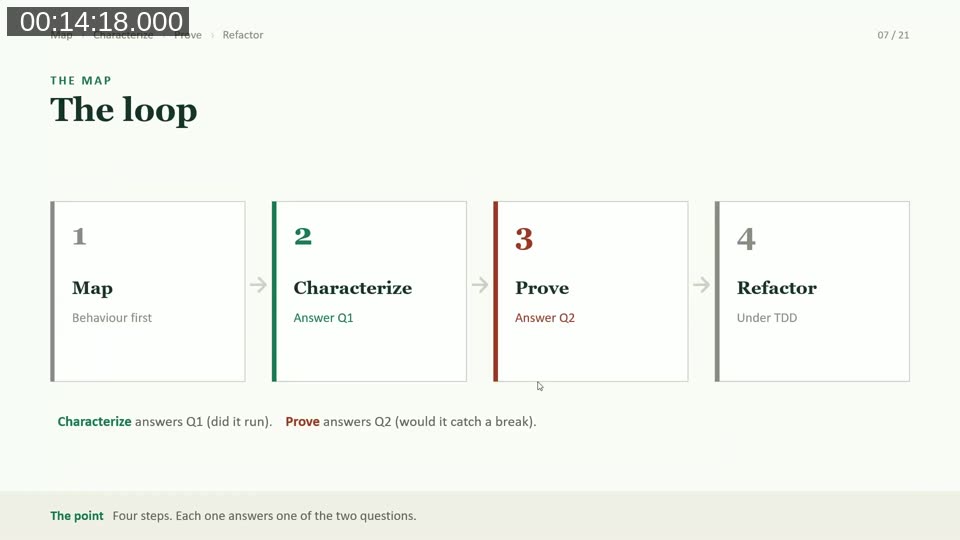
- Map — capture behavior first, before any line changes.
- Characterize — answers “did the test actually run the code?”
- Prove — answers “would the test catch a break?”
- Refactor — only once both questions are answered, refactor under strict TDD.
Step 1: Map behaviour before you change code
Mapping means capturing, as an explicit plan the agent writes and the developer corrects, four things about a procedure before changing it: its inputs (parameters, records, setup tables it reads), its key paths (which branches and cases actually matter), its invariants (what must stay true no matter what), and its side effects (what it posts, logs, or writes to other tables). Legacy AL procedures rarely take all their inputs as parameters — they often read setup tables and related records internally, which is exactly what makes them hard to map and hard to test.
Debug logging: the AL pattern for making paths visible
Flemming’s central technique answers the “did it run?” question (characterize) by making an agent’s execution path visible without waiting on external tooling. His first attempt logged to Application Insights via feature telemetry, but that introduced a 2–5 minute ingestion delay between writing a log and being able to query it — too slow for a tight agent loop.
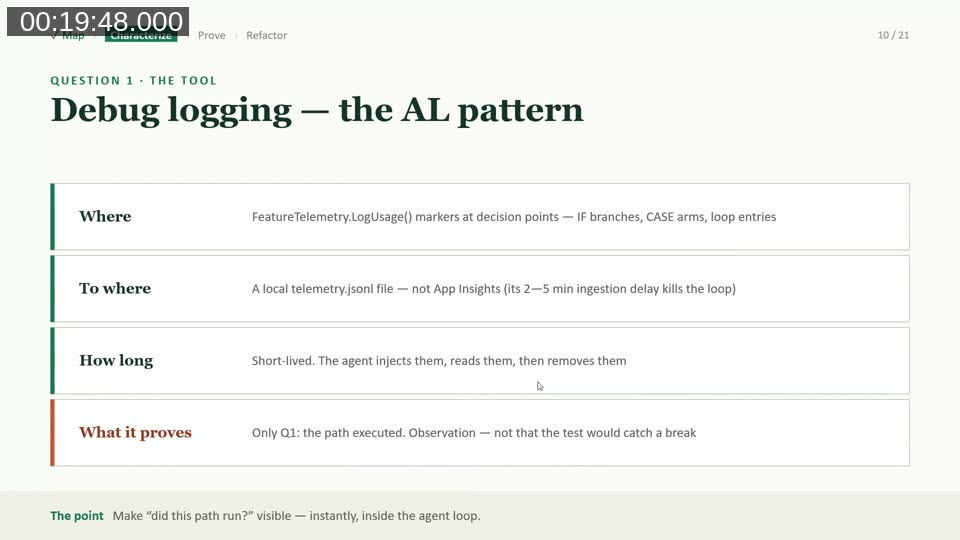
The fix: intercept the same FeatureTelemetry.LogUsage() calls locally and write them to a telemetry.jsonl file inside the container instead of only sending them to Application Insights. That file is readable immediately, with no ingestion delay. The pattern:
- Place
LogUsage()markers at decision points — IF branches, CASE arms, loop entries. - Write to a local JSON-lines file, not App Insights.
- Keep the markers short-lived: the agent injects them, reads them, then removes them once the task is done.
- Debug logging only proves Q1 (the path executed) — it’s observation, not proof that a test would catch a regression.
Implementation-wise, a test codeunit implements the standard Telemetry Logger interface. Because it registers under the same publisher as the app under test, every FeatureTelemetry.LogUsage() call in production code gets intercepted. LogMessage writes the JSON line locally (a custom, unshown WriteJsonLineToFile procedure) and can optionally forward the call on to Application Insights via Session.LogMessage if that’s still needed elsewhere.
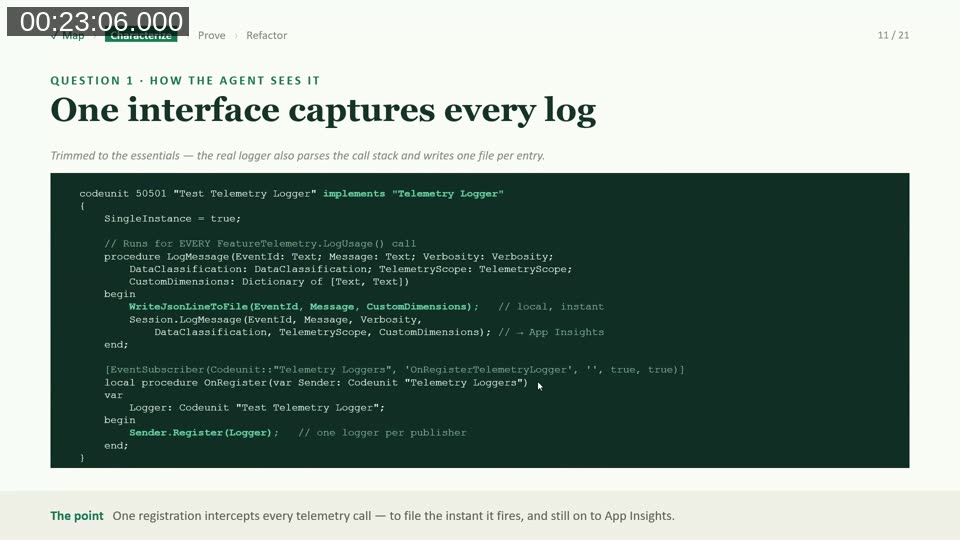
Note: Feature telemetry in AL runs asynchronously and doesn’t block execution. Flemming writes each log call to its own file and combines them afterward to avoid write conflicts when many calls fire in parallel.
📚 Docs: Feature telemetry – Business Central | Microsoft Learn — the official reference for FeatureTelemetry.LogUsage() and the Feature Telemetry module this pattern builds on.
In practice, this turns an invisible branch into a line in a file: adding LogUsage('DEBUG-CREDIT', ...) inside an if Customer."Credit Limit" > 0 branch (and a matching marker in the else) means a single test run tells you exactly which branch fired, instantly, without setting a breakpoint or stepping through the debugger manually.
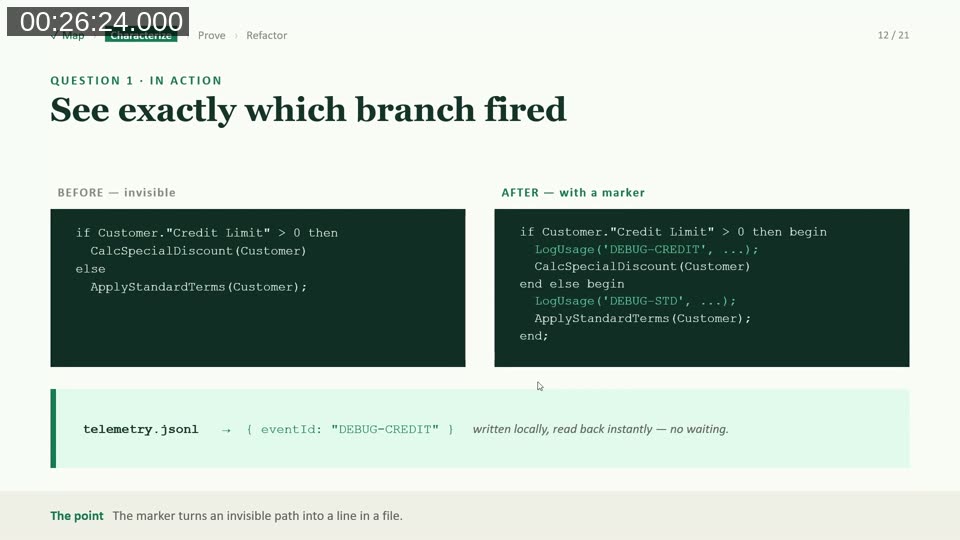
Once markers confirm which paths the current behaviour actually takes, those observations get turned into characterization tests that pin down “this is what the code does today” — not a claim that the code is correct, just a documented, provable baseline.
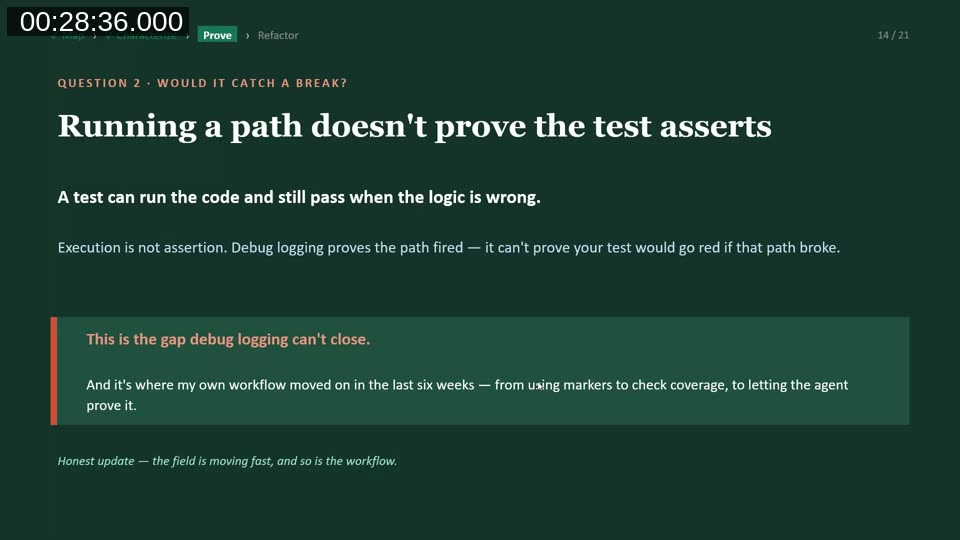
Question 2: would the test catch a break?
A test that runs a code path and passes isn’t proof the test would fail if that logic broke. Flemming calls this the gap debug logging can’t close: execution isn’t assertion. To close it, he uses mutation testing — deliberately breaking production code on purpose to confirm the test suite notices.
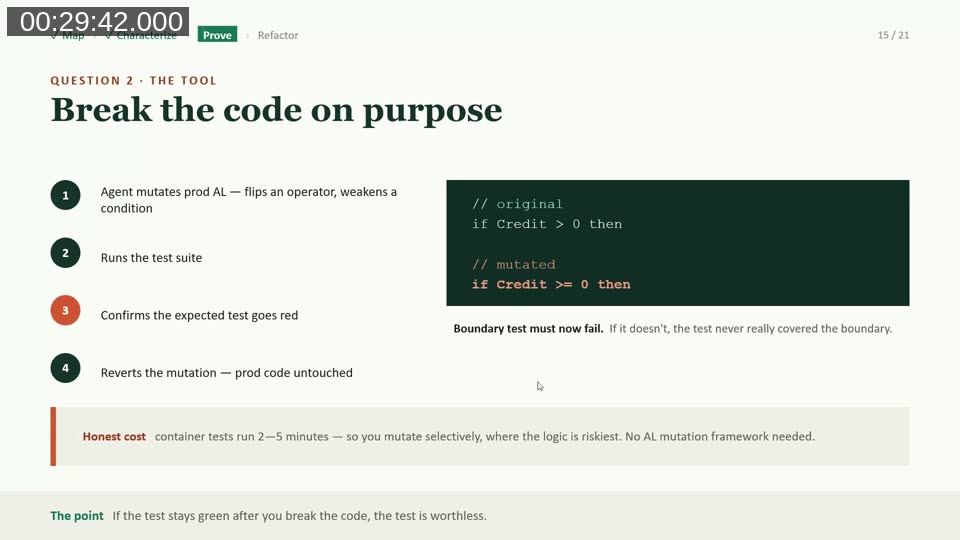
The mutation loop: the agent mutates a piece of production AL (for example flipping if Credit > 0 to if Credit >= 0), runs the test suite, confirms the expected test goes red, then reverts the mutation using source control so production code is left untouched. AL has no dedicated mutation testing framework the way some other languages do, so Flemming has the agent propose a mutation plan for review rather than mutating automatically and unsupervised. Because container-based AL tests typically take 2–5 minutes to run, mutation is applied selectively — on the riskiest logic, not exhaustively across a codebase.
During Q&A, Flemming noted that fellow community members are also building tooling around this space: someone had built an app to help automate the mutation step, and another BC developer’s containerless unit test tooling was mentioned as complementary to this workflow.
Refactor under TDD, only once both questions are green
Only once Map, Characterize, and Prove are all satisfied does Flemming let the agent refactor — under a standard test-driven development loop: write a failing test, write just enough code to pass it, refactor for cleanliness, repeat.
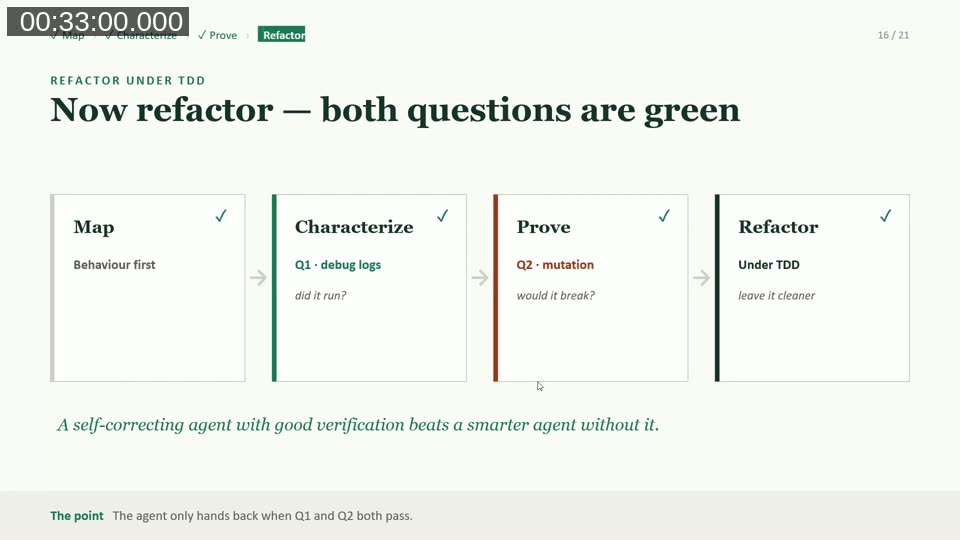
The specific move for a one-to-one legacy refactor: introduce a thin wrapper procedure with the exact same signature that can point either at the old implementation or the new one, and run the existing characterization tests against both. If they pass identically against both implementations, the refactor preserved behavior. Only after that is confirmed does Flemming retire the old implementation and delete the now-redundant characterization tests — they served their one purpose. He also noted that decoupling code this way regularly surfaces real bugs in the legacy logic itself, which get logged separately and fixed only if there’s already a reason to touch that code.
📚 Recommended reading: Automated Testing in Microsoft Dynamics 365 Business Central by moderator Luc van Vugt — referenced in the session as a deeper resource on TDD fundamentals for AL.
Keeping humans in control of intent
Flemming ranks three ways to make an agent actually follow this loop, from weakest to strongest:
- Prompt instructions (“please run the tests”) — a suggestion the agent may skip, and inherently unreliable since models are non-deterministic.
- Build automation (CI/CD) — catches errors, but only after the fact.
- Stop hooks — block the agent from finishing until validation actually passes.
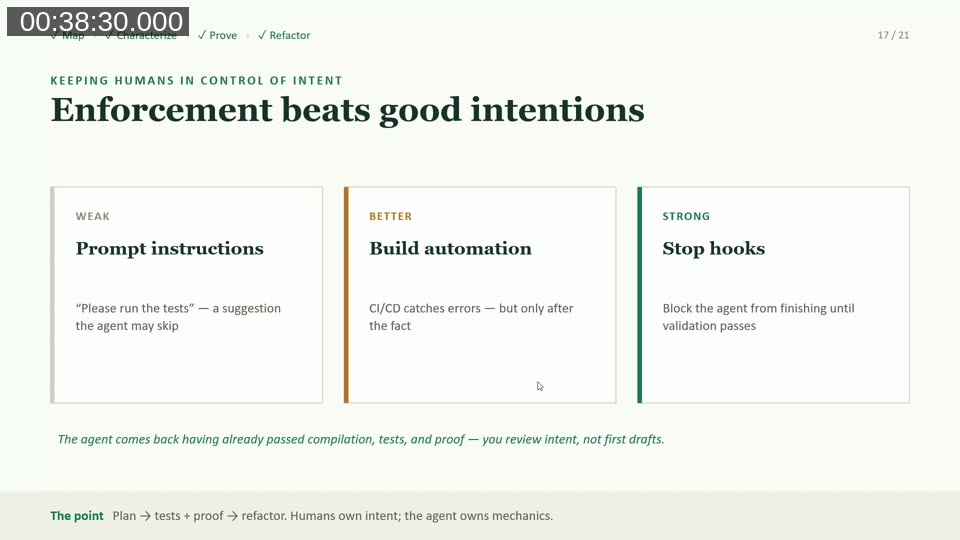
Flemming used stop hooks previously but has since moved to relying on agent skills and prompt-level instructions instead, saying the current state-of-the-art models (he named Claude’s Opus line among them) follow these instructions closely enough that hooks are no longer necessary for him. The point of any of these mechanisms is the same: the agent should come back to the developer only after it has already passed compilation, tests, and proof — so the human is reviewing intent, not a rough first draft.
📚 Docs: AL MCP Server – Business Central | Microsoft Learn — Flemming mentioned Microsoft’s MCP server for compiling AL and the Microsoft Learn documentation MCP server for looking up test framework docs directly from an agent.
The playbook
Flemming closes with a practical checklist for applying this to one module on a Monday morning:
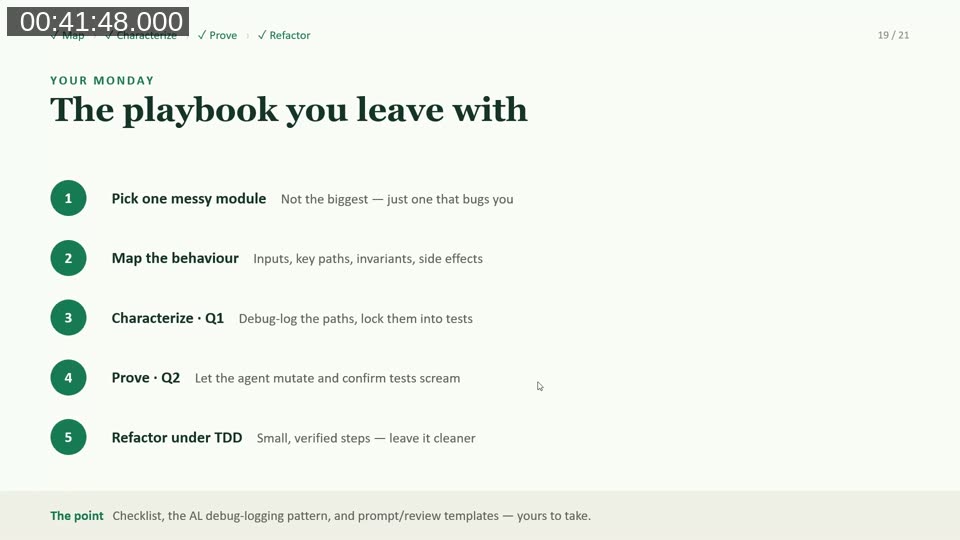
- Pick one messy module — not the biggest, just one that’s been bothering you.
- Map the behaviour — inputs, key paths, invariants, side effects.
- Characterize (Q1) — debug-log the paths, lock them into tests.
- Prove (Q2) — let the agent mutate the code and confirm the tests scream.
- Refactor under TDD — small, verified steps that leave the code cleaner than you found it.
His closing rule of thumb: you don’t need a perfect codebase to start, just one messy module, and a habit of leaving whatever you touch a little better than you found it.
📚 More from the presenter: Flemming Bakkensen’s blog covers AL development, agentic workflows, and build tooling in more depth. His bc-agentic-dev-tools-marketplace GitHub repository packages a debug-logging plugin (/al-debug-logging) and a mutate/refactor agent workflow along the same lines described in this talk.
Q&A highlights
A few points from the live Q&A with moderator Luc van Vugt worth calling out:
- Removing debug markers: Flemming removes them fairly quickly, and backstops this with a CI/CD check that fails the build if any feature telemetry log message starting with “debug” is still present — a safety net so debug markers never ship to production.
- Who writes the mutations: the agent proposes a mutation plan (which conditions/assignments to flip) and Flemming reviews it before the agent executes it, since AL has no built-in mutation testing framework to lean on.
- What tests remain after the refactor: the dual-implementation characterization tests are temporary and get deleted once the refactor is verified. In their place, Flemming builds a real unit and integration test suite with the agent, informed by what the characterization pass revealed — as if the feature were being built fresh, with the added benefit that bugs discovered in the legacy logic along the way get logged and fixed separately.
This post was drafted with AI assistance based on the webinar transcript and video content.