
James Crowter, MVP and CEO of Technology Management and Clever Dynamics, and James Pearson, Product Manager at Clever Dynamics, presented this session in March 2020. The two shared lessons learned from roughly four years of building Business Central extensions, publishing on AppSource, and navigating the shift to SaaS — from both the ISV and VAR perspectives. Moderator David Singleton facilitated the discussion.
About Clever Dynamics
Clever Dynamics is the product division of Technology Management, a long-standing UK Business Central partner with more than 300 customers. The company specialises in warehouse management and manufacturing, and formed Clever Dynamics to package those repeatable solutions into discrete apps. Its product portfolio includes Clever WMS, which provides advanced warehousing functionality for Business Central, and Clever MES for real-time shop floor information.
Apps, Dependencies and the Case for Small
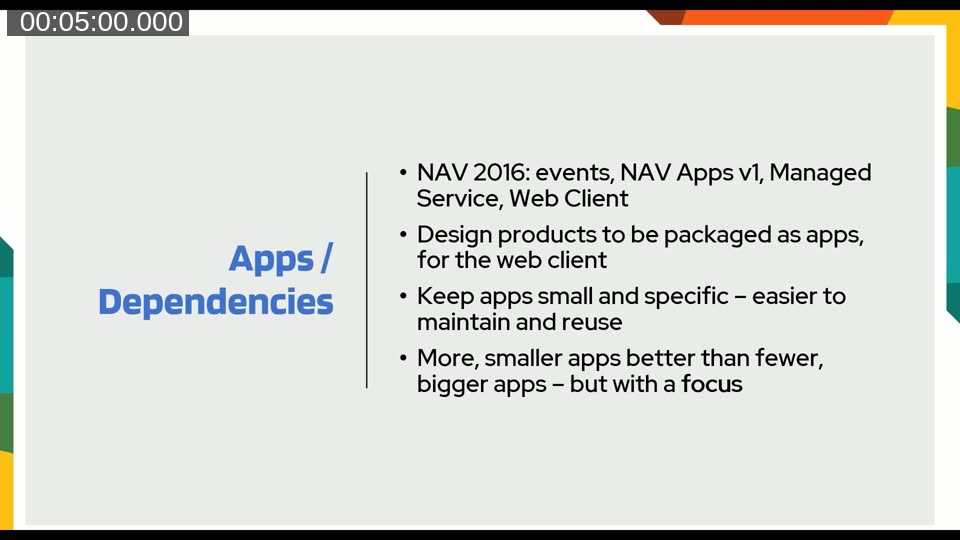
The pivot toward extensions began in 2015–2016 when James Crowter, as an early MVP, received advance notice of what was coming with events and the extensions model. The team decided to break its solutions into many small, focused apps rather than one large monolithic object set. Smaller apps are easier to maintain, easier to update, and more flexible for customers who may only need a subset of the functionality.
The challenge that comes with a large portfolio of small apps is inter-app communication. Clever Dynamics addressed this through a hidden base app, Clever Config, which handles licensing and optional inter-app dependencies via events. If App A can optionally extend App B’s behaviour, that link is routed through Clever Config rather than requiring a hard dependency. This approach keeps individual apps decoupled while still enabling them to work together when both are installed.
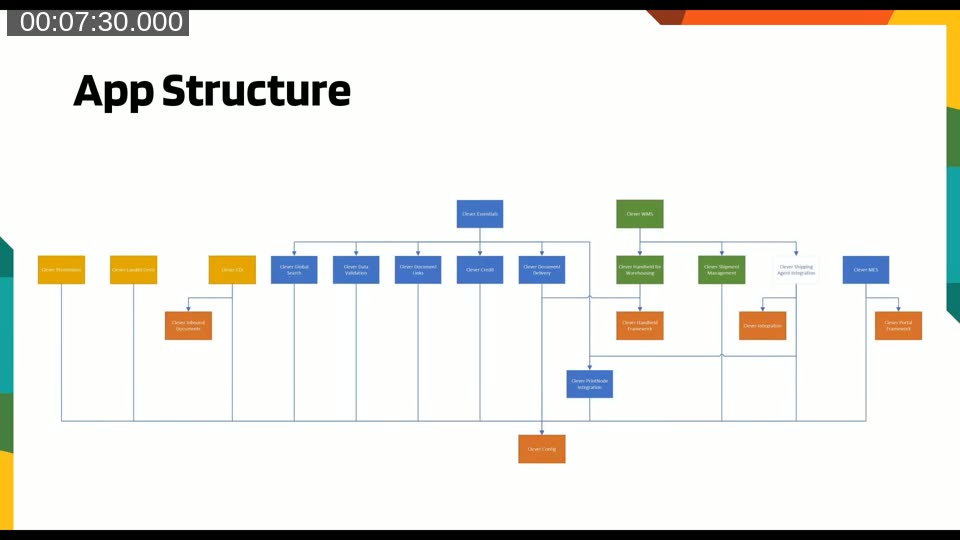
The app structure diagram shows the breadth of the Clever Dynamics portfolio — two primary solution pillars (Clever Essentials and Clever WMS) each with a family of dependent apps beneath them, all anchored by Clever Config at the base. The diagram illustrated how quickly a portfolio can grow once the modular approach takes hold.
AppSource documentation: Microsoft’s guidance on structuring app dependencies and defining app.json is available at App Files and App.json and Working with JSON files.
AppSource: Visibility, Commitment and Maintenance
AppSource has brought Clever Dynamics customers and partners in countries they would not have reached through traditional channels. Inquiries via AppSource now outpace those generated by their own YouTube channel. However, James Crowter is candid about the limitations. App listings require meticulous descriptions because prospective customers read them carefully before making contact. The certification turnaround is typically at least a week — hotfixes can be expedited, but that goodwill should be used sparingly.
Once an app is published, the commitment is effectively permanent. Customers install it, build workflows around it, and do not expect it to disappear. The commercial decision of what to publish — and more importantly what not to publish — is as important as the technical build. The team also noted that being the second-best app in five categories is a weaker position than being the definitive app in one.
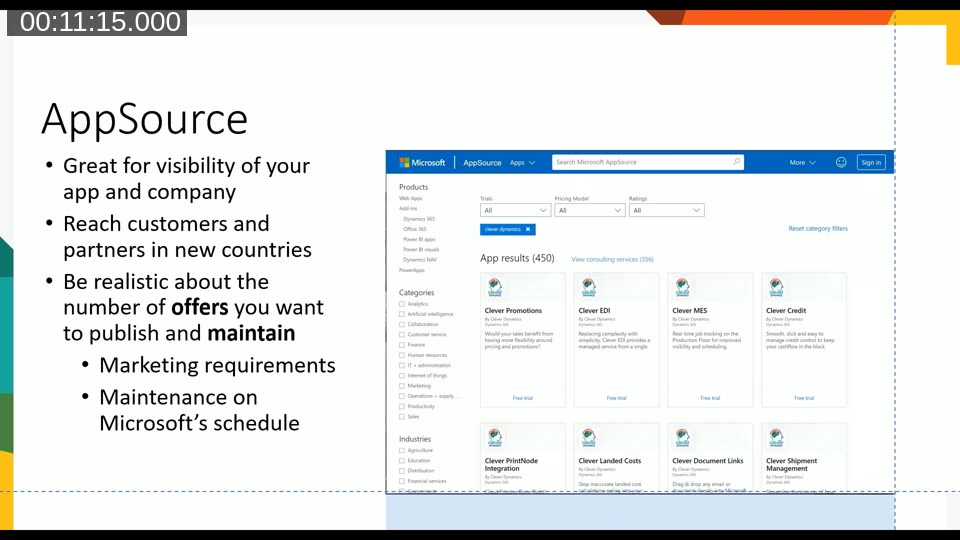
From an AppSource presentation standpoint, the recommendation is to think technically (many small apps, each doing one thing) but market as a single consulting offer per vertical. A consulting offer targeting a specific industry is more likely to resonate with an end-user than a list of 14 individual app listings. Dependent-only apps — those that are never visible in the store but are installed silently as prerequisites — are another valid pattern.
AppSource publishing: Microsoft’s guide to creating and submitting a Business Central offer is at Create a Dynamics 365 Business Central offer in the Azure Marketplace documentation.
Performance on SaaS
Performance in a multi-tenant SaaS environment is fundamentally different from on-premises. On SaaS, a tenant’s hardware specification is determined by the number of user subscriptions, not by the volume of data. Every table extension from every installed ISV adds joins to queries, and those joins accumulate. A single ISV’s app may perform well in isolation but contribute to a degraded experience when several ISVs are installed together.
James Crowter described receiving a call from Microsoft’s platform team identifying Clever Dynamics as a “noisy neighbour” — an uncomfortable experience that requires immediately diving into telemetry data. The telemetry tooling available on SaaS is improving but, at the time of the webinar, was not yet at the level of Azure SQL tooling for on-premises. Sessions cannot be killed on SaaS, so a long-running process started by a user must be allowed to complete, which limits the options available when performance problems occur at runtime.
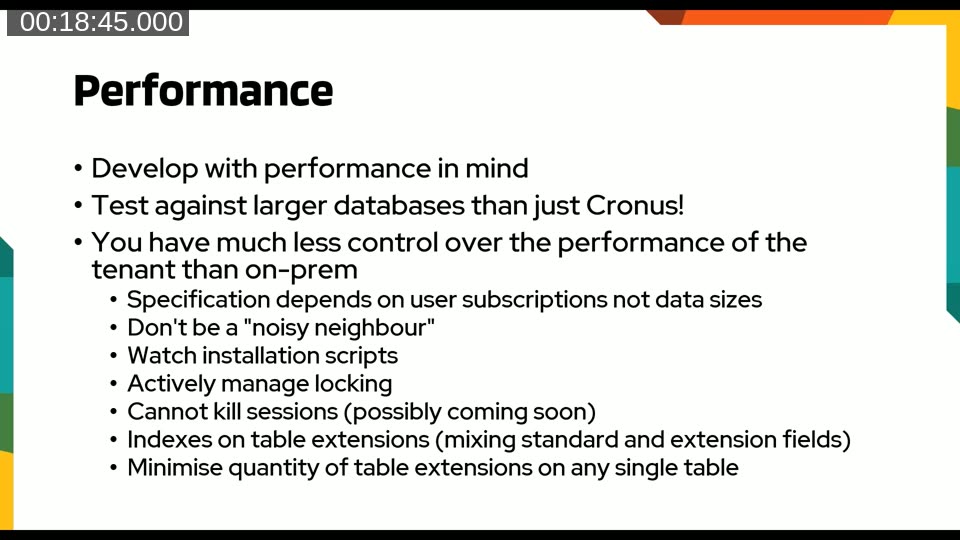
The practical guidance: design with performance in mind from day one; test against databases with hundreds of thousands of records rather than the Cronus demo data; be explicit about which fields have indexes; and minimise the number of table extensions added to any single base table.
SaaSification: Making Apps Cloud-Ready
James Pearson introduced the concept of “SaaSification” — the process of making an ISV app ready for self-service installation by users who may know nothing about Business Central, have not read the documentation, and have not yet spoken to a partner. This is a fundamentally different audience from the traditional NAV customer who arrived with an on-site consultant.
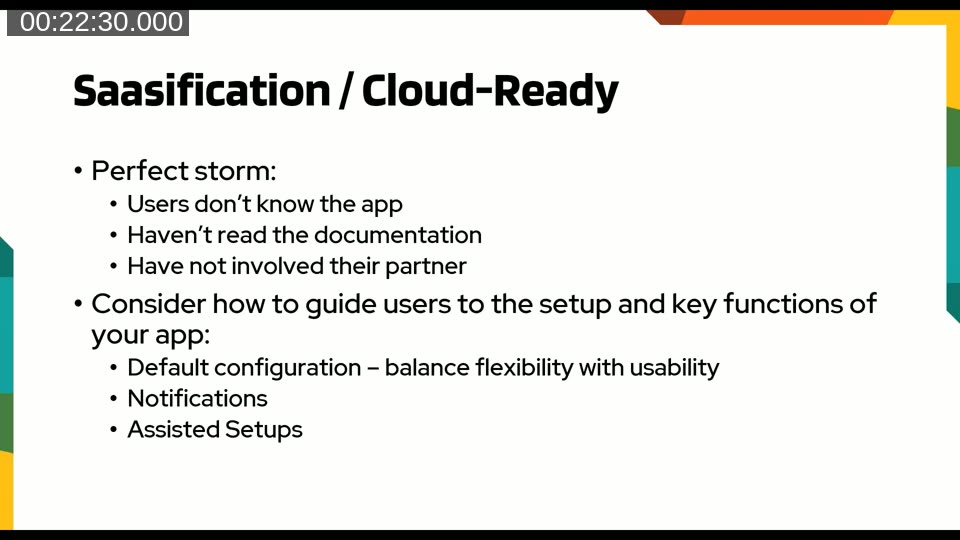
Clever Dynamics addresses this through three mechanisms. First, default configuration: the app ships with sensible defaults so a user can reach a working state without manual setup. Configuration packages are versioned and can vary by country or BC version. Second, notifications on installation: the app surfaces a clickable link to any mandatory setup pages immediately after install. Third, assisted setup wizards that walk users through the initial configuration steps, reducing the gap between installation and first value.
The underlying goal is to maximise the probability that a trial user will contact the team saying they want to continue — at which point the reseller is typically brought into the conversation for the first time.
Protecting Intellectual Property
IP protection is a frequently debated topic in the partner community. Clever Dynamics takes an open approach: all apps except Clever Config show code. The rationale is that the value of the product lies in the design, domain expertise, and surrounding support — not in the raw code. Obfuscating code deters not only pirates but also partners and customers who need to investigate issues, and that friction has a commercial cost.
James Crowter’s position is that for every pirate deterred by obfuscation, several legitimate customers may be put off. He has lobbied Microsoft to make ShowMyCode an object-level property rather than an extension-level one, which would allow a few key codeunits to be hidden while leaving the rest of the app visible — a more targeted approach than all-or-nothing obfuscation.
Licensing: Building a Custom Solution
At the time of this webinar, Microsoft had not yet delivered ISV monetisation through CSP for Business Central. Clever Dynamics needed a licensing answer before exhibiting at Directions in Vienna, so they built their own solution with a clear set of design goals.
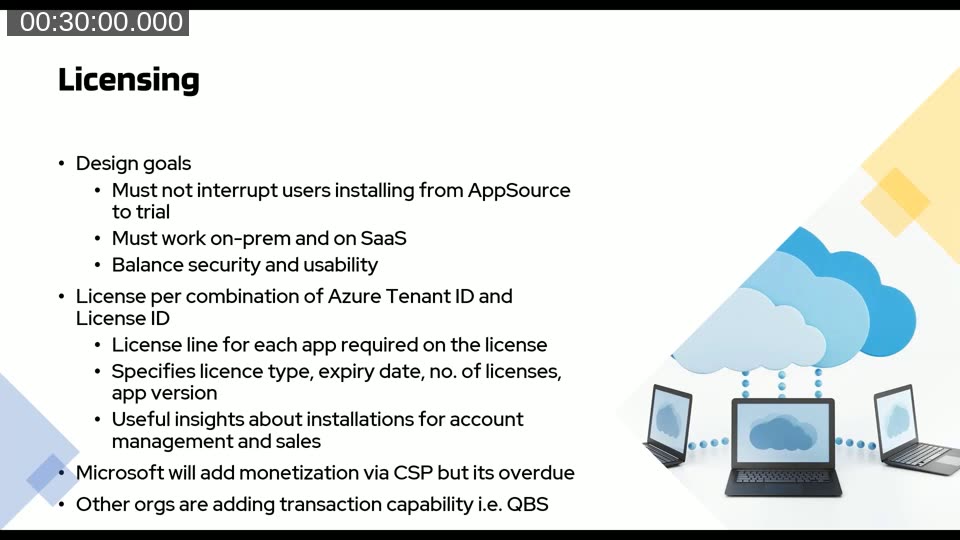
The key design constraints were: the licensing check must not interrupt the AppSource trial flow; it must work on both SaaS and on-premises; and it must balance security with usability. The implementation uses a combination of the Azure Tenant ID and the BC License ID to uniquely identify a tenant on either deployment model. When an app is installed from AppSource, a license line is automatically generated with an expiry date covering the trial period. This also surfaces useful data — the BC version, country, and tenant details — that can be matched against CRM leads to support the sales process.
James noted that other organisations, including QBS, were building similar custom solutions. The long-term expectation is that Microsoft will deliver CSP monetisation for Business Central, as it already has for Azure Marketplace and the Office Marketplace.
ISV monetisation: Microsoft’s current guidance on transactable offers for Business Central is documented at Selling Apps through Microsoft AppSource.
Quick Tips for ISVs on AppSource
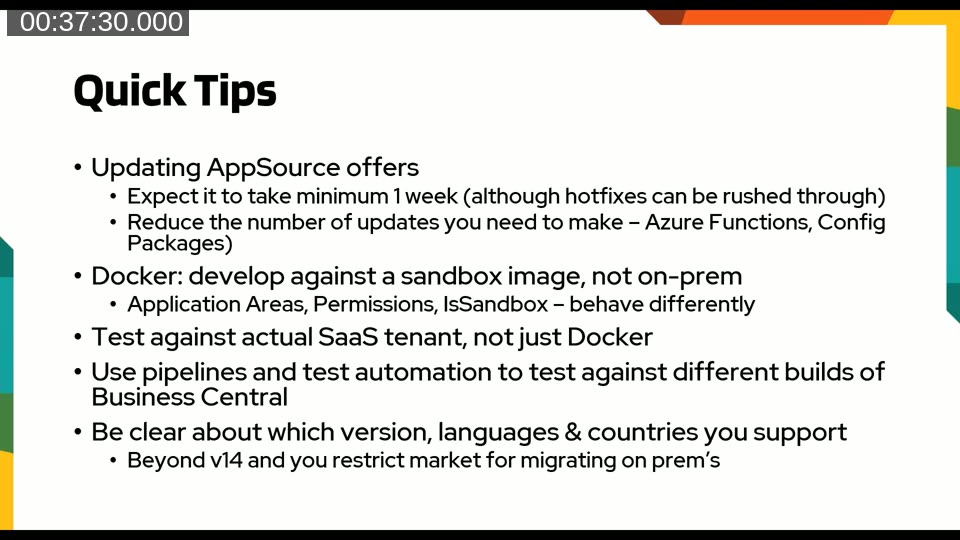
James Pearson closed the ISV section with a set of practical tips from day-to-day experience:
- Budget at least one week for AppSource certification when submitting an updated offer. Hotfixes can be expedited, but that should be the exception.
- Minimise the number of app submissions by externalising change wherever possible. Azure Functions can act as a proxy for third-party API calls, so an API key rotation or endpoint change does not require a new app build.
- Develop against Docker using sandbox images rather than on-premises images. Application Areas, permissions, and the
IsSandboxflag behave differently between the two. - Also test against an actual SaaS demo tenant — Docker containers do not replicate SaaS licence checks or SaaS hardware behaviour.
- Run Azure DevOps pipelines testing against the current BC build, the immediately upcoming build, and recent prior versions. At the time of the webinar this meant five versions simultaneously.
- Be explicit upfront about which countries and localisations will be supported. Once published, the commitment applies to every SaaS customer — and they will receive emails naming the app if it blocks an upgrade.
The VAR Perspective
James Crowter switched to his VAR hat for the final section. The core message: VARs have lost the level of control they once had over what is installed in a client’s tenant. The most proactive customers — typically the highest-value ones — are the first to discover apps on AppSource and install them independently. Refusing outright is rarely a viable option; it creates a perception of obstruction rather than partnership.
The recommended response is a formal evaluation process. Before recommending or accepting an ISV app, a VAR should assess: the business impact if the app has to be uninstalled; the ISV’s longevity and technical credibility; the quality and currency of documentation; the availability of extensions and test libraries for DevOps integration; support timezones and SLA; and whether escrow arrangements are in place.
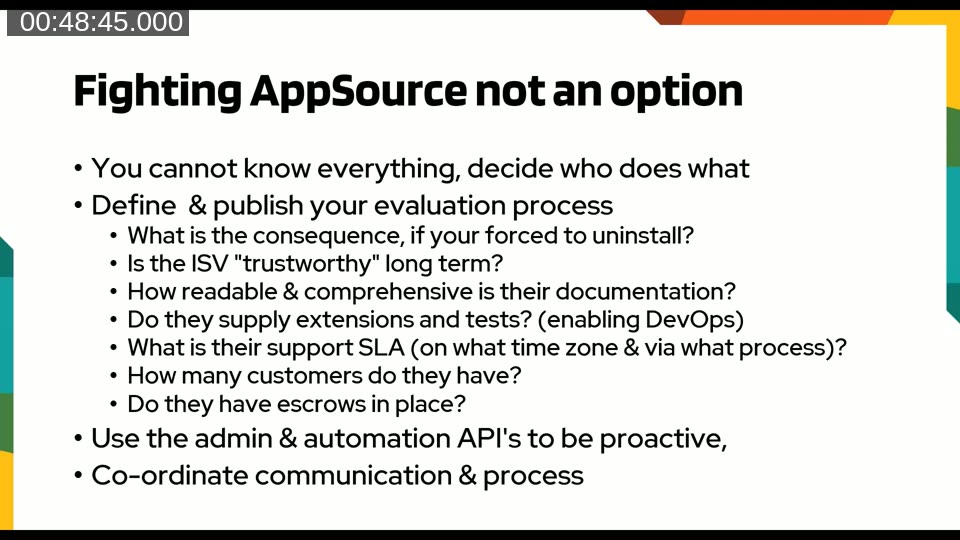
The BC 15 rollout served as a stress test: Clever Dynamics received over 450 emails from Microsoft reporting extension failures across their managed tenants. Many were resolved by a single language file change, but the volume highlighted the need for systematic tooling. The team built internal BC extensions that use the Administration and Automation APIs to track which extensions are installed at which versions across all managed tenants, enabling proactive support and coordinated upgrades.
James concluded with a direct message: the days of controlling client upgrade timelines and on-premises customisations are not coming back. ISVs will increasingly fill the functional gaps that Microsoft leaves to third parties. VARs need to choose their ISV partnerships deliberately, specialise their staff by functional area, and get ahead of the SaaS model rather than wait for it to overtake them.
This post was produced with AI assistance from the Areopa Academy webinar recording. Timestamps link to the relevant section of the video. Content has been reviewed for accuracy against the transcript.