
In this Areopa Academy webinar — the 109th edition and the final session of season six — Tobias Fenster (Microsoft MVP, Managing Director at 4PS Germany, Chief Engineer at Hilti) and Simon Fischer (Senior Software Developer at 4PS Germany) present a working prototype that uses the open-source Kiota generator to produce fully typed AL extensions from any OpenAPI specification. Moderator Bert Verbeek facilitates a Q&A at the end.
The Challenge: API No. 3928
Modern Business Central integrations have largely moved from file-based CSV exchanges to REST APIs — a real improvement. But writing and maintaining those integrations in AL still means producing a lot of repetitive code that carries no business logic: parsing JSON, crafting HTTP headers, handling authentication, and manually mapping response fields to table or page variables.
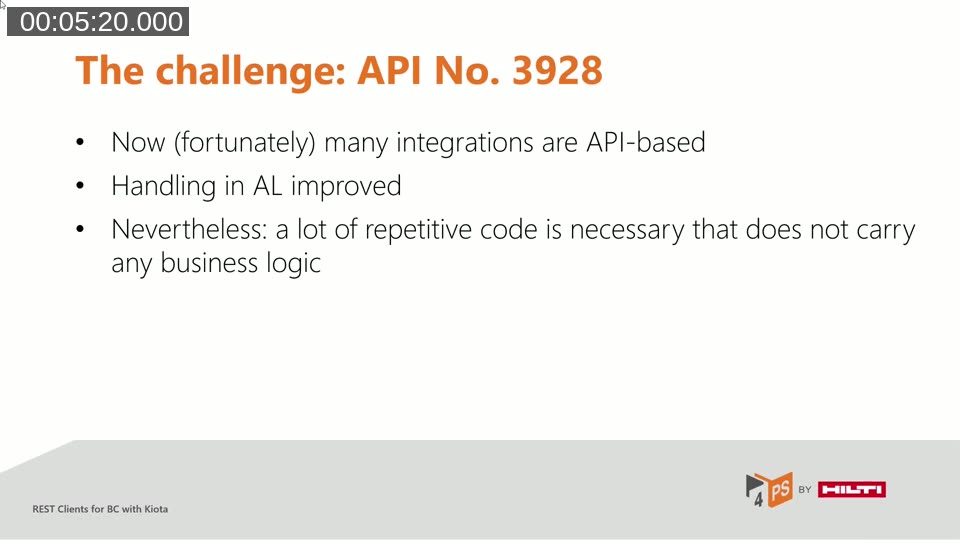
Tobias illustrated the problem with a familiar scenario: every time the third-party API changes scope or structure, the AL code needs manual rework. The AL community has asked about this repeatedly — the screenshots on the session slides came directly from community forum posts, not invented examples.
📖 Docs: Welcome to Kiota — Microsoft Learn — Kiota is a command-line tool that generates strongly typed API clients from OpenAPI descriptions, with the goal of eliminating per-API client library dependencies across C#, Go, Java, PHP, Python, Ruby, TypeScript — and now AL.
What Is Kiota?
Kiota is an open-source Microsoft project originally built to generate the Microsoft Graph SDK clients. Given any OpenAPI 3.x definition, it parses the specification into a language-agnostic document object model, then hands that model to a language-specific refiner and a set of writer classes that emit the target code. The result is a strongly typed client where API resources are navigated using dot notation rather than hand-assembled URL strings.
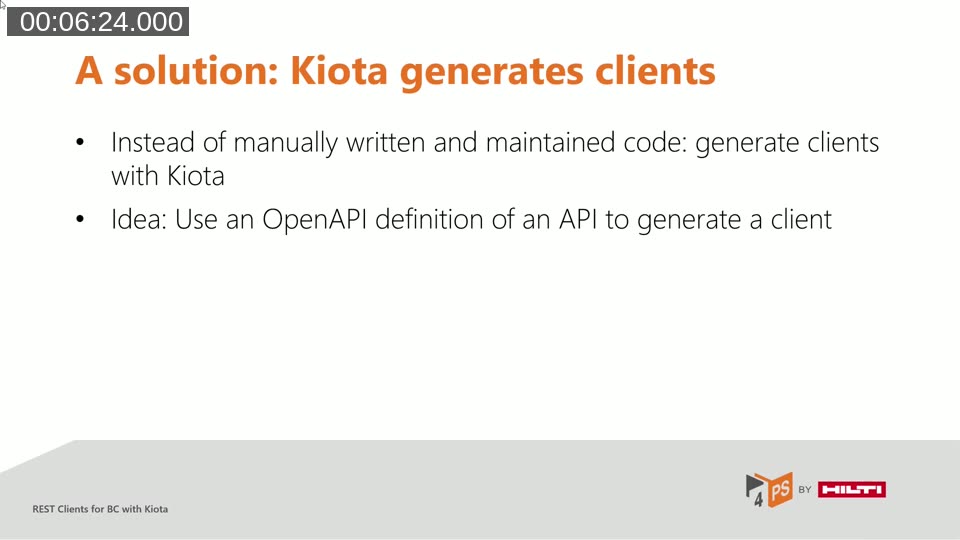
Crucially, Kiota does not have to generate a client for the entire API. Developers can select only the endpoints they need — for example, just companies and customers from the full BC OData surface — and regenerate selectively when requirements expand. This keeps generated code lean and avoids pulling in unused types.
Tobias’s Demo: A C# Client Against the BC API
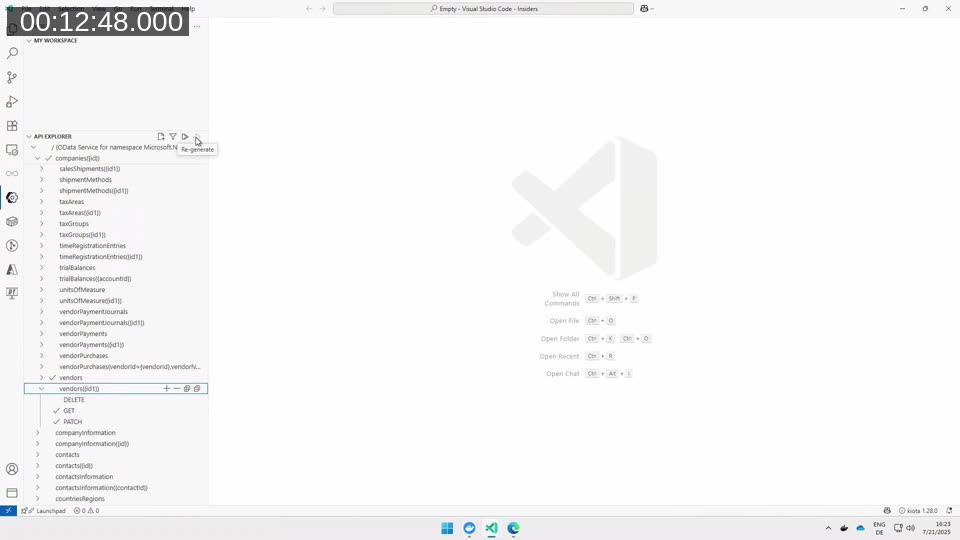
Tobias opened with a demonstration using the existing Kiota toolchain to show what the end result looks like before diving into the AL layer. Starting from a BC OpenAPI definition (generated via BcContainerHelper using a technique originally documented by Waldo), he produced a C# console client in a few steps: install Kiota, open the Kiota VS Code extension, browse the API Explorer, select the desired endpoints, and click Generate.
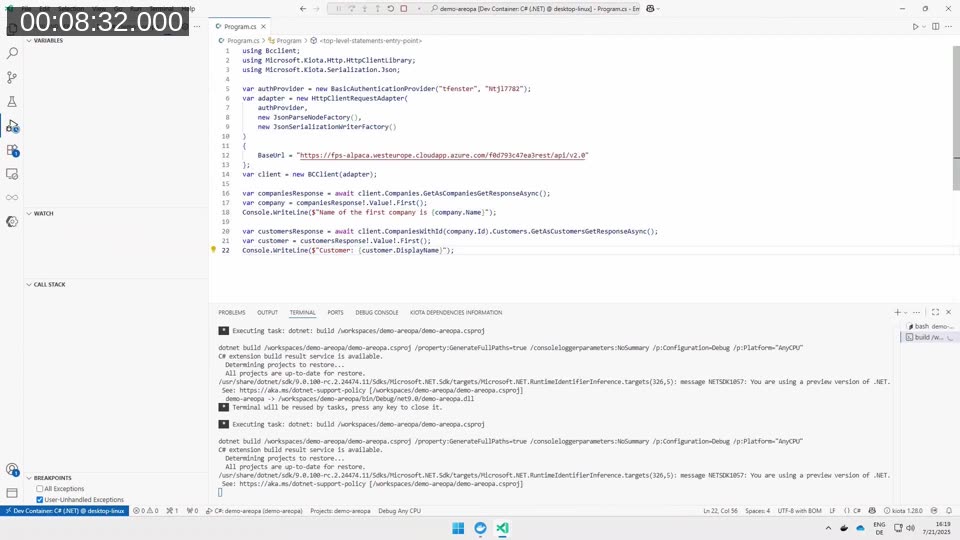
The resulting code calls client.Companies.GetAsCompaniesGetResponseAsync() and client.CompaniesWithId(company.Id).Customers.GetAsCustomersGetResponseAsync() — no JSON parsing, no string-based property access, and no manual HTTP setup. Tobias live-modified a customer display name in BC and re-ran the client to confirm the response reflected the change in real time.
The Kiota VS Code extension’s API Explorer panel makes it easy to pick individual operations. If a team decides they should never be able to accidentally delete vendors from a third-party integration, they can simply omit the DELETE verb when selecting endpoints and regenerate.
📖 Docs: Build API clients for .NET — Microsoft Learn — The official .NET quick start walks through installing Kiota, generating a client from an OpenAPI definition, and making the first authenticated call.
Simon’s Vision: Bringing This to AL
Simon took over to explain why the same approach should exist for AL developers. Working with JSON in AL has improved — the REST Client module from AJ Kauffmann became part of the System App — but implementing a new API integration from scratch is still error-prone and repetitive. Community questions about REST APIs in BC confirm this is a widespread friction point.
The vision: AL developers should be able to point Kiota at an OpenAPI spec, generate a client, and start calling APIs using dot notation — the same workflow C# developers already have. No hand-written JSON deserialization, no manually assembled request bodies, and no copy-pasted auth header logic.
Demo: Generating an AL Client from the Swagger Petstore
Simon used the public Swagger Petstore OpenAPI 3.0 spec as the live demo target. To generate an AL client from the command line:
kiota generate --openapi https://petstore3.swagger.io/api/v3/openapi.json \
  --language al \
  --output ./PetStore/al \
  --namespace PetStoreAl
Within a couple of seconds, Kiota produced a complete folder of AL files. Simon had already prepared a simple test page in the same workspace. After deploying to a BC sandbox, the page showed two groups of controls — one for the pet entity, one for technical info — and a GET button.
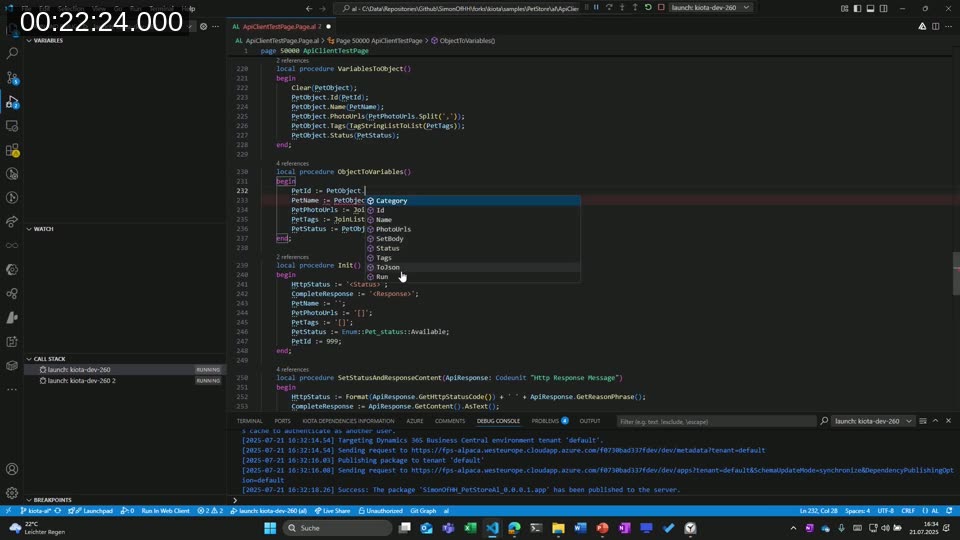
Clicking GET for pet ID 999 returned a populated object with name, tags, and status. The code behind that button is a single meaningful call:
var PetObject: Codeunit "Pet";
PetObject := Client.Pet().WithId(PetId).Get();
PetId   := PetObject.Id();
PetName := PetObject.Name();
PetTags := PetObject.Tags.JoinListToList(PetTags);
PetStatus := Enum::"Pet_status".Available;
Simon also demonstrated a POST to create a new record. The pattern is identical: set the object’s properties through getters/setters, then call Client.Pet().Post(PetObject). One configuration line sets the base URL; one operation line makes the call. Property mapping is the only remaining manual work, and its scope is determined by the entity, not arbitrary JSON structure.
Inside the Generated Code
Simon walked through what Kiota actually generated. Each API entity — Pet, Store, User — gets a request builder codeunit with methods for the operations defined in the spec (GET, POST, PUT, DELETE). The methods follow a consistent pattern: pass client configuration down to a generic request handler, set the HTTP method and body if applicable, send the request, and deserialize the response back into a typed model codeunit.
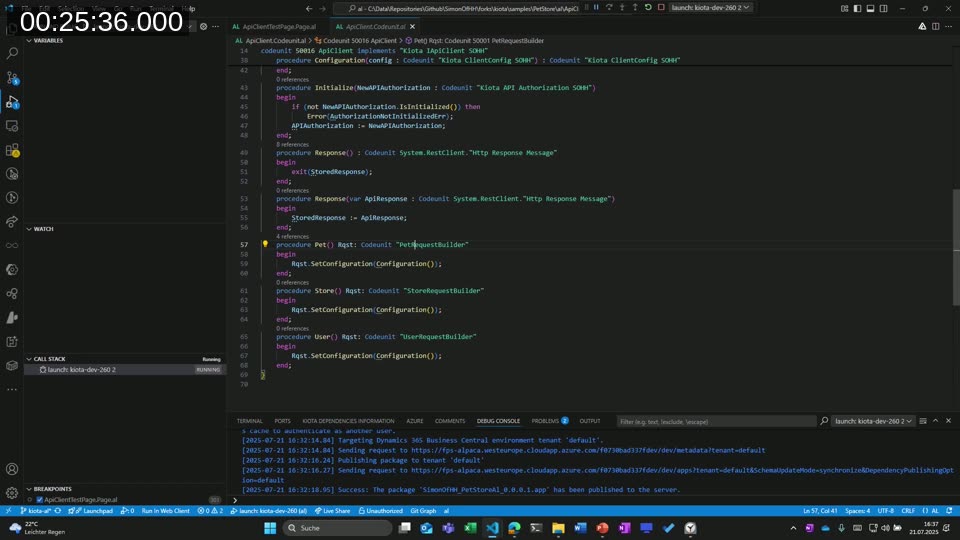
Model codeunits implement a Kiota IModelClass interface. They expose typed getter and setter procedures for each field defined in the OpenAPI schema. For simple types this is straightforward; for enums (like Pet.status) the generator produces AL-compatible enum values. Two JSON helper procedures round out each model: one returns the current JSON body, the other builds a fresh JSON token from property parameters.
An indexer pattern handles path parameters. For /pet/{petId}, the builder exposes a WithId(PetId: Integer) function that appends the ID to the base URL before dispatching GET, DELETE, or other operations — exactly mirroring how Kiota works in C# and TypeScript.
The Kiota.Abstractions-al Companion App
To avoid duplicating boilerplate across every generated client, Simon created a separate AL companion app: Kiota.Abstractions-al. It provides the shared infrastructure that every generated client depends on, parallel to what Microsoft.Kiota.Bundle does in .NET:
KiotaApiClient.Codeunit.al— base interface shared by all generated clientsKiotaClientConfig.Codeunit.al— centralized configuration (base URL, headers)KiotaRequestHandler.Codeunit.al— wraps the AL REST Client module; crafts and dispatches HTTP requestsKiotaApiAuthorization.Codeunit.al— authorization hook (still in development)JsonHelper.Codeunit.al— shared JSON utilities
The generated client references this companion app as a dependency — similar to adding a NuGet package reference in .NET. The generated code itself is pure AL with no .NET interop, targeting cloud-compatible BC environments.
How the AL Language Generator Works Inside Kiota
Simon briefly opened the Kiota source code to explain the extension architecture. Kiota’s pipeline has two stages. First, the OpenAPI spec is parsed into a generic code model (the DOM). Second, a language-specific refiner adjusts that model for the target language’s constraints.
The ALRefiner.cs class handles AL-specific adaptations. Key examples:
- AL has no
async/awaitand no cancellation tokens — the refiner strips those from all generated signatures. - AL has no C#-style get/set properties — the refiner converts every property into an explicit getter procedure and a setter procedure.
- AL codeunits require object IDs and short names — the writer assigns ID ranges and truncates long names for AL compatibility.
After the refiner, a set of AL writer classes emit the actual .al files: CodeClassDeclarationWriter.cs, CodeMethodWriter.cs, CodeIndexerWriter.cs, and others. Each writer handles a specific AL construct, walking the refined model and producing syntactically correct AL source.
Current Status and How to Contribute
Simon’s AL generator lives in a public fork of the Microsoft Kiota repository on the kiota-al branch. The companion app and sample projects are also public on his GitHub. A README describes the current state and differences from the standard Kiota pipeline.
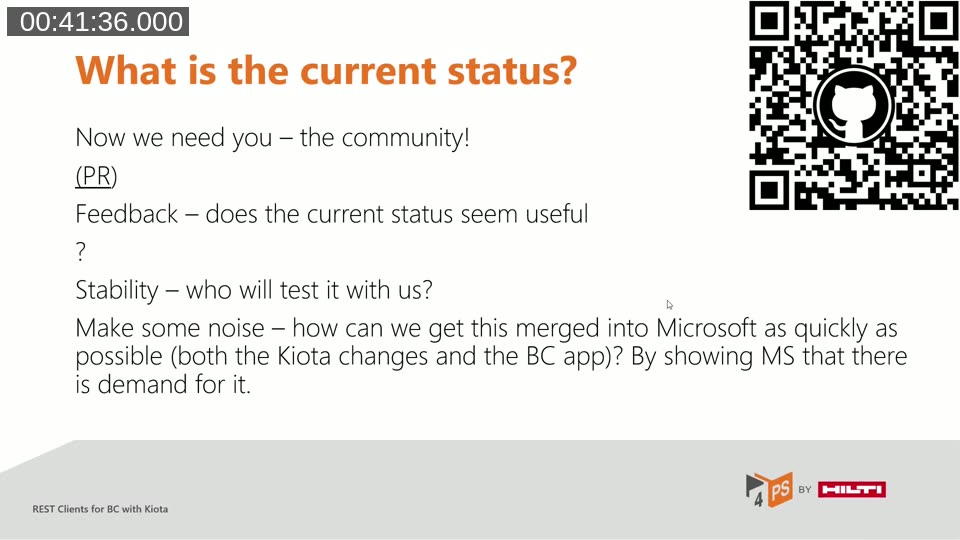
The implementation works for a range of APIs today but is not yet production-ready. Authentication beyond basic username/password is listed as the next implementation item — bearer token support and OAuth flows are planned. Simon has already received GitHub feedback from the community and has at least one known case that still needs work.
The team is asking the community to:
- Test it with your own APIs. Clone the fork (branch
kiota-al), run the generator against an OpenAPI spec you own, and file issues when something doesn’t generate correctly. - Try the samples. The kiota-al-samples repository contains working examples using the Petstore spec.
- Contribute. If you have a better implementation idea — especially for authorization handling or AL naming conventions — Simon encourages pull requests and direct outreach.
- Show demand. The goal is to get the AL generator merged into the upstream Microsoft Kiota repository and the abstractions app into the BC System Application. Community noise helps make that case.
📖 GitHub: Feature Request: Official support for AL (Business Central) client generation — microsoft/kiota #7149 — The open upstream issue tracking the request to add AL as an officially supported Kiota language. Adding a reaction or comment helps signal demand to the Kiota team.
Q&A Highlights
Does Kiota handle authentication in AL? Basic username/password support exists today (matching the approach in Tobias’s C# demo). Bearer token and OAuth flow support is the next planned item — there is a visible TODO marker in the abstractions app. The architecture is designed to support pluggable authorization providers, similar to how .NET Kiota handles it.
Does it use .NET interop or control add-ins? No. All generated code is pure AL, and the companion app targets cloud BC. There are no .NET references in the generated output. The only dependency is the System.RestClient module already present in BC.
Can I clone and run it today? Yes. Clone the SimonOfHH/kiota fork, switch to the kiota-al branch, and run the Kiota CLI with --language al. Add the Kiota.Abstractions-al companion app as a dependency in your AL project, and you can start calling APIs with generated strongly typed clients.
📖 Blog: Good-bye Boilerplate, Hello Kiota-for-AL — SimonOfHH — Simon’s blog post introducing the project, explaining the architecture, and listing the repositories — a good companion read to this webinar.
This post was drafted with AI assistance based on the webinar transcript and video content.