
In this Areopa Academy webinar, David Feldhoff, developer of the AL Code Actions VS Code extension, follows up on his earlier session about building a VS Code extension from scratch. This time he covers how one VS Code extension can call into another extension’s public API, using two community-built extensions as working examples. Luc van Vugt moderates.
David’s previous webinar, which introduces the basics of building a VS Code extension with the Yeoman generator, is a useful primer before watching this session.
Getting the API of another extension
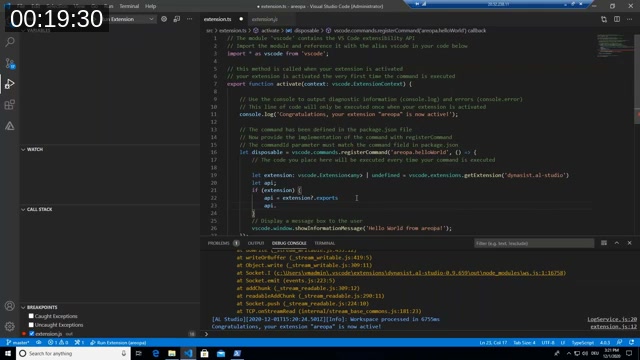
David starts from the default “Hello World” extension scaffolded by the VS Code extension generator and asks a simple question: how does one extension reach into another extension’s functionality? The answer lives in the VS Code Extension API’s vscode.extensions namespace.
The pattern has two steps:
- Call
vscode.extensions.getExtension('publisher.name')to get anExtensionobject (orundefinedif the extension isn’t installed). - Read the extension’s
exportsproperty to get whatever object it returned from its ownactivate()function — that’s the extension’s public API.
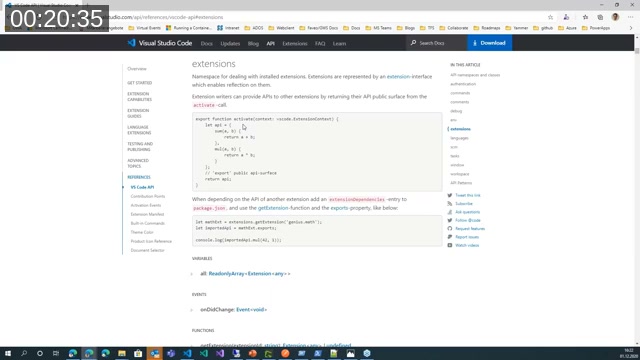
📖 Docs: VS Code API reference — extensions namespace — “Extension writers can provide APIs to other extensions by returning their API public surface from the activate-call.” CoversgetExtension,Extension.exports, and the recommendedextensionDependenciesentry inpackage.json.
Without a type declaration, TypeScript treats the returned API as any, which means no IntelliSense and no compile-time safety. David points out that whether you get useful autocomplete when consuming another extension’s API depends entirely on whether that extension ships type declarations.
A typed API: AL Studio
David demonstrates this with AL Studio, a community VS Code extension (marketplace identifier dynasit.al-studio) that scans every .app file in a project’s .alpackages folder and exposes the resulting object list — tables, pages, code units, events and more — through its API.
AL Studio ships a .d.ts declaration file on GitHub with enums like CollectorItemType and AlObjectType, plus interfaces describing each returned object. Because the module declares itself with declare module "alstudio", the file has to be named with a .d.ts suffix for TypeScript to pick it up automatically — a detail David runs into live during the demo.
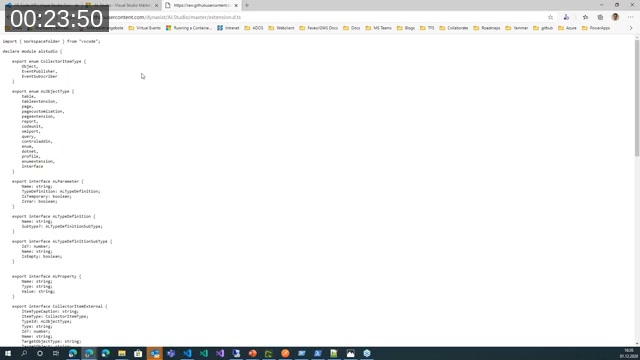
With the type declarations in place, calling getExtension('dynasit.al-studio'), reading .exports, and calling getObjects() returns a fully typed array of CollectorItemExternal objects — complete with IntelliSense.
![Extension code calling api.getObjects() with a typed alstudio.CollectorItemExternal[] result](https://areopa.academy/wp-content/uploads/2026/08/05-typed-getobjects-call-1.jpg)
The returned objects include not just tables, pages and code units but also events, with fields identifying publishers and subscribers. David notes that this makes AL Studio useful for exploring where an object’s events are published and consumed across a workspace, filtered directly from the VS Code Debug Console.
He also flags a performance argument for reusing a shared API like this rather than re-scanning the workspace independently: if several extensions each parse every .app file in a large project, the combined overhead adds up. Consuming one extension’s already-scanned object list avoids that duplication.
Note: AL Studio’s Marketplace listing and GitHub organization were no longer reachable at the time this post was drafted — the extension appears to have been discontinued since the webinar was recorded in December 2020. The API pattern it demonstrates still applies to any extension that exposes a typed export today.
A second example: AZ AL Dev Tools / AL Code Outline
David also highlights the tooling built by Andrzej Zwierzchowski, whose AZ AL Dev Tools/AL Code Outline extension takes a different approach — it doesn’t ship a dedicated type declaration file the way AL Studio does, so consuming its API means inspecting the returned object at runtime to work out its shape.
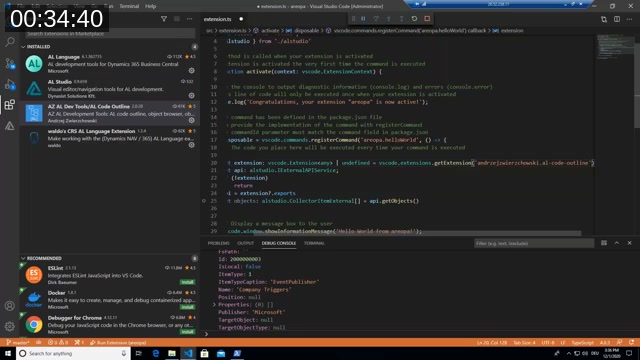
📖 Docs: AZ AL Dev Tools/AL Code Outline on the VS Code Marketplace — the extension providing AL object wizards, a symbols browser, code generators, and the document syntax visualizer used in this webinar.
Getting the AL syntax tree
The extension’s activate() function returns a DefToolsExtensionContext object. Inside it, a toolsLanguageServerClient property exposes a getFullSyntaxTree() function that talks to the AL language server directly and returns the AL compiler’s own parsed syntax tree for the active document — the same tree the compiler itself works from, not a hand-rolled parser.
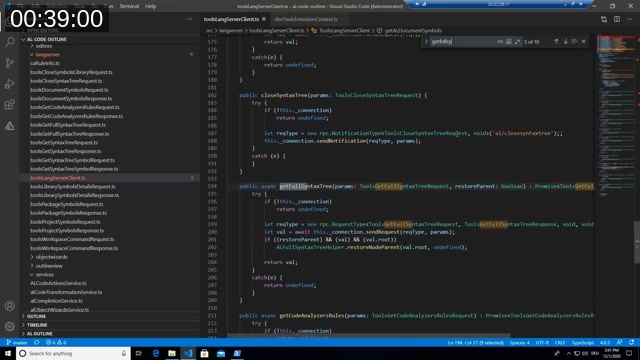
Calling it requires building a request object with the document’s source text and file path, then awaiting the (asynchronous) call:
const extension = vscode.extensions.getExtension('andrzejzwierzchowski.al-code-outline');
const api: any = extension?.exports;

const document = vscode.window.activeTextEditor!.document;
const toolsGetFullSyntaxTreeRequest = {
  source: document.getText(),
  path: document.uri.fsPath
};

const objects = await api.toolsLangServerClient.getFullSyntaxTree(
  toolsGetFullSyntaxTreeRequest,
  true
);
The result is a tree rooted at a CompilationUnit node, branching down through the object being edited — a page extension, its triggers, variable sections, and expressions — with each node carrying a FullSpan property that records exactly which lines and characters it covers in the source file.
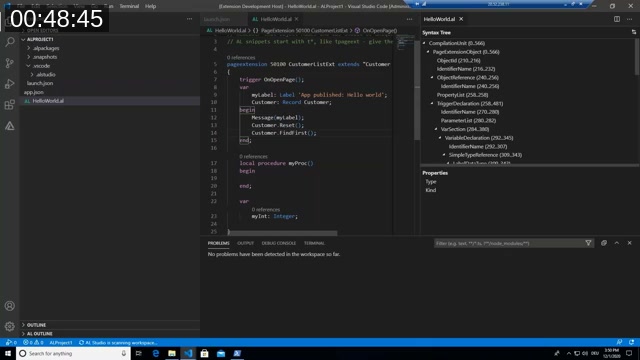
David uses AL Code Outline’s own Open Document Syntax Visualizer command to show the same tree structure in a dedicated panel, which is a convenient way to explore the shape of the syntax tree while building an extension against it. Knowing exactly where the cursor sits within the tree — which trigger, which variable section, which statement — is the foundation for building extensions that react to AL code structure, such as code actions or refactoring tools.
Q&A highlights
During the closing Q&A, a viewer asked about the logic behind the exports call. David clarified that an extension’s exports property is simply whatever object the extension chose to return from its activate() function — it’s the extension author’s decision what “opening up to the outside world” looks like, and there’s no requirement to call it exports internally versus, say, a getAPI() convention.
This post was drafted with AI assistance based on the webinar transcript and video content.