
In this Areopa Academy webinar, Dmitry Katson, Business Central MVP, architect, and developer, shows how GitHub Copilot can help write AL extensions for Business Central. The session is moderated by Luc van Vugt. Dmitry covers how Copilot works, how to configure it for AL development, and runs two live demos that show where the tool helps and where it struggles.
What Is GitHub Copilot?
GitHub describes Copilot as an AI pair programmer. Dmitry frames it more narrowly: it is a code suggestion tool, or an auto-complete for code, based on the context of the file you’re working in, the language you’re using, and a few other parameters.
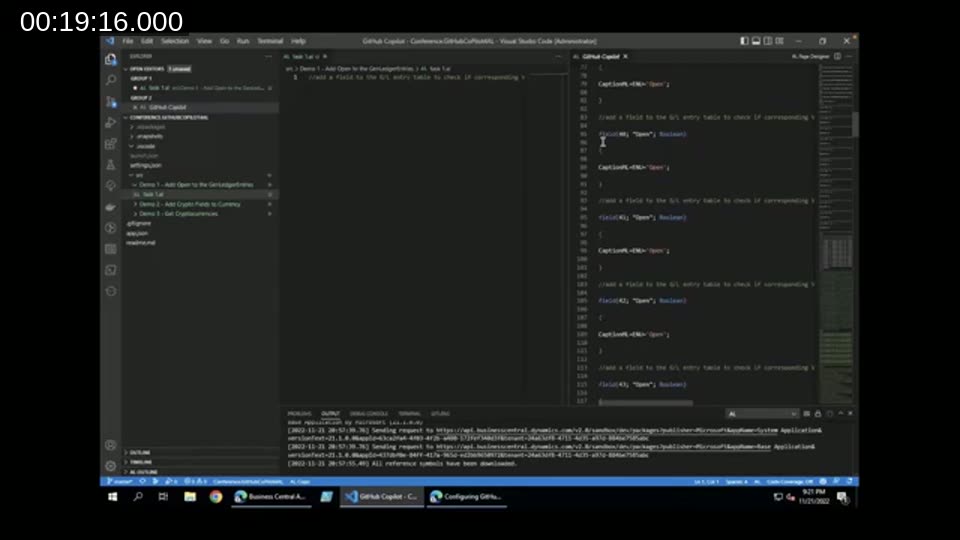
Behind the suggestions sits a trained model that converts natural language and existing code into new code. When you type in VS Code, the GitHub Copilot extension sends your editor context to the Copilot service, the model analyzes it, and it returns a prediction for the code you’re about to write. Whether you accept or reject a suggestion also feeds back into how the model adapts to your coding style over time.
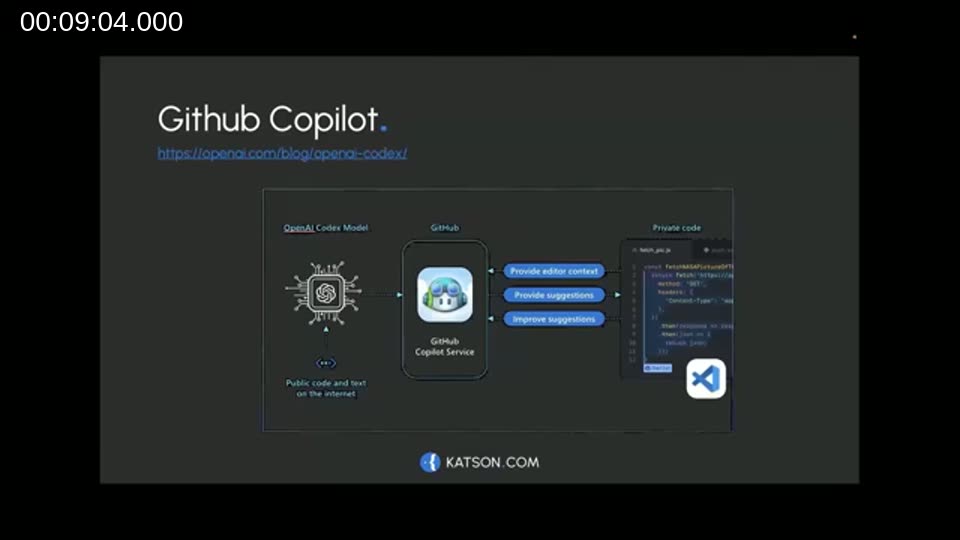
📖 Docs: GitHub Copilot Quickstart — the official guide for signing up, installing the extension, and getting your first suggestion.
Getting Started
Setting up Copilot takes two mandatory steps and one optional one:
- Enable GitHub Copilot for your GitHub account on the GitHub Copilot settings page. At the time of the webinar this came with a 60-day free trial, then $10/month or $100/year (Microsoft MVPs get free access).
- Install the GitHub Copilot extension in VS Code and sign in with your GitHub account to connect the extension to the Copilot service.
Optionally, you can configure whether Copilot is allowed to suggest code that matches public code on GitHub. According to the model’s documentation, about 0.1% of suggestions can match public code verbatim — you can choose to block those. In VS Code settings you can also configure keyboard shortcuts and which languages Copilot is active for. Dmitry notes that AL isn’t listed as a separate language option in that settings page, but Copilot is active for all languages by default, AL included.
Demo 1 — Adding an “Open” Field to General Ledger Entries
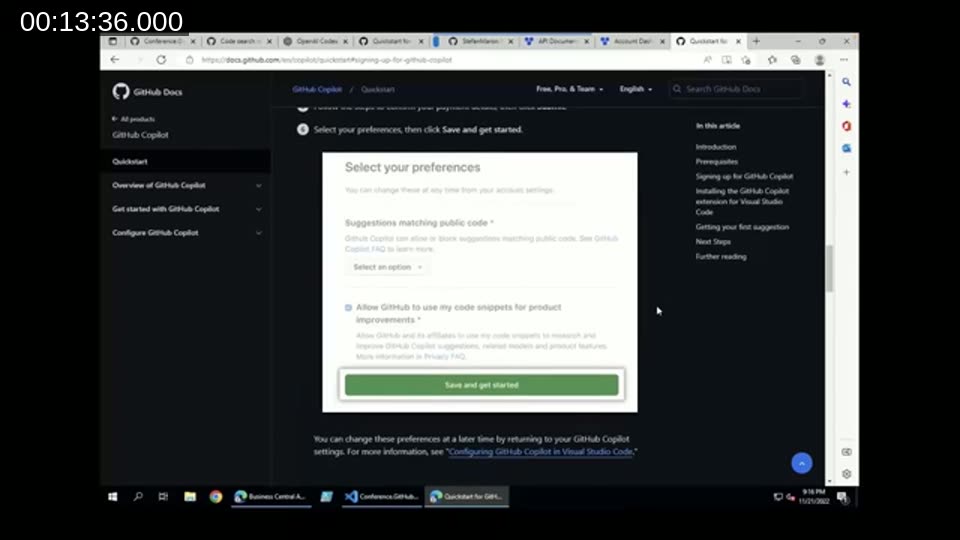
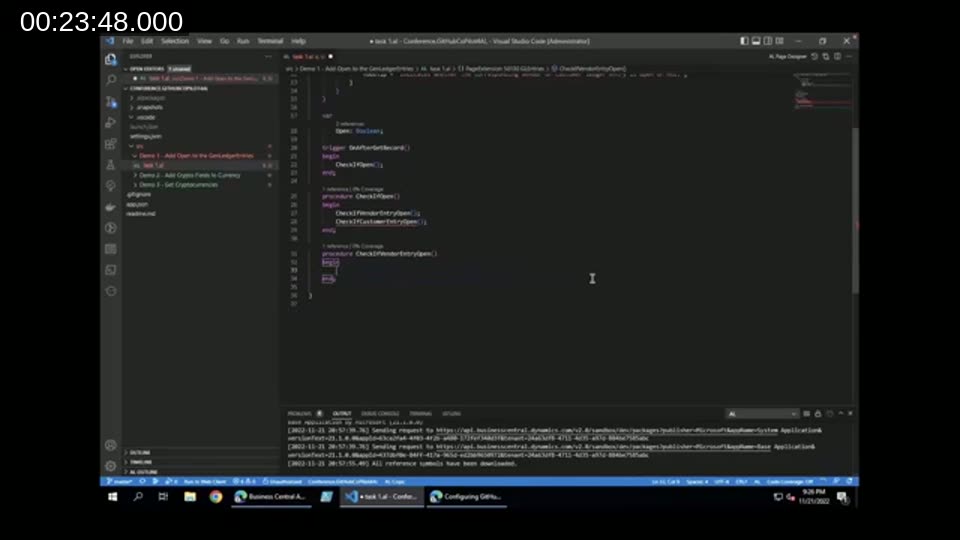
Dmitry’s first demo builds a page extension that adds an Open boolean field to General Ledger Entries, indicating whether the corresponding vendor or customer ledger entry is still open.
A few observations from the demo:
- Copilot doesn’t do much with a blank AL file, even with a descriptive comment in place — there’s no context yet for it to work from. Pressing Ctrl+Enter opens a separate suggestions panel, but on an empty file the results aren’t useful.
- As soon as AL-specific syntax appears — typing
pageextension, for example — Copilot recognizes the language and starts suggesting relevant code, including field and trigger declarations. - Copilot doesn’t understand the Business Central object model. It suggested extending a table when a page extension was needed, because it works purely from patterns in publicly available AL code, not from BC’s actual architecture.
- Once Dmitry wrote a
CheckIfVendorEntryOpenfunction by hand, tabbing through Copilot’s suggestions produced a near-completeCheckIfCustomerEntryOpenfunction automatically — Copilot recognized the pattern and repeated it for the second table.
How GitHub Copilot Was Trained
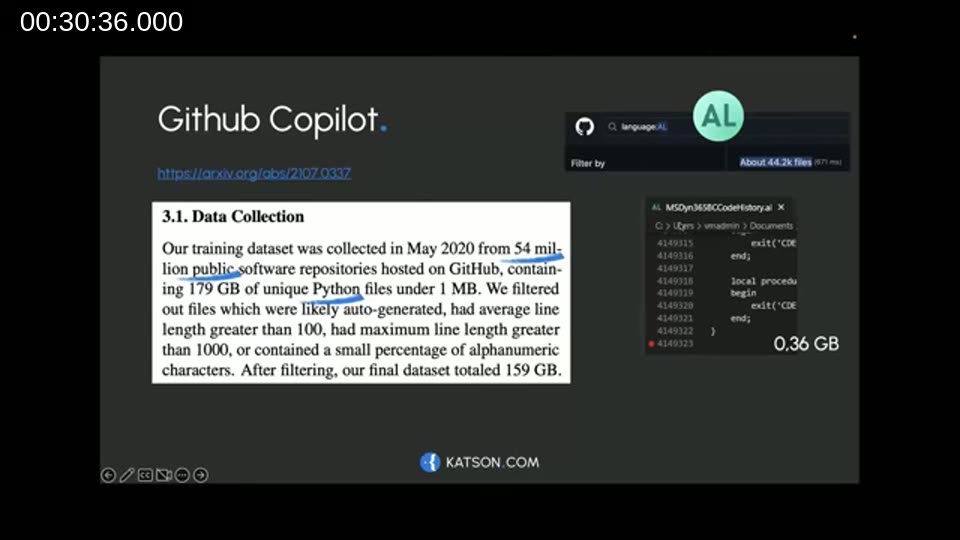
Dmitry walks through the Codex research paper behind Copilot to explain why it performs differently across languages. The model was trained in May 2020 on 54 million public GitHub repositories, using 159 GB of Python source code after filtering.
To put AL’s footprint in perspective, Dmitry ran his own count: around 44,000 AL files are publicly available on GitHub, and Microsoft’s own Business Central source amounts to roughly 4.1 million lines of code — about 400 MB, some 400 times smaller than the Python dataset the model was originally trained on. He also points out that the largest public AL codebase he checked (referred to in the demo as “Stefano’s code,” a full copy of BC source) only appeared on GitHub in June 2021, after the model’s original training cutoff — so it’s unclear whether, or how, that code has influenced later suggestions.
📖 Docs: Evaluating Large Language Models Trained on Code — the Codex paper that describes the training dataset and methodology behind GitHub Copilot’s original model.
Dmitry also notes that Copilot uses roughly 14 KB of context — around 200-256 lines of surrounding code — when generating a suggestion, which explains why suggestions improve once a file has enough AL-specific content to establish a pattern, and why small, well-structured files (around 300 lines) with clear, single-purpose procedures tend to get the best results.
Demo 2 — Importing Cryptocurrency Data from an External API
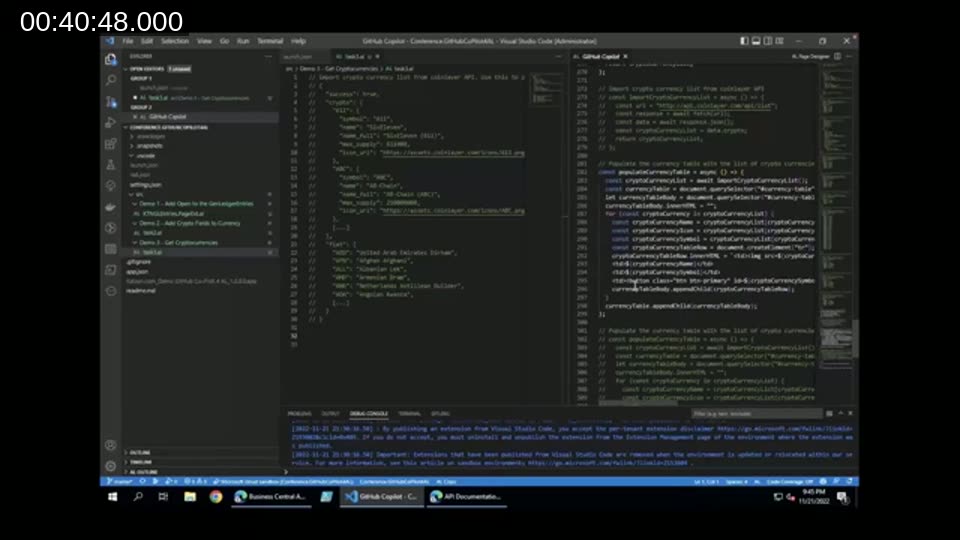
The second demo, prompted by a question Dmitry received on Twitter, imports a list of cryptocurrencies from the Coinlayer API into a Currency table, using the API’s JSON response as the starting comment.
This demo shows the flip side of Copilot’s training data: for a generic task like calling a REST API and parsing JSON, Copilot has far more public examples in other languages (C#, JavaScript) than in AL. The initial suggestions used .NET-style objects, and later in the demo Copilot proposed JavaScript syntax (const, await, document.querySelector) instead of AL — correct logic, wrong language. Dmitry’s takeaway: the more a task resembles a common, cross-language pattern (HTTP calls, JSON parsing), the less AL-specific Copilot’s suggestions tend to be.
Final Thoughts and Best Practices
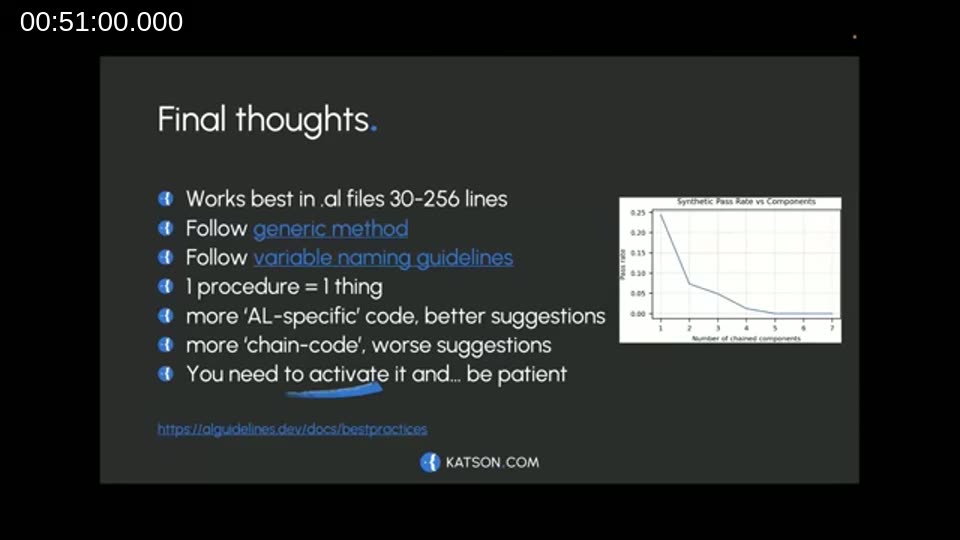
Dmitry closes with a set of practical guidelines for getting better results out of Copilot in AL:
- Works best in
.alfiles roughly 30–256 lines long — based on his own experience, not official documentation. - Follow the generic method and variable naming guidelines from the AL Guidelines website — consistent naming patterns give Copilot better signal.
- Keep one procedure to one responsibility. Splitting logic per table or per task (rather than combining it) gives Copilot a repeatable pattern to work from.
- The more AL-specific and idiomatic the surrounding code (posting routines, field assignment patterns, code unit structure), the better the suggestions.
- Generic, “chained” tasks — import, then transform, then populate, all in a few lines — tend to produce weaker suggestions, since that pattern is shared across many languages.
- Activate it and be patient. Suggestions improve as Copilot adapts to your personal coding style over time.
📖 Docs: AL Guidelines — Variable Naming — part of the alguidelines.dev best practices index Dmitry references for getting more consistent Copilot suggestions.
Q&A
Asked by Luc van Vugt whether he keeps Copilot enabled at all times, Dmitry confirms he runs it on every VS Code environment he works in, both locally and on virtual machines, and finds it hard to go back to coding without it — particularly for repeated or pattern-based code, where it saves real time.
This post was drafted with AI assistance based on the webinar transcript and video content.