
In this April 2020 Areopa Academy webinar, Maarten Pouwels — Azure expert and co-founder of EasyStep2 — shares practical lessons from migrating Business Central and Dynamics NAV customers to Azure. The central message: a simple lift-and-shift will cost four to five times more than staying on-premise. A deliberate refactor, by contrast, can match or beat on-premise costs within five years while delivering far more flexibility.
Why Move to Azure?
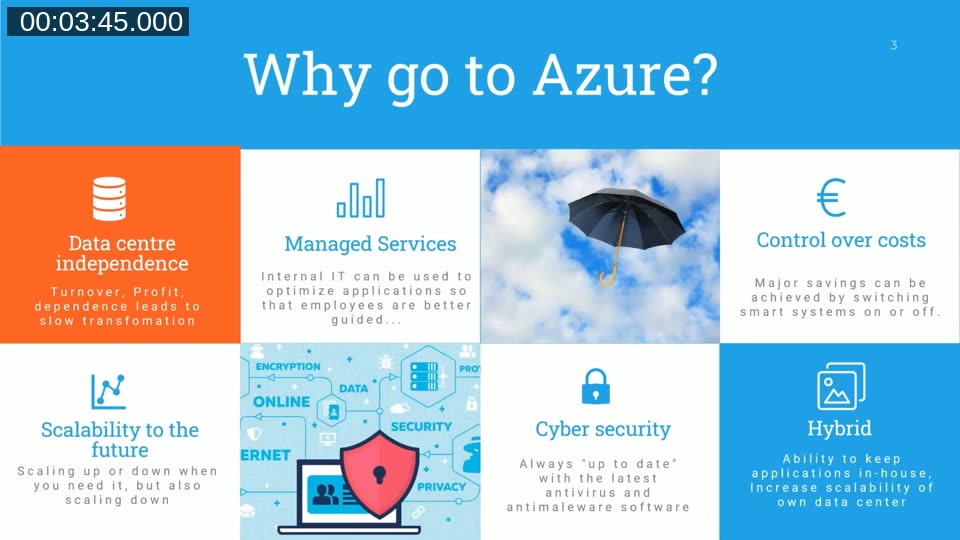
Maarten opens with six reasons organisations move to Azure: independence from a physical data centre, access to managed services that let internal IT focus on optimisation, predictable cost control through smart scheduling, on-demand scalability, Microsoft’s continuous investment in cyber security (over $1 billion per year at the time of the webinar), and the ability to run a hybrid environment during the transition period.
Lift-and-Shift vs. Refactor
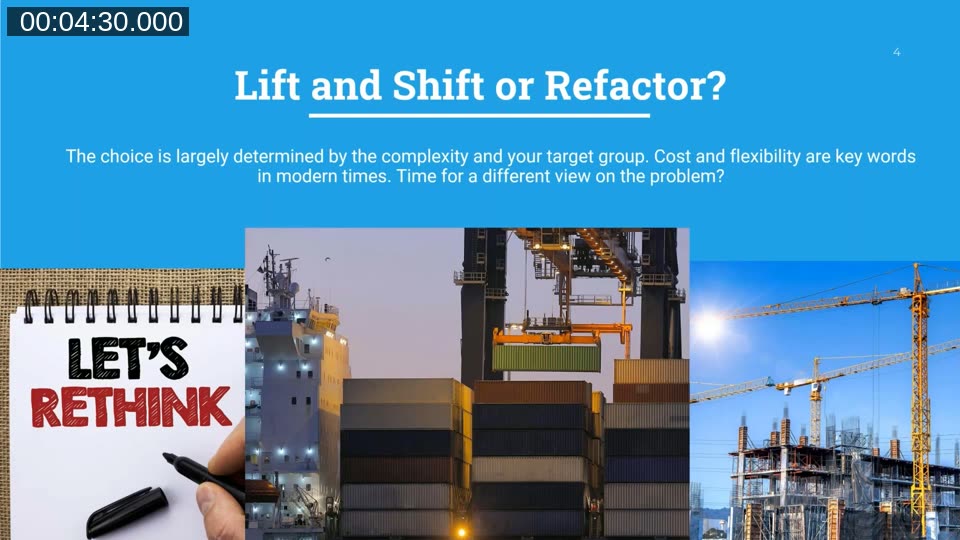
Maarten identifies lift-and-shift — picking up the existing data centre and moving it 1:1 into Azure — as the single most common and most expensive mistake. Azure has a fundamentally different architecture from a traditional data centre. Running it like one negates almost every cost advantage the cloud offers.
The alternative is to rethink the whole platform. This means evaluating each component of the IT landscape and mapping it to the most cost-effective Azure equivalent rather than simply replicating the on-premise setup.
A lift-and-shift to Azure can cost five to eight times more than your existing data centre. Refactoring brings that down to parity — or better.
Maarten Pouwels, EasyStep2
The Customer Migration Process
EasyStep2’s migration process maps each on-premise component to a specific Azure service. Web portals move to Azure Web Apps, Business Central and Dynamics NAV databases move to Azure SQL (Elastic Pool or dedicated), application servers migrate to NST virtual machines with an Azure VM Scale Set, third-party applications connect through Azure Logic Apps, Remote Desktop Services (Terminal Servers) move to Windows Virtual Desktop, and Active Directory migrates to Azure Active Directory with Azure AD Domain Services.
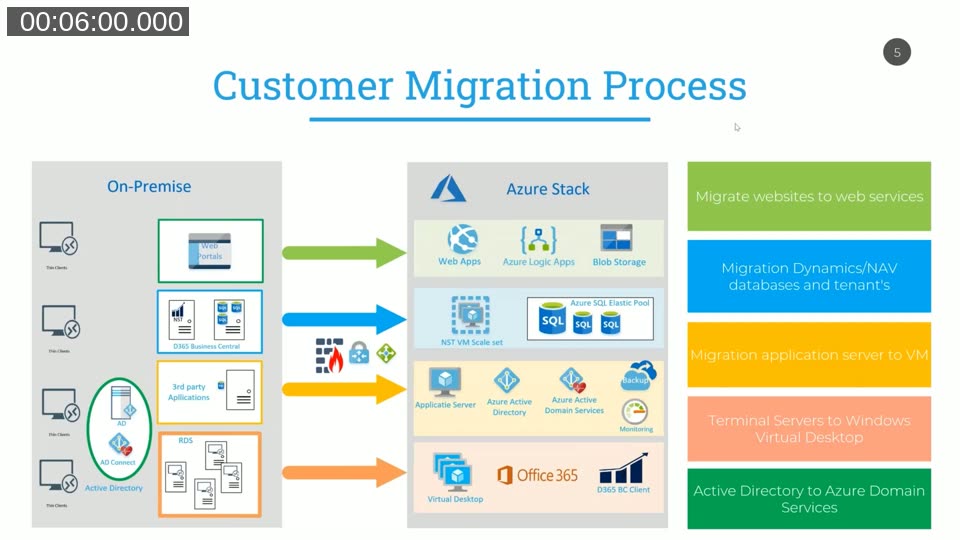
Maarten recommends a phased approach: start with the components you know best, run hybrid for a period, and incrementally move further. For Business Central specifically, separating the NST (application server) onto a virtual machine and using Azure SQL instead of a SQL Server VM is typically the first and most impactful step.
Azure SQL pricing models — Maarten prefers the DTU (Database Transaction Unit) purchase model for small-to-medium Business Central deployments because costs are more predictable. The vCore model offers more flexibility and up to 73% savings with reserved capacity commitments. See the Azure SQL Database purchasing models documentation for a comparison.
Understanding the Real Costs of Windows Virtual Desktop
Terminal Servers are often one of the largest cost drivers in a migration. Users are accustomed to their familiar Windows environment, and replicating that on legacy RDS infrastructure requires heavy per-user storage and memory. Maarten shows that moving Terminal Servers to Windows Virtual Desktop (WVD) with Windows 10 multi-session changes the economics significantly — but only if done correctly.
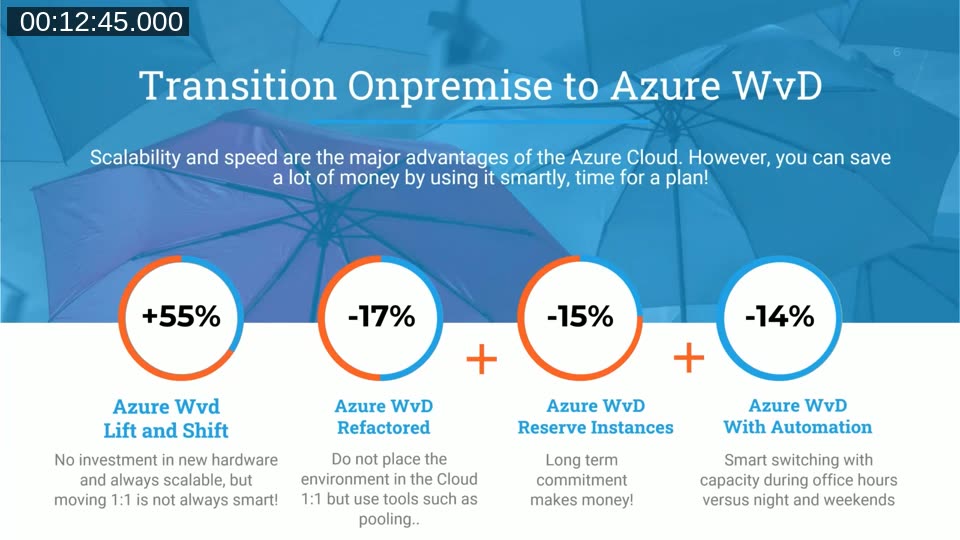
The slide above shows the four-step cost model EasyStep2 uses for WVD migrations:
- Lift-and-shift WVD: +55% more expensive than on-premise Terminal Services
- Refactored WVD: −17% savings once properly architected in Azure
- Reserved instances added: a further −15% by committing to 1- or 3-year capacity
- Automation added: a further −14% by shutting down unused VMs at night and on weekends
Combined, a well-architected WVD deployment with reserved instances and automation can deliver 40–50% savings compared to traditional Terminal Services.
Average Monthly Savings by Service Type
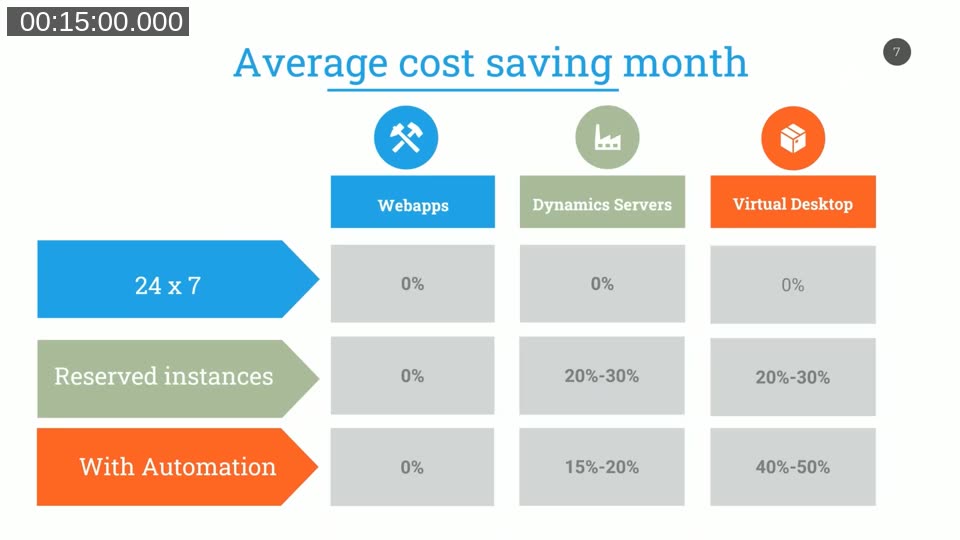
The table above summarises the savings potential across three service categories. Web Apps run at very low cost regardless of configuration — savings optimisation is not the priority there. Dynamics NAV and Business Central servers benefit most from reserved instances (20–30% savings) and automation for non-peak hours (15–20%). Windows Virtual Desktop delivers the largest combined savings: 20–30% from reserved instances and 40–50% when automation is also applied.
Azure Reserved VM Instances — committing to 1-year or 3-year reserved capacity reduces compute costs by up to 72% compared to pay-as-you-go pricing. The Azure reservations documentation explains how to evaluate and purchase reserved capacity.
Using the Azure Pricing Calculator
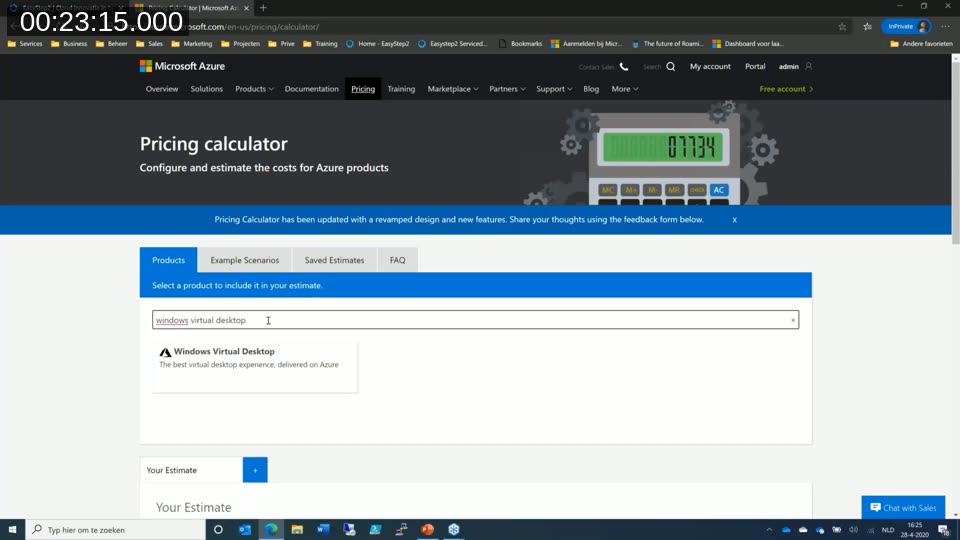
Maarten walks through the Azure Pricing Calculator live to illustrate typical costs. For a small Business Central environment with around 15–20 users, an Azure SQL S2 database starts at roughly €73/month. A D2v3 VM (2 vCPU, 8 GB RAM) running the NST costs approximately €87/month pay-as-you-go, dropping to around €76/month with a 3-year reserved instance and Azure Hybrid Benefit applied. For larger deployments with more intensive workloads, a D4a v4 (4 vCPU, 16 GB RAM) with a 3-year reserved instance and Azure Hybrid Benefit lands at approximately €77/month.
Azure Hybrid Benefit — organisations with existing Windows Server or SQL Server licences covered by Software Assurance can apply those licences to Azure VMs and Azure SQL, eliminating the OS/SQL licensing component of the hourly rate. See Azure Hybrid Benefit for eligibility details.
FSLogix and Group Policies for Windows Virtual Desktop
A key enabler of the WVD cost model is FSLogix, a profile management tool Microsoft acquired in 2018 and now includes with Microsoft 365 Business Premium and higher plans. FSLogix separates user profiles from the virtual machine image, storing them in Azure Blob storage at roughly €0.02 per GB per month. This is significantly cheaper than the premium SSD disks traditionally required for fast RDS profile access.
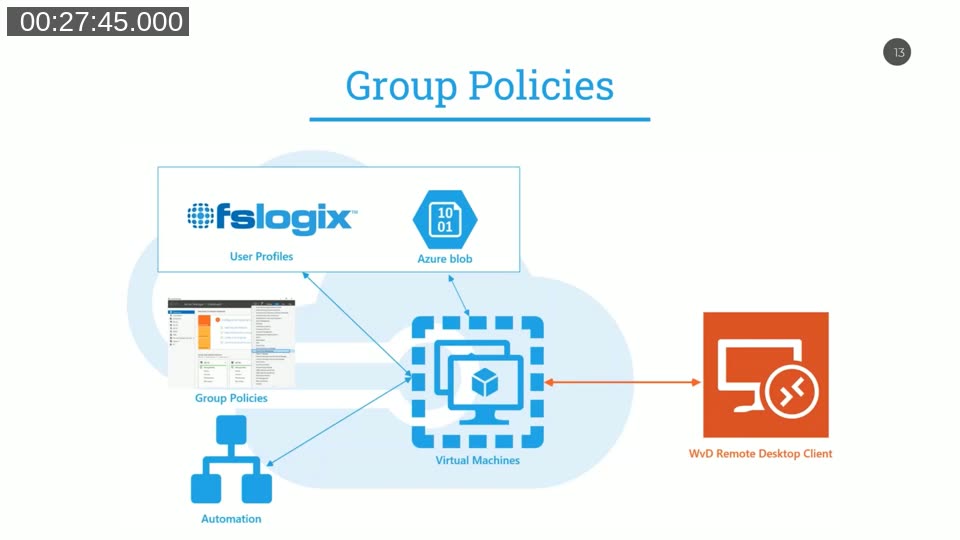
With FSLogix profiles stored in Azure Blob and all configuration managed through group policy, the virtual machines themselves become stateless. A new VM can be spun up, joined to the existing group policies, and immediately pick up all user profiles. Administrators can replace or upgrade virtual machines without any profile migration work, and users experience minimal disruption.
At night and during weekends, all but one VM in a pool can be shut down. The single remaining machine ensures users can still log in if needed. During business hours, the pool scales back up automatically. This is the mechanism behind the 40–50% automation savings shown in the cost table.
FSLogix profile containers — Microsoft’s documentation on setting up FSLogix with Azure Files or Azure Blob storage for Windows Virtual Desktop is available at FSLogix overview. The tool is included at no additional cost with Microsoft 365 E3, E5, Business Premium, and several other plans.
Practical Advice: Start Small
Maarten closes with the recommendation to start with the component you understand best. If you are familiar with deploying Business Central on Azure SQL, begin there. Azure charges by the second or by the hour, so experimentation carries minimal financial risk. Once the first component is running well in Azure, use the experience to plan the next phase of the migration.
EasyStep2 publishes configuration best practices for Dynamics 365 Business Central and Azure SQL on their blog at easystep2.nl. Maarten also notes that the combination of Business Central SaaS and Azure is the direction Microsoft is pushing, and that customers who invest in converting their customisations to AL extensions now will have a smoother path to SaaS when the time comes.
This post was generated from the Areopa Academy webinar recording. The content reflects the presenter’s views and experience as of April 2020. Azure pricing, product names, and feature availability have changed since this recording — always consult the current Azure documentation and pricing calculator for up-to-date figures.