
This webinar closes out Areopa’s VS Code AL Extensions series. Moderator Luc van Vugt hands the floor to three community developers who each built an extension to solve a problem they ran into themselves: Rob van Bekkum demos XLIFF Sync, Johannes Wikman demos NAB AL Tools, and Christoph Krieg demos AL XML Documentation. All three tools tackle translation and documentation pain points in AL development, but from different angles. If you’re new to the series, the previous three parts cover other VS Code extensions for AL developers.
XLIFF Sync — Rob van Bekkum
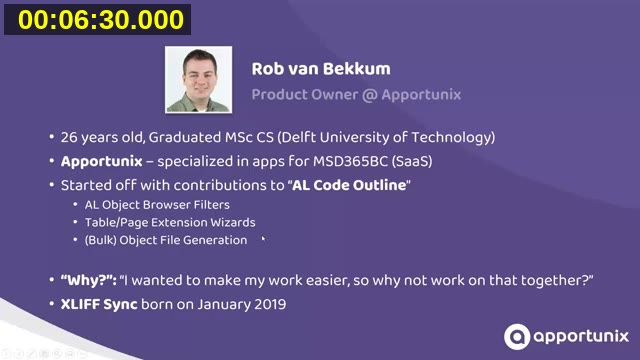
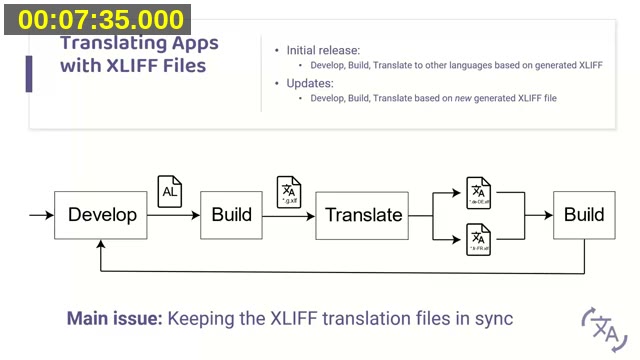
Rob van Bekkum, Product Owner at Apportunix, opens with the problem XLIFF Sync was built to solve. Business Central’s standard translation flow is straightforward the first time around: develop, build to generate a *.g.xlf file, translate it into target-language .xlf files, and build again. The trouble starts on the next update — the newly generated *.g.xlf file has to be merged back into the existing translation files by hand, while reusing existing translations and catching anything that changed.
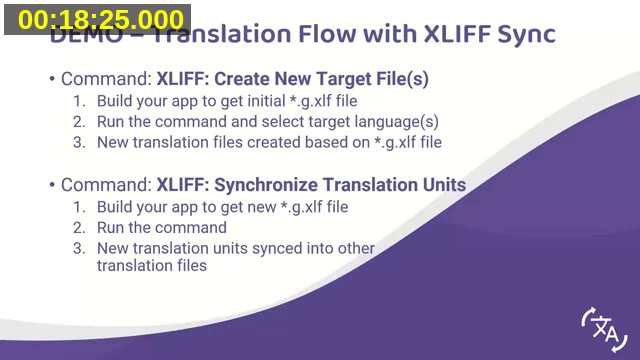
XLIFF Sync addresses that gap directly. Rob demos the two core commands:
- XLIFF: Create New Target File(s) — build the app to get the initial
*.g.xlffile, run the command, and select target languages to generate new translation files. - XLIFF: Synchronize Translation Units — after a later build produces a new
*.g.xlf, this command merges new and changed translation units into all existing translation files. Units whose source text changed are flagged needs-work with an explanatory note, so translators know exactly what to review rather than re-checking everything.
Beyond syncing, the extension can check a workspace for missing translations and for common problems — Rob demos a case where a label’s placeholder count changes and the check flags the outdated translation before it ships. He recommends enabling the setting that runs these checks automatically after every sync, rather than running them manually.
Other features covered briefly: equivalent-language groups (so one master translation, e.g. nl-NL, can be copied across related locales), pulling initial translations from the source text, and importing translations from external files. XLIFF Sync ships as both a VS Code extension and a PowerShell module — the PowerShell module lets the same checks run as a build pipeline step, failing the build (or raising a warning) in Azure DevOps when translation problems are detected. Both are open source.
📖 Extension: XLIFF Sync on the VS Code Marketplace — source and issue tracker on Rob van Bekkum’s GitHub.
NAB AL Tools — Johannes Wikman
Johannes Wikman, CTO and owner of NAB Solutions AB in Sweden, presents NAB AL Tools next. He notes upfront that he and Rob independently ran into similar translation challenges and solved them in different ways, without having compared notes beforehand — so some overlap with the previous demo is expected. The extension started as an internal tool, inspired by Waldo’s AL Language extension pack, before Johannes decided to open source it.
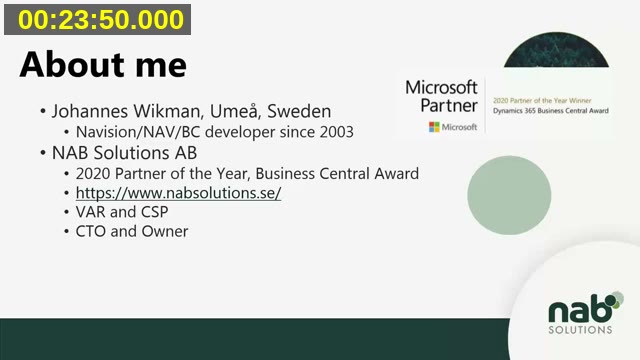
NAB AL Tools serves two roles Johannes works in day to day: as a VAR (value-added reseller) developer and as an ISV developer at NAB’s sister company SmartApps. That split shows in the feature set.
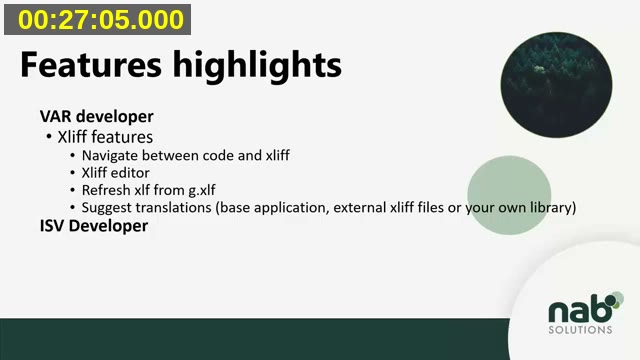
For translation work, the extension provides:
- Navigation between AL code and the matching XLIFF translation unit in either direction, via right-click or F12.
- Refresh XLIFF from g.xlf — updates all translation files from the generated base file: adds new translation units, applies matching suggestions from the base application or external libraries, removes deleted translations, detects common errors like missing placeholders, and tags units that need attention (not translated, review, suggestion).
- A visual XLIFF editor for editing the target text and marking translations complete without hand-editing XML.
- A filter to find inconsistent translations — the same source text translated differently in different places.
In the demo, Johannes walks through refreshing a project’s XLIFF files, using Find Next Untranslated Text (Ctrl+Alt+U) to step through suggested translations pulled from the base application, and fixing a broken placeholder that the extension flags with a review note.
For ISV work, NAB AL Tools can generate external documentation as markdown (or a single combined file) from AL code and XML comments, covering public objects, functions, events, table fields, and tooltips, plus a separate page listing anything marked obsolete. NAB Solutions runs this through their build pipeline and publishes the output as their public technical reference.
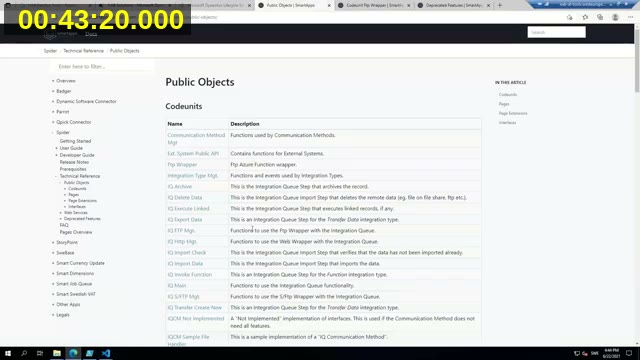
The extension also integrates with the Dynamics 365 Translation Service (DTS): it can package the app’s translation files into the zip format DTS expects, and import the results back, handling target states and detecting common DTS errors.
📖 Note: The Dynamics 365 Translation Service demoed in this webinar reached end-of-support on October 15, 2025, and is no longer available. See Microsoft’s Working with translation files documentation for current guidance on translating Business Central extensions.
📖 Extension: NAB AL Tools on the VS Code Marketplace — source and issue tracker on GitHub.
AL XML Documentation — Christoph Krieg
Christoph Krieg, founder of 365 Business Development in Germany and an NAV/BC developer since 2005, closes the session with AL XML Documentation. His starting point: documenting procedures and interfaces was always painful in C/AL, and even with the move to extensions and AL — including new features like Rich IntelliSense — there was still no structured way to document a procedure so other developers could safely reuse it, especially once ShowMyCode = false and runtime packages hide the underlying source.
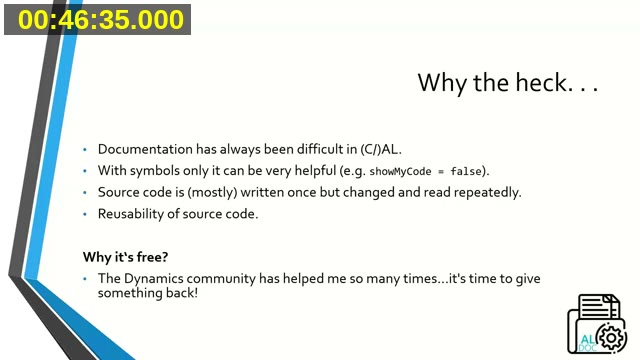
His answer follows the XML documentation comment convention already familiar from languages like C#: triple-slash (///) comments placed directly above an object or procedure, in a standardized structure rather than each partner’s own ad hoc commenting style.
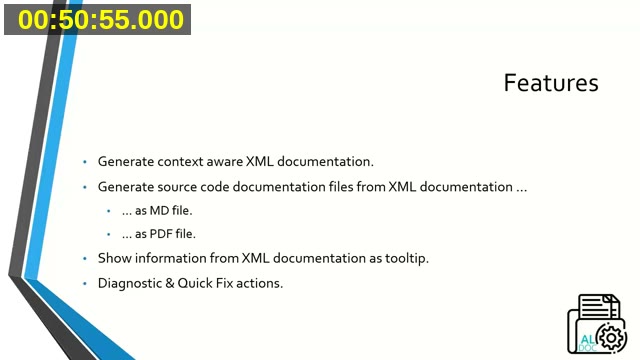
The extension’s four main features, as Christoph outlines them:
- Context-aware XML documentation generation — suggests a documentation skeleton based on the procedure’s actual parameters and return type, going further than the plain snippet Microsoft later added for
///. - Export to markdown files or a single combined PDF, suitable for shipping alongside an app file to a partner or customer.
- Tooltips and IntelliSense — hovering over a documented procedure, parameter, or object shows the summary and any example code directly in the editor.
- Diagnostics and quick fixes — flags public (or internal/local/protected, depending on configuration) procedures that are missing documentation, and prompts when a procedure’s signature changes but the documentation wasn’t updated to match.
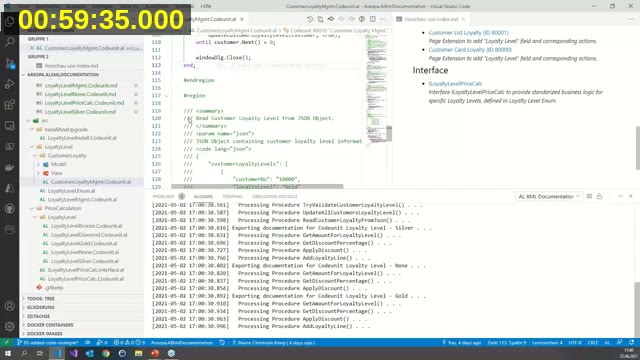
In the demo, Christoph shows the two check settings that control whether missing documentation raises an error, warning, or information message at the object and procedure level, and the setting that determines where generated documentation files are written — including a workspace-relative placeholder so the setting can be committed to source control and work for the whole team. He also demonstrates documentation inheritance for interface implementations, a feature Rob requested, and shows a documented interface method’s example code, parameter descriptions, and return value appearing as hover tooltips in the editor, and exports the project’s documentation to both markdown and a single PDF file.
📖 Docs: XML comments in code — Microsoft Learn’s reference for the /// comment syntax now built into the AL Language extension itself.
📖 Note: AL XML Documentation is no longer maintained; most of its documentation-comment functionality has since been built directly into the AL Language extension. The extension is still available on the VS Code Marketplace, with source on GitHub.
Wrapping Up the Series
This session concludes Areopa’s VS Code AL Extensions series, which covered twelve extensions in total. Luc van Vugt closes by thanking Rob, Johannes, and Christoph, and points ahead to the next Areopa webinar in the schedule.
This post was drafted with AI assistance based on the webinar transcript and video content.