
In this Areopa Academy webinar, Tobias Fenster, managing partner at 4PS Germany and Microsoft Regional Director and MVP for Azure and Business Central, introduces Infrastructure as Code (IaC) and the Bicep language. Luc van Vugt moderates. Fenster explains why manual infrastructure management becomes a liability as environments grow, walks through the Bicep syntax with a Windows VM example, and then demonstrates deploying Business Central to an Azure Container Instance from a Bicep template, both from the command line and through the Azure portal.
Why Infrastructure as Code
Fenster opens by framing the problem IaC solves rather than starting with the tooling. As Azure services multiply, infrastructure becomes harder to manage by hand: manual changes are slow and error-prone, larger teams need to coordinate on the same environments, and it becomes difficult to trace what changed when something breaks. He draws a direct comparison to how software development solved the same problems with source control, pull requests, and automated builds and tests — the same practices can be applied to infrastructure.
He distinguishes two approaches to IaC:
- Imperative (e.g. PowerShell scripts) — you describe the steps needed to reach a result.
- Declarative (his preferred approach) — you describe the desired end state, and the tool figures out how to get there.
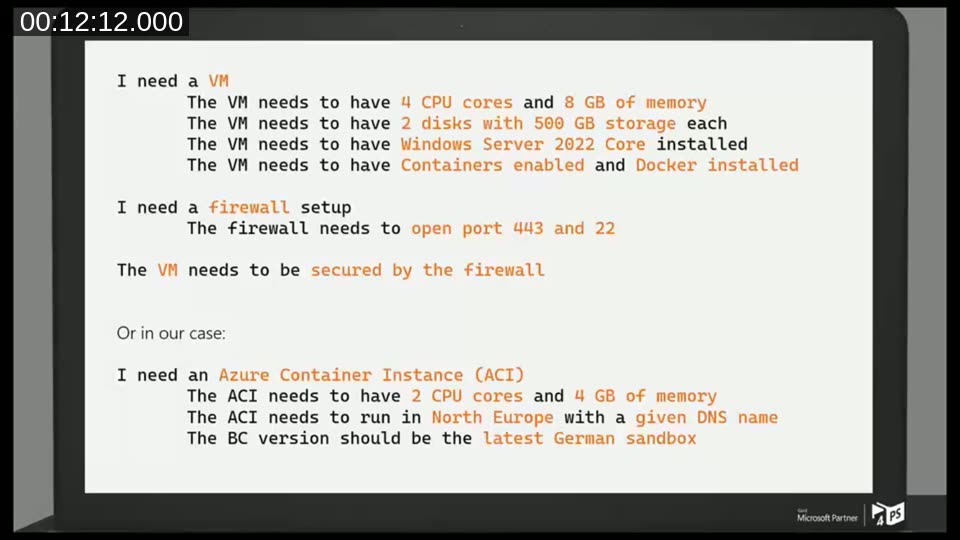
With declarative IaC, a request like “I need an Azure Container Instance with 2 CPU cores and 4 GB of memory, in North Europe, with a given DNS name, running the latest German Business Central sandbox” is enough — the tool handles the underlying resource creation and versioning.
Introducing Bicep
Bicep is Microsoft’s native IaC language for Azure. Fenster highlights its main characteristics:
- Azure-only: it can’t target AWS or Google Cloud, but in exchange gets fast, comprehensive support for new Azure services and features.
- A simple syntax, similar to but more concise than the JSON used in ARM templates.
- Strong Visual Studio Code integration through an extension.
- Repeatable deployments — running the same file again with no changes does nothing; if something has changed, it reconciles back to the declared state.
- Automatic dependency orchestration between resources (e.g. creating a VM before the firewall that depends on it).
- Support for modules (to encapsulate complexity) and “what-if” deployments to preview changes before applying them.
- No separate state file, unlike some other IaC tools that track state locally and sync it with the cloud.
- Free and open source.
📖 Docs: What is Bicep? — Azure Resource Manager documentation — the official overview of the Bicep language and its relationship to ARM templates.
Demo: Deploying a Windows VM with Bicep
For the first demo, Fenster deploys a Windows VM entirely from the Azure Cloud Shell, avoiding any local tooling installation. He uses a Bicep file from the Azure Quickstart Templates repository, to which he has contributed the examples used in this session.
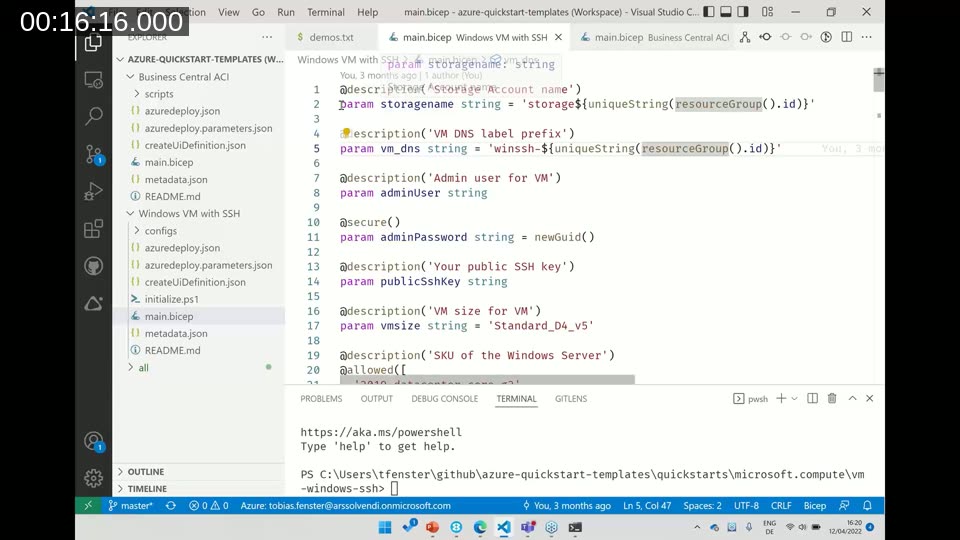
Walking through the file, he covers the main building blocks of a Bicep template:
- Parameters — user-supplied values, each with a description. Some have defaults (like a randomly generated storage account name based on the resource group), others must be provided at deployment time (like the admin username), and some are constrained to a fixed set of allowed values.
- Variables — internal values that can’t be overridden by the person applying the template.
- Resources — the actual Azure services being declared, such as a storage account, public IP address, network security group, virtual network, network interface, and the VM itself. Resources can reference each other directly (e.g. the network interface refers to the public IP resource it needs).
- Outputs — values returned after deployment, such as the connection string needed to reach the new VM.
He then uploads the file into the Azure Cloud Shell and runs the deployment with the Azure CLI:
az group create --name areopa-vm --location northeurope

az deployment group create \
  --resource-group areopa-vm \
  --template-file main.bicep \
  --parameters publicSshKey='<ssh-key>' bcArtifactUrl='<artifact-url>'
Bicep automatically prompts for any required parameter that has no default value, such as the admin username. During the live demo, the first attempt fails because the chosen admin username (“admin”) is a reserved name in Azure — the CLI surfaces the exact error message without needing to check the Azure portal. A second attempt with a valid username succeeds, and Fenster logs into the new VM using the connection string from the deployment output.
He also shows the Bicep visualizer in VS Code, which renders a template’s resources and their dependencies as a diagram — useful for documentation and for understanding a deployment at a glance.
Deploying Business Central to an Azure Container Instance
The second demo turns to the topic most relevant to the Business Central community: deploying a BC container using Azure Container Instances (ACI). Fenster first explains what ACI is and when it’s a good fit.
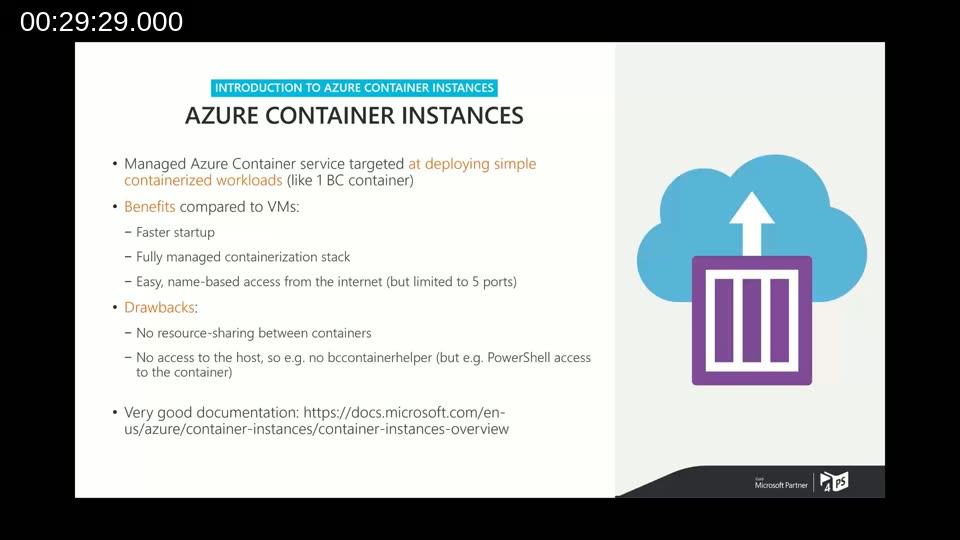
ACI is a managed Azure service for running simple, single-container workloads — a good match for scenarios like spinning up one Business Central container for a demo or a customer environment. Compared to running containers on a VM:
- Benefits: faster startup, a fully managed containerization stack (no need to manage Docker updates yourself), and easy name-based access from the internet (though limited to five open ports).
- Drawbacks: no resource sharing between containers (you pay for the full CPU/memory allocation of each instance, so it can be more costly than a shared VM), and no access to the underlying host — which means tools like BcContainerHelper can’t be used directly, though PowerShell access to the container itself is available.
📖 Docs: Serverless containers in Azure — Azure Container Instances overview — official documentation on ACI’s capabilities and limits.
The Bicep template for the Business Central ACI deployment is intentionally simple: a single container group. Fenster walks through its parameters, including the container name, DNS prefix, an email address for the Let’s Encrypt SSL certificate, the generic Business Central image, the BC artifact URL, the super user credentials, CPU/memory allocation, and optional custom NAV and web client settings.
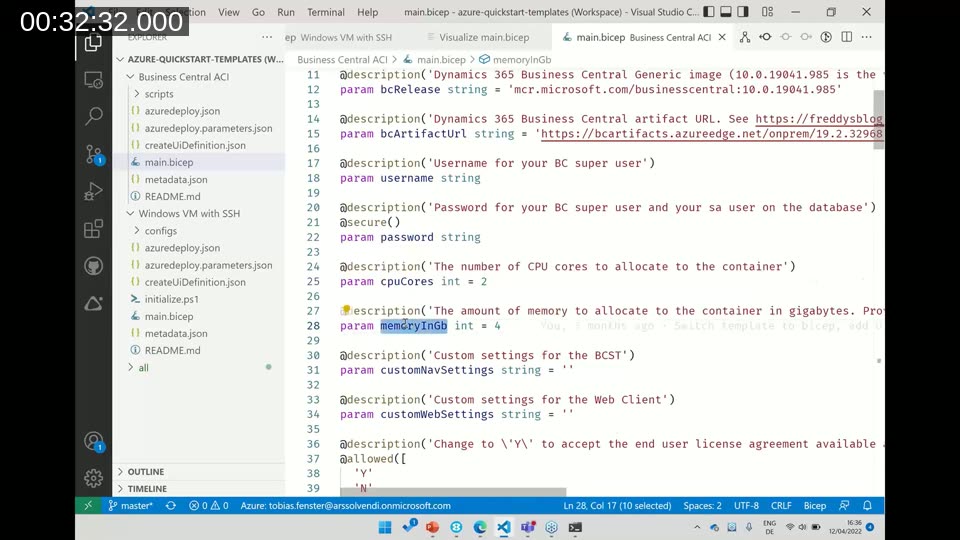
The artifact URL parameter follows the pattern used across the Business Central Docker tooling, pointing to a specific version on the public artifact storage (for example, an on-prem 19.2 build). These parameters are passed into the container as environment variables, and the template opens the ports needed for the web client and other services, within ACI’s five-port limit.
📖 Docs: Working with artifacts — Freddy Kristiansen’s blog — background on how Business Central artifact URLs are structured and how storage account and type (onprem/sandbox) determine which builds are available.
After uploading the template and running the deployment (again through the Azure Cloud Shell), Fenster monitors progress in the Azure portal. Because the Business Central image is large, the container can show a “waiting” status for up to 20 minutes while it downloads and expands — expected behavior, not an error.
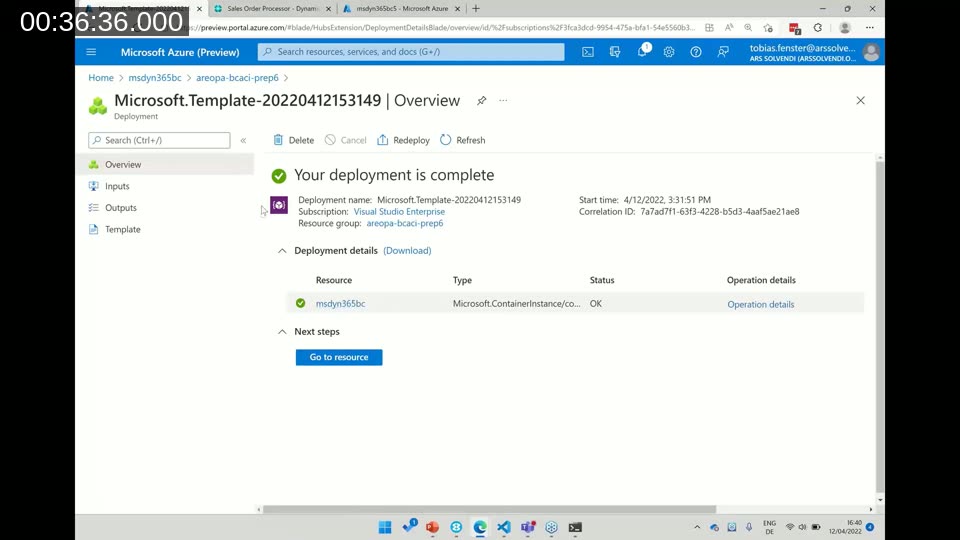
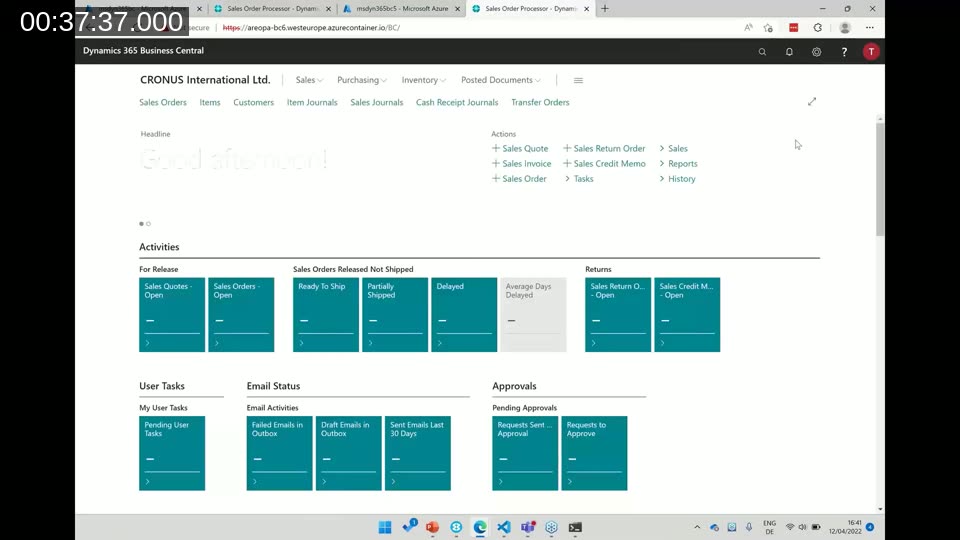
Once the deployment completes, the output includes the fully qualified domain name of the running container (an *.azurecontainer.io address). Browsing to that address and signing in with the configured super user credentials brings up the Business Central web client, confirming the deployment succeeded.
Fenster notes that this approach is well suited to spinning up environments for different customers, versions, or languages by tweaking a handful of parameters — but reiterates the cost trade-off: an ACI instance is billed for its full allocated resources, with no sharing across containers, so it can be more expensive than an equivalent shared VM setup.
Deploying Through the Azure Portal
The same Bicep template can also be deployed without any command line, using a “Deploy to Azure” button that opens the Azure portal’s template deployment form. By default this shows every parameter from the template, which isn’t very user-friendly since it requires understanding each raw setting.
Fenster shows how a createUiDefinition.json file can improve this experience: it defines a step-by-step UI with tooltips, input constraints (for example, restricting a field to 63 characters or specific allowed characters), and validation such as a regular expression that checks for a valid email address. Fields that most users don’t need to touch can be tucked away under an “advanced settings” section.
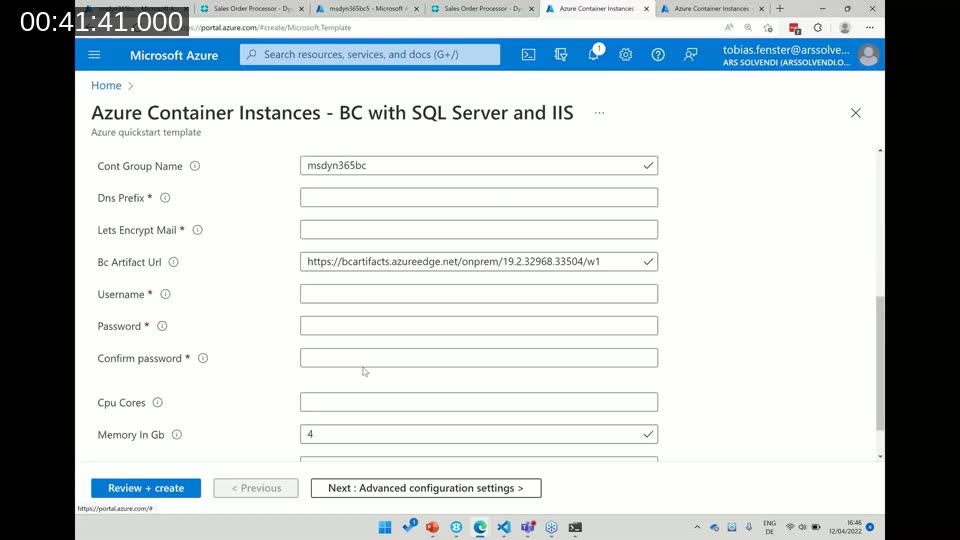
Both deployment paths — script and portal — use the exact same underlying template, so the deployment stays version-controlled and repeatable regardless of which route a user takes.
📖 Sample: Azure Container Instances – BC with SQL Server and IIS — the Business Central ACI quickstart template referenced in the demo, published on Microsoft Learn’s code samples.
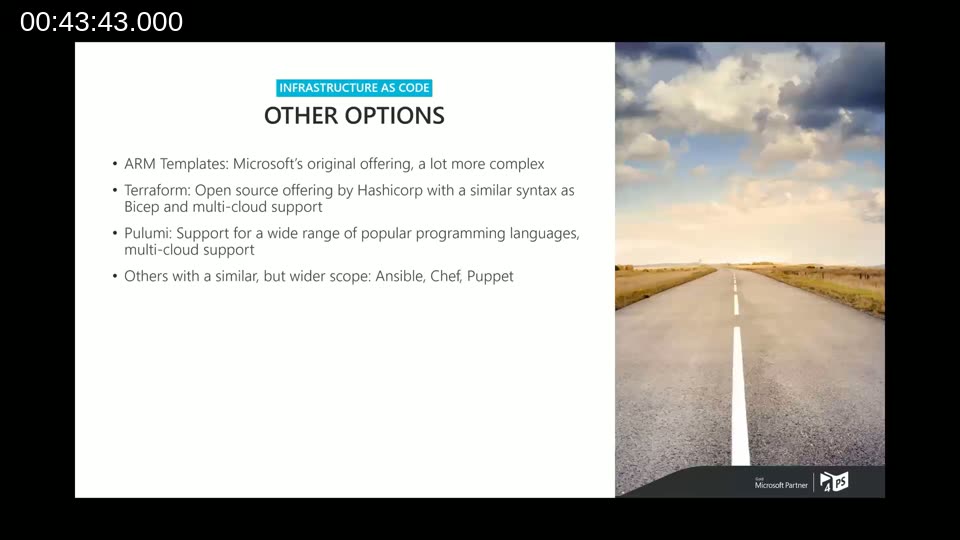
Other Infrastructure as Code Options
Fenster closes the technical portion with a brief overview of alternatives to Bicep, for cases where it isn’t the right fit:
- ARM templates — Microsoft’s original IaC offering; achieves the same results as Bicep but with notably more complex, verbose syntax.
- Terraform — an open-source tool from HashiCorp with a syntax comparable to Bicep, plus multi-cloud support for deploying to AWS or Google Cloud alongside Azure.
- Pulumi — lets you define infrastructure using general-purpose programming languages (C#, Python, Java, and others) instead of a declarative DSL, also with multi-cloud support.
- Ansible, Chef, Puppet — tools with a broader configuration-management scope beyond infrastructure provisioning.
Q&A Highlights
During the Q&A, Fenster addressed a few audience questions:
- Can Bicep link Azure Key Vault with Azure Functions and other security configurations? Yes — an existing Key Vault can be referenced (not recreated) in a template, and permissions such as read or set access for secrets can be declared for a resource like an Azure Function that needs to reach it.
- Is there rollback functionality if part of a deployment fails, and can existing Azure resources be referenced from Bicep? Existing resources can be referenced by name and Bicep will recognize and reuse them. As for rollback, resources created through a deployment can be deleted the same way they were created; reverting only part of a deployment is more involved, especially if other resources depend on it.
- Is 4PS’s own DevOps container-based hosting backend built on the same kind of scripting? Fenster confirmed the backend follows the same declarative, automated approach, though it currently uses Terraform (built before Bicep existed) across a larger set of interconnected scripts rather than one simple template. The same result could be achieved with Bicep today.
This post was drafted with AI assistance based on the webinar transcript and video content.