
In this Areopa Academy webinar, Henrik Helgesen joins moderator Luc van Vugt to talk about a problem every AL developer eventually runs into: code that technically works but leaves the user stuck. Henrik walks through a set of concrete, low-effort techniques for making Business Central pages and processes more forgiving, more predictable, and easier to use, before taking questions from the audience.
Making It Work Isn’t the Same as Making It Work for the User
Henrik opens by pointing out a habit most developers recognize: a task is assigned, the developer builds it, tests it against the expected input, and calls it done. The catch is that it only works “if the user does exactly what we expect them to do.” As soon as the data or the flow deviates even slightly, the same code can produce a confusing experience or an unhelpful error. The rest of the session is a list of small changes that close that gap.
Prevent Bad Data at the Source
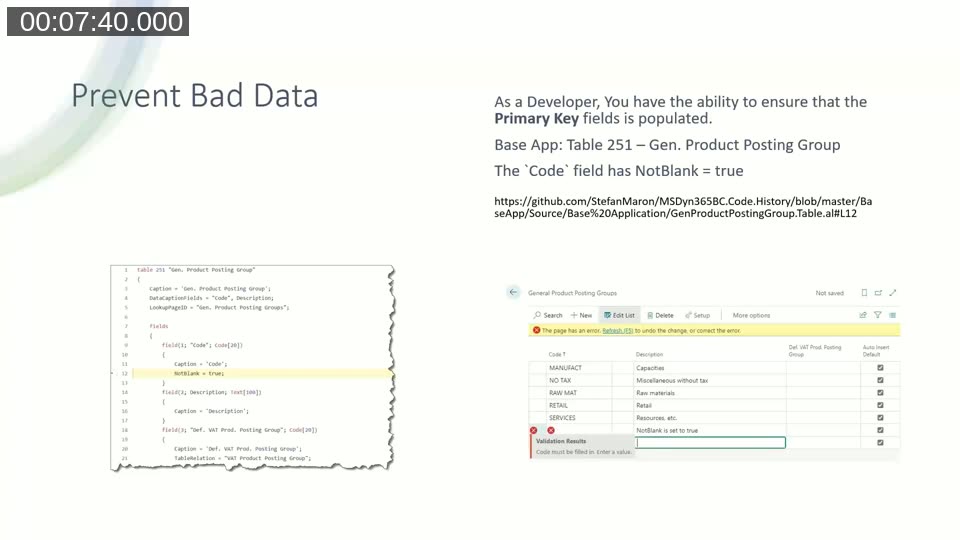
The first line of defense is the NotBlank property on a table field. Henrik notes a detail that’s easy to miss: setting NotBlank = true on a non-primary-key field doesn’t stop a record from being inserted without a value — it only stops the value from being cleared afterward. It’s still a useful signal to the user, but it isn’t the same guarantee as a primary key constraint.
Indicate Mandatory Fields with ShowMandatory
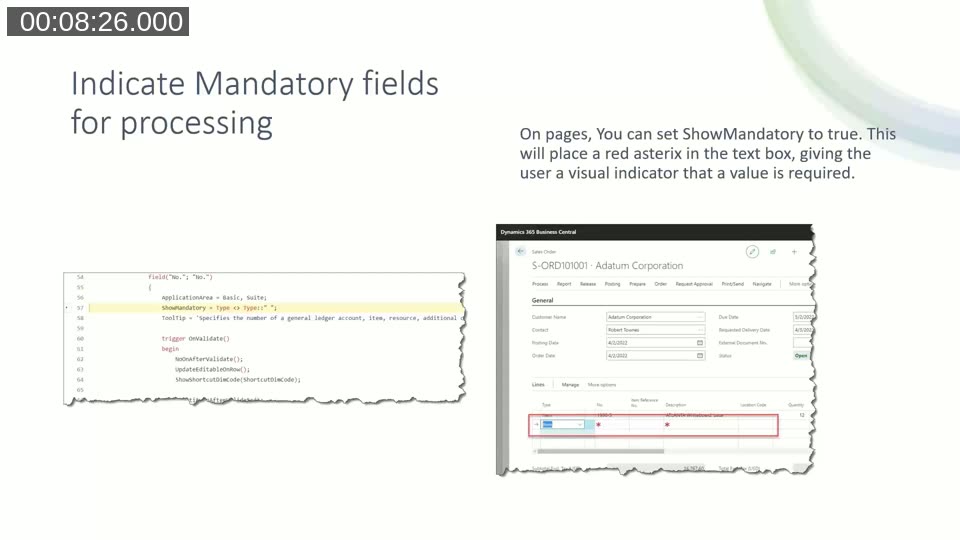
On pages, the ShowMandatory property places a red asterisk next to a field to visually tell the user a value is expected before they can proceed. Henrik is clear that this property is cosmetic on its own — it doesn’t validate anything. If a field is marked ShowMandatory but nothing checks it on validation or on release, the user can still leave it empty. The visual cue has to be backed up with actual error handling.
📖 Docs: ShowMandatory property — official reference, including the note that it works independently of the NotBlank table property.
Use Ellipsis to Signal What Happens Next
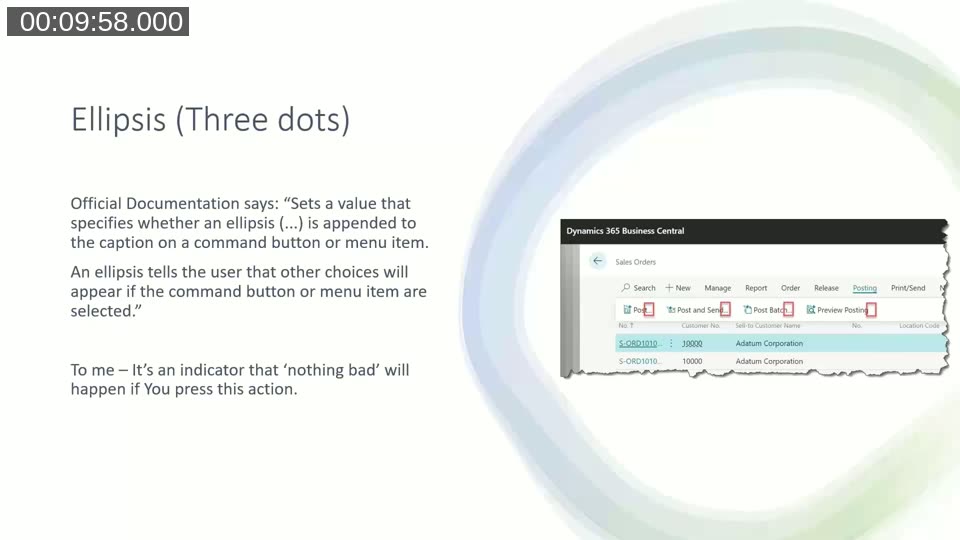
The Ellipsis property appends “…” to an action’s caption. Henrik’s rule of thumb for explaining it to users: if you see three dots, nothing irreversible happens when you click it — a request page or dialog will appear first, and you can still back out. Without the ellipsis, the action runs immediately. On the Sales Order page, Post…, Post and Send…, and Preview Posting… all carry the ellipsis, while plain Post just posts.
📖 Docs: Ellipsis property — confirms the official meaning: “other choices will appear if the command button or menu item are selected.”
Enabled vs. Visible: Controlling Fields Dynamically
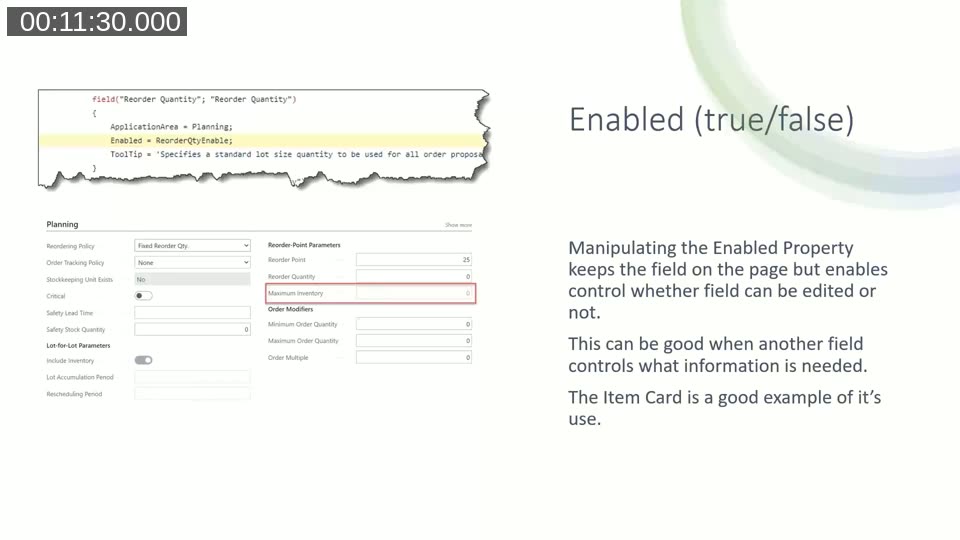
Henrik distinguishes two properties that are often reached for interchangeably. Enabled greys out a field but keeps it on the page — useful when a field is effectively a parameter of another field, such as the reordering fields on the Item Card, where the relevant inputs change depending on the selected Reordering Policy.
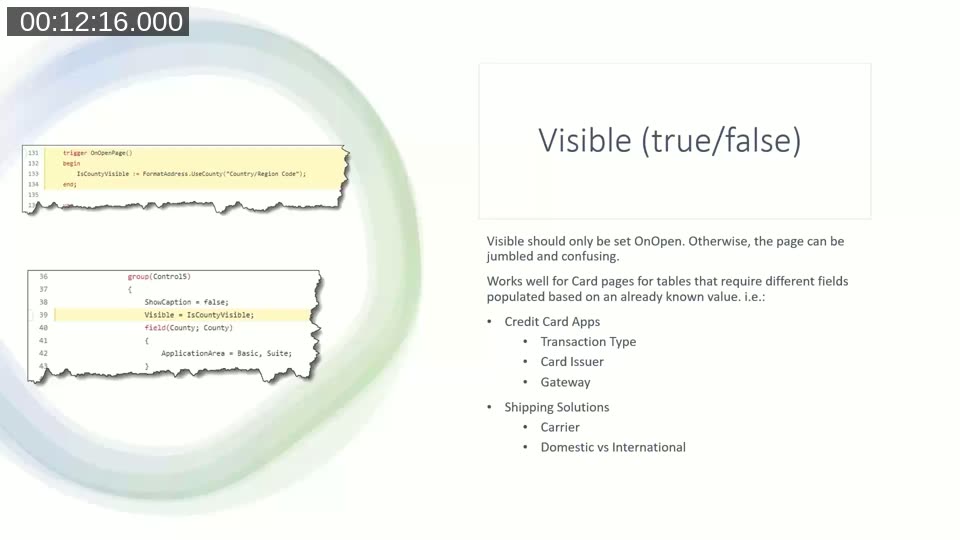
Visible, by contrast, removes the field from the layout entirely. Henrik’s guidance is to only toggle Visible from OnOpenPage, not dynamically while the user is working — changing it on the fly makes fields jump around and confuses the user. Visible works well on card pages where the relevant fields are already known up front, such as showing different fields based on transaction type, card issuer, or gateway on a credit card integration, or carrier and domestic-vs-international fields on a shipping integration. It lets you maintain one page instead of five to ten near-duplicate pages.
📖 Docs: Enabled property and Visible property — official property references.
Show the User Something Is Happening
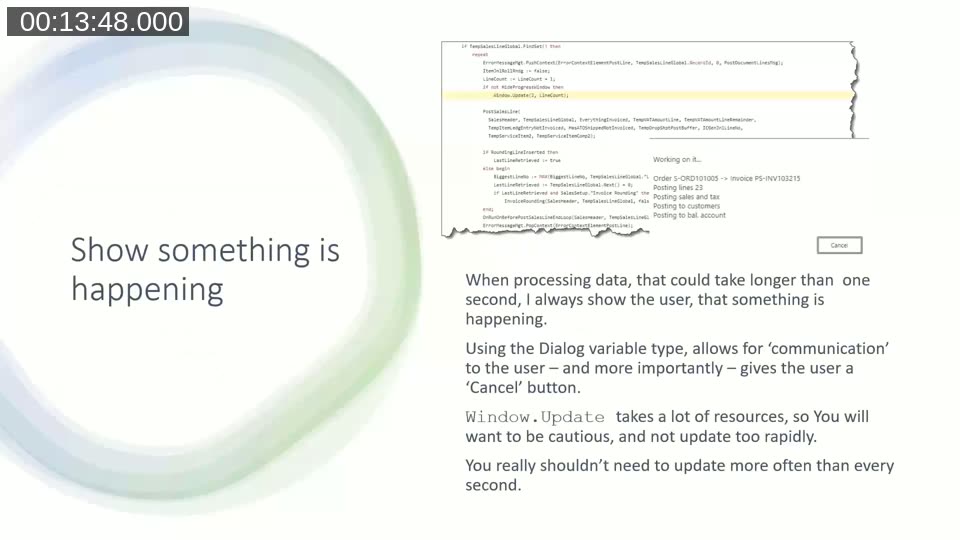
Henrik’s rule: if a process might take longer than a second, tell the user something is happening. The built-in tool for this is a Dialog variable, which lets the process communicate progress and — importantly — gives the user a Cancel button. He cautions that Window.Update has real overhead, so it shouldn’t be called on every iteration of a loop; updating once a second is enough.
Left unhandled, the user only ever sees Business Central’s generic “Working on it…” message, with no detail and no way to cancel.

With a Dialog variable in place, the same long-running process can show what record is being processed, how many lines have been handled, and offer a way out.
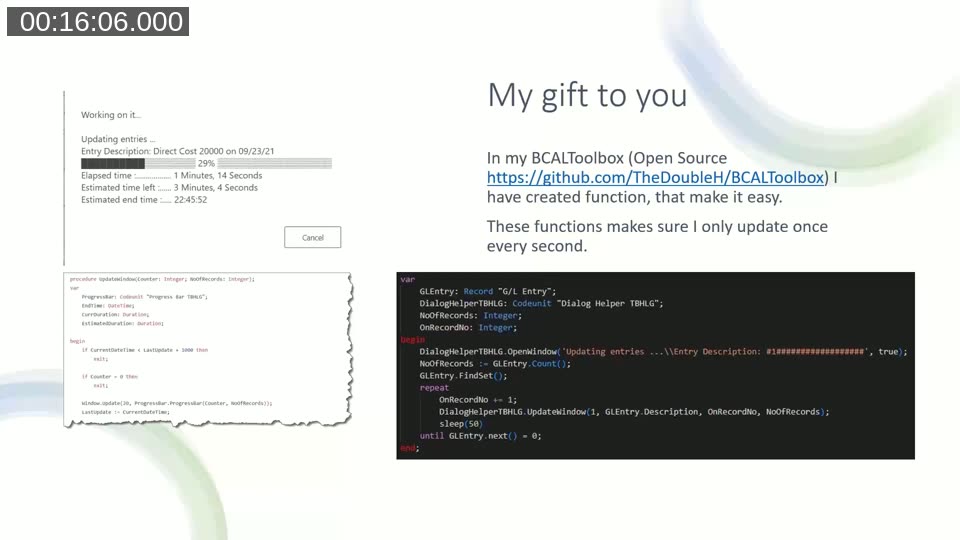
Henrik shares a ready-made helper for this from his open-source BCALToolbox: a Dialog Helper codeunit that reintroduces a proper progress bar, complete with percentage complete, elapsed time, estimated time remaining, and estimated end time — while internally throttling updates to once per second so every process in an app reports progress the same consistent way.
📖 Docs: Dialog.Update() method — reference for the method Henrik warns against calling too frequently.
Follow Standard Nomenclature
Consistency with Business Central’s own vocabulary matters more than developers often give it credit for. Henrik’s examples: it’s “Customer No.,” not “Customer ID”; do not spell out “number,” Abbreviate it as “No.”; avoid substituting words like “client” or “material” for terms Business Central already uses. The same applies to action groups — prefixing every action or action group caption with an arbitrary app identifier makes an extension visibly “stick out,” the way a mismatched car door paint job would. A user, in his view, shouldn’t be able to tell standard functionality and an app apart just by looking at the menu.
📖 Community resource: AL Guidelines — Microsoft-endorsed, community-maintained best practices and design patterns for AL development, referenced by Henrik as the place these conventions are being written down collectively.
Collect and Present Issues Upon Release
Henrik flags a pattern he considers unfortunate in the base app: a user can add lines to a sales order, release it without issue, and only discover missing setup or other problems when they try to post — one error at a time, forcing repeated fix-and-retry cycles that frustrate users into giving up. His preferred approach is the Error Message Management codeunit: walk the header and lines during release, check every field flagged ShowMandatory plus any blocked or otherwise invalid records, and collect every issue found instead of stopping at the first one. Where the error message table supports it, each collected issue can carry a direct link to the record that caused it — the customer, the shipping agent, or whatever else needs fixing.
📖 Docs: AL error handling — covers the ErrorMessageMgt codeunit and collected-errors pattern referenced in this section.
A Quick Tip: Page Management for Drill-Downs
During the Q&A, Henrik added one technique he’d left off his slides: using the PageManagement codeunit for drill-downs from FactBoxes. When a count of related records (blocked items, open shipments, etc.) is clicked, he filters the related table, counts the matches, and if there’s exactly one, opens straight to its card page instead of a list. If there’s more than one, or zero, it opens the list page as usual. In his experience, when there’s only one related record, users almost always want the card anyway.
Q&A Highlights
- Prefixing action groups: Asked whether prefixing action group names avoids future naming collisions with Microsoft, Henrik agreed developers should use a prefix or suffix internally in AL, but the caption shown to the user should not carry that prefix.
- BC20 document and journal checks: An attendee noted that newer “check documents and journals” functionality in BC20 addresses part of the release-validation problem Henrik described; he acknowledged he hadn’t yet had a chance to evaluate it in depth.
- Manuals vs. intuitive design: Asked if he’s involved in writing user manuals, Henrik said no — his view is that if a flow needs a manual to be usable, the design itself has a flaw, drawing a comparison to still needing to explain how to open the door on his Tesla Model 3 years after buying it.
- Teaching tips and tooltips: He acknowledged he left teaching tips off his slides because he hasn’t used them yet himself, though he agreed with an attendee’s comment that tooltips get good feedback from customers.
- Telemetry on error messages: Another area Henrik flagged as worth exploring but hadn’t used yet — noting that his own error handling still leans on
TestField, which can be “a little rudimentary” since it only reports that a field must be populated, not why.
Resources Mentioned
- BCALToolbox — Henrik’s open-source toolbox, including the Dialog Helper and progress bar codeunit shown in the webinar, plus an Excel importer.
- AL Guidelines — community best practices and design patterns for AL development.
- TheDoubleH.dev — Henrik’s blog, where he’s writing up several of these topics in more detail.
- MSDyn365BC.Code.History — the base-app source history repository Henrik used to pull the code screenshots shown throughout the session.
This post was drafted with AI assistance based on the webinar transcript and video content.