
Business Central is a secure platform, but connecting it to external endpoints with higher security requirements is a different challenge than reaching a typical REST API. In this webinar, Tine Starič (software developer at Compunel, presenting from Vilnius, Lithuania) walks through the authentication techniques he had to learn while integrating Business Central with a bank. Luc van Vugt moderates the session.
You’ll learn how to authenticate against Azure Active Directory (Entra ID) and third-party identity providers using OAuth 2.0, how to sign HTTP message content with security certificates, how to restrict access to Azure resources using service tags for IP whitelisting, and when to use Key Vault instead of Isolated Storage for secrets.
OAuth 2.0 fundamentals
Starič opens with a comparison between old-style basic authentication and OAuth 2.0. With basic authentication, a username and password are sent with every request — if a message is intercepted, the credentials are compromised indefinitely. OAuth 2.0 replaces this with short-lived tokens: if a token is intercepted, it is only valid for a few minutes before it expires.
Two token flows are covered:
- Service-to-service (client credentials) flow — no user interaction required. A client ID and client secret are sent to the authorization server, which responds with a token.
- Authorization code flow — used when a user has to sign in first. This flow has three steps: the user is sent to the authorization server to log in, the authorization server redirects back with an auth code, and that auth code is exchanged for an access token.
Every OAuth 2.0 implementation needs the same set of building blocks: client ID and client secret (from the app registration), an authority URL (where the user authenticates), a redirect URL (where Business Central listens for the auth code), a token URL (where the code is exchanged for a token), scopes (the permissions being requested), and a state value (a random code used to guard against tampering between the initial request and the redirect).
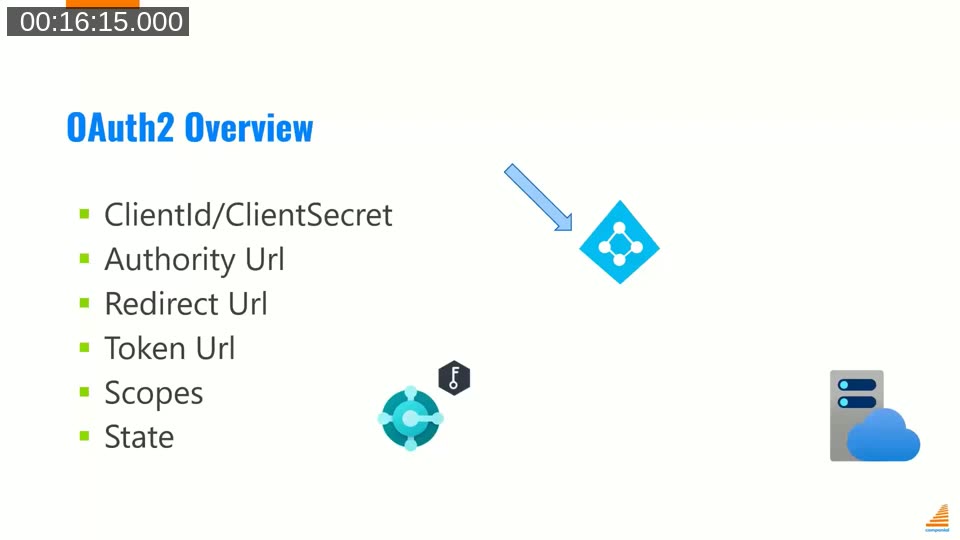
📖 Docs: Codeunit OAuth2 reference — the system module Starič refers to throughout the AAD demo, including AcquireTokenByAuthorizationCode and its client-credentials counterparts.
OAuth 2.0 with Azure Active Directory
Using a custom Endpoint Tester page built for the demo, Starič shows a request to an AAD-secured endpoint failing with a 401 Unauthorized when no token is supplied, then succeeding once a token getter is selected.
For the service-to-service flow, the code is a straightforward POST to https://login.microsoftonline.com/{tenant-id}/oauth2/token with grant_type=client_credentials, the client ID, and the client secret in the request body:
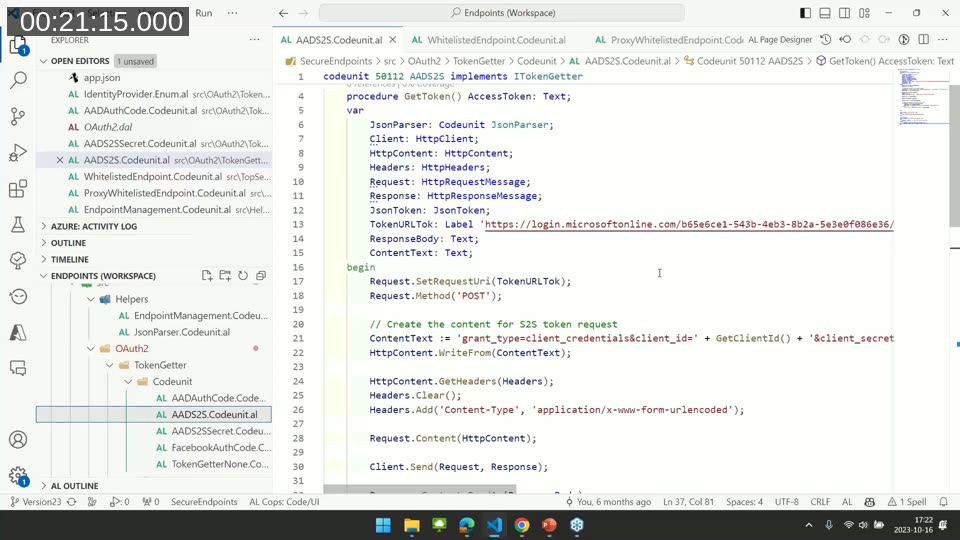
He notes that the client ID is public information and can safely be hardcoded, but the client secret must never be stored in source code or in a table — it belongs in Isolated Storage or a Key Vault.
For the authorization code flow against Azure Active Directory, Business Central’s system application already provides everything needed in codeunit OAuth2. Calling AcquireTokenByAuthorizationCode with the client ID, client secret, authority URL, redirect URL, scopes, and a prompt-interaction option handles the popup, the login, the auth code exchange, and the token retrieval automatically:
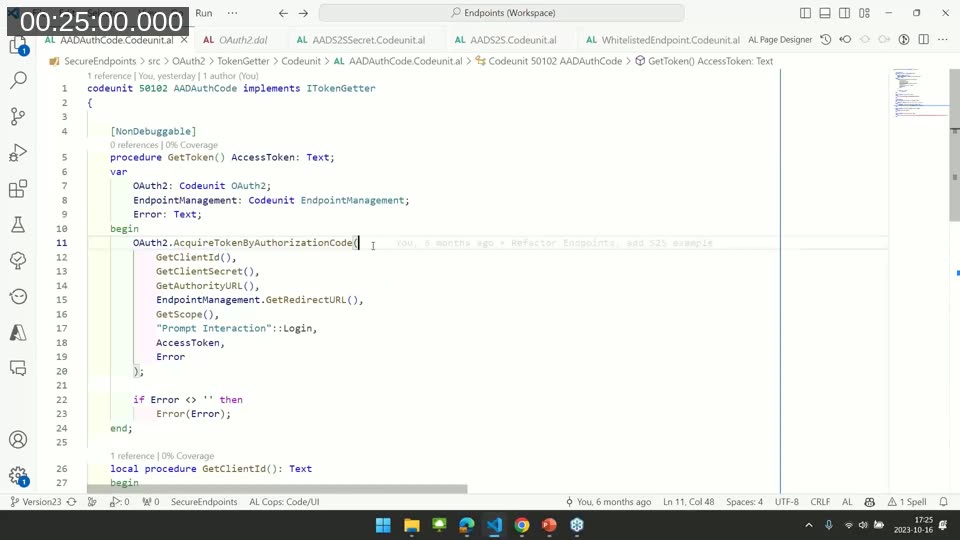
One detail worth remembering: on Business Central Online, the redirect URL is always https://businesscentral.dynamics.com/OAuthLanding.htm. On-premises, it has to be built from the current web client’s base URL plus /OAuthLanding.htm.
OAuth 2.0 with a third-party identity provider
When the endpoint sits behind a provider other than Azure Active Directory, Business Central’s system module can no longer do the heavy lifting. Starič demonstrates this against Facebook’s developer platform, chosen because it was straightforward to set up for the demo.
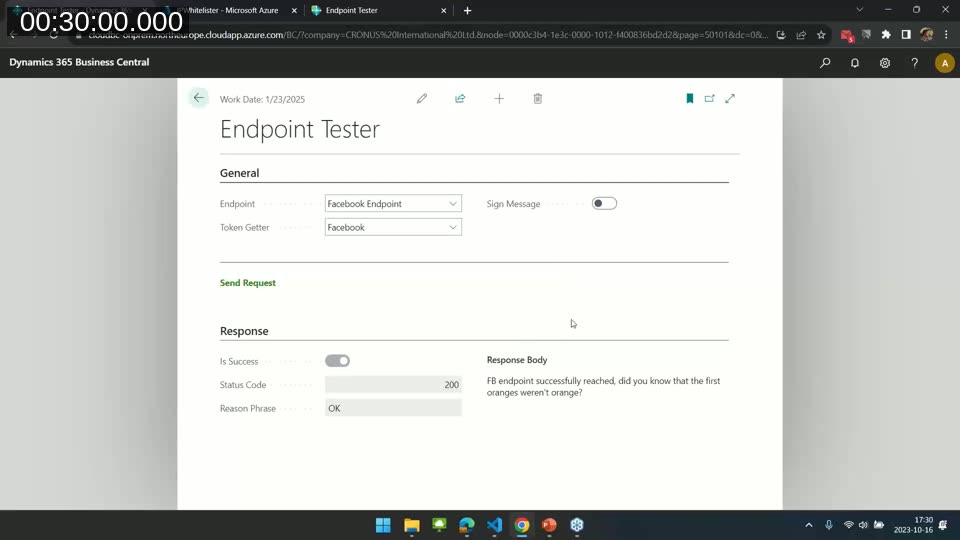
The same three-step flow has to be built manually: construct the authorization URL, open a popup that sends the user to sign in and listens for the redirect, and exchange the returned auth code for a token. To avoid writing custom JavaScript for the popup, Starič reuses the OAuth2 Control Add-in page (page 502) that Microsoft ships for its own AAD flow — with one workaround. On Business Central Online, the procedures on that page that get and set its global variables are marked Scope('OnPrem'), so a copy of the page (without that scope restriction) is needed to make it usable in SaaS:
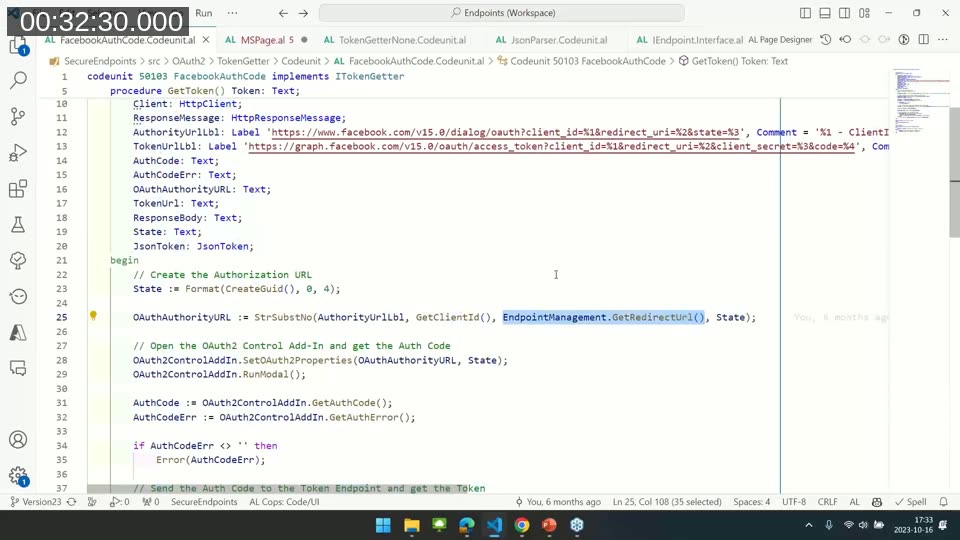
During the Q&A, Starič mentioned he raised this with Microsoft as a GitHub issue but hasn’t seen movement on it; maintaining a local copy of the page has not caused any problems in practice since the underlying JavaScript add-in stays the same.
Message signing with security certificates
Some endpoints require more than a valid token — they also want proof that the message content wasn’t altered in transit. This is where security certificates come in. The sender hashes the message body (for example with SHA-256), encrypts that hash with the certificate’s private key to produce a signature, and attaches the signature as a header. The receiver decrypts the signature with the certificate’s public key, recomputes the hash of the received body, and compares the two. A mismatch means the content was tampered with.
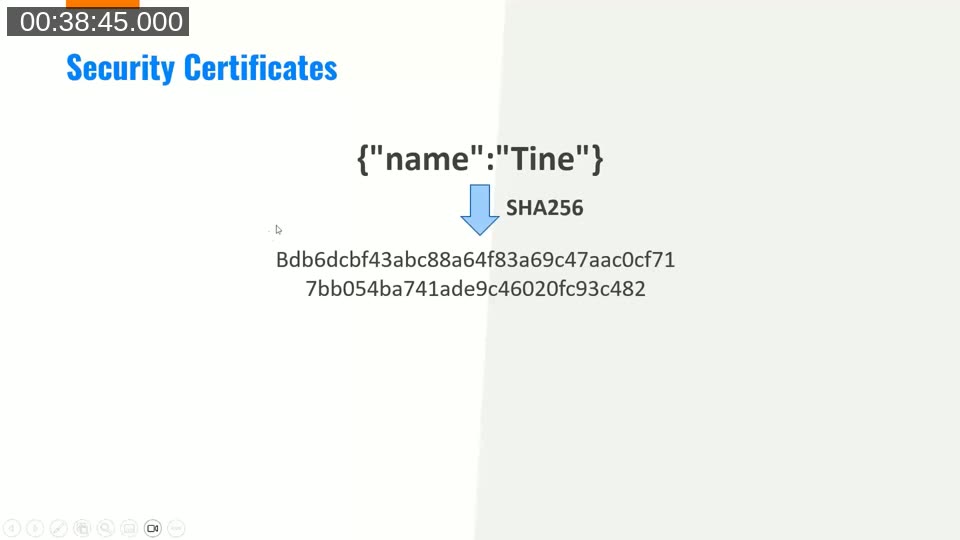
Starič notes this pattern is also common for securing FTP integrations: signing the file lets the receiving process detect whether the file was swapped or altered before it gets picked up.
In AL, signing is done with the Cryptography Management and Signature Key codeunits from the system application. The private key is extracted from a certificate stored in Key Vault (unlocked, so no password needs to be passed in code), and SignData is called with the content, the signature key, and the hash algorithm — which has to match whatever algorithm the receiving endpoint expects:
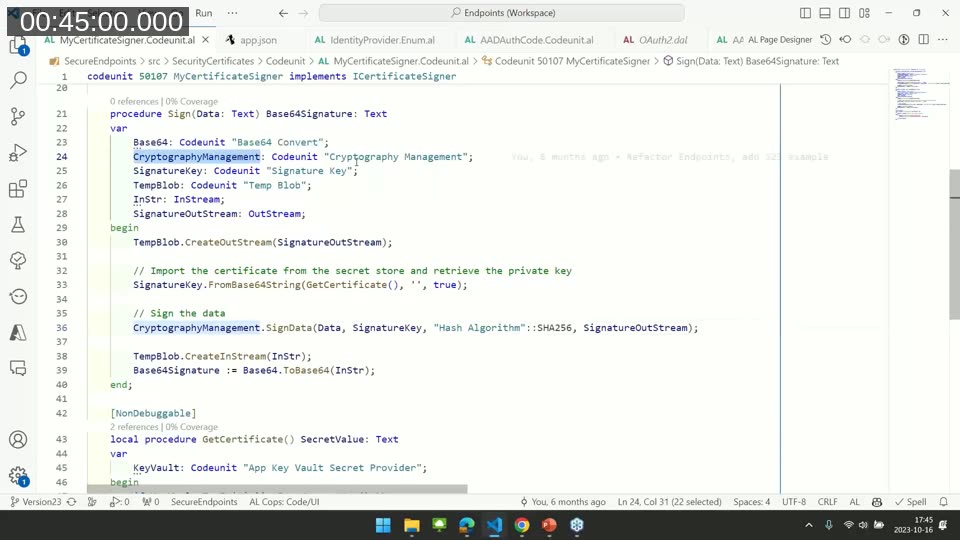
📖 Docs: Codeunit “Signature Key” — represents the key of an asymmetric algorithm and is used together with Cryptography Management’s SignData to produce a signature from a certificate’s private key.
As with client secrets, certificates containing a private key must be kept safe — Starič stores his in Key Vault. Certificates that only contain a public key can be shared freely.
IP whitelisting for Business Central Online
IP whitelisting itself isn’t new, but Business Central Online complicates it: instead of one on-premises server with a fixed IP, requests can originate from more than 40 different Microsoft-managed IP addresses that change over time. The common workaround is to route requests through a proxy, such as an Azure Function, that has a static IP the resource server can whitelist. That introduces a new problem, though — anyone who finds the proxy’s URL can also reach the resource server through it.
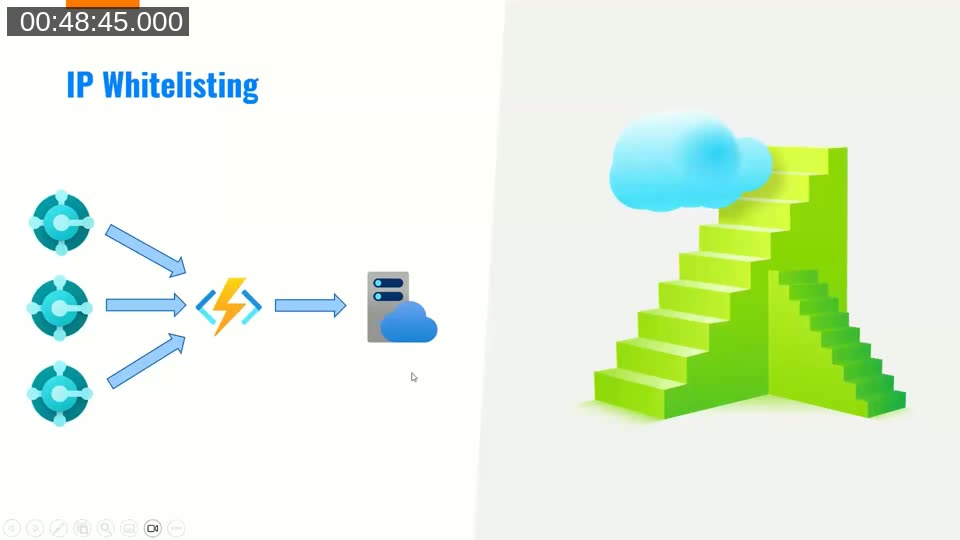
The fix, available since a Business Central release about six months before this webinar, is Azure service tags. A service tag is a Microsoft-maintained, friendly name for the full list of IP addresses that Business Central Online can send requests from. By restricting the Azure resource’s networking rules to the Dynamics365BusinessCentral service tag, only Business Central Online servers — not other on-premises servers or external apps — can reach the proxy:
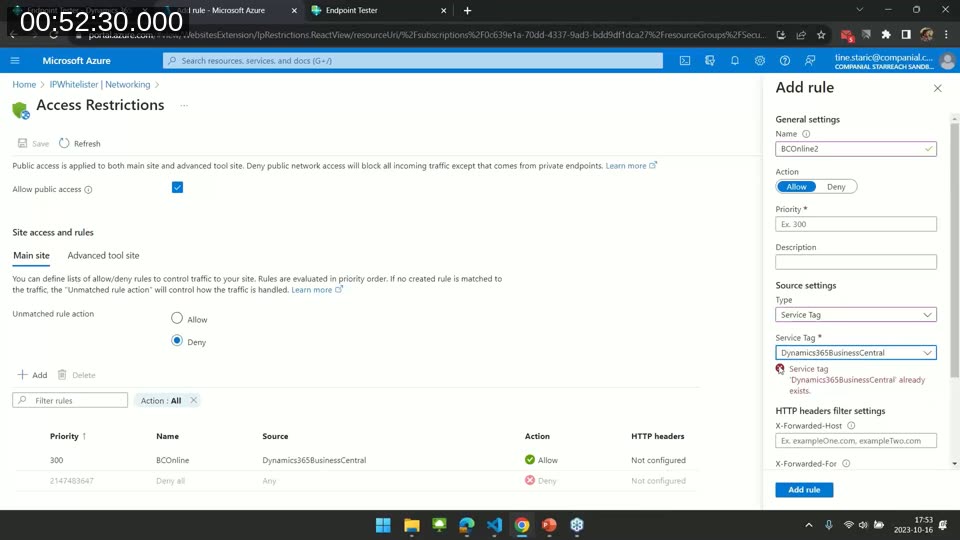
📖 Docs: Use Azure security service tags — covers the Dynamics365BusinessCentral service tag, its scope, and its limitations (it applies to all BC environments; there’s no per-environment or per-region filtering).
Key Vault vs. Isolated Storage
Starič closes with a brief comparison. The rule that matters most: never store secrets in source code or in tables. Beyond that, the choice between Isolated Storage and Key Vault comes down to how the secret is shared:
- If each customer has their own distinct secret, Isolated Storage is enough.
- If the same secret (for example, an API key to a shared Azure Function) is used across multiple Business Central customers, Key Vault is preferable — updating the secret in one place doesn’t require touching every customer’s environment.
One important limitation: on SaaS, Key Vault is only supported for AppSource apps, not for per-tenant extensions — something to plan around if you’re only developing for a SaaS sandbox.
📖 Docs: Azure Key Vaults with Business Central and Isolated Storage — the two official references for storing secrets in AL extensions, including the AppSource-only restriction for app key vaults on SaaS.
Code and further reading
All of the code examples shown in the webinar are available on GitHub: tinestaric/BCExamples — SecureEndpoints.
During the Q&A, a viewer asked when to choose certificate signing over client secrets. Starič’s answer: in practice it’s rarely a choice you get to make yourself — it depends on how the API provider decided to secure their endpoint. In his own project with a bank, both were required at once: a token for authentication, plus signed message content and headers so that even an intercepted, validly-tokened message couldn’t be altered without detection.
This post was drafted with AI assistance based on the webinar transcript and video content.