
In this webinar, Jeremy Vyska — Microsoft MVP, Lead Architect at BrightCom Solutions in Sweden, and veteran BC developer with 25 years of experience — walks through what it takes for seasoned C/AL and AL developers to adopt agentic AI tools. Moderated by Luc van Vugt, the session covers why this transition is hard, which mindset shifts are needed, and a practical ladder for building trust with AI agents.
Why This Is Hard for Experienced Developers
Jeremy opens by acknowledging that the rate of change in the Business Central ecosystem right now is faster than anything the community has experienced before. As James Crowther put it at Directions EMEA: “We bring change to our customers, and now change has come for us.”
The core challenge is an identity shift. Developers who built their careers on knowing every line of code, mastering syntax, and debugging through careful reading now face a world where they describe outcomes instead of writing implementations.
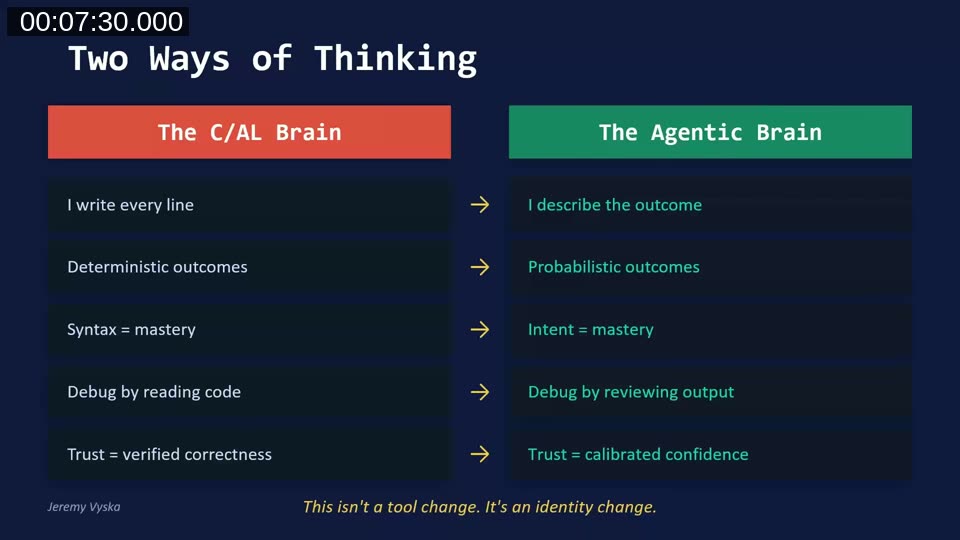
This is not just a tool change — it’s a change in how developers think about their role. In the C/AL era, trust came from deterministic outcomes and knowing every bolt. In the agentic era, trust comes from measurable results and calibrated confidence.
AI Is an Amplifier, Not a Replacement
Jeremy references a controlled study of 151 professional developers (published 2025) that found AI-assisted development was 30% faster initially, and 55% faster for habitual AI users. The key finding: there was zero difference in downstream code maintainability.
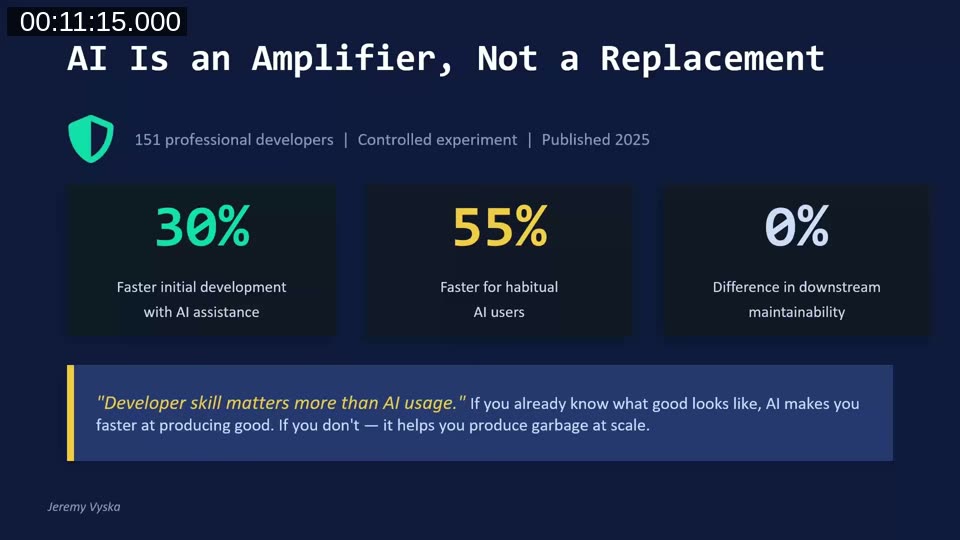
The takeaway: developer skill matters more than whether AI is being used. If you already know what good code looks like, AI helps you produce it faster. If you don’t, it helps you produce problems at scale. For experienced BC developers, that existing expertise is the advantage.
Every Line of Code Is a Line of Liability
In the old C/AL certification exam, you would lose points not for bugs or wrong logic, but for code duplication — for not reusing existing utility functions. Navision Financial proudly maintained only 200,000 lines of code across the entire product.
Now, agents can produce 200,000 lines of changed code in a single month. Jeremy shares that his own February output was nearly that amount. Traditional line-by-line code review is no longer practical at that volume.
Testing Is Your Trust Layer
With agents producing code at this velocity, the test suite becomes the critical safety net. Tests are no longer just quality assurance — they are now the performance review for the agent’s code.
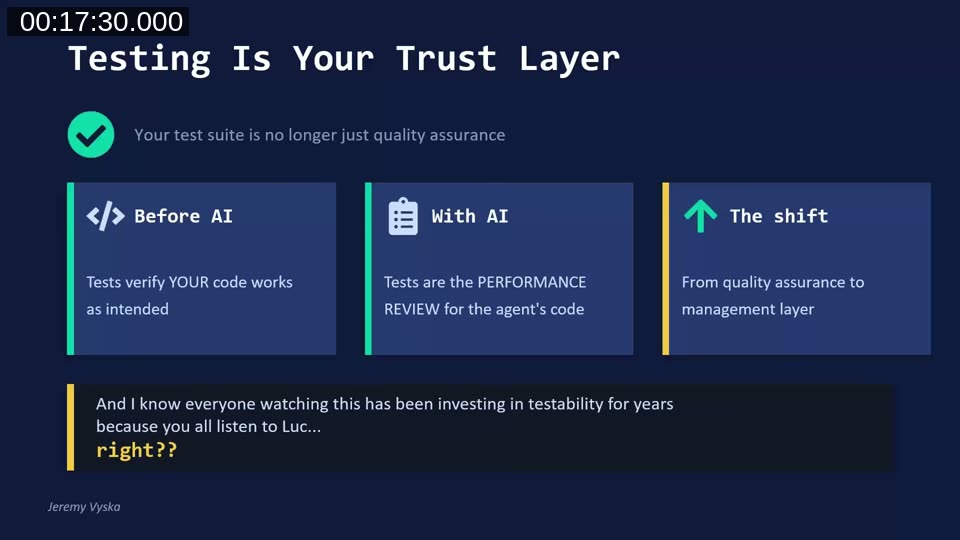
Jeremy describes his workflow: design the outcomes and safety rules first, build the test framework, expand the test surface area with the agent’s help, and then tell the agent to implement the feature — with the instruction that it cannot report back as “done” until all tests pass.
One important caution: agents sometimes “fix” failing tests by modifying the test to match the code. If you carefully architected your tests, the agent should not be allowed to modify them.
The Five Mindset Shifts
Jeremy outlines five shifts that experienced developers need to make:
1. “I Write Every Line” → “I Describe the Outcome”
The value is no longer in writing the code — it’s in knowing what to ask for and recognizing when the answer is wrong. Jeremy’s team invested most of their effort in expanding requirements and mapping desired outcomes, because every bit of detail improves the agent’s output.
2. Deterministic Outcomes → Probabilistic Outcomes
With IF Customer.GET('10000') THEN, you know exactly what happens. With an agent, you get the most likely correct answer — usually. You are trading certainty for velocity, which is why testing is essential.
3. Syntax Mastery → Intent Mastery
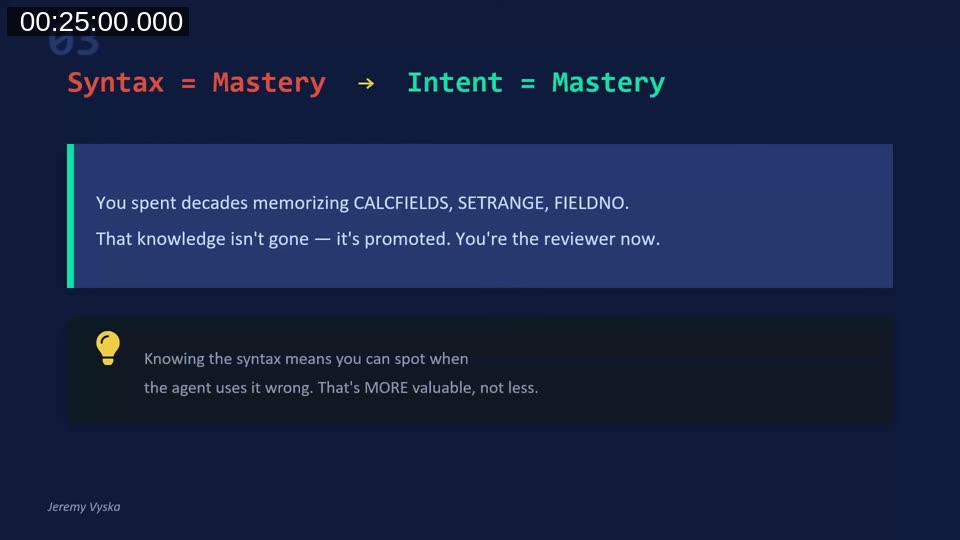
Decades of experience with CALCFIELDS, SETRANGE, and FIELDNO are not wasted — they are promoted. That knowledge now lets you spot when the agent uses patterns incorrectly. Jeremy built the BC Code Intel MCP specifically to help review agent output for performance anti-patterns across large codebases.
4. Debug by Reading Code → Debug by Reviewing Output
Instead of tracing line by line, the question becomes: does the result meet the specification? Does the test pass? Is the architecture sound?
5. Verified Correctness → Calibrated Confidence
You can’t be certain every line is right when you didn’t write or read every line. But through guardrails, tests, review patterns, and design-first processes, you build confidence that the output matches your intent.
Managing a Million Idiot Savants — The Mental Model
Jeremy introduces a mental model for working with AI agents: think of them as an overly caffeinated, fresh-out-of-university intern. Eager and fast, with no judgment. It will do exactly what you say and won’t push back unless you tell it to.
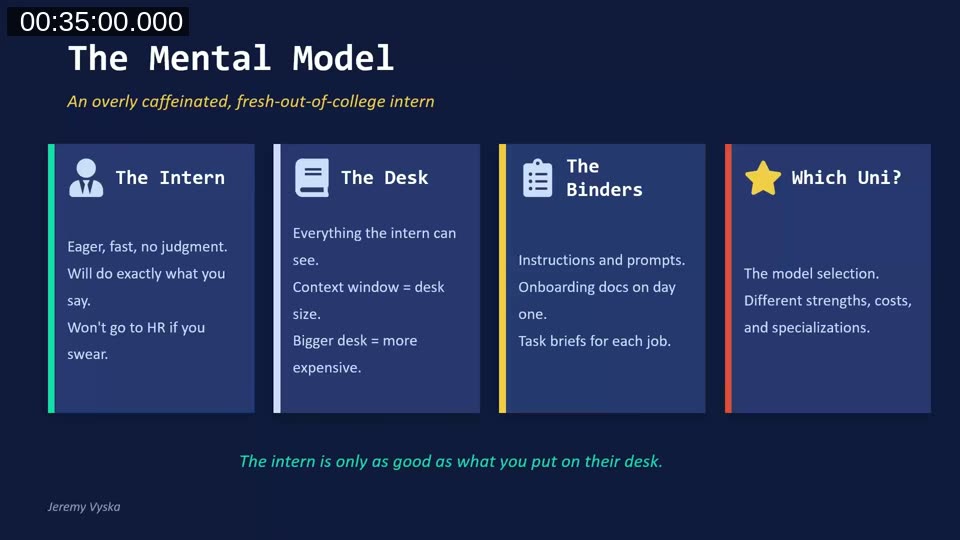
The model has four components:
- The Intern — eager, fast, no judgment. Will do exactly what you say.
- The Desk — the context window. Everything the intern can see. Bigger desk = more expensive model.
- The Binders — instructions, prompts, custom agent definitions. The onboarding docs on day one.
- Which Uni? — the model selection. More expensive models (like Opus 4.6) are the “Ivy League” interns. Cheaper models work for simpler tasks.
The core principle: the intern is only as good as what you put on their desk.
Context Is Everything
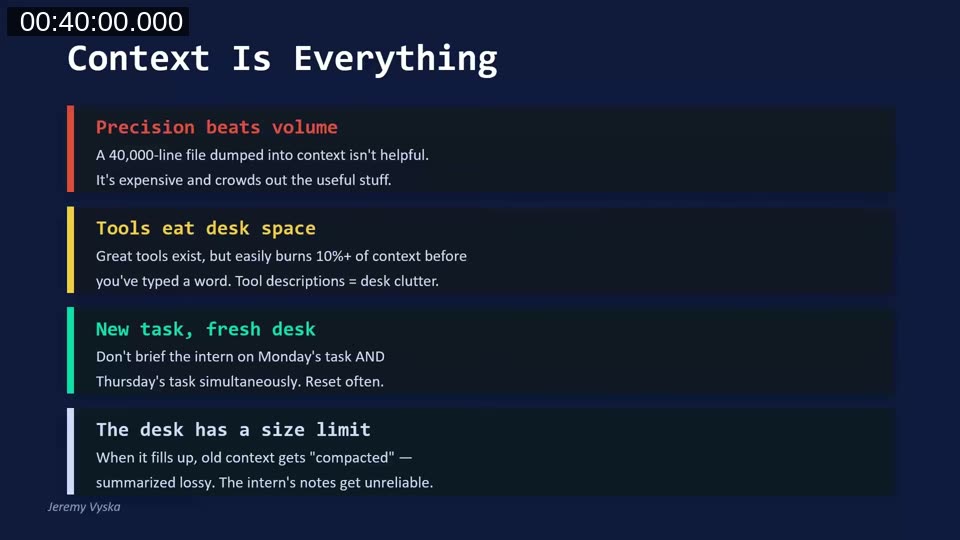
Jeremy shares four rules for managing context effectively:
- Precision beats volume — a 40,000-line specification dumped into context crowds out the useful information. Design documents should be thorough but concise.
- Tools eat desk space — MCP servers, knowledge servers, and other tools all consume context before you type a single word.
- New task, fresh desk — start new sessions often. A new session is a brand new intern with a fresh empty desk.
- The desk has a size limit — when context fills up, the system compacts by summarizing, and critical rules can get lost in that process.
Jeremy illustrates this with two cautionary tales: a Facebook executive whose agent deleted her entire inbox after the “never delete” instruction was lost during context compaction, and a developer whose agent deleted a family photo collection while trying to organize it.
The Master Loop
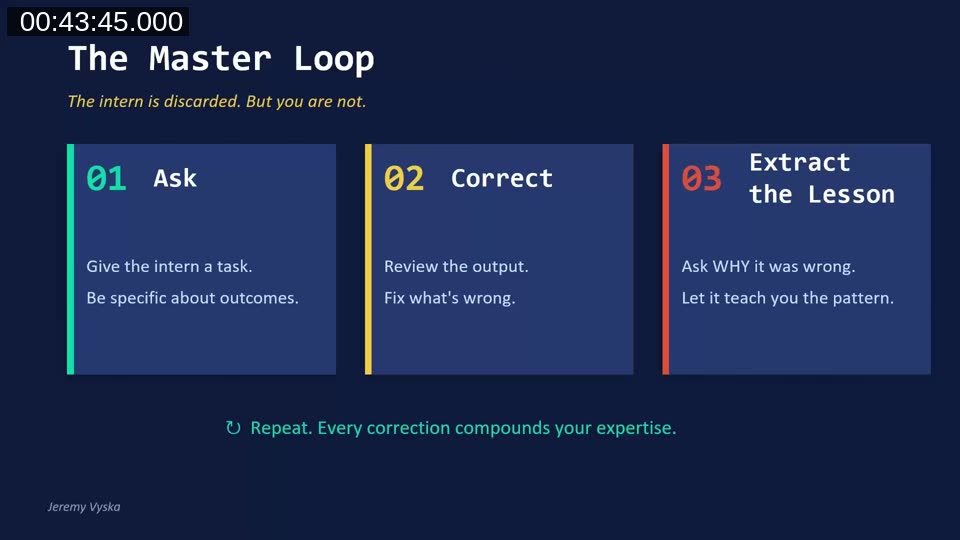
Jeremy’s core workflow with agents follows three steps:
- Ask — give the intern a specific, verifiable task. Not “implement this app” but “build the tables for this app.”
- Correct — review the output, fix what’s wrong.
- Extract the lesson — ask “What could I have done differently so you would have gotten this right?” Let the agent teach you how to prompt it better next time.
This loop is how the BC Code Intel repository got its start — Jeremy was collecting lessons learned from agent interactions, particularly around performance patterns where the agent didn’t understand BC-specific constructs like SetLoadFields or CalcSums.
Why Adoption Fails
Jeremy identifies four common failure modes from his experience teaching teams:
- The urgency trap — everything was due yesterday, so there’s never time to invest in a new tool.
- The compound skill problem — two days on, three weeks off doesn’t build fluency. It just reinforces “this doesn’t work for me.”
- Legacy code friction — agents aren’t 45x faster on messy old codebases, and developers who tried once and didn’t see magic concluded it was pointless.
- The identity threat — 15+ years of craft, and “let the AI do it” can feel like “your expertise doesn’t matter.”
The Trust Ladder — Five Rungs
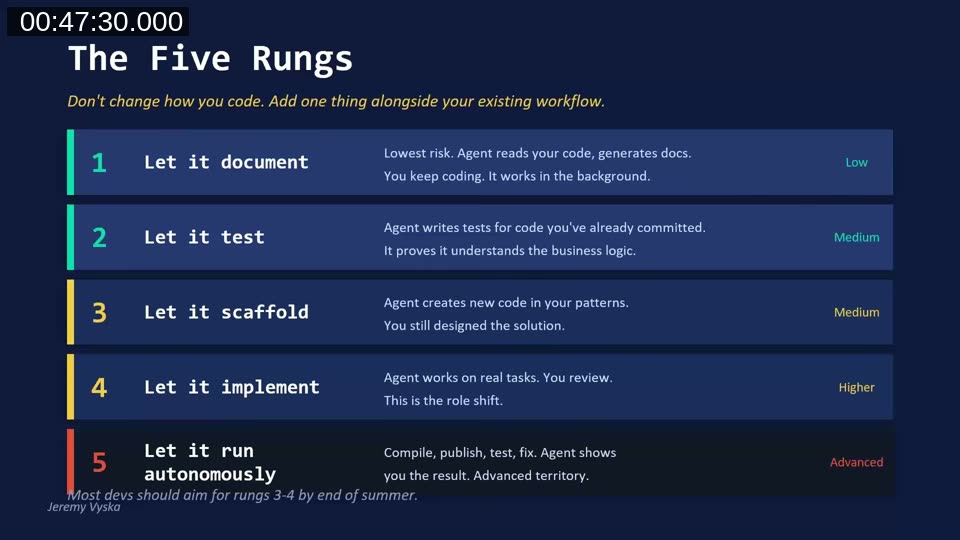
Jeremy proposes a gradual adoption path with five rungs of increasing trust:
- Let it document (Low risk) — agent reads your code and generates docs in the background while you keep coding.
- Let it test (Medium) — agent writes tests for code you’ve already committed, proving it understands the business logic.
- Let it scaffold (Medium) — agent creates new code in your patterns. You still designed the solution.
- Let it implement (Higher) — agent works on real tasks. You review. This is the role shift.
- Let it run autonomously (Advanced) — compile, publish, test, fix. Agent shows you the result.
Jeremy recommends most developers aim for rungs 3–4 by end of summer 2026. The key is consistency over intensity — daily practice for a few minutes beats monthly marathon sessions.
Reframing Common Objections
For developers still on the fence, Jeremy offers reframes for common pushback:
- “Agents don’t help with messy old code” → The gains come from parallelism and quality uplift. Same speed, but now you have tests and docs.
- “It’s faster to just do it myself” → Maybe for one change, but you’re not building toward anything. It’s a compound skill — every reset costs you.
- “I don’t have time to learn this” → You never have time to sharpen the saw. Even at 1:1 speed, you get more output in the same time.
- “I’ll get to it when things calm down” → Things never calm down. The only way out is the tools that break the cycle.
Q&A Highlights
During the Q&A, two questions stood out:
Does XML documentation help AI understand code better than a README? Yes — Jeremy now requires XML summary tags and parameter documentation as part of his verification standards for agent-generated code. READMEs are best used for prerequisites and mermaid diagrams of process flows, while the in-code XML documentation provides the narrow context the agent needs for each object.
Should a junior BC developer focus more on functional knowledge and architecture? Absolutely. In the old certification days, developers weren’t allowed to take the developer exam without completing functional classes first. Understanding that quotes flow to orders, orders flow to invoices, and invoices flow to ledgers is essential. The career path should focus on what techniques and architecture patterns to use rather than how to code a specific pattern — the agent handles that part.
Resources
- AL Guidelines — community-driven AL coding guidelines and best practices
- github.com/JeremyVyska — examples, resources, blog links, and demo projects
- Development study on AI-assisted coding — the research paper Jeremy referenced on developer productivity and maintainability
- “We Are the Art” — Brandon Sanderson’s talk on AI in the creative space, referenced by Jeremy on the importance of personal growth through the process
This post was drafted with AI assistance based on the webinar transcript and video content.