
In November 2019, Martin Oomen presented an Areopa Academy webinar on a practical approach to managing event subscribers in Microsoft Dynamics NAV and Business Central. The session introduced the Discovery Event Pattern as a way to give developers and super users control over which event subscribers are active — per company, without touching the standard product.
The Problem with Event Subscribers
Martin worked on a team building custom software on top of a standard NAV product and a third-party vertical. To avoid modifying the standard code, they used event publishers and subscribers. This worked well until a customer needed different logic for the same event publisher in different companies. A first attempt using separate codeunits broke down when a third company needed a combination of the first two. Copying code was not an option.
Two other problems also surfaced. First, custom event subscribers were firing during data upgrade processes, causing unintended side effects. Second, debugging became harder because it was not always clear whether a bug lived in the standard code or the custom subscriber. All three problems pointed to the same gap: there was no way for a non-developer to control which subscribers were running.
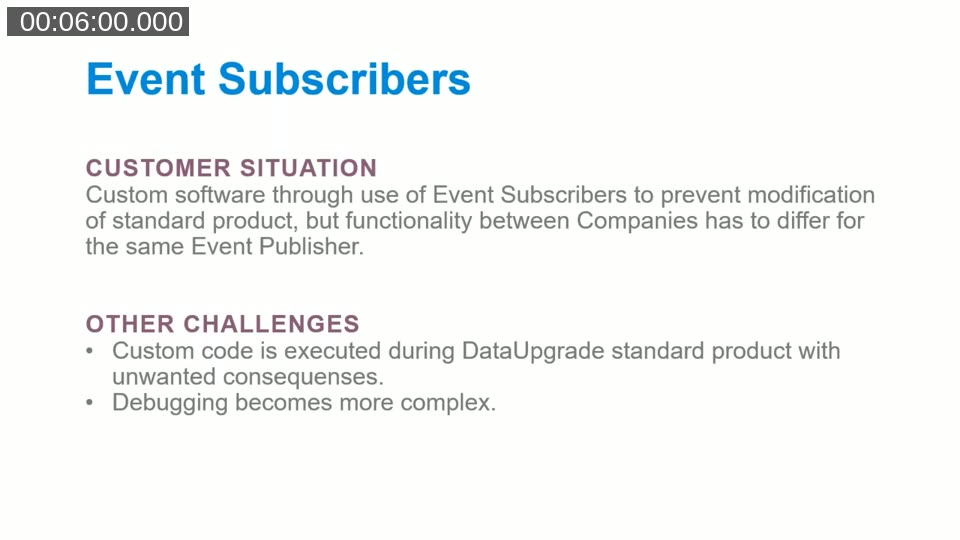
The core challenge: Event subscribers fire automatically. Without a control mechanism, the same subscriber runs in every company and during every process — including data upgrades — whether that is intended or not.
The Discovery Event Pattern
The Discovery Event Pattern is a design pattern documented on the Microsoft Dynamics NAV design patterns wiki. Its central idea inverts the usual setup: instead of a generic piece of functionality reaching out to hook into every module, each module registers itself into the generic app by subscribing to a discovery event. Martin used this pattern as the foundation for a company-level subscriber control mechanism.
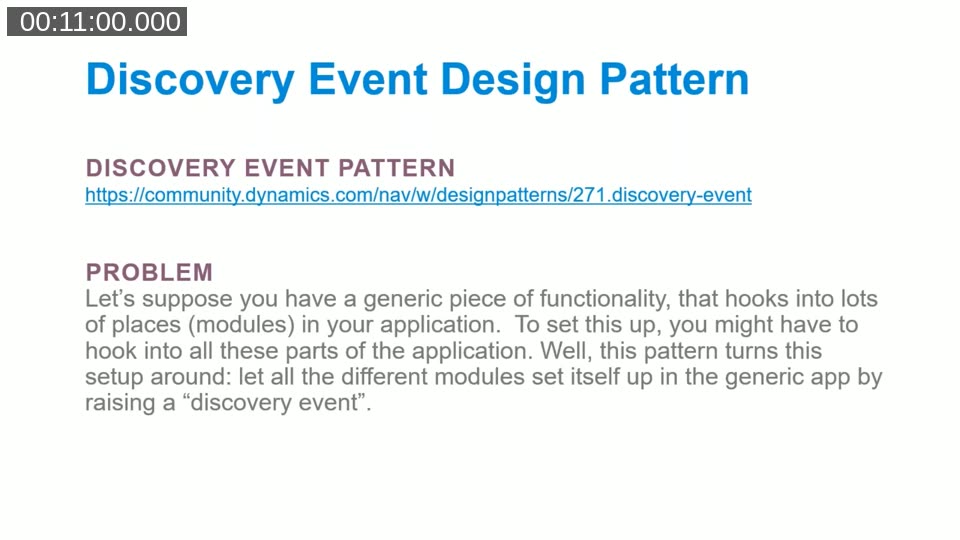
The pattern is described at community.dynamics.com/nav/w/designpatterns/271.discovery-event. Martin acknowledged that the description was not immediately obvious on first read, but that the idea became clear after studying it and discussing it with colleagues.
The Implementation: Three Objects
Martin’s solution consists of exactly three NAV objects. The demo was built in NAV 2018 C/AL, but Martin confirmed the concept translates directly to AL in Business Central.
- Table 70000 – Company Event: stores the registry of managed subscribers, one record per subscriber function.
- Codeunit 70000 – Company Event Mgt.: handles the discovery flow, maintains the registry, and exposes the active check.
- Page 70000 – Company Events: the user interface for activating and deactivating subscribers.
The Table
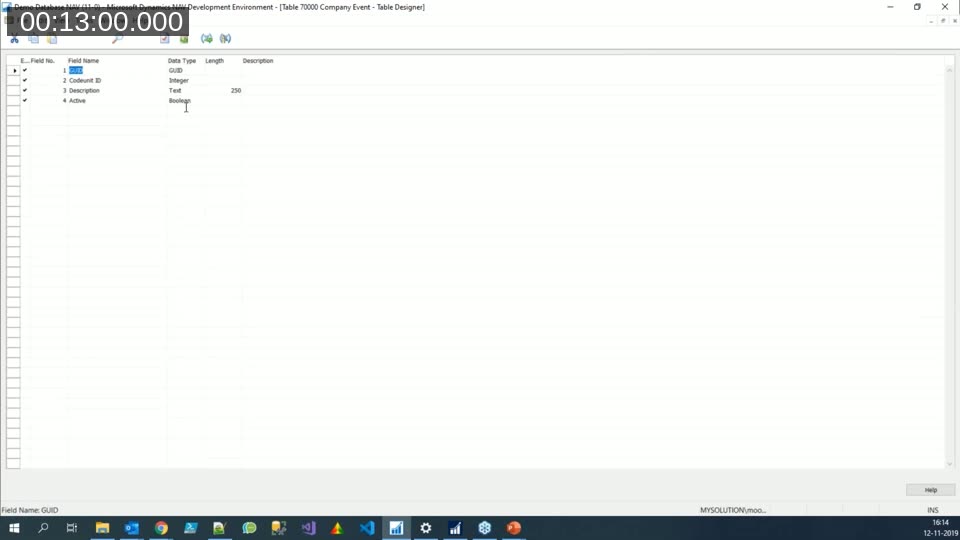
The Company Event table has four fields: a GUID (the primary key), a Codeunit ID integer, a Description text, and an Active boolean. The GUID is generated once per subscriber function and used consistently as a stable key. It is stored as a constant in the subscriber codeunit so it never has to be typed twice.
The Management Codeunit
The management codeunit does the heavy lifting. Its main entry point is HandleCompanyEventDiscoveries, which fires a local integration event called DiscoverCompanyEvents. Any subscriber codeunit that wants to be managed hooks into this event and calls AddEvent on the buffer record, passing its GUID, codeunit ID, and description.
After the discovery event returns, the management codeunit loops through the buffer and upserts records into the Company Event table — inserting new ones, updating existing ones, and deleting any that no longer subscribe. A CompanyEventActive function then exposes a simple boolean check: given a GUID, is the corresponding record present and active?
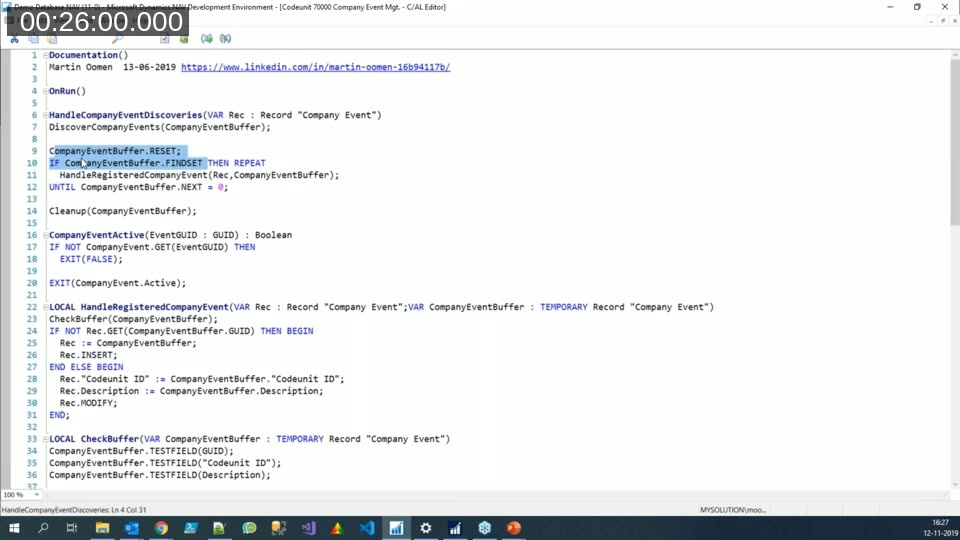
How the cleanup works: After the loop, the codeunit compares what is in the table against what appeared in the buffer. Any real record whose GUID was not seen in the buffer — meaning the subscriber is no longer in the codebase — is deleted. The table stays in sync automatically.
Registering a Subscriber
To make a subscriber controllable, the developer adds one subscriber function to the discovery event in their custom codeunit. That function calls AddEvent on the buffer, passing a GUID constant, the codeunit ID, and a description. The description should be readable by a functional user — it will appear on the Company Events page.
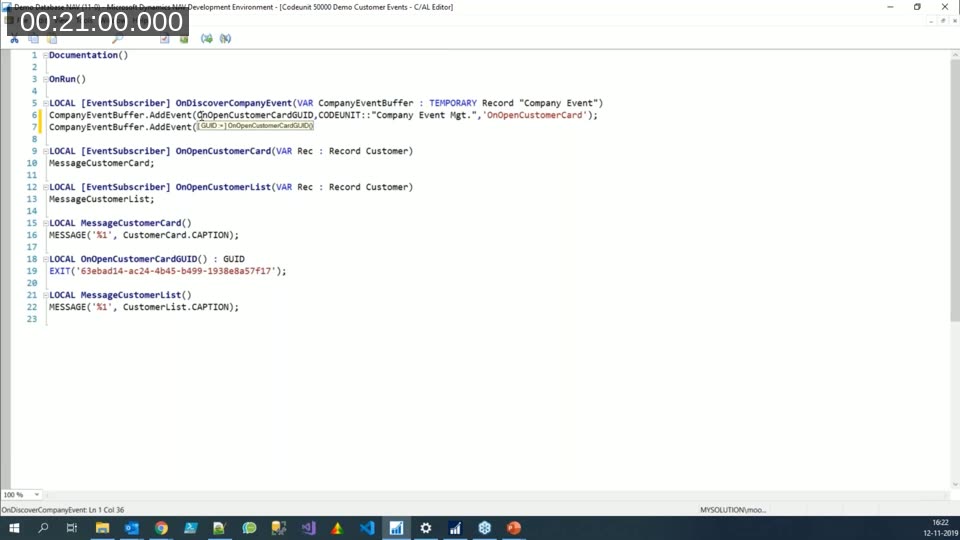
The GUID constants can be generated from any online GUID generator. Martin showed the site at guidgenerator.com during the demo. Using a local function to return the GUID ensures the same value is used wherever the GUID is needed inside the codeunit, removing the risk of typos.
Enforcing the Check
Each subscriber that should be controllable calls a local function at the top of its body that delegates to CompanyEventMgt.CompanyEventActive(GUID). If the function returns false — because the record is missing or the Active field is unchecked — the subscriber exits immediately. The check is a single line and requires no changes to the generic app.
The Result: Per-Company Control
Because the Company Event table is a normal NAV table, its records are per-company. Opening the Company Events page in Company A and Company B gives two independent configurations. The demo showed activating only OnOpenCustomerCard in the first company and only OnOpenCustomerList in the second, and verifying that the correct messages appeared in each.
When a new company is created, the OnAfterInsertCompany subscriber in the management codeunit fires and clears the Company Event table for that company. Opening the Company Events page then triggers the discovery event again, populating the table fresh with all subscribers deactivated by default.
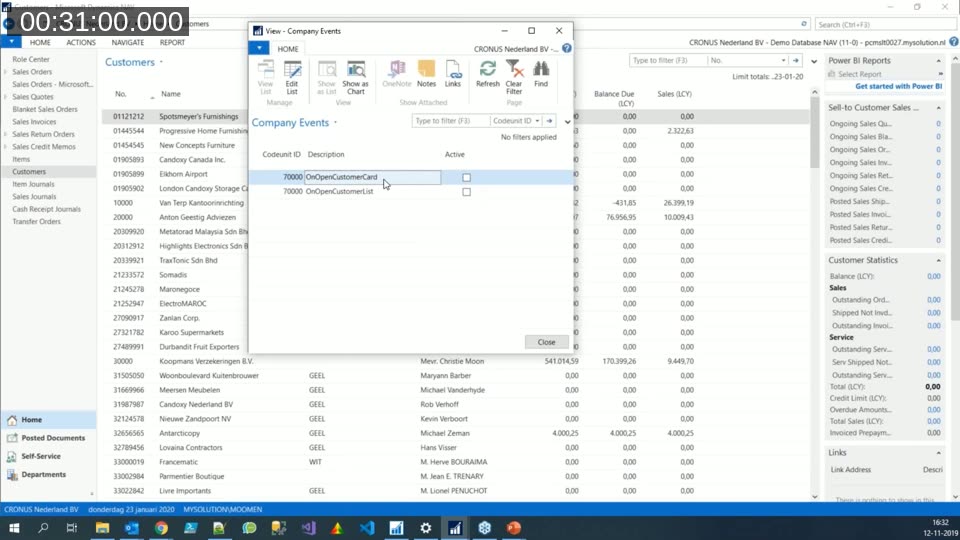
Three problems solved at once: The pattern addresses per-company subscriber behavior, unintended execution during data upgrades, and debugging complexity — all through a simple page that a super user can manage without developer involvement.
Further Applications
Martin closed the session by pointing to other uses of the same mechanism. A single GUID could be shared across multiple subscriber functions so that activating one record controls several behaviours at once. The discovery event could also pass richer metadata through the table — for example, a page ID for a setup wizard, or a report ID to include in a custom report selector. The pattern is intentionally minimal; Martin encouraged attendees to adapt it to their own scenarios.
A question from the audience asked whether dynamic bind and unbind subscription could achieve the same result. Martin noted he had not explored that approach in depth, but suggested the two mechanisms could be combined.
AL compatibility confirmed: Martin had previously converted the three objects to AL and published them as a separate app. The concept works in Business Central with AL objects, using integration events and event subscribers in the same way as the C/AL version.
This post was produced with AI assistance from the Areopa Academy webinar recording. The transcript was processed to extract the key technical content. Code references were verified against the frames captured from the live demo.