
Moving XML-handling code from C/AL to AL is rarely a straightforward find-and-replace. In this webinar, Arend-Jan Kauffmann (Microsoft MVP, Lumos 365) shares what he learned migrating a large XML-heavy solution from .NET XML objects to AL’s native XML data types, working through a live demo rather than slides. Luc van Vugt moderates the session. Kauffmann covers reading XML with .NET versus AL, working with namespaces, and generating XML from AL records, closing with an audience Q&A.
Why This Topic Came Up
Kauffmann’s starting point was a large solution with a lot of XML coding done against .NET objects, all of which had to move to AL to get a fully cloud-enabled solution. Along the way he ran into differences between the AL objects and their .NET counterparts: some obvious, some not, and some cases of outright different behavior. The demo is built around a simple bookstore XML structure — the same sample Microsoft uses in some of its own documentation — with book elements that carry a title, author (sometimes split into first/last name, sometimes just a single name), price, and an ISBN attribute. The code reads that XML into a Book table, first using .NET objects and then using AL’s native XML types.
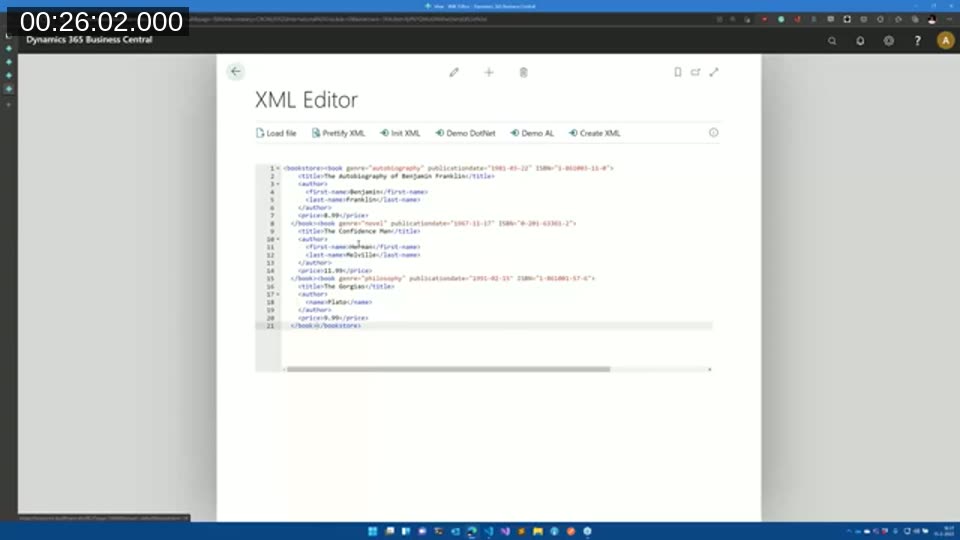
Reading XML: .NET Objects vs. AL Data Types
The .NET version follows a familiar pattern: instantiate a DotNet XmlDocument, call LoadXml, get the DocumentElement, and loop over ChildNodes by index.
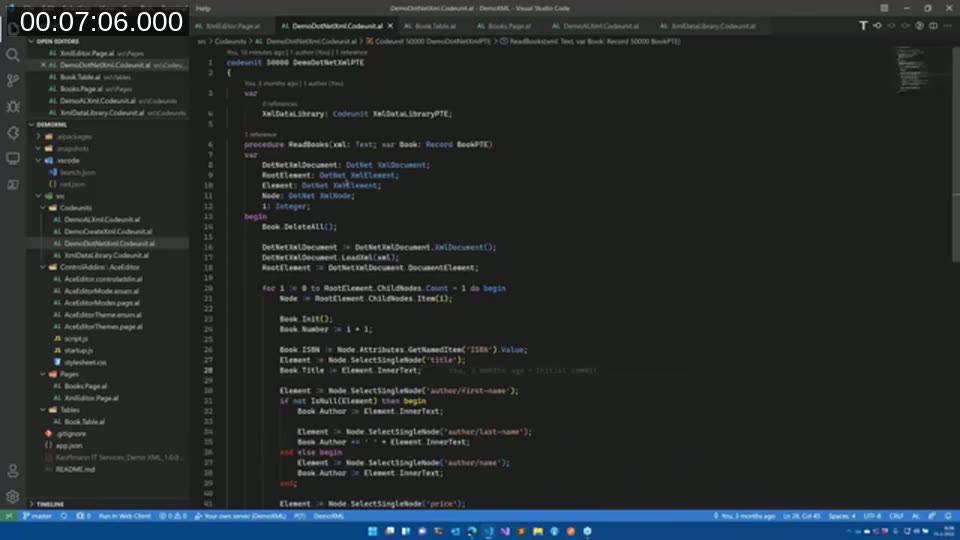
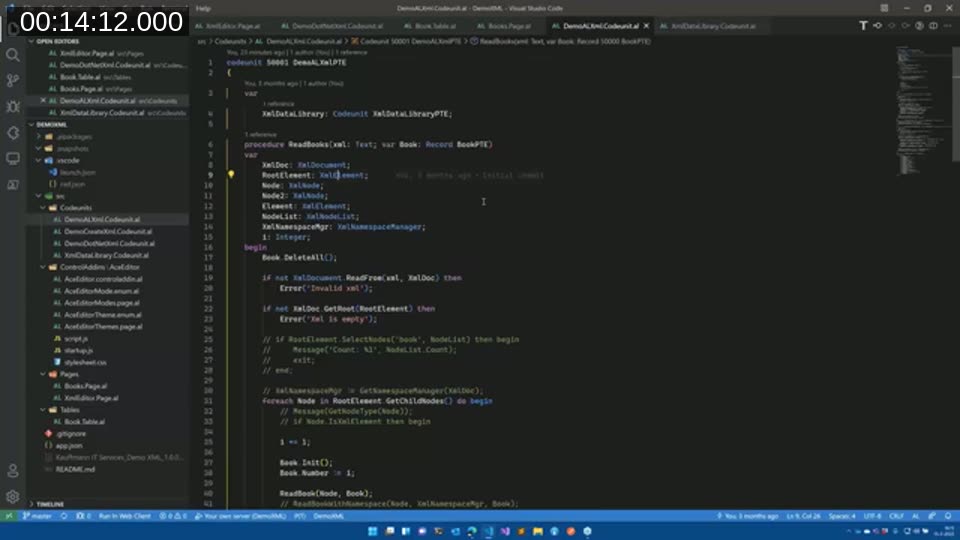
Porting that logic to AL’s native XmlDocument, XmlElement, and XmlNode types surfaces several behavioral differences that Kauffmann walks through one at a time:
- No constructor. AL objects don’t have a constructor the way .NET objects do. Instead of instantiating a document,
XmlDocument.ReadFrom(xml, XmlDoc)is both the type name and, in effect, a static API you call directly. - Never name a variable after its type. If a variable is named
XmlDocument, the compiler can no longer resolve theXmlDocument.ReadFromcall on the type itself. Kauffmann names his variableXmlDocto keep both available. ReadFromreturns a boolean. It doesn’t throw on invalid XML — it returnsfalse, with the parsed document passed back through a second parameter. That makes it easy to validate XML in one call.- The root element comes from
GetRoot, not aDocumentElementproperty, and it also returns a boolean rather than raising an error if the document is empty. XmlNodeListis one-based, not zero-based. .NET’sChildNodescollection starts at 0; AL’s starts at 1, consistent with arrays elsewhere in AL. Kauffmann calls this one of the more painful differences to port, since afor i := 0 to Count - 1loop needs to change everywhere it was translated from C/AL.- Whitespace becomes text nodes.
GetChildNodesin AL treats line breaks and indentation between elements as child nodes of typeXmlText— something .NET’s XML objects don’t surface the same way. Looping without accounting for this throws a “cannot convert XmlText to XmlElement” error; the fix is to checkNode.IsXmlElementbefore processing each node.
📖 Docs: XmlDocument data type — reference forReadFrom,Create, and the other methods shown in the demo.
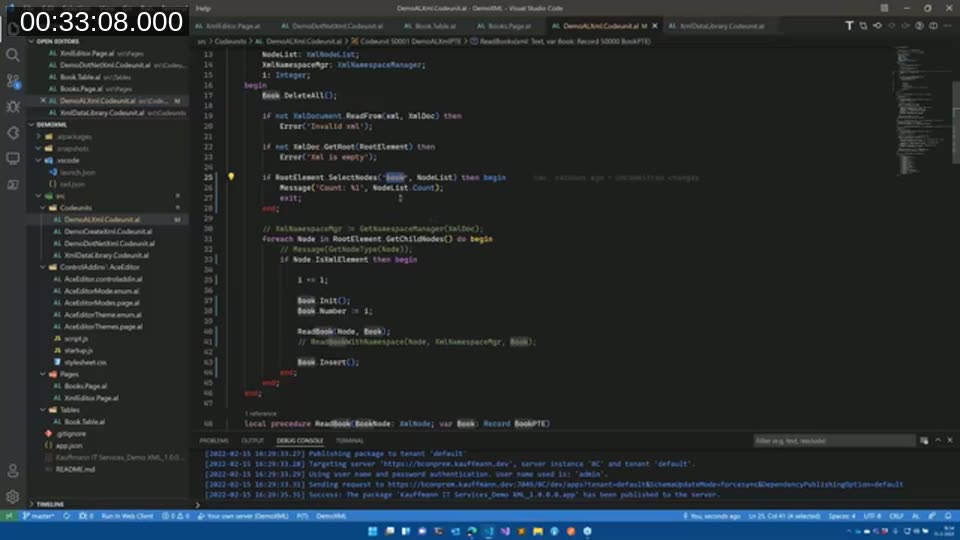
Reading individual values off a node has its own quirks. Attributes().Get() returns a boolean rather than the value directly, and only works on an XmlElement — not on the more general XmlNode type, so a node has to be cast with AsXmlElement() first. SelectSingleNode also returns a boolean and, on a match, an XmlNode that still needs casting to XmlElement before its InnerText is available. SelectNodes behaves differently again: instead of returning false when nothing matches, it returns an empty XmlNodeList with a count of zero. Kauffmann flags this as a common source of bugs — code that checks only the boolean return of SelectNodes and assumes the resulting list has entries will not catch the empty case.
📖 Docs: XmlElement data type — coversAsXmlElement(),Attributes(),InnerText(), and related methods used throughout the reading demo.
Working With Namespaces
Adding a default namespace to the sample XML immediately breaks the earlier SelectSingleNode calls — a query for title no longer matches anything once the document declares a namespace. Kauffmann shows two ways around it: stripping the namespace out isn’t a real option if the namespace needs to stay, so the actual fix is an XmlNamespaceManager.
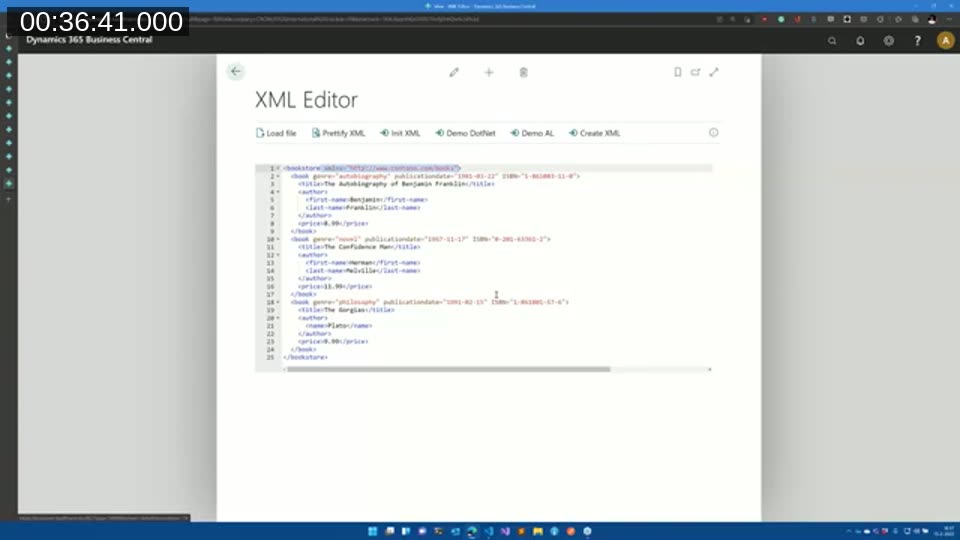
Setting one up takes two pieces: a NameTable (from XmlDocument.NameTable, effectively an index of every node name in the document) and an AddNamespace call that registers a prefix against the namespace URI. The prefix is arbitrary — it does not have to match any prefix used in the source XML itself, since it is only a lookup key inside the namespace manager. Once registered, XPath-style queries reference nodes through that prefix, e.g. SelectSingleNode('ddc:title', XmlNamespaceMgr, Node), and the namespace manager resolves the prefix to the right namespace via the name table.
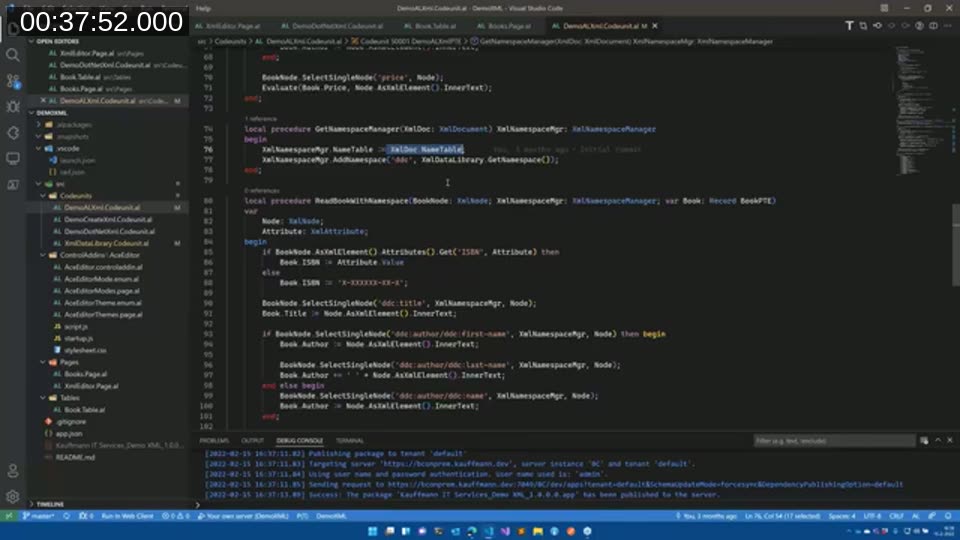
📖 Docs: XmlNamespaceManager data type — resolving, adding, and removing namespaces used inSelectSingleNode/SelectNodescalls.
Creating XML in AL
The second demo builds XML from a Sales Header and its Sales Lines rather than reading it. The root element is created with XmlElement.Create('SalesHeader'), which produces what Kauffmann calls an “orphan” element — not yet part of any document. The demo then loops over the record’s fields using RecordRef and FieldRef, creating one child XmlElement per field, adding a FieldNo attribute via XmlAttribute.Create, and appending the field value as an XmlText child. Every attribute, element, and text node is attached to its parent through the same generic Add() method, which accepts any of those node types.
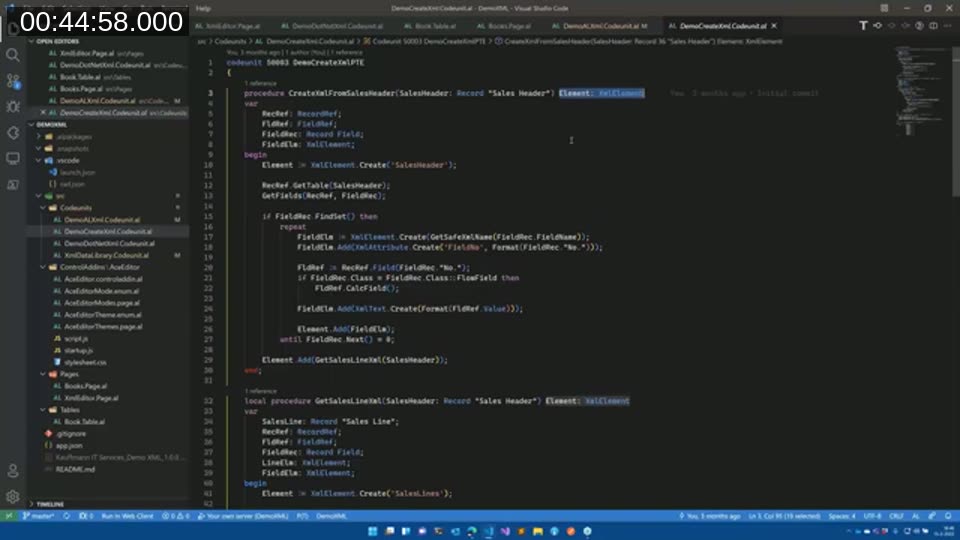
A local GetSafeXmlName helper strips characters that aren’t valid in XML element names before each field element is created, and the sales lines are built the same way and appended as children of the sales header element.
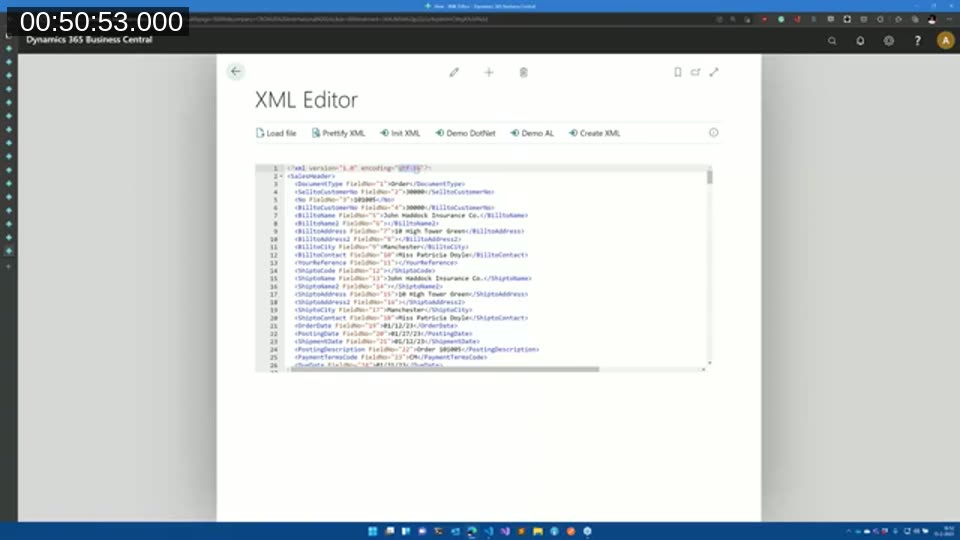
The final step — turning the element tree into text — shows a difference worth remembering: calling WriteTo directly on the root XmlElement produces output with no XML declaration, while adding that element to an XmlDocument and calling WriteTo on the document adds one automatically. Left on its default, that declaration comes out as UTF-16, which most external systems don’t expect. Setting an explicit declaration with XmlDeclaration.Create('1.0', 'utf-8', 'yes') before writing produces the UTF-8 header that most systems expect. Kauffmann’s rule of thumb: keep working with the plain element for anything staying inside Business Central (e.g. storing it in a BLOB field), and only wrap it in an XmlDocument — with an explicit declaration — when the XML is being exchanged with an external system.
Q&A Highlights
- Can a namespace be selected with an empty prefix? Yes — Kauffmann demonstrates it live. It isn’t strictly documented behavior he expected to work, but AL’s namespace resolution turned out to be more tolerant than he assumed.
- What is the “XML Data Library” referenced in the code? A small helper codeunit Kauffmann wrote himself for string handling used throughout the demos — not a Microsoft-supplied library.
- Why does AL’s one-based
XmlNodeListexist at all, given the extra migration friction it causes? Kauffmann has no clear answer beyond consistency with AL’s other array types being one-based; he noted he filed a related GitHub issue against the platform roughly two years earlier and only received a response the week before this session.
💻 Demo code: The full source for both demos is on GitHub: ajkauffmann/DemoXML.
This post was drafted with AI assistance based on the webinar transcript and video content.